1
220
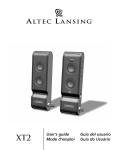
2-Piece Amplified
CONSOLE GAMING
Speaker System
(Requires the use of the AAC1 Y-adapter, which is not included. This
adapter can be purchased at www.alteclansing.com.)
Most console game systems feature dual-RCA outputs. Popular console
systems manufacturers include Sony™, Microsoft™, Nintendo™ and
Sega™. To connect your speakers, follow the steps below:
WELCOME
Thank you for purchasing this Altec Lansing product. As the leader
in Powered Audio products, Altec Lansing designs, manufactures and
markets a wide range of Powered Audio systems featuring built-in
amplifiers that can transform just about any audio source into a
powerful sound system. Simply plug our speakers into your CD, MP3
and DVD player, or your PC, TV or video gaming system—and listen
to the future of audio.
1. Make sure the power to your console gaming system is turned off.
2. The AAC1 Y-adapter has a lime green 3.5 mm stereo jack on one end
and two RCA jacks on the other—one red and one white.
3. Locate the red and white RCA plugs on the end of the cable connected
to the back of your console gaming system. Connect them to the
matching red and white RCA jacks on the AAC1 Y-adapter cable.
4. Locate the lime green 3.5 mm stereo plug, which is connected to the
right satellite.
Box Contents
5. Insert the lime green plug into the lime green jack on the
AAC1 Y-adapter cable.
• 2 Satellites
• Manual
PORTABLE AUDIO DEVICES (MP3, PORTABLE CD PLAYERS, ETC.)
• QCC
1. Locate the lime green 3.5 mm stereo plug, which is connected to the
right satellite.
2. Insert the lime green plug into the headphone jack on your portable
audio device.
Placing Speakers
SATELLITE SPEAKERS
Arrange the satellites to suit your listening tastes—from directly next
to the monitor to as far apart as the speaker cords allow.
Headphones
Note: The satellite speakers are magnetically shielded and can be
placed close to video displays such as TVs and computer monitors
without distorting the image.
To use headphones with the system, plug them into the labeled
jack on the front of the right satellite. When headphones are
connected, both satellites are muted.
Making Connections
Powering On
WARNING:
After all connections are made, plug the power cord located on the
rear of the left satellite, into an AC wall socket. The speaker system is
now ready to operate.
Do not insert the speaker system’s power plug into an AC outlet until
all connections are made. Also, turn off audio sources (i.e., your PC,
MP3 player, console game, etc.) before connecting their outputs to the
220’s inputs.
1. Turn on the audio source.
To ensure first-time operation as expected, please carefully follow the
connection sequences described below in the order indicated.
2. Turn on the Altec Lansing 220 speaker system by pushing the power
button located on the front of the right satellite . A green LED will
light next to the button when the power is on.
SATELLITE SPEAKERS
Note: To avoid hearing a popping sound when you turn on your Altec
Lansing speaker system, always turn on your audio source first.
The satellite speakers must be connected to the audio device. The only
connection that needs to be made is the lime green 3.5mm stereo
audio cable—which is connected to the right satellite—into the audio
output on your audio device. After this connection is made, insert the
power plug located on the rear of the left satellite into an AC outlet.
You can now use your speakers.
MASTER VOLUME
The knob on the front of the right satellite is the master volume
control for the speaker system. Turn the knob clockwise to increase the
volume and counter-clockwise to decrease the volume.
INPUTS
Various connection schemes between your audio source device and the
220 are available. Determine if you’ll be setting up the speaker system
for PC audio/PC gaming, DVD playback, console gaming or with
portable audio sources (such as MP3 or portable CD players), then skip
to the section with that title.
PC AUDIO/PC GAMING/DVD PLAYBACK
All PC sound cards have audio outputs. Typically, the outputs will
be marked as “front output” and “rear output.” In some cases,
slightly different terminology may be used. The sound card’s
documentation should help you determine which outputs to use
with your speaker system.
1. Connect the lime green 3.5 mm stereo cable, which is connected to
the right satellite, into your sound card’s input labeled “FRONT,”
which is also lime green in color.
3