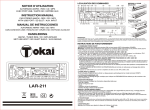
1
LOCALISATION DES COMMANDES
NOTICE D'UTILISATION
(8) (7)
AUTORADIO AM/FM - RDS / MP3
AVEC PORT USB / CARTE SD / ENTRÉE AUX.
(6)(13)
(12) (11)
(10)
(4)
(16) (18)
AUX
MP3 - USB - SD - AUX
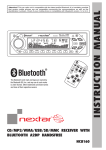
INSTRUCTION MANUAL
AM/FM
LOC
BAND
MODE
MP3
INPUT
TA
CAR STEREO AM/FM - RDS / MP3
WITH USB PORT / SD SLOT / AUX. INPUT
DIS
RDS
AMS
(2) (5) (3) (14)
1
2 INT
(9)
3
4
5 10
6 10
(15)
PWR
(1)
MANUAL DE INSTRUCCIONES
RESET
HANDLEIDING
RETIRER L'APPAREIL
1. Retirer le panneau de commandes avant.
2. Insérer légèrement la clef dans la fente et
enlever doucement.
3. Séparer le casier de l'appareil. Conserver
la clef pour débloquer le panneau dans un
endroit sûr car vous pourriez en avoir
besoin pour enlever l'appareil dans le futur.
TABLEAU DE BORD
ECROU HEX
REGLETTE METALLIQUE
DE FIXATION
VIS AUTOTARAUDEUSE
BOULON HEX
CONSOLE
AUX
MP3 - USB - SD - AUX
SD
4x45 W
LAR-72
CHASSIS DE MONTAGE
AM/FM
LOC
CLEF POUR ENLEVER
LE PANNEAU
MODE
MP3
INPUT
TA
AMS
RDS
1
2 INT
MP3
INPUT
(19)
INSTALLATION
DIS
SD
REMARQUE:
A CHAQUE FOIS QUE LE FIL A ETE DEBRANCHE, LE BOUTON RESET DOIT SE REINITIALISER AVANT DE FAIRE
FONCTIONNER LA RADIO (REFEREZ-VOUS AUX FONCTIONS DU BOUTON RESET POUR PLUS D'INFORMATIONS).
SINON LA RADIO NE FONCTIONNERA PAS CORRECTEMENT.
AM/FM - TUNER RDS / MP3-SPELER
MET USB HOST / SD KAART SLEUF / AUX.INGANG
BAND
DESSIN B: POUR
L’INSTALLER
(17)
AUX
AUTORADIO AM/FM - RDS / MP3 CON CONEXIÓN USB /
RANURA DE TARJETA SD / ENTRADA AUXILIAR
MUT
SD
4x45 W
LAR-72
MUT
DESSIN A: POUR
ENLEVER
3
4
5 10
6 10
PWR
BRANCHEMENTS DES FILS
A
B
HP ARRIERE DROIT
2
1
LAR-72
(-)
(+)
(+)
HP AVANT DROIT
3
4
4
(-)
e 11
(+)
HP AVANT GAUCHE
6
5
(-)
034139
8
7
(-)
(+)
(+)
HP ARRIERE GAUCHE
8
7
(-)
(+)
Sortie Préampli
Rouge : Droit
Blanc : Gauche
Antenne Electrique : Orange
FR-1
INSTRUCTIONS DE FONCTIONNEMENT
stations plus faibles ou “SEEK DX” pour régler fonctionnement normal de la station de radio à distance.
1. COMMANDE POWER
Appuyez sur le bouton POWER pour allumer l'appareil.
Remarque: Vous pourrez allumer l'appareil en appuyant sur n'importe quel autre bouton situé sur le panneau avant (sauf
sur le bouton 'release'), ceci est très pratique si vous vous trouver dans l'obscurité. Pour éteindre l'autoradio appuyez
longuement (environ 3 secondes) sur le bouton POWER.
12. SELECTION VOLUME / REGLAGE (“VOL/SEL”)
Appuyez sur ce bouton brièvement et successivement pour afficher les réglages audio suivants : VOL/BAS/TRE/BAL/FAD.
lVOLUME - Appuyez sur ce bouton une fois, puis tournez-le dans le sens contraire des aiguilles d'une montre pour baisser
le volume ou dans l'autre sens pour l'augmenter.
lBASS - Appuyez sur ce bouton une fois, puis tournez-le dans le sens contraire des aiguilles d'une montre pour baisser le
niveau des basses ou dans l'autre sens pour l'augmenter.
lTREBLE - Appuyez sur ce bouton une fois, puis tournez-le dans le sens contraire des aiguilles d'une montre pour baisser
le niveau des aigus ou dans l'autre sens pour l'augmenter.
lBALANCE - Appuyez sur ce bouton une fois, puis tournez dans le sens horaire ou antihoraire de l'équilibre au niveau du
haut-parleur gauche et à droite.
lFADER - Appuyez sur ce bouton une fois, puis tournez dans le sens des aiguilles d'une montre ou le sens contraire pour
assurer la bonne répartition entre la paire de haut-parleurs avant et la paire arrière. Tournez le bouton dans le sens
contraire des aiguilles d'une montre pour baisser le volume sonore ou dans l'autre sens pour l'augmenter.
SELECTION REGLAGES AUDIO
Appuyez longuement sur ce bouton pendant plus de 2 secondes, le cycle des différents réglages sera activé comme c'est
indiqué ci-dessous. Vous pouvez changer le réglage en tournant le bouton dans le sens des aiguilles d'une montre ou dans
l'autre sens.
lEQ-OFF / FLAT / POP / ROCK / CLASS
lHORLOGE (Tourner "VOL / SEL" dans le sens horaire le bouton pour régler les minutes et antihoraire pour régler
l'heure.)
2. SELECTEUR DE BANDE / BOUTON PAUSE EN MODE USB / CARTE SD
a) A chaque fois que vous appuyez sur ce bouton, la bande de fréquence radio change. Les indications “F1”, “F2”, “F3”' ou
“MW” apparaissent successivement à l'affichage en fonction de votre sélection.
b) Appuyez sur ce bouton pour mettre en pause la lecture des titres en mode USB ou SD.
3. BOUTON PRE-SCAN/AUTO-STORE / BOUTON RÉPÉTITION EN MODE CLE USB / CARTE SD
a) RECHERCHE AUTOMATIQUE DES STATIONS (AMS)
En appuyant légèrement sur cette touche, la radio syntonise chacune des stations présélectionnées. Lorsque le signal
est plus fort que le seuil de syntonisation, la radio demeure sur cette station pendant 5 secondes, en mettant à zéro le
volume pendant un instant et en recommençant ensuite la recherche d'une autre station.
En appuyant longuement sur cette touche, la radio mémorise les six stations les plus fortes correspondant aux
positions de présélection.
lLorsque l'opération de RECHERCHE AUTOMATIQUE(AMS) est terminée, la radio balaye des stations mémorisées.
b) En mode USB et SD, appuyez sur ce bouton pour activer la fonction RÉPÉTITION en mode USB ou SD.
4. AFFICHAGE NUMERIQUE LCD
L'appareil utilise un affichage numérique pour :
lafficher les FREQUENCES des stations
lafficher les autres FONCTIONS.
5. BOUTON AFFICHAGE
Ce bouton permet d'indiquer les informations disponibles telles que:
- Nom de la station
- Bande et fréquence radio
- Indication du type de programme
- SEEK LOC / DX
- Horloge
- Numéro de plage / temps écoulé en mode lecture
6. FONCTION SOURDINE (MUTE)
Appuyez sur ce bouton pour activer la fonction sourdine (MUTE).
7. BOUTON RELEASE POUR RETIRER LA FAÇADE
Ce bouton est prévu pour détacher la façade.
lPour détacher, appuyez sur le bouton RELEASE afin que le coté gauche se décroche. Prenez ensuite le coté décroché
et prendre la façade en main. (DESSIN A)
lPour remettre la façade, placez le côté gauche en place, et poussez ensuite le coté droit en position. (DESSIN B)
8. SÉLECTION MODE
Appuyez sur ce bouton pour sélectionner les modes suivants: Radio (TUNER), USB (USB), SD (SD CARD) ou entrée
Auxiliaire (AUX).
9. COMMANDE RDS (RADIO DATA SYSTEM) / SELECTEUR DE LA FONCTION STEREO/MONO
a) Vous pouvez profiter des avantages RDS sur la radio FM tels que:
lProgram Service Name (PS): lorsqu'une station RDS est reçue, son nom est affiché sur l'écran.
lTraffic Program (TP): lorsqu'une station avec des informations sur la circulation est reçue, “TP” est affiché.
lAlternative Frequencies (AF): l'appareil vérifie continuellement la force du signal des autres fréquences de la station radio
en cours. Chaque fois qu'une autre fréquence avec un signal plus puissant est disponible, l'appareil passera
automatiquement à cette nouvelle fréquence plus puissante et elle sera affichée pendant 1 ou 2 secondes. Si vous
appuyez brièvement sur le bouton, le mode AF est activé et apparaîtra à l'écran comme suit:
-le témoin RDS est allumé (ON): le mode AF est allumé et le signal RDS est reçu.
-le témoin RDS est éteint: le mode AF est éteint.
-le témoin RDS clignote: le mode AF est sélectionné mais le signal RDS n'est pas encore reçu.
b) Appuyez longuement (2 sec.) sur ce bouton pour sélectionner une réception en “FM STEREO” ou “FM MONO”.
10. BOUTON TA (TRAFFIC ANNOUNCEMENT) / BOUTON LOUD
a) Appuyez brièvement sur le bouton pour activer la fonction TA (ON) ou désactiver la fonction (OFF). Quand la fonction TA
est activée, le témoin “TA” apparaîtra à l'affichage et la radio pourra recevoir les informations concernant la circulation de
ces mêmes stations ou provenant d'autres stations et qui diffusent les informations routières (Traffic Announcement TA).
Le mode TA peut fonctionner comme ce qui suit:
lSi le volume est assez bas, le volume augmentera temporairement pendant l'annonce des informations sur la circulation
et reviendra au niveau initial à la fin des informations.
lSi la radio est sur silencieux, elle désactivera la fonction sourdine pendant l'annonce des informations.
lSi l'appareil est en mode USB/SD, il passera temporairement au mode radio pour recevoir les informations concernant la
circulation routière.
b) Appuyez longuement (+2 sec.) sur ce bouton pour activer la fonction LOUDNESS qui améliore immédiatement le niveau
des basses et des aigues quand elles ne sont pas suffisantes lors d'une écoute à faible volume.
13./14. REGLAGE AUTOMATIQUE OU MANUEL DES STATIONS RECHERCHE AVANT/ARRIERE EN MODE USB /
CARTES MEMOIRES
En mode radio, en appuyant brièvement, cela permet de régler la prochaine station reçue. En appuyant sur plus de 1
seconde, vous pouvez activer la fonction de réglage manuel.
En mode USB/SD CARD, appuyez 1 seconde sur l'une de ces touches selon votre choix de revenir à la piste précédente
ou suivante. Si vous appuyez plus de 2 secondes, vous effectuerez une avance ou retour rapide pour atteindre un point
spécifique sur la même piste.
15. BOUTON STATION PRESET (1-6)
Les touches de présélection dits « PRESET » de l'appareil sont utilisées pour mémoriser les stations radio que vous
voudriez conserver. Chaque bouton de préréglage peut mémoriser 6 stations pour chaque bande de fréquence radio F1,
F2, F3 ou MW. Si vous appuyez sur le bouton brièvement, la station dernièrement mémorisée sera rappelée. Il y a 6
boutons de préréglages ce qui vous donne la possibilité de mémoriser 18 stations FM ou 6 stations MW.
Pour la mise en mémoire d'une station, il convient de maintenir appuyée la touche numérique sélectionnée de 1 à 6
pendant plus de 2 secondes pour mémoriser la fréquence de la station à la présélection choisie. Après cela, vous pouvez
rappeler cette station en appuyant sur la touche numérique une fois.
En mode USB / SD CARD
lPreset 1 - appuyez sur ce bouton pour localiser la première piste.
lPreset 2 (Touche INTRO) - appuyez sur ce bouton pour mettre en lecture les 10 premières secondes de chaque titre sur
USB ou SD.
lPreset 5 (Touche -10) - appuyez sur ce bouton pour effectuer un saut de pistes 10 précédentes.
lPreset 6 (Touche +10) - appuyez sur ce bouton pour effectuer un saut de pistes 10 suivantes.
16. ENTRÉE AUX
Appuyez sur le bouton MODE (8) jusqu'à ce que “AUX”
s'affiche à l'écran. L'appareil est prêt à jouer des fichiers
de l'appareil audio externe via l'entrée auxiliaire
directement sur le panneau avant.
17. PORT USB
Appuyez sur le bouton MODE (8) jusqu'à ce que “USB”
s'affiche à l'écran. L'appareil est prêt à mettre en lecture
les fichiers contenus dans votre périphérique USB.
AUX
Compatible avec
MP3
INPUT
MP3 jukebox
MP3 player
CD player
18. LECTEUR CARTE SD
Appuyez sur le bouton MODE (8) jusqu'à ce que “Carte SD” s'affiche à l'écran. L'appareil est prêt à lire des fichiers
contenus dans la carte SD.
19. BOUTON RESET
Il est enfoncé pour éviter les manipulations accidentelles et peut être activé avec la pointe d'un crayon ou un autre objet
pointu. Cette réinitialisation du circuit est prévue pour protéger le microprocesseur, et doit être activé que dans les
conditions suivantes:
a) Une première installation après que tous les branchements soient effectués.
b) Fonctionnement anormal comme par exemple l'indication de l'affichage erroné.
c) Quand le bouton de réinitialisation est activé, tous les contenus de la mémoire seront effacés et devront être
reprogrammés. Le bouton RESET est accessible par le panneau des commandes principales.
11. SELECTEUR DE FONCTION LOCAL/DISTANT
Appuyez sur ce bouton pour sélectionner “SEEK LOC” pour empêcher des stations locales fortes de chevaucher des
FR-2
*ENTRÉE AUX*
SD
FR-3
GUIDE DE DEPANNAGE
Effectuer tous les branchements avant d’utiliser cette liste de vérification.
S’il reste des problèmes après consultation de ce guide, veuillez consulter un représentant local du service client.
LOCATION OF CONTROLS
(8) (7)
(6)(13)
(12) (11)
(10)
(4)
AUX
MP3 - USB - SD - AUX
SD
4x45 W
LAR-72
MUT
DRAWING A: TO
REMOVE
(16) (18)
AM/FM
LOC
BAND
MODE
MP3
INPUT
TA
DIS
RDS
AMS
1
2 INT
3
4
5
10
6
10
PWR
DRAWING B: FOR
INSTALLING
(2) (5) (3) (14)
(9)
(15)
(1)
(17)
AUX
RESET
SD
MP3
INPUT
(19)
REMARK:
AT ANY TIME, IF THE WIRE HAS BEEN DISCONNECTED, THE RESET BUTTON MUST BE NEED TO RESET AGAIN BEFORE OPERATE
THE RADIO (REFER TO RESET BUTTON FOR DETAILS). OTHERWISE, THE RADIO MAY NOT WORK PROPERLY.
INSTALLATION
WIRE CONNECTION
A
DASHBOARD
CARACTERISTIQUES TECHNIQUES
HEXAGON NUT
CARACTERISTIQUES GENERAL
Alimentation électrique ........................................................................................ Masse de polarité négative DC 12V
Consommation .................................................................................................... Max. 10A
Sortie de puissance ............................................................................................. 4 x 45Watts (mesurée à DC 14.4V)
Dimensions .......................................................................................................... 178 (L) x 100 (P) x 50 (H) mm
SECTION FM
Portée de fréquence ............................................................................................ 87.5 MHz - 108 MHz
Sensibilité effective .............................................................................................. < 18 dB
Fréquence I.F ...................................................................................................... 10.7 MHz
SECTION AM
Portée de fréquence ............................................................................................ 522 KHz - 1620 KHz
Sensibilité effective .............................................................................................. < 38 dB
Fréquence I.F ...................................................................................................... 450 KHz
SECTION SD
Système ............................................................................................................... Système audio MP3
B
REAR RIGHT SPEAKER
2
1
METAL
MOUNTING STRIP
(-)
(+)
SELF-TAPPING
SCREW
4
(-)
HEXAGON BOLT
(-)
UNIT REMOVAL
1. Remove Front Control Panel and Frame.
2. Slightly insert the key into the slot and gently to release.
3. Separate the mounting case from the unit. Keep removal keys
in a safe place as you may need for future removal of unit.
(+)
FRONT LEFT SPEAKER
6
5
CONSOLE
MOUNTING CASE
(+)
FRONT RIGHT SPEAKER
3
4
8
7
(-)
(+)
(+)
REAR LEFT SPEAKER
8
7
(-)
(+)
Line Out
Red : Right
White : Left
Power Antenna : Orange
SECTION
Système ............................................................................................................... Système audio MP3
Le design et les caractéristiques sont sujets à modifications sans préavis.
MISE AU REBUT EN FIN DE VIE
REMOVAL KEY
Attention ! Ce logo apposé sur le produit indique qu'il s'agit d'un appareil dont le traitement en tant que déchet rentre
dans le cadre de la directive 2002/96/CE du 27 janvier 2003, relative aux déchets d'équipements électriques et
électroniques (DEEE).
Ce symbole signifie que les produits électriques et électroniques usagées ne doivent pas être mélangés avec les déchets
ménagers généraux. Un système de collecte séparé est prévu pour ces produits.
Si vous souhaitez mettre cet appareil au rebut, ne le jetez pas dans une poubelle ordinaire !
- La présence de substances dangereuses dans les équipements électriques et électroniques peut avoir des effets potentiels sur
l'environnement et la santé humaine dans le cycle de retraitement de ce produit.
- Ainsi, lors de la fin de vie de cet appareil, celui-ci ne doit pas être jeté avec les déchets municipaux non triés. Les appareils
électriques et électroniques doivent être traités séparément et conformément aux lois en vigueur en matière de traitement, de
récupération et de recyclage adéquats de ces appareils.
- Des systèmes de reprise et de collecte sont mis à votre disposition par les collectivités locales (déchetteries) et les distributeurs.
Veuillez contacter votre administration locale pour plus de renseignements. Vous avez l'obligation d'utiliser les systèmes de
collecte sélective mise à votre disposition.
- Si votre appareil électrique et électronique usagé comporte des piles ou des accumulateurs, veuillez les mettre séparément et
préalablement au rebut conformément à la législation locale en vigueur.
- En veillant à la mise au rebut correcte de ce produit, vous contribuerez à assurer le traitement, la récupération et le recyclage
nécessaires de ces déchets, et préviendrez ainsi les effets néfastes potentiels de leur mauvaise gestion sur l'environnement et la
santé humaine.
Cet appareil est conforme aux exigences imposées par la Directive Européenne 2006 / 95 CE (Directives
sur la Compatibilité Electromagnétique et Basse Tension)
FR-4
OPERATING INSTRUCTIONS
1. POWER ON/OFF CONTROL
Press the button to turn the power “ON” or “OFF”.
Note : The unit can be turn on by pressing any keys on the panel (except panel release button). It will help the user who cannot find the
power button in dark.
2. BAND SELECTOR / PAUSE CONTROL
a) On radio mode, each time this button is pressed, the radio band is changed. The indication “F1”, “F2”, “F3” or “MW” will appear on
the display according to your selection.
b) Press this button to pause during playback.
3. PRE-SCAN/AUTO-STORE BUTTON / REPEAT CONTROL
a) On radio mode, this button allows you to enjoy “Preset Memory Scan” function by pushing it shortly, and “Auto-Store Memory”
function by pushing it more than 2 seconds.
lPS (PRESET MEMORY SCAN) - It calls the memorized station frequencies (from 1-6) automatically every 5 seconds.
lAS (AUTO-STORE MEMORY) - It searches all station frequencies upward and memorize automatically 6 stations by catching the
frequency which has scan-stop level, the memorized station is shown on LCD as “1 to 6”. After memorizing, auto-store
memory function will be changed to “Preset Memory Scan” function automatically.
b) Press this button to repeat the song during playback.
4. LCD DIGITAL DISPLAY
The unit utilizes a digital type display which shows numerical indication of station FREQUENCY and other FUNCTIONS.
5. DISPLAY BUTTON
This button serves to show available information as following:
l Station Name / Band & Frequency / Programme Type Name / SEEK LOC/DX / Clock / Track No. & Playing Time
GB-1
6. MUTE CONTROL
Press this button to mute volume control and “MUT” will flash on the display. If you want to cancel the mute function, just press the
button again.
7. PANEL RELEASE BUTTON
This button is used to release the panel from the unit.
l To detach the front panel, press the button so that the left side of the panel is released. Grasp the released side and pull it off of
the chassis (DRAWING A : TO REMOVE).
l To re-attach the panel, insert the right side of the panel in place first and then press the left side of the panel until the chassis hold
the panel firmly (DRAWING B : FOR INSTALLING).
TROUBLE SHOOTING
Before using the check list, please make all the connections first. If you still have questions after going through the check list,
please consult your local customer service representative.
8. MODE SELECTION
Press this button to select Radio (TUNER), USB (USB), SD (SD CARD) or Auxiliary Input (AUX) mode.
9. RDS (RADIO DATA SYSTEM) CONTROL / STEREO/MONO CONTROL
a) By pressing shortly, you can enjoy RDS advantages on FM radio as following.
l Program Service Name (PS) : When an RDS station is received, station's name will appear on the display.
l Traffic Program (TP) : When station with traffic program is received, “TP” indicator will appear on the display.
l Alternative Frequencies (AF) : The unit continuously checking the signal strength of alternative frequencies for the tuned radio station.
Every time that new alternative frequency is stronger than current station, it automatically switch over to the new frequency and new
frequency will be displayed for 1-2 second. When the button pressed short, AF switching mode is selected and the state of AF
switching mode will appear on the display as following:
-RDS indicator on : AF mode is on and RDS signal is received.
-RDS indicator off : AF mode is off.
-RDS indicator flashing : AF switching mode is selected but RDS signal is not received yet.
b) By pressing longer than 1 second, you can select “FM STEREO” or “FM MONO” reception.
10. TA (TRAFFIC ANNOUNCEMENT) CONTROL / LOUD CONTROL
a) By pressing shortly, you can select TA mode on or off. When TA mode is on, “TA” indicator will appear on the display and the radio is
able to receive traffic announcements on the same stations or stations with Traffic Program (TP). The TA mode can work as following:
l If the volume setting is very low, volume level will be raised temporarily during traffic announcement and back to original volume level
at the end of traffic announcement.
l If the radio is muted, it will be de-muted for the duration of the traffic announcement.
l If the unit is on USB/SD mode, it will switch temporarily to radio mode to receive Traffic Announcement.
b) By pressing longer than 1 second, you can activate the loudness circuitry which compensates for loss of high and low frequencies
during low volume levels.
11. LOCAL/DISTANT CONTROL
By pressing this button, you can select “SEEK LOC” to prevent strong local stations from overlapping weaker stations or “SEEK DX” for
distance in normal operation.
12. VOLUME/SELECTION BUTTON (“VOL/SEL”)
Rotate the button anti-clockwise to decrease, or clockwise to increase volume level.
AUDIO LEVEL CONTROL (WHEN PUSHING ONE AFTER ANOTHER)
Press this button shortly one after another to show VOL/BAS/TRE/BAL/FAD control.
l VOLUME - Press this button once, then rotate anti-clockwise to decrease, or clockwise to increase volume level.
l BASS - Press this button once, then rotate anti-clockwise to decrease, or clockwise to increase bass level.
l TREBLE - Press this button once, then rotate anti-clockwise to decrease, or clockwise to increase treble level.
l BALANCE - Press this button once, then rotate anti-clockwise or clockwise to level balance of speaker left and right.
l FADER - Press this button once, then rotate anti-clockwise or clockwise to level fader of speaker rear and front.
AUDIO/SETTING SELECT (HOLD MORE THAN 2 SECONDS)
By pressing longer than 1 second, you can activate as unit setting selection in cyclical mode as following. The unit setting Scan be
changed by rotating the button clockwise or anti-clockwise.
l EQ-OFF / FLAT / POP / ROCK / CLASS
l CLOCK (rotate “VOL/SEL” button clockwise to set MINUTE and anti-clockwise to set HOUR.)
13/14. SEEK & MANUAL UP/DOWN TUNING / TRACK SEEK UP/DOWN CONTROL
On radio mode, by pressing shortly, it will tune to the next received station. By pressing longer than 1 second, you can activate the
manual tuning function. On USB/SD mode, press this button will locate the beginning of the track being played or will locate the
beginning of the next track. By pressing longer than 1 second, it will move fast forward or fast backward to a specific position.
15. STATION PRESET BUTTON (1-6)
The PRESET BUTTONS on the unit are used to store station frequencies which you may wish to recall. Each preset button can store F1, F2,
F3, MW band station frequency. Pressing the button momentarily recalls the station frequency which was memorized. There are 6 preset
buttons, giving you capability of storing 18FM/6MW.
NOTE: When the preset button to be memorized is kept pressed longer than 1 second, the receiving station frequency will be stored in the
button pressed. After this, the memorized station can be recalled by pressing the button once.
On USB / SD Mode
l Preset 1 - press this button to locate the first track.
l Preset 2 - press this button to scan the first 10 seconds of all the tracks on the USB device / SD Card.
l Preset 5 - press this button to search -10 track.
l Preset 6 - press this button to search +10 track.
*AUXILIARY INPUT*
Compatible with
16. AUXILIARY INPUT
Press MODE button (8) until the “AUX” mode is shown
on display. The unit is ready to play files from the external
audio device through the auxiliary input directly on the
front panel.
AUX
SD
MP3
INPUT
17. USB HOST
Press MODE button (8) until the “USB” mode is shown on
display. The unit is ready to play files from the USB device.
MP3 jukebox
MP3 player
CD player
18. SD CARD SLOT
Press MODE button (8) until the “SD CARD” mode is shown on display. The unit is ready to play files from the SD card.
19. RESET BUTTON
The RESET button is located on the front of main panel. It is recessed in order to prevent accidental engagement, and can be activated with
the tip of a ball-point pen or any similar pointed object. This reset circuitry is provided in order to protect the unit's microprocessor, and should
only be activated under the following conditions :
a) Initial installation after all wiring is completed.
b) Abnormal operation is encountered such as numerical indication on display is erratic.
c) Whenever the reset button is activated, all preset memory content will be erased and must be reprogrammed.
GB-2
TECHNICAL SPECIFICATIONS
GENERAL CHARACTERISTICS
Supply Voltage .............................................................................................................................. 12V DC, Negative Ground
Current consumption ..................................................................................................................... 10A max.
Max. output power ......................................................................................................................... 45W x 4 (measured at DC 14.4V)
Unit Dimensions ............................................................................................................................ 178 (W) x 50 (H) x 100 (D) mm
FM SECTION
Frequency range ........................................................................................................................... 87.5 MHz - 108 MHz
Usable sensitivity ........................................................................................................................... Less than 18 dB
Intermediate frequency .................................................................................................................. 10.7 MHz
AM SECTION
Frequency range ........................................................................................................................... 522 KHz - 1620 KHz
Usable sensitivity ........................................................................................................................... Less than 38 dB
Intermediate frequency .................................................................................................................. 450 KHz
SD SECTION
System ........................................................................................................................................... MP3 Audio System
USB SECTION
System ........................................................................................................................................... MP3 Audio System
Specifications and design are subject to change without notification.
END OF LIFE DISPOSAL
Warning ! This logo set on the product means that the recycling of this apparatus comes within the framework of the
Directive 2002/96/CE of January 27, 2003 concerning the Waste of Electrical and Electronic Equipment (WEEE).
This symbol means that used electrical and electronic products should not be mixed with general household waste.
There is a separate collection system for these products.
If you want to dispose of this equipment, please do not use the ordinary dust bin !
- The presence of dangerous substances in the electrical and electronic equipments can have potential consequences on the
environment and human health in the cycle of reprocessing this product.
- Therefore, at the end of its lifetime, this product shall not be disposed with other non-recycled waste. Used electrical and
electronic equipment must be treated separately and in accordance with legislation that requires proper treatment, recovery and
recycling of used electrical and electronic equipment.
- Local authorities and resellers have set special procedures for the purpose of collecting and recycling this product (please contact
your local authority for further details). You have the obligation to use the selective waste collection systems put in place by your
local authority.
- If your used electrical or electronic equipment has batteries or accumulators, please dispose of these separately beforehand
according to local requirements.
- By disposing of this product correctly you will help ensure that the waste undergoes the necessary treatment, recovery and
recycling and thus prevent potential negative effects on the environment and human health which could otherwise arise due to
inappropriate waste handling.
This unit complies with European Council Directive 2006 / 95 CE (Electromagnetic Compatibility & Low
Voltage Directives)
GB-3
DISPOSICIÓN DE LOS MANDOS
(8) (7)
(6)(13)
(12) (11)
(10)
(4)
(16) (18)
AUX
MP3 - USB - SD - AUX
SD
4x45 W
LAR-72
MUT
FIGURA A :
ELIMINAR
AM/FM
LOC
BAND
MODE
MP3
INPUT
TA
DIS
RDS
AMS
(2) (5) (3) (14)
1
2 INT
(9)
3
4
5 10
6 10
(15)
PWR
(1)
AUX
RESET
FIGURA B :PARA
INSTALAR
(17)
SD
MP3
INPUT
(19)
OBSERVACIÓN:
SI SE DESCONECTA LA ALIMENTACIÓN ELÉCTRICA, TENDRÁ QUE PULSAR EL BOTÓN RESET ANTES DE PODER VOLVER A UTILIZAR EL AUTORRADIO (PARA
MÁS DETALLES, REMÍTASE A LA BOTÓN RESET ). SI NO SE PROCEDE DE ESTE MODO, ES POSIBLE QUE EL AUTORRADIO NO FUNCIONE CORRECTAMENTE.
INSTALACIÓN
EXTRACCIÓN DEL AUTORRADIO
1. Quite la carátula desmontable.
2. Introduzca ligeramente la llave en la
muesca y desbloquee sin forzar.
3. Extraiga el autorradio de su chasis de
montaje. Guarde la llave de extracción
en un lugar seguro para poder utilizarla
de nuevo posteriormente.
SALPICADERO
TUERCA HEXAGONAL
REGLETA METÁLICA
DE FIJACIÓN
TORNILLO
AUTORROSCANTE
PERNO HEXAGONAL
CONSOLA
CHASIS DE
MONTAJE
LLAVE DE
EXTRACCIÓN
CONEXIÓN DEL AUTORRADIO
B
Parlante Trasero Derecho
2
1
(-)
(+)
Parlante Frontal Derecho
3
4
(-)
(+)
Parlante Frontal Izquierdo
6
5
(-)
(+)
Parlante Trasero Izquierdo
8
7
(-)
(+)
Línea de Salida
Rojo : Derecho
Blanco : Izquierdo
Antena de Potencia: Naranja
ES-1
MODO DE EMPLEO
1. BOTÓN ON/OFF (MARCHA / PARADA)
Pulse este botón para encender el aparato. Para apagarlo pulse más de 3 segundos.
Nota: Este aparato puede ser puesto en marcha pulsando cualquier botón de la carátula (con la excepción del botón de extracción
de la carátula desmontable). Esta función es práctica para el usuario que no logra encontrar el botón on/off en la oscuridad.
2. SELECTOR DE BANDA / CONTROL DE PAUSA
a) En el modo Radio, cada vez que se pulsa este botón, el sintonizador cambia de banda de frecuencias. En función de la banda
escogida aparece “F1”, “F2”, “F3” (bandas de radio FM) o “MW” (bandas de radio AM).
b) En el modo USB/SD CARD, pulse este botón para pausar el disco o archivo reproducido.
3. EXPLORACIÓN DE LAS PRESELECCIONES/FUNCIÓN DE MEMORIZACIÓN AUTOMÁTICA / CONTROL DE REPETICIÓN
a) En el modo Radio, este botón activa la función de “Exploración de las emisoras preseleccionadas memorizadas” cuando es
pulsado durante dos segundos y la función de “Memorización automática” cuando es pulsado durante más de dos segundos.
lPS (PRESET MEMORY SCAN) - Explora automáticamente y llama las frecuencias de las emisoras de radio memorizadas (1 a 6),
a razón de 1 cada 5 segundos.
lAS (AUTO-STORE MEMORY) - Explora las frecuencias de todas las emisoras de radio y memoriza automáticamente seis estaciones,
escogiendo las frecuencias en las cuales la señal emitida es suficientemente fuerte para interrumpir la exploración. La emisora que
es memorizada aparece en la pantalla de cristal líquido en la forma “1…6”. Una vez que las seis estaciones están memorizadas,
la función de memorización automática es reemplazada automáticamente por la función de exploración de las preselecciones.
b) En el modo USB/SD CARD, pulse este botón para repetir la canción que se está reproduciendo.
4. PANTALLA DE VISUALIZACIÓN DE CRISTAL LÍQUIDO
El aparato utiliza una pantalla digital que indica las FRECUENCIAS de las emisoras de radio y otras indicaciones relativas a las FUNCIONES.
5. BOTÓN DISPLAY
El botón “DIS” se utiliza para mostrar las diferentes informaciones disponibles:
- Nombre de la emisora
- Banda y frecuencia de radio
- Nombre y tipo de programa
- SEEK LOC / DX
- Reloj
- Número de pista/tiempo transcurrido de lectura
6. BOTÓN MUTE
Pulse este botón para silenciar el control de volumen y “MUT” parpadeará en la pantalla. Si quiere cancelar la función MUTE,
simplemente vuelva a presionar el botón.
7. BOTÓN DE EXTRACCIÓN DE LA CARÁTULA
Pulsando este botón podrá soltar el panel frontal de la caja del aparato.
l Para extraer el panel frontal, pulse este botón para que el lado izquierdo se suelte y después, sujetándolo por el lado suelto, saque
el panel de su lugar de instalación. (FIGURA A : ELIMINAR)
l Para colocar el panel de nuevo en su sitio, coloque primero el lado derecho en su sitio y después presione el lado izquierdo contra
el frontal del aparato de forma que quede encajado. (FIGURA B : PARA INSTALAR)
8. SELECCIÓN DE MODO
Pulse este botón para seleccionar el modo Radio (TUNER), USB (USB), SD (SD CARD) o entrada auxiliar (AUX).
9. CONTROL RDS / CONTROL DE ST/MO
a) Pulsando brevemente, puede disfrutar de las ventajas RDS radio FM como las siguientes:
l (PS) Servicio de nombre de programas: Cuando una emisora RDS se recibe, el nombre de la emisora aparecerá en la
pantalla.
l (TP) Información de Tráfico: Cuando una emisora recibe información de tráfico, un indicador “TP” aparecerá en la pantalla.
l (AF) Frecuencias alternativas: El aparato está continuamente comprobando la potencia de la señal de frecuencias
alternativas para la emisora de radio. Cada vez que una nueva frecuencia alternativa sea más potente que la emisora
sintonizada, automáticamente cambiará a la nueva frecuencia la cual se mostrará durante 1-2 segundos. Cuando se pulse
el botón, AF seleccionará el cambio y el estado de AF aparecerá en la pantalla como a continuación:
-Indicador RDS encendido: AF encendido y se recibe la señal RDS.
-Indicador RDS apagado: AF apagado.
-Indicador RDS destella: AF seleccionado pero la señal RDS no se recibe todavía.
b) Pulsando más de 1 segundo, puede seleccionar recepción “FM STEREO” o “FM MONO”.
10. TA (ANUNCIO DE TRÁFICO) / CONTROL DE SONORIDAD
a) Pulse el botón para seleccionar TA encendido / apagado. Cuando la modalidad TA se encuentre activada, el
indicador “TA” aparecerá en la pantalla y la radio será capaz de recibir anuncios de tráfico en las mismas emisoras unidas
con (TP) programa de tráfico. La modalidad TA puede funcionar como se explica a continuación:
l Si el volumen está muy bajo, el nivel del volumen se subirá temporalmente durante la información de tráfico.
l Si la radio está en mute, se volverá a oír durante la duración del anuncio.
l Si el aparato se encuentra en la modalidad USB/SD, se pasará a la función de radio temporalmente para recibir la
información del anuncio de tráfico.
b) Al pulsar más de 1 segundo, puede activar los circuitos de sonoridad que compensa la pérdida de frecuencias altas y
bajas en los niveles de volumen bajo.
11. CONTROL DE LOCAL/DISTANT
Pulse el botón, puede seleccionar “SEEK LOC” para evitar que las emisoras locales fuertes se solapen con las emisoras
débiles o “SEEK DX” para la distancia normal de funcionamiento.
12. BOTÓN VOLUMEN / SELECCIÓN (“VOL/SEL”)
Girar el botón a la izquierda para disminuir o a la derecha para aumentar el volumen.
NIVEL DE AUDIO (HACIENDO BREVES PULSACIONES)
Presionar este botón con breves pulsaciones para mostrar control de volumen (VOL), bajos (BAS), agudos (TRE),
balance (BAL) y fader (FAD).
lVOLUMEN - Cuando se muestra “VOL”, girar el botón a la izquierda para disminuir o a la derecha para aumentar el volumen.
lBAJOS - Cuando se muestra “BAS”, girar el botón a la izquierda para disminuir o a la derecha para aumentar los bajos.
lAGUDOS - Cuando se muestra “TRE”, girar el botón a la izquierda para disminuir o a la derecha para aumentar los agudos.
lBALANCE - Cuando se muestra “BAL”, girar a la izquierda o a la derecha para el nivel de equilibro del altavoz izquierdo y derecho.
lFADER - Cuando se muestra “FAD”, girar a la izquierda o a la derecha para el nivel de fader de los altavoces delanteros y traseros.
CONFIGURACIÓN AUDIO / OPCIONES (TRAS PULSAR DURANTE 2 SEG)
Al presionar el botón por más de 2 segundos, activa como unidad que fija la selección en modo cíclico como sigue. El ajuste de la
unidad se puede cambiar girando el botón a la derecha o a la izquierda.
lEQ-OFF / FLAT / POP / ROCK / CLASS
lRELOJ (girar “VOL / SEL” hacia la derecha para ajustar los minutos y en sentido anti horario para ajustar la hora.)
ES-2
13/14. BÚSQUEDA MANUAL DE LAS EMISORAS HACIA ARRIBA / HACIA ABAJO - BÚSQUEDA HACIA ADELANTE / HACIA ATRÁS (CANCIÓN)
En modo de radio, pulsando brevemente, se sintonizará a la siguiente emisora recibida. Pulsando más de 1 segundo,
puede activar la función sintonización manual.
En el modo USB/SD CARD, pulse este botón para regresar al comienzo de la pista que está siendo leída o para avanzar
al principio de la pista siguiente. Pulse este botón durante más de dos segundos para avanzar rápidamente hacia
adelante o hacia atrás un pasaje específico en una pista.
15. BOTONES DE PRESELECCIÓN (1-6)
Los BOTONES DE PRESELECCIÓN del aparato son usados para almacenar las frecuencias de emisoras que podría desear volver
a escuchar. Cada botón de preselección puede almacenar en las bandas F1, F2, F3 y MW frecuencias de emisoras. Pulse
brevemente el botón para llamar la frecuencia que haya memorizado. Usted dispone de seis botones de preselección, por lo tanto
puede memorizar 18 emisoras en FM y 6 emisoras en MW.
NOTA: Si pulsa un botón de preselección durante más de dos segundos, la frecuencia de la emisora recibida será memorizada
asociándola a este botón. Posteriormente podrá llamar la emisora memorizada pulsando el botón.
ESPECIFICACIONES TÉCNICAS
CARACTERÍSTICAS GENERALES
Alimentación .............................................................................................................................. 12V DC, tierra negativa
Consumo normal ....................................................................................................................... 10A max.
Max.potencia de salida .............................................................................................................. 4 x 45W (medido a DC 14.4V)
Dimensiones del equipo ............................................................................................................ 178 (W) x 50 (H) x 100 (D) mm
SECCIÓN FM
Rango de frecuencia MHz ......................................................................................................... 87.5 MHz - 108 MHz
Sensibilidad útil .......................................................................................................................... Menos de 18 dB
Frecuencia intermedia ............................................................................................................... 10.7 MHz
En el modo USB / SD CARD
lBotón de preselección n° 1 – Pulse este botón para buscar la primera pista.
lBotón de preselección n° 2 – Pulse este botón para que se reproduzcan los 10 primeros segundos de todas las canciones .
lBotón de preselección n° 5 – Pulse este botón para ir 10 canciones hacia atrás.
lBotón de preselección n° 6 – Pulse este botón para ir 10 canciones hacia delante.
SECCIÓN AM
Rango de frecuencia KHz ......................................................................................................... 522 KHz - 1620 KHz
Sensibilidad útil .......................................................................................................................... Menos de 38 dB
Frecuencia intermedia ............................................................................................................... 450 KHz
16. ENTRADA AUXILIAR
Pulse el botón MODE (8) hasta que el modo “AUX” sea mostrado
en la pantalla. La unidad está lista para reproducir archivos del
dispositivo de audio a través de la entrada auxiliar directamente
en el panel frontal.
SECCIÓN SD
Sistema ...................................................................................................................................... MP3 Audio System
17. CONEXIÓN USB
Pulse el botón MODE (8) hasta que el modo “USB” se muestra
en pantalla. La unidad está lista para reproducir archivos del
dispositivo USB.
AUX
SD
*ENTRADA AUXILIAR*
Compatible con
SECCIÓN USB
Sistema ...................................................................................................................................... MP3 Audio System
MP3
INPUT
MP3 jukebox
MP3 player
CD player
18. RANURA DE TARJETA SD
Pulse el botón MODE (8) hasta qué modo “Tarjeta SD” se muestre en pantalla. La unidad está lista para reproducir archivos
desde la tarjeta SD.
19. BOTÓN RESET
El botón RESET está situado en la parte delantera del aparato. Se encuentra en un hueco para evitar su activación accidental y sólo
puede ser Activado introduciendo ahí la punta de un bolígrafo u otro objeto puntiagudo similar. El circuito de re inicialización está
diseñado para proteger el microprocesador del aparato y sólo debe ser activado en las siguientes condiciones:
a) Durante la instalación inicial del autorradio, una vez que se ha terminado completamente el cableado del aparato.
b) Tras un defecto de funcionamiento, por ejemplo cuando aparecen informaciones incoherentes en la pantalla.
c) Cuando se pulsa el botón reset, todas las emisoras preseleccionadas memorizadas son borradas y deben ser reprogramadas.
RESOLUCIÓN DE PROBLEMAS
Antes de utilizar la lista de comprobaciones, por favor asegúrese primero que todas las conexiones están bien hechas.
Si aún tuviera algunas preguntas después de utilizar la lista de comprobaciones, por favor consulte al servicio técnico local.
Las especificaciones y el diseño están sujetos a cambio sin previo aviso.
DESECHO DEL PRODUCTO
Atencion ! Este juego de logo sobre el producto quiere decir que el reciclaje de este aparato viene dentro del marco
de la Directiva 2002/96/CE del 27 de enero de 2003 concernir la Basura (el Gasto) de Equipo Eléctrico y Electrónico
(WEEE).
Su producto esta marcado con este simbolo. Significa que los productos electricos y electronicos usados no deberian
mezclarse con los residuos domesticos generales. Existe un sistema de recogida independiente para estos productos.
Si quiere desechar este equipo, ¡por favor no utilice el cubo de la basura habitual !
- Los equipos electricos y electronicos usados deberian tratarse por separado de acuerdo con la legislacion que requiere un
tratamiento, una recuperacion y un reciclaje adecuados de los equipos electricos y electronicos usados. Tras la puesta en
practica por parte de los estados miembros, los hogares de pariculares dentro de los estados de la Union Europea pueden
devolver sus equipos electricos y electronicos a los centros de recogida designados sin coste alguno. (Por favor, pongase
en contacto con su autoridad local para obtener mas detalles).
- Si sus equipos electricos o electronicos usados tienen pilas o acumuladores, por favor desechelos por separado con
antelacion segun los requisitos locales.
- Al desechar este producto correctamente, ayudara a asegurar que los residuos reciban el tratamiento, la recuperacion y el
reciclaje necesarios, previniendo de esta forma posibles efectos negativos en el medio ambiente y la salud humana que de
otra forma podrian producirse debido a una manipulacion de residuos inapropiada.
Esta unidad cumple con el Consejo europeo la Directiva 2006 / 95 CE (la Compatibilidad Electromagnética
y Directivas de Voltaje Bajas)
ES-3
ES-4
LOCATIE EN FUNCTIE VAN BEDIENINGSELEMENTEN
(8) (7)
(6)(13)
(12) (11)
(10)
(4)
(16) (18)
AUX
MP3 - USB - SD - AUX
SD
4x45 W
LAR-72
MUT
Figuur A : te
verwijderen
MODE
MP3
INPUT
TA
DIS
RDS
AMS
(2) (5) (3) (14)
1
2 INT
(9)
3
4
5 10
6 10
(15)
PWR
(1)
Figuur B : voor
de installatie
(17)
AUX
RESET
SD
MP3
INPUT
OPMERKING:
ALTIJD, WANNEER DE BEDRADING AFGEKOPPELD IS GEWEEST, MOET DE RESET KNOP GE-RESET WORDEN VOORDAT DE RADIO
BEDIEND KAN WORDEN (RAADPLEEG DE RESET KNOP EIGENSCHAP VOOR BIJZONDERHEDEN). ANDERS, ZAL DE RADIO NIET
NAAR BEHOREN FUNCTIONEREN.
APPARAAT VERWIJDEREN
INSTALLATIE
1. Verwijder Bedieningspaneel aan voorkant.
2. Schuif lichtjes de sleutel in de gleuf en laat
voorzichtig los.
3. Verwijder de huls van het apparaat. Bewaar de
verwijderings sleutel in een veilige plaats daar u
hem wellicht nodig heeft voor verwijdering van
het apparaat in de toekomst.
DASHBOARD
METALEN MONTAGE
STRIP
ZELF-TAPPENDE
SCHROEF
HEXAGON BOUT
CONSOLE
VERWIJDERINGS
SLEUTEL
BEDRADINGSSCHEMA
B
LS Achteraan Rechts
2
1
(-)
(+)
4
(+)
LS Vooraan Rechts
3
4
(-)
(+)
LS Vooraan Links
6
5
(-)
8
7
(-)
(+)
(+)
LS Achteraan Links
8
7
(-)
5. SCHERM KNOP
Deze knop dient om de volgende beschikbare informatie te laten zien:
- Zendernaam
- Band en frequentie
- Programmatype
- SEEK LOC / DX
- Klok
- Track nummer / Afspeel tijd
6. MUTE KNOP
Druk op deze knop om het volume en mute “MUT” knippert op het display. Wilt u de mute-functie te annuleren, druk
opnieuw op de knop.
7. PANEEL ONTKOPPEL KNOP
Deze knop is bedoeld voor het loskoppelen van het frontpaneel.
lOm los te koppelen, drukt u op de knop zodat de linker zijde van het paneel loskomt. Pak de losgekomen kant vast
en verwijder het paneel. (Figuur A : te verwijderen)
lOm het paneel weer vast te koppelen, plaats eerst de rechter zijde van het paneel in het frame, en druk vervolgens
de linkerzijde stevig in het frame. (Figuur B : voor de installatie)
8. MODE SELECTIE
Druk kort op deze knop on te kiezen tussen Radio (TUNER), USB (USB), SD (SD CARD) of Aux ingang (AUX).
INSTALLATIE
BEHUIZING
A
3. PRE-SCAN/AUTO-OPSLAG KNOP / HERHAAL KNOP
a) Deze knop geeft u het gemak van de “Vooraf Ingestelde Geheugen Scan” funktie door er kortelings op te drukken, en de
“Auto-Geheugen Opslag” funtie door hem meer dan 2 seconden in te drukken.
lPS (VOORAF INGESTELDE GEHEUGEN SCAN) - Het roept de onthouden station frequenties (van 1-6) elke 5
seconden automatisch op.
lAS (AUTO-OPSLAG GEHEUGEN) - Het zoekt alle station frequenties opwaards en memorizeerd automatisch 6
stations door de frequentie te pakken die een scan-stop niveau heeft, het gememorizeerde station wordt getoond op
het LCD scherm als “1 tot 6”. Na het memorizeren, wordr de auto-opslag geheugen functie automatisch veranderd
naar de “Vooraf Ingestelde Geheugen Scan” functie.
b) Druk op deze toets om de herhaal functie in te schakelen.
4. LCD DIGITAAL SCHERM
Het apparaat maakt gebruik van een digitaal scherm dat de FREQUENTIE van het station en andere FUNCTIES
numeriek aangeeft.
(19)
HEXAGON MOER
1. IN-/UITSCHAKELEN
Druk op de knop om het apparaat “AAN of ÜIT” te zetten.
Opm.: Het apparaat kan ingewschakeld worden door het indrukken van een willekeurige toets op het paneel (uitgezonderd
de paneel ontgrendel knop). Dit zal de gebruiker helpen die in het donker de ÄAN/UIT knop niet kan vinden.
2. BANDKEUZETOETS / PAUZE KNOP
a) Elke keer als deze knop wordt ingedrukt, wordt de radio band veranderd. De aanduiding “F1”, “F2”, “F3” or “MW” zal
overeenkomstig uw selectie op het LCD scherm verschijnen.
b) Druk op deze toets om te pauzeren tijdens afspelen.
AM/FM
LOC
BAND
BEDIENINGS INSTRUCTIES
(+)
Uitgang Voorversterker
Rood : LS Rechts
Wit : LS Links
Elektr. Antenne : Orange
NL-1
9. RDS (RADIO DATA SYSTEEM) BEDIENING / STEREO/MONO KNOP
a) U kunt genieten van de voordelen van RDS op FM radio als volgt.
lProgramma Service Naam (PS) : Wanneer een RDS zender wordt ontvangen, zal de naam ervan op het scherm
verschijnen.
lVerkeers Programma (VP) : Wanneer een station met een verkeers programma wordt ontvangen, verschijnt een “VP” op
het scherm.
lAlternatieve Frequenties (AF) : Het apparaat controleert voortdurend de signaal sterkte van alternatieve frequenties van
de afgestemde zender. Iedere keer dat de alternative frequentie sterker is dan van het huidig station, schakelt het
automatisch over naar de nieuwe frequentie en deze nieuwe frequentie wordt dan voor 1-2 seconden getoond. Wanneer
de toets voor kortstondig wordt ingedrukt, is de AF schakel mode geselecteerd en de status van de AF schakel mode
zal dan als volgt op het scherm verschijnen:
-RDS indicator aan : AF mode is aan en RDS signaal is ontvangen.
-RDS indicator uit : AF mode is uit.
-RDS indicator knipperd : AF schakel mode is geselecteerd maar RDS signal is nog niet ontvangen.
b) Door het indrukken van langer dan 1 seconde, kunt u “FM STEREO” of “FM MONO” receptie.
10. TA (VERKEERS AANKONDIGING) / LOUD KNOP
a) Druk op de toets om de TA mode aan/uit te selecteren. Wanneer de TA mode aan staat, zal de “TA” indicator op het sherm
verschijnen en zal de radio in staat zijn om verkeers aankondigingen te ontvangenvan dezelfde zenders of zenders
gekoppeld met Verkeers Programma (TP). De TA modus werkt als volgt:
lAls het volume erg laag staat, wordt het volume niveau tijdelijk verhoogd gedurende de verkeers aankondiging en terug
naar het oorspronkelijke volume niveau gezet aan het einde van de verkeers aankondiging.
lAls de radio gedempt (muted) is, zal hij voor de duur van de aankondiging niet gedempt worden.
lAls het apparaat in de USB/SD mode is, zal het tijdelijk naar de radio mode overschakelen om een Verkeers Aankondiging
te kunnen ontvangen.
NL-2
b) Door het indrukken van langer dan 1 seconde, kan u de loudness schakeling, die voor het verlies van hoge en lage
frequenties compenseert tijdens laag volume.
11. LOCAL/DISTANT KNOP
Druk op deze knop , kunt u kiezen “SEEK LOC” om sterke lokale stations te voorkomen van overlappende zwakkere
stations of “SEEK DX” voor de afstand in normaal bedrijf.
PROBLEMEN
Zorg dat alle aansluitingen voor het gebruik van deze checklist.
Als er problemen zijn na raadpleging van deze handleiding, neem dan contact op met een lokale klantenservice.
12. VOLUME/INSTELLING SELECTIE (“VOL/SEL”)
Draai de toets tegen de wijzers van de klok in om te verlagen, of met de klok mee om de volume te verhogen.
GELUIDSNIVEAU REGELING (WANNEER ACHTER ELKAAR INGEDRUKT)
Druk kort na elkaar op deze toets om de regeling van VOL/BAS/TRE/BAL/FAD te tonen
lVOLUME - Druk eenmaal op deze knop, en draai dan tegen de wijzers van de klok in om te verlagen, of tegen de klok in
om het volume te verhogen.
lBAARZEN - Druk eenmaal op deze knop, draai dan tegen de wijzers van de klok in om te verlagen, of met de klok mee
om het baarzen niveau te verhogen.
lHOGE TONEN - Druk eenmaal op deze knop, draai dan tegen de wijzers van de klok in om te verlagen, of met de klok
mee om het hoge tonen niveau te verhogen.
lBALANS - Druk eenmaal op deze knop, draai dan tegen de klok of tegen de klok op het niveau van de spreker evenwicht
links en rechts.
lVERVAGER - Druk eenmaal op deze knop, draai dan tegen de klok of tegen de klok op het niveau van de spreker fader
voor en achter.
AUDIO/INSTELLING SELECTEREN (HOUD LANGER DAN 2 SECONDEN INGEDRUKT)
Wanneer u de toets langer dan 2 seconden indrukt, werkt dit als volgt op een cyclische wijze als een apparaat selectie
instelling. De apparaat instelling kan worden veranderd door de toets met de klok mee of tegen de klok te draaien.
lEQ-UIT / VLAK / POP / ROCK / KLASSIEK
lKLOK (Draaien “VOL / SEL” knop met de klok mee om de minuten en tegen de klok ingesteld op set uur.)
13./14. HANDMATIG OHOOG/OMLAAG AFSTEMMEN / VOORWAARTS/ACHTERWAARTS ZOEKEN
Op de radio-modus, door te drukken in het kort, er wordt nu gezocht naar de volgende zender ontvangen. Door het
indrukken van langer dan 1 seconde, kan u de handmatige tuning functie.
Druk op deze, toets in USB/SD CARD mode en het begin van het afspelende spoor of het begin van het volgende spoor
zal worden opgezocht. Wanneer hij langer dan 2 seconden ingedrukt wordt, zal hij snel voorwaarts of snel achterwaarts
verplaatsen naar een specifieke plaats.
15. ZENDER VOORKEUZE TOETS (1-6)
De VOORKEUZE TOETSEN op het apparaat dienen om zender frequenties op te slaan die u opnieuw wenst op te roepen.
Elke voorkeuze toets kan F1, F2, F3 or MW band zender frequenties opslaan. Kortstondig op de knop drukken roept de
zender frequentie op die er onder opgeslagen is. Er zijn 6 voorkeuze toets pen, hetgeen u de mogelijkheid geeft om 18FM
en 6MW zenders op te slaan.
OPMERKING: Wanneer de voorkeuze toets die opgeslagen moet worden meer dan 2 seconden ingedrukt is, zal de
ontvangen zender frequentie onder de ingedrukte toets opgeslagen worden. Nadien, kan de opgeslagen zender
opgeroepen worden door eenmaal op de toets te drukken.
In USB / SD CARD mode
lVoorkeuze 1 - druk op deze knop om het eerste nummer te vinden.
lVoorkeuze 2 - druk op deze toets om de eerste 10 seconden van alle tracks op USB of SD weer te geven.
lVoorkeuze 5 - druk op deze toets om zoek -10 track.
lVoorkeuze 6 - druk op deze toets om zoek +10 track.
*AUX INGANG*
AUX
16. AUX INGANG
Druk op de MODE-knop (8) tot de “AUX” modus wordt
weergegeven op het display. Het apparaat is klaar om
bestanden af te spelen vanaf de externe audio-apparaat via
de aux-ingang direct op het voorpaneel.
SD
TECHNISCHE SPECIFICATIES
ALGEMENE EIGENSCHAPPEN
Spanning ..................................................................................................... 12V DC, negative massa
Stroomverbruik ............................................................................................ 10A max.
Uitgangsvermogen ...................................................................................... 4 x 45 Watts (gemeten bij DC 14.4V)
Afmetingen .................................................................................................. 178 (Breedte) x 50 (Hoogte) x 100 (Diepte) mm
FM TUNING BEREIK
Frequentie bereik ........................................................................................ 87.5 MHz - 108 MHz
Bruikbare gevoeligheid ............................................................................... minder dan 18 dB
Middenfrequentie ........................................................................................ 10.7 MHz
AM TUNING BEREIK
Frequentie bereik ........................................................................................ 522 KHz - 1620 KHz
Bruikbare gevoeligheid ............................................................................... minder dan 38 dB
Middenfrequentie ........................................................................................ 450 KHz
SD RUBRIEK
Systeem ...................................................................................................... MP3 Audio System
USB RUBRIEK
Systeem ...................................................................................................... MP3 Audio System
Het ontwerp en de specificaties zijn onderhevig aan verandering zonder kennisgeving.
Compatibel Met
WEGDOEN NA HET EINDE VAN DE LEVENS
MP3
INPUT
MP3 jukebox
MP3 player
CD player
17. USB HOST
Druk op de MODE-knop (8) tot de “USB” modus wordt weergegeven op het display. Het apparaat is klaar om bestanden
af te spelen vanaf het USB-apparaat.
18. SD KAART SLOT
Druk op de MODE-knop (8) tot de “SD kaart” modus wordt weergegeven op het display. Het apparaat is klaar om
bestanden af te spelen vanaf de SD-kaart.
19. TERUGSTEL TOETS
De TERUGSTEL toets bevindt zich op de voorkant van het belangrijkst paneel. Het is verdiept geplaatst om ongewenste
inschakeling te voorkomen, en kan geactiveerd worden met de punt van een balpen of elk soortgelijk puntig voorwerp. De
terugstel schakeling is er om de microprocessor van het apparaat te beschermen, en mag alleen onder de vogende
condities geactiveerd worden:
a) Eerste installatie nadat alle bedrading is voltooid.
b) Bij abnormale werking zoals onregelmatige numerieke weergave op het scherm is.
c) Telkens wanneer de terugstel toets wordt geactiveerd, wordt alle geheugen inhoud gewist en dient er opnieuw
geprogrammeerd te worden.
NL-3
Let op : Dit symbool geeft aan dat elektrische en elektronische apparatuur, aan het eind van hun levensduur, niet
mag worden gedeponeerd bij het normale huishoudelijk afval Uw product is van dit merkteken voorzien. Dit betekent
dat en elektronische apparatuur niet samen met afgedankte elektrische het normale huisafval mogen worden
weggegooid. Er bestaat een afzonderlijk inzamelingssysteem voor deze producten. (Afgedankte Electrische &
Electronische Apparatuur (WEEE).
- Uw product is ontworpen en vervaardigd met hoge kwaliteit materialen en componenten welke kunnen worden gerecycled
en opnieuw gebruikt. (WEEE aanwijzing).
- Afgedankte elektrische en elektronische apparatuur moet gescheiden worden ingezameld conform de wetgeving inzake de
verantwoorde verwerking, terugwinning en recycling van afgedankte elektrische en elektronische apparatuur.
- In de Europese Unie zijn er afzonderlijke verzamelsystemen voor gebruikte elektrische en elektronische producten. Help
ons om het milieu waar we in leven te behouden! Deponeer het product bij het afvalinzamelingbedrijf van uw gemeente.
- Als uw elektrische of elektronische apparatuur batterijen of accumulatoren bevat dan moet u deze afzonderlijk conform de
plaatselijke voorschriften weggooien.
- Door dit product op een verantwoorde manier weg te gooien, zorgt u ervoor dat het afval de juiste verwerking, terugwinning
en recycling ondergaat en potentiële negatieve effecten op het milieu en de menselijke gezondheid worden voorkomen die
anders zouden ontstaan door het verkeerd verwerken van het afval.
Dit apparaat voldoet aan de Europese veiligheid en EMC & LVD richtlijnen 2006 / 95 CE
NL-4
P/N:570-D8Y602-01