1
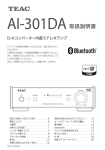
Front Panel Overview (AI-301DA)
A
B C
D
E
F
A Standby/on (¤) button
Press this button to turn the unit on and put it in standby. The blue indicator lights when the
unit is turned on.
When this unit is in standby mode, it still consumes some power, which is why the term
“standby” or “standby mode” is used instead of “off”.
B Remote control sensor
Receives signals from the remote control. When operating the remote control, point it at this
sensor.
C SOURCE button
Each time this button is pressed, the source changes.
D Input source indicators
The indicator for the source that is selected lights.
These indicators blink when the input signal is not a digital audio signal or is a digital audio
signal in a format other than PCM or DSD (such as Dolby Digital, dts or AAC). (LINE 1 and LINE 2
indicators do not blink.)
E PHONES jack
Connect a headphone's 6.5mm (1/4") stereo plug to this jack.
F VOLUME knob
Use this knob to adjust the volume. To increase the volume, turn the knob clockwise. To
decrease the volume, turn the knob counterclockwise.
11