1
3.
Your Home Screen
Icons
You can fill the home screen with any combinations
of shortcuts, widgets, and folders you like.
When you power up your tablet for the first time,
you’ll see the main home screen panel. This panel is
typically centered; you can access additional panels
on either side of the main one by swiping your finger
left or right.
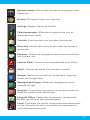
Battery Level: The blue battery level indicator
will decrease and change to red as the battery is
drained.
Wi-Fi Signal: As the Wi-Fi signal strength decreases, the blue bands will change to grey.
Menu: Tap to reveal settings and options.
All Apps: Tap to view all apps.
Back: Go back to the previous screen.
Home: Go back to the home screen. Hold and
slide up to access Google Now.
Recent Apps: Open a list of recent apps. Tap an
app to open or swipe left/right to remove the
thumbnail.
Decrease Volume
Increase Volume
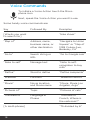
Google Search: Touch Google to type your
search terms, or the Microphone icon to speak
them. You can also say “Google” and your query
to activate a voice search.
8