1
ADVANCED FEATURES - AUTO MODE
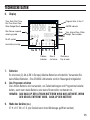
The EZ Pro™ Jr. incorporates Nelson’s ManualAdvance™ feature in the
MANUAL procedure. ManualAdvance™ allows you to cease the currently
running zone and immediately advance to any new zone you select. With the
MANUAL or CYCLE procedure running a zone, Press SELECT to advance to a
new zone. The last entered run time will be displayed. Press ADJUST to enter
a new run time for the new zone (the controller will delay 5 seconds before
starting the new zone).
NOTE: Once the zone has started running, the run time cannot be adjusted
without deselecting and reselecting the zone.
Run a Program Cycle Manually
Turn the large dial to the CYCLE position. The current program letter will flash.
To change to a different program, turn the PROGRAM dial to the desired
program (A, B, or C). The controller will delay five seconds before starting the
selected program. After running, the controller resets to the AUTO procedure.
NOTE: CYCLE runs your current program immediately.
Can ManualAdvance™ through the zones.
23