1
d2 Installation procedure
(v.02/02)
Follow these steps to install a TACd2 fan:
1) Mount the fan in application.
2) Mount the power box and connect to motor (2 connectors on motor side, one for power one
for control).
3) Connect the 230V power supply to power box. Grounding is compulsory. Select and install
proper disjunctor (see installation manual §9).
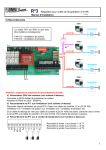
4) Mount TACd2 control box.
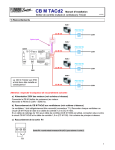
5) Connect power box to control box using appropriate RJ45 Control Cable. See installation
manual §1 for more details.
6) If LEDs 1 and 2 of the control box blink you may have an installation problem. Refer to the
‘troubleshooting’ document.
7) If only one airflow is chosen :
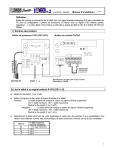
- Set dip-switches 1 to 5 of TACd2 control box in order to select the desired airflow. See
table joined to installation manual.
- Wire the soft-start/stop contact between terminal 3 and 6. (start/stop the fan without
switching the power off.)
- See details in §2 of installation manual .
8) If 2 or 3 airflows are chosen :
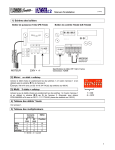
- Set dip-switches 1 to 5 of TACd2 control box in order to select the desired maximum
(100%) airflow. See table joined to installation manual.
- Wire external contacts (terminal 3-6 and 4-6) allowing the activation of the preprogrammed 33%/66%/100% multipliers. Stopping the fan is obtained by 2 opened
contacts.
- An EDS4 4 position switch can be used (refer to EDS4 installation manual)
- See details in §3 of installation manual .
-
If a pressure alarm is tot be configured, first memorize the reference pressure (P0) by
pressing SW2 (until LED1 is ON), then wait until led stops blinking. Then set the ∆Pa
increment by setting dip-switches 6 to 8. For more details see details in installation
manual, §6.1.
3