1
OPERATION
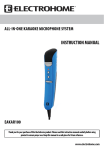
1. Connect the Electrohome Professional Dynamic Microphone’s 6.3mm (1/4”) connection to the MIC 1 or
MIC 2 connection of the karaoke system.
2. Adjust the VOLUME of the karaoke system to a comfortable level.
3. To turn on the microphone, toggle the ON/OFF switch located on the microphone to the ON position.
4. Sing into the microphone.
5. To turn off the microphone, toggle the ON/OFF switch located on the microphone to the OFF position.
TROUBLESHOOTING
Problem
Microphone is not working
No sound from karaoke
machine
Solution
• Toggle the ON/OFF switch located on the microphone to the
ON position.
• Turn up the volume of the karaoke machine
MAINTENANCE
1. Clean only with a slightly damp cloth.
2. Do not expose unit to direct sunlight.
3. Do not install near any heat sources such as radiators, heat registers, stoves, or other apparatuses
(incl. amplifiers) that produce heat.
4. Do not drop the unit on any hard surfaces.
5. Do not expose this apparatus to rain, moisture or water.
SPECIFICATIONS
Microphone
Impedance
Microphone Adapter
Cord
6.3mm (1/4”)
-73 dB 600 ohms
6.3mm (1/4”) to 3.5mm (mini)
10ft (3.3m)
-3-