1
USB
USB
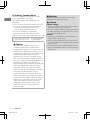
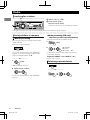
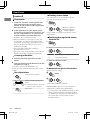
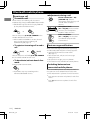
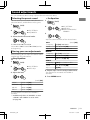
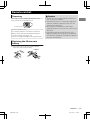
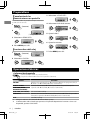
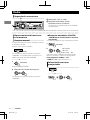
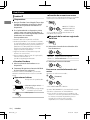
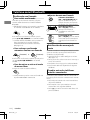
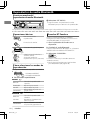
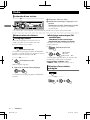
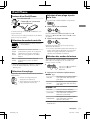
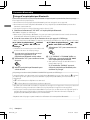
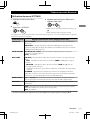
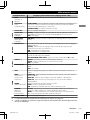
Playing a USB device
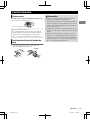
USB input terminal
USB 2.0 cable*
(not supplied)
The source changes to “USB” and playback starts.
* Do not leave the cable in the car when not in
use.
This unit can play MP3/WMA files stored in USB
mass storage device (such as a USB memory
and Digital Audio Player).
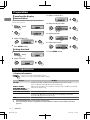
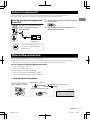
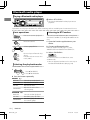
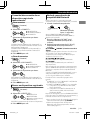
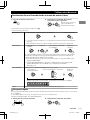
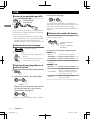
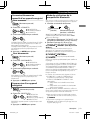
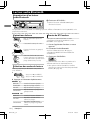
Selecting a folder/track
Selects folder.
Selects track. (Press)
Fast-forwards or reverses the
track. (Hold)
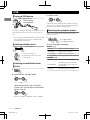
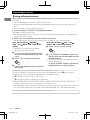
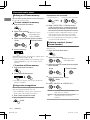
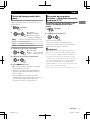
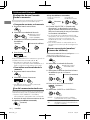
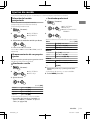
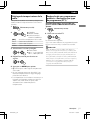
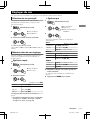
Selecting a track/folder from
the list
1
3 Select a track.
If the USB device contains many folders or tracks,
you can fast search for the desired folder or track
by turning the volume knob quickly.
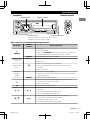
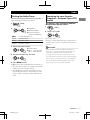
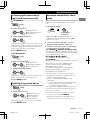
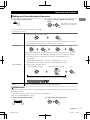
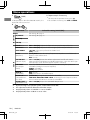
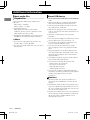
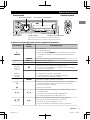
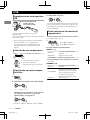
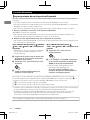
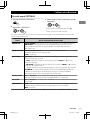
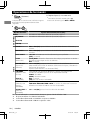
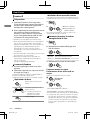
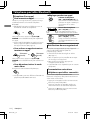
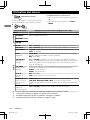
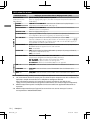
Selecting the playback modes
You can select one of the following playback
modes at a time.
1
Press 6 for REPEAT.
Press 5 for RANDOM.
2 Press the button repeatedly.
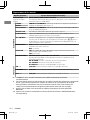
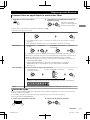
REPEAT RPT OFF
Cancels repeat playback.
TRACK RPT
Repeats current track.
FOLDER RPT
Repeats current folder.
“FOLDER RPT” is not applicable for JPC/JMC file.
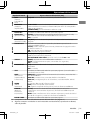
RANDOM RND OFF
Cancels random playback.
FOLDER RND
Randomly plays all tracks of
current folder, then tracks of
next folders.
ALL RND
Randomly plays all tracks.
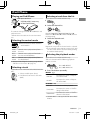
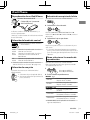
2 Select a folder. (For MP3/WMA)
- - - - - - - - or - - - - - - - -
Select the desired list. (For JVC Playlist
Creator (JPC) and JVC Music Control (JMC)
file) (' page 25)
PLAYLISTS, ARTISTS, ALBUMS, SONGS, GENRES
8
|ޓENGLISH
KD-X250BT_J_EN
2012/11/22ޓ10:10:26