1
4.1.1 BANCA DATI (Optional)
4.1.1 DATABASE (optional)
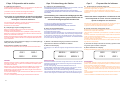
Alla richiesta della quantità di gas da caricare è possibile accedere alla
banca dati premendo il tasto R.
Il display visualizza la prima marca di autovetture , scorrerle con i tasti
+ e - fino al raggiungimento di quella desiderata e confermare con OK ,
la prima riga del display visualizzerà il modello di vettura , la seconda il
tipo di olio necessario , scorrere i modelli con i tasti e confermare con
OK , l’esatta quantità di gas viene automaticamente impostato.
NOTE:
1)I modelli privi della sigla dell’olio significa che l’olio varia a secondo
del tipo di impianto montato , verificare sulla documentazione della vettura il tipo idoneo.
2)Per le vetture che hanno come optional il climatizzatore posteriore
viene indicata la quantità di gas per il solo climatizzatore anteriore , per
le altre riferirsi al manuale della vettura.
When asked for the quantity of gas to charge, it is possible to access the
database by pressing R.
The display shows the first vehicle make. Use the + and – keys to scroll
through the various makes until you reach the desired one. Press OK to
confirm. The first line of the display will show the vehicle model, the second the type of oil needed. Scroll through the models and press Ok to
confirm. The exact quantity of gas is set automatically.
NOTE:
1) Models without an oil symbol mean that the oil varies according to the
type of system assembled. Consult the documentation to check for the
correct oil type.
2) For vehicles with optional rear air-conditioner, only the quantity of gas
for the front air-conditioner is displayed. Please consult the vehicle manual for the other quantities.
4.2 CICLO MANUALE
4.2 MANUAL CYCLE
Dalla condizione di automatico si passa a quella manuale mediante la
pressione del tasto “OK” e ,mantenendolo premuto, del tasto “-”.
To switch from automatic to manual mode, press “OK” and , keeping this
pressed, press “-”.
Funzionamento
Operation
Premere il tasto R fino all’accensione sul display della scritta “ Recupero “
Premere il tasto OK per iniziare la fase di recupero.
Press R until the word “Retrieve” appears on the monitor
Press OK to start retrieval.
La prima fase che la macchina esegue è quella del recupero del gas
contenuto nell’impianto ; questa fase termina quando nell’impianto si
azzera la pressione.
Seguono: lo scarico dell’olio eventualmente recuperato dall’impianto all’apposita bottiglietta e la pausa di 4 min.
The first stage performed by the machine is retrieval of the gas in the system; this stage terminates when pressure is reset in the system.
Followed by: drainage of any oil retrieved from the system into the special
bottle and 4 minute interval.
VUOTO
VACUUM
Premere il tasto “V” fino all’accensione sul display della scitta “VUOTO”
Premere il tasto “OK” per iniziare la fase di vuoto.
Si accende la pompa del vuoto fino allo scadere del tempo impostato in
questa fase. Il display indica i minuti mancanti al termine di questa fase
.
Press key “V” until the word “VACUUM” appears on the monitor
Press the “OK” key to start the vacuum stage.
The vacuum pump comes on for as long as the time set for this stage.
The monitor indicates the minutes left to the end of the operation.
La macchina si ferma.
Selezionare con il tasto C il tipo di carica che si vuole effettuare:
1-C GAS per caricare il refrigerante (premere 2 volte)
2-C OIL per reintegrare l’olio
Premere il tasto OK per iniziare la carica
The machine stops:
By means of key C, select the type of charge to be made:
1-C GAS to load the coolant (press twice)
2-C OIL to top up the oil
Press OK to start charging
Dopo la carica la macchina si ferma per 10 secondi , poi il segnale acustico indica la fine della carica.
Premendo il tasto OK si termina questo ciclo .
After charging, the machine stops for 10 seconds, then an acoustic alarm
indicates end of charge.
Press OK to terminate cycle.
19