1
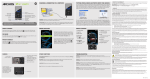
Watching TV programs
INPUT
MENU
VOL
+
ENTER
R - STANDBY
G POWER ON
Remote control
signal sensor
1
2
3
Press [INPUT] to select INPUT 1 (tuner board).
4
Press [VOL
Power indicator
button
Press [TV/VIDEO] to select the TV mode.
Press [CH , CH
the channel.
] or the numbered buttons to select
, VOL
] to adjust the volume.
Note
• Lower the volume when howling occurs.
• “AUTO POWER OFF” feature of the display does not work when you
select INPUT1(tuner board).
POWER
MUTE
RECALL
CH
ASPECT
SAP
VOL
ACTION
For your reference
Press [RECALL] to display the channel, the audio mode, the remaining
time of SLEEP timer, etc.
VOL
CH
To mute the sound
Press [MUTE].
R-TUNE
TV/VIDEO INPUT
• “MUTE” appears on the display.
• Press [MUTE] again to cancel mute.
To select the audio mode
Press [SAP].
Each time you press the button:
STEREO
SAP
MONO
∗SAP: Secondary Audio Program
Note
• The setting is available when displayed in red, and not available
when displayed in white.
• To change the external audio input mode, select the setting on the
connected equipment.
7
English
R - STANDBY
G POWER ON
Preparation
1. Connect the power cord of the display to the wall socket.
2. Press
button on the display to turn on the main power.
• The power indicator lights (Green: Power ON, Red: Standby, No
light: Power OFF).
• You can use the remote control when the indicator lights Green or
Red.
3. Select the menu language in SET UP menu (see page 11).