1
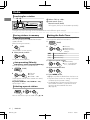
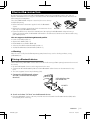
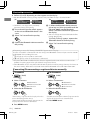
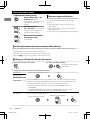
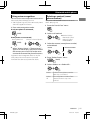
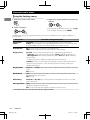
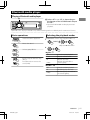
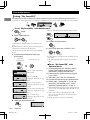
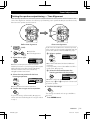
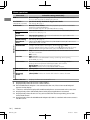
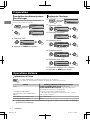
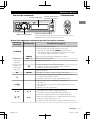
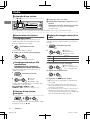
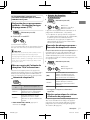
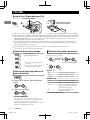
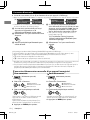
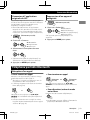
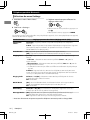
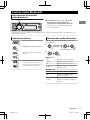
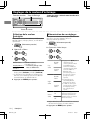
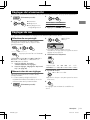
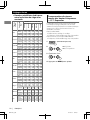
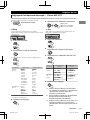
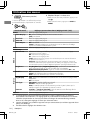
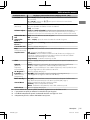
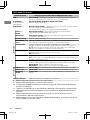
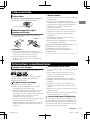
Preparation Preparation Canceling the display demonstration Setting the clock 1 The display demonstration is always turned on unless you cancel it. 1 (Hold) 2 DEMO Clock DEMO PUSH Clock Color 3 Select <Set Clock>. On (Initial setting) Clock Clock Display 3 Select <Off>. DEMO PUSH DEMO Clock Clock DEMO Off PUSH PUSH 2 Select <Clock>. SET UP PUSH SET UP (Hold) Off PUSH Set Clock 24/12H 4 Adjust the hour. Set Clock On 4 Press MENU to exit. 0 : 00 PUSH (Initial setting) 5 Adjust the minute. Set Clock 0 : 00 PUSH 6 Select <24H/12H>. Clock Set Clock PUSH 24/12H Clock Adjust 7 Select <24Hours> or <12Hours>. 8 Press MENU to exit. Basic operations Display information Changes the display information. (Press) Scrolls the current display information. (Hold) Source Radio CD/USB/Bluetooth Audio iPod/iPhone (Headunit Mode/iPod Mode) iPod/iPhone (Application Mode) External Components (AUX) *1 4 Display (Normal display pattern)*1 Non-Radio Data System station: Frequency FM Radio Data System station: Programme type (PTY)/ Frequency/Station name (PS) Track title/Album title/Artist* * “No Name” appears for conventional CDs or if not recorded. Application Mode Aux In Display information varies for large font and large clock display patterns. |ޓENGLISH KD-R90BT_E_EN 2012/2/15ޓ17:53:26