1
ENGLISH
DEUTSCH
CASSETTE RECEIVER
FRANÇAIS
CASSETTEN-RECEIVER
RADIOCASSETTE
RADIO/CASSETTESPELER
NEDERLANDS
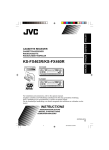
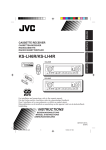
KS-FX463R/KS-FX460R
KS-FX463R
/I ATT
40Wx4
CD CHANGER CONTROL
FM
PROG
KS-FX463R
DISP
AM
SEL
MO/FIND
CD-CH
SSM
7
8
9
10
11
12
TP
RDS
SOUND
PTY
KS-FX460R
/I ATT
40Wx4
CD CHANGER CONTROL
FM
PROG
KS-FX460R
DISP
AM
SEL
MO/FIND
CD-CH
SSM
7
8
9
10
11
12
TP
RDS
PTY
SOUND
For installation and connections, refer to the separate manual.
Angaben zu Einbau und Verkabelung entnehmen Sie bitte der gesonderten Anleitung.
Pour l’installation et les raccordements, se référer au manuel séparé.
Zie de afzonderlijke handleiding voor details aangaande het installeren en verbinden van het
toestel.
INSTRUCTIONS
BEDIENUNGSANLEITUNG
MANUEL D’INSTRUCTIONS
GEBRUIKSAANWIJZING
GET0039-001A
[E]
COVER
3
03/10/2000, 06:36 PM
ENGLISH
Thank you for purchasing a JVC product. Please read all instructions carefully before operation, to
ensure your complete understanding and to obtain the best possible performance from the unit.
CONTENTS
BASIC OPERATIONS .................................................... 3
RADIO BASIC OPERATIONS ......................................... 4
Listening to the radio ..................................................................... 4
Storing stations in memory ............................................................ 5
Tuning into a preset station ........................................................... 7
RDS OPERATIONS ....................................................... 8
What you can do with RDS EON .................................................. 8
Other convenient RDS functions and adjustments ................... 14
TAPE OPERATIONS ................................................... 16
Listening to a tape ........................................................................ 16
SOUND ADJUSTMENTS ............................................. 17
Selecting preset sound modes ...................................................... 17
Adjusting the sound ...................................................................... 18
Storing your own sound adjustments ......................................... 19
OTHER MAIN FUNCTIONS ......................................... 20
Setting the clock ............................................................................ 20
Changing the general settings ..................................................... 22
Detaching the control panel ......................................................... 25
CD CHANGER OPERATIONS ...................................... 26
Playing CDs ................................................................................... 26
Selecting CD playback modes ..................................................... 28
MAINTENANCE ........................................................ 29
To extend the lifetime of the unit ................................................. 29
TROUBLESHOOTING ................................................. 30
SPECIFICATIONS ....................................................... 31
Note:
For security reasons, a numbered ID card is provided with this unit, and the same ID number is
imprinted on the unit’s chassis. Keep the card in a safe place, as it will help the authorities to
identify your unit if stolen.
BEFORE USE
★ For safety....
• Do not raise the volume level too much, as this
will block outside sounds, making driving
dangerous.
• Stop the car before performing any complicated
operations.
★
Temperature inside the car....
If you have parked the car for a long time in hot
or cold weather, wait until the temperature in the
car becomes normal before operating the unit.
2
EN02-03.KS-FX463-460[E]/f
2
04/10/2000, 07:11 PM
ENGLISH
BASIC OPERATIONS
1
3
2
Note:
When you use this unit for the first time, set the built-in clock correctly, see page 20.
1
Turn on the power.
/ I /ATT
Note on One-Touch Operation:
• When you select tuner as a source in step 2 below, the power automatically
comes on. You do not have to press this button to turn on the power.
• If the cassette is already in the cassette compartment, tape play starts
automatically. However, it is not recommended to leave the cassette in the
compartment when turning off the power or ignition key. It may damage the
tape head and the cassette.
2
Play the source.
FM
AM
To operate the tuner, see pages 4 – 15.
To operate the tape deck, see page 16.
To operate the CD changer, see pages 26 – 28.
CD – CH
3
Adjust the volume.
Volume level appears
4
Adjust the sound as you want (see pages 17 – 19).
To drop the volume in a moment
Press
briefly while listening to any source. “ATT” starts flashing on the display, and
the volume level will drop in a moment.
To resume the previous volume level, press the button briefly again.
To turn off the power
Press
for more than 1 second.
3
EN02-03.KS-FX463-460[E]/f
3
04/10/2000, 07:11 PM
ENGLISH
RADIO BASIC OPERATIONS
Listening to the radio
1
2
3
1
Turn on the power.
/ I /ATT
Note on One-Touch Operation:
When you select a band in step 2 below, the power automatically comes on. You
do not have to press this button to turn on the power.
2
Select the band (FM1, FM2, FM3 or AM).
FM
FM1
FM2
FM3
You can select any one of FM1, FM2, and FM3
to listen to an FM station.
AM
AM
Note:
When a cassette is in the cassette compartment, you cannot select the tuner. Be sure to eject the cassette
from the cassette compartment to listen to the radio.
3
Start searching a station.
When a station is received, searching stops.
To search stations of higher frequencies.
SSM
To search stations of lower frequencies.
To stop searching before a station is received, press the same button you have pressed
for searching.
To tune in a particular frequency manually:
1 Select the band (FM or AM).
Press FM or AM.
2 Press and hold
¢ or 4
until “M” starts flashing on the display.
Now you can manually change the frequency while “M” is flashing.
¢ or 4
repeatedly until the frequency you want is reached.
3 Press
• If you hold down the button, the frequency keeps changing (in 50 kHz intervals for FM and
9 kHz intervals for AM — MW/LW) until you release the button.
4
EN04-07KS-FX463/460[E]
4
03/10/2000, 06:29 PM
ENGLISH
Storing stations in memory
You can use one of the following two methods to store broadcasting stations in memory.
• Automatic preset of FM stations: SSM (Strong-station Sequential Memory)
• Manual preset of both FM and AM stations
FM station automatic preset: SSM
You can preset 6 local FM stations in each FM band (FM1, FM2, and FM3).
2
1
1
Select the FM band number (FM1, FM2
or FM3) you want to store FM stations
into.
FM
FM1
2
FM2
FM3
Press and hold both buttons for more than
2 seconds.
SSM
“SSM” appears, then disappears when automatic preset is over.
Local FM stations with the strongest signals are searched and stored automatically in the
band number you have selected (FM1, FM2 or FM3). These stations are preset in the number
buttons — No. 1 (lowest frequency) to No. 6 (highest frequency).
When automatic preset is over, the station stored in number button 1 will be automatically
tuned in.
5
EN04-07KS-FX463/460[E]
5
03/10/2000, 06:29 PM
ENGLISH
Manual preset
You can preset up to 6 stations in each band (FM1, FM2, FM3 and AM) manually.
EXAMPLE: Storing an FM station of 88.3 MHz into preset number 1 of the FM1 band
2
1
FM
2
3
1
Select the FM1 band.
Tune into a station of 88.3 MHz.
SSM
See page 4 to tune into a station.
3
Press and hold the button for more than 2
seconds.
“P1” flashes for a few seconds.
4
Repeat the above procedure to store other stations into other
preset numbers.
Notes:
• A previously preset station is erased when a new station is stored in the same preset number.
• Preset stations are erased when the power supply to the memory circuit is interrupted (for example,
during battery replacement). If this occurs, preset the stations again.
6
EN04-07KS-FX463/460[E]
6
03/10/2000, 06:29 PM
ENGLISH
Tuning into a preset station
You can easily tune into a preset station.
Remember that you must store stations first. If you have not stored them yet, see pages 5
and 6.
DISP
MO/RND
1
FM1
FM2
FM3
FM
2
1
Select the band (FM1, FM2, FM3
or AM) you want.
AM
AM
2
Select the number (1 – 6) for the preset station
you want.
To change the display information while receiving an FM RDS
station
Press DISP. Each time you press the button, the display changes as follows:
PS NAME (Station name)
CLOCK (Clock time)
FREQ (Station frequency)
PTY (Programme type)
When an FM stereo broadcast is hard to receive:
Press MO/RND (mono/random) while listening to an FM stereo broadcast. The MO (mono)
indicator lights up on the display. The sound you hear becomes monaural but reception
will be improved.
MO/RND
Lights up when receiving an FM broadcast in stereo.
To restore the stereo effect, press the button again.
7
EN04-07KS-FX463/460[E]
7
03/10/2000, 06:29 PM
ENGLISH
RDS OPERATIONS
What you can do with RDS EON
RDS (Radio Data System) allows FM stations to send an additional signal along with their
regular programme signals. For example, the station send their station names, as well as
information about what type of programme they broadcast, such as sports or music, etc.
Another advantage of RDS function is called “EON (Enhanced Other Networks).” The EON
indicator lights up while receiving an FM station with the EON data. By using the EON data
sent from a station, you can tune into a different station of a different network broadcasting
your favorite programme or traffic announcement while listening to another programme or to
another source such as tape.
By receiving the RDS data, this unit can do the following:
• Tracing the same programme automatically (Network-Tracking Reception)
• Standby Reception of TA (Traffic Announcement) or your favorite programme
• PTY (Programme Type) search
• TP (Traffic Programme) search
• And some other functions
Tracing the same programme automatically (NetworkTracking Reception)
When driving in an area where FM reception is not good, the tuner built in this unit automatically
tune in another RDS station, broadcasting the same programme with stronger signals. So,
you can continue to listen to the same programme in its finest reception, no matter where you
drive. (See the illustration on the next page.)
Two types of the RDS data are used to make Network-Tracking Reception work correctly —
PI (Programme Identification) and AF (Alternative Frequency).
Without receiving these data correctly from the RDS station you are listening to, NetworkTracking Reception will not operate.
To use Network-Tracking Reception, press and hold TP/RDS
(Traffic Programme/Radio Data System) for more than 1 second.
Each time you press and hold the button, Network-Tracking
Reception modes change as follows:
TP
RDS
Mode 1
Mode 2
Mode 3
8
EN08-15KS-FX463/460[E]
8
03/10/2000, 06:30 PM
ENGLISH
Mode 1
The AF indicator lights up but the REG indicator does not.
Network-Tracking is activated with Regionalization set to “off.”
Switches to another station within the same network when the receiving
signals from the current station become weak.
Note:
In this mode, the programme may differ from the one currently received.
Mode 2
Both the AF indicator and the REG indicator light up.
Network-Tracking is activated with Regionalization set to “on.”
Switches to another station, within the same network, broadcasting the same
programme when the receiving signals from the current station become weak.
Mode 3
Neither the AF indicator nor the REG indicator lights up.
Network-Tracking is deactivated.
The same programme can be received on different frequencies.
Programme 1 broadcasting on frequency E
Programme 1 broadcasting
on frequency A
Programme 1 broadcasting on
frequency B
Programme 1 broadcasting on frequency C
Programme 1 broadcasting on frequency D
9
EN08-15KS-FX463/460[E]
9
03/10/2000, 06:30 PM
ENGLISH
Using Standby Reception
Standby Reception allows the unit to switch temporarily to your favorite programme (PTY:
Programme Type) and Traffic Announcement (TA) from the current source — another FM
station and Tape or CD changer.
Note:
Standby Reception will not work if you are listening to an AM station.
TA Standby Reception
TP
RDS
• When you press TP/RDS while listening to an FM station, the TP indicator
is lit during reception of a TP (Traffic Programme) station and the TA standby
mode is engaged.
Note:
When the station being received is not a TP station, the TP indicator flashes. Press
¢ or 4
to engage the TA standby mode. “SEARCH” appears on the
display, and TP station search starts. When a TP station is tuned in, the TP indicator
is lit.
• If you are listening to a tape or CD changer, and wish to listen to a TP
station, press TP/RDS or TP to enter the TA standby mode. (The TP indicator
lights up.)
If a traffic programme starts broadcasting while the TA standby mode is active,
“TRAFFIC” appears and the playback source changes to the FM band. The
volume increases to the preset TA volume level and the traffic programme
can be heard (see page 14).
To deactivate the TA standby mode, press TP/RDS again.
PTY Standby Reception
PTY
• When you press PTY while listening to an FM station, the PTY indicator is
lit during reception of a PTY station and the PTY standby mode is engaged.
The selected PTY name stored on page 12 flashes for 5 seconds.
Note:
When the station being received is not a PTY station, the PTY indicator flashes.
Press
¢ or 4
to engage the PTY standby mode. “SEARCH” appears
on the display, and PTY station search starts. When a PTY station is tuned in, the
PTY indicator is lit.
• If you are listening to a tape or CD changer, and wish to listen to a selected
PTY broadcast, press PTY to enter the PTY standby mode. (The PTY
indicator lights up.)
If the selected PTY programme starts broadcasting while the PTY standby
mode is active, the selected PTY name appears and the playback source
changes to the FM band. The selected PTY programme can then be heard.
To deactivate the PTY standby mode, press PTY again.
10
EN08-15KS-FX463/460[E]
10
03/10/2000, 06:30 PM
You can select your favorite programme for PTY Standby Reception to store in memory.
When shipped from the factory, “NEWS” is stored as the programme type for PTY Standby
Reception.
1, 4
ENGLISH
Selecting Your Favorite Programme for PTY Standby
Reception
3
2
1
Press and hold SEL (select) for more than 2
seconds to enter the general setting mode
(see page 22).
SEL
2
SSM
Select “PTY STBY (standby)” if not shown on
the display.
3
Select one of twenty-nine PTY codes. (See
page 15.)
Selected code name appears on the display and is stored
into memory.
4
SEL
Finish setting.
Searching Your Favorite Programme
You can search one of your 6 favorite programme types stored in memory.
When shipped from the factory, the following 6 programme types have been stored in the
number buttons (1 to 6).
To change the factory preset settings, see page 12.
To search your favorite programme, see page 13.
1
2
3
4
5
6
POP M
ROCK M
EASY M
CLASSICS
AFFAIRS
VARIED
EN08-15KS-FX463/460[E]
11
03/10/2000, 06:30 PM
11
ENGLISH
To store your favorite programme types
1, 5
3
2
1
4
Press and hold SEL (select) for more than 2
seconds to enter the general setting mode
(see page 22).
SEL
2
Select “PTY SRCH (search)” if not shown on the
display.
SSM
o
3
Select one of twenty-nine PTY codes. (See page
15.)
Selected code name appears on the display.
• If the code already stored in memory is selected, it will flash
on the display.
4
Press and hold the number button for more than 2 seconds to
store the PTY code selected into the preset number you want.
The selected code name will flash on the display.
5
Finish setting.
SEL
12
EN08-15KS-FX463/460[E]
12
03/10/2000, 06:30 PM
2
1
ENGLISH
To search your favorite programme type
1
Press and hold PTY (programme type) for
more than 1 second while listening to an FM
station.
PTY
The last selected PTY code appears.
2
Select one of PTY codes stored in preset
number buttons (1 to 6).
Ex. When “ROCK M” is stored in preset number button 2.
PTY search for your favorite programme starts after 5
seconds.
• If there is a station broadcasting a programme of the same PTY code you selected, that
station is tuned in.
• If there is no station broadcasting a programme of the same PTY code you selected, the
station will not change.
Note:
In some areas, the PTY search will not work correctly.
13
EN08-15KS-FX463/460[E]
13
03/10/2000, 06:30 PM
ENGLISH
Other convenient RDS functions and adjustments
Changing the display mode while listening to an FM
station
You can change the initial indication on the display to station name (PS NAME), station
frequency (FREQ), or clock time (CLOCK) while listening to an FM RDS station.
• See also “Changing the general settings” on page 22.
1. Press and hold SEL (select) for more than 2 seconds to call up the general setting mode.
¢ or 4
to select “DISPMODE (display mode).”
2. Press
3. Press + or – to set to the desired indication — PS NAME (station name), FREQ (station
frequency), or CLOCK (clock time).
Note:
By pressing DISP, you can also change the display while listening to an FM RDS station.
Each time you press the button, the following information appears on the display:
PS NAME (Station name)
CLOCK (Clock time)
FREQ (Station frequency)
PTY (Programme type)
* Then, the display goes back to the original indication in several seconds.
Setting the TA volume level
You can preset the volume level for TA Standby Reception. When a traffic programme is
received, the volume level automatically changes to the preset level.
• See also “Changing the general settings” on page 22.
1. Press and hold SEL (select) for more than 2 seconds to call up the general setting mode.
¢ or 4
to select “TA VOL (volume).”
2. Press
3. Press + or – to the desired volume.
14
EN08-15KS-FX463/460[E]
14
03/10/2000, 06:30 PM
When shipped from the factory, the clock built in this unit is set to be readjust automatically
using the CT (Clock Time) data in the RDS signal.
If you do not want to use automatic clock adjustment, follow the procedure below.
• See also “Changing the general settings” on page 22.
ENGLISH
Automatic clock adjustment
1. Press and hold SEL (select) for more than 2 seconds to call up the general setting mode.
¢ or 4
to select “AUTO ADJ (adjust).”
2. Press
3. Press – to select “ADJ OFF.”
Now automatic clock adjustment is canceled.
To reactivate clock adjustment, repeat the same procedure and select “ADJ ON” in step 3
by pressing the + button.
Note:
It takes about 2 minutes to adjust the time using the CT data. So, you must tune to the station for more
than 2 minutes continuously; otherwise, the clock time will not be adjusted.
PTY codes
NEWS:
AFFAIRS:
News
Topical programmes
expanding on current news
or affairs
INFO:
Programmes which impart
advice on a wide variety of
topics
SPORT:
Sport events
EDUCATE: Educational programmes
DRAMA:
Radio plays
CULTURE: Programmes on national or
regional culture
SCIENCE:
Programmes on natural
science and technology
VARIED:
Other programmes like
comedies or ceremonies
POP M:
Pop music
ROCK M:
Rock music
EASY M:
Easy-listening music
LIGHT M:
Light music
CLASSICS: Classical music
OTHER M: Other music
WEATHER: Weather information
FINANCE:
Reports on commerce,
trading, the Stock Market,
etc.
CHILDREN: Entertainment programmes
for children
EN08-15KS-FX463/460[E]
15
SOCIAL:
Programmes on social
activities
RELIGION: Programmes dealing with
any aspect of belief or faith,
or the nature of existence or
ethics
PHONE IN: Programmes where people
can express their views
either by phone or in a
public forum
TRAVEL:
Programmes about travel
destinations, package tours,
and travel ideas and
opportunities
LEISURE:
Programmes concerned with
recreational activities such
as gardening, cooking,
fishing, etc.
JAZZ:
Jazz music
COUNTRY: Country music
NATION M: Current popular music from
another nation or region, in
that country’s language
OLDIES:
Classic pop music
FOLK M:
Folk music
DOCUMENT: Programmes dealing with
factual matters, presented in
an investigative style
03/10/2000, 06:30 PM
15
ENGLISH
TAPE OPERATIONS
Listening to a tape
2
3
1
1
/ I /ATT
Turn on the power.
2
Insert a cassette.
When one side of the tape reaches its end during play, the
other side of the tape automatically starts playing. (Auto
Reverse)
3
Select the tape direction.
1
• Press both buttons at the same time.
Each time you press both buttons, the tape direction changes
¡
alternatively – forward (
) and reverse (
).
To stop play and eject the cassette
Press 0.
Tape play stops and the cassette ejects from the cassette compartment.
You can hear the last received station or CD playback from the CD changer.
• You can also eject the cassette with the unit turned off.
To fast-wind a tape
Press either ¡ or 1.
The tape will be wound in the direction of the arrows
(¡ or 1).
To restart playback, press ¡ or 1 lightly.
Tape direction
16
EN16KS-FX463/460[E]
16
03/10/2000, 06:30 PM
SOUND ADJUSTMENTS
ENGLISH
Selecting preset sound modes
You can select a preset sound adjustment suitable to the music genre.
SOUND
Each time you press SOUND, the sound mode changes as follows.
SOUND
Indication
For:
Preset values
Bass
Treble
Loudness
SCM OFF
(Flat sound)
00
00
On
BEAT
Rock or disco music
+2
00
On
POP
Light music
+4
+1
Off
SOFT
Quiet background music
+1
–3
Off
Notes:
• You can adjust the preset sound mode to your preference, and store it in memory.
If you want to adjust and store your original sound mode, see “Storing your own sound adjustments”
on page 19.
• To adjust only the bass and treble reinforcement levels to your preference, see “Adjusting the sound”
on page 18.
• When one of the sound modes is selected, it is shown on the display as follows:
For example, when “POP” is selected.
17
EN17-19KS-FX463/460[E]
17
03/10/2000, 06:31 PM
ENGLISH
Adjusting the sound
You can adjust the sound characteristics to your preference.
1
2
1
SEL
Select the item you want to adjust.
Indication
To do:
Range
BAS
(Bass)
Adjust the bass
–6 (min.) — +6 (max.)
TRE
(Treble)
Adjust the treble
–6 (min.) — +6 (max.)
FAD
(Fader)*
Adjust the front and rear speaker
balance
R6 (rear only) — F6 (front only)
BAL
(Balance)
Adjust the left and right speaker
balance
L6 (left only) — R6 (right only)
ON — OFF
LOUD
Boost low and high frequencies to
(Loudness) produce a well-balanced sound at low
volume level.
VOL
(Volume)
Adjust the volume
00 (min.) — 50 (max.)
Note:
* If you are using a two-speaker system, set the fader level to “00.”
2
Adjust the level.
Press the + button to turn on the loudness function, and the
– button to turn it off.
Note:
Normally the + and – buttons work as the volume control buttons.
So you do not have to select “VOL” to adjust the volume level.
18
EN17-19KS-FX463/460[E]
18
03/10/2000, 06:31 PM
You can adjust the sound modes (BEAT, POP, SOFT: see page 17) to your preference and
store your own adjustments in memory.
ENGLISH
Storing your own sound adjustments
3
1, 4
2
1
SOUND
Call up the sound mode you want to adjust.
See page 17 for details.
2
Within
5 seconds
SEL
Select “BAS”, “TRE” or “LOUD.”
3
Within
5 seconds
Adjust the bass or treble level or turn the
loudness function ON/OFF.
See page 18 for details.
4
Within
5 seconds
Press and hold SOUND until the sound mode
you have selected in step 1 flashes on the
display.
SOUND
Your setting is stored in memory.
5
Repeat the same procedure to store other settings.
To reset to the factory settings
Repeat the same procedure and reassign the preset values listed in the table on page 17.
19
EN17-19KS-FX463/460[E]
19
03/10/2000, 06:31 PM
ENGLISH
OTHER MAIN FUNCTIONS
Setting the clock
You can also set the clock system either to 24 hours or 12 hours.
1, 5
2, 3, 4
2, 3, 4
1
2
SEL
Press and hold SEL (select) for more than 2 seconds to
enter the general setting mode.
1
2
SSM
1 Select “CLOCK H (Hour)” if
not shown on the display.
2 Adjust the hour.
or
3
Set the hour.
1
2
Set the minute.
1 Select “CLOCK M (Minute).”
2 Adjust the minute.
SSM
or
20
EN20-25KS-FX463/460[E]
20
03/10/2000, 06:32 PM
1
2
Set the clock system.
1 Select “24H/12H.”
2 Select “24H” or “12H.”
SSM
ENGLISH
4
or
5
Start the clock.
SEL
To check the current clock time (changing the display mode)
Press DISP repeatedly. Each time you press the button, the display mode changes as follows.
During tuner operation:
During tape operation:
• For FM RDS stations
See page 14.
Play mode
Clock
Clock
• For AM and other FM stations
Frequency
During CD changer operation:
Elapsed
playing time
Disc
number
Clock
21
EN20-25KS-FX463/460[E]
21
03/10/2000, 06:32 PM
ENGLISH
Changing the general settings
You can change the items listed on the next page to your preference.
Basic Procedure
1, 4
3
2
1
2
Press and hold SEL (select) for more than 2
seconds to enter the general setting mode.
SEL
SSM
Select the item you want to adjust.
(See page 23.)
or
3
4
Select or adjust the item selected above.
Finish setting.
SEL
22
EN20-25KS-FX463/460[E]
22
03/10/2000, 06:32 PM
4
3
2
ENGLISH
1
SEL
SSM
SEL
Finish the setting
or
Select.
Factorypreset
settings
Set.
CLOCK H
Hour adjustment
Back
Advance
CLOCK M
Minute adjustment
Back
Advance
24H/12H
24/12-hour time
display
12H
AUTO ADJ
Automatic setting of
the clock
ADJ OFF
DISPMODE
Display mode
PS NAME
See
page
0:00
20
24H
24H
20
ADJ ON
ADJ ON
15
PS NAME
14
24
29 programme types
(See page 15.)
DISC
NEWS
11
(See page 11.)
12
VOL (00-50)
VOL (20)
14
OFF
24
FREQ
CLOCK
CH DISP
Changer display
PTY STBY
PTY standby
PTY SRCH
PTY search
TA VOL
Traffic announcement
volume
TEL
Audio mute for
cellular phone system
DISC
TIME
OFF
MUTING 1
MUTING 2
23
EN20-25KS-FX463/460[E]
23
03/10/2000, 06:32 PM
ENGLISH
Selecting the initial CD information display
You can select what type of the CD playback information to be initially shown on the display
when you start playing a CD. When shipped from the factory, the disc number and track
number information is selected to be shown.
• DISC: Disc number and track number appear on the display.
• TIME: Elapsed playing time appears on the display.
1. Press and hold SEL (select) for more than 2 seconds to call up the general setting mode.
¢ or 4
to select “CH DISP (changer display).”
2. Press
3. Press + or – to select the desired mode.
The initial CD information display changes as follows:
DISC
TIME
To see the other information while playing a CD, press DISP.
Each time you press the button, the information changes alternately.
Selecting the telephone muting
This mode is used when a cellular phone system is connected. Depending on the phone
system used, select either “MUTING 1” or “MUTING 2,” whichever mutes the sounds from this
unit. When shipped from the factory, this mode is deactivated.
• MUTING 1: Select this if this setting can mute the sounds.
• MUTING 2: Select this if this setting can mute the sounds.
• OFF:
Cancels the telephone muting.
1. Press and hold SEL (select) for more than 2 seconds to call up the general setting mode.
¢ or 4
to select “TEL (telephone)”.
2. Press
3. Press + or – to select the desired mode.
The telephone muting mode changes as follows:
MUTING 1
MUTING 2
OFF
24
EN20-25KS-FX463/460[E]
24
03/10/2000, 06:32 PM
You can detach the control panel when leaving the car.
When detaching or attaching the control panel, be careful not to damage the connectors on
the back of the control panel and on the panel holder.
How to detach the control
panel
Before detaching the control panel, be sure
to turn off the power.
1
2
3
How to attach the control
panel
1
Unlock the control panel.
Lift and pull the control panel
out of the unit.
Put the detached control
panel into the provided case.
ENGLISH
Detaching the control panel
2
Insert the left side of the
control panel into the groove
on the panel holder.
Press the right side of the
control panel to fix it to the
panel holder.
Note on cleaning the connectors:
If you frequently detach the control panel, the
connectors will deteriorate.
To minimize this possibility, periodically wipe
the connectors with a cotton swab or cloth
moistened with alcohol, being careful not to
damage the connectors.
Connectors
25
EN20-25KS-FX463/460[E]
25
03/10/2000, 06:32 PM
ENGLISH
CD CHANGER OPERATIONS
When used with a JVC CD automatic changer (separately purchased).
We recommend that you use one of the CH-X series with your unit.
If you have another CD automatic changer, consult your JVC IN-CAR ENTERTAINMENT
dealer for connections.
• For example, if your CD automatic changer is one of the KD-MK series, you need a cord (KS-U15K)
for connecting it to this unit.
Before operating your CD automatic changer:
• Refer also to the Instructions supplied with your CD changer.
• If no discs are in the magazine of the CD changer or the discs are inserted upside
down, “NO CD” or “NO DISC” will appear on the display. If this happens, remove the
magazine and set the discs correctly.
• If “RESET 1 - RESET 8” appears on the display, something is wrong with the connection
between this unit and the CD changer. If this happens, check the connection, connect
the connecting cord(s) firmly if necessary, then press the reset button of the CD changer.
Playing CDs
¢
4
Number buttons
CD-CH
Select the CD automatic changer.
CD-CH
Playback starts from the first track of the first disc.
All tracks of all discs are played back.
Disc number
Track number
Note on One-Touch Operation:
When you press CD-CH, the power automatically comes on. You do not have to press
to turn on the power.
26
EN26-28KS-FX463/460[E]
26
03/10/2000, 06:33 PM
¢, while playing a CD, to fast-forward the
Press and hold
track.
SSM
Press and hold 4
track.
ENGLISH
To fast-forward or reverse the track
, while playing a CD, to reverse the
To go to the next tracks or the previous tracks
Press
¢ briefly, while playing a CD, to go ahead to the
beginning of the next track. Each time you press the button
consecutively, the beginning of the next tracks is located and
played back.
briefly, while playing a CD, to go back to the
Press 4
beginning of the current track. Each time you press the button
consecutively, the beginning of the previous tracks is located and
played back.
SSM
To go to a particular disc directly
7
8
9
10
11
12
Press the number button corresponding to the disc number to start its
playback (while the CD changer is playing).
• To select a disc number from 1 – 6:
Press 1 (7) – 6 (12) briefly.
• To select a disc number from 7 – 12:
Press and hold 1 (7) – 6 (12) for more than 1 second.
Ex. When disc number 3 is selected
Disc number
Track number
27
EN26-28KS-FX463/460[E]
27
03/10/2000, 06:33 PM
ENGLISH
Selecting CD playback modes
MO/RND
To play back tracks at random (Random Play)
Each time you press MO/RND (mono/random) while playing a
CD, CD random play mode changes as follows:
MO/RND
RND1
RND2
(Random1)
(Random2)
Cancelled
Mode
RND Indicator
Plays at random
RND1
Lights
All tracks of the current disc, then the tracks of
the next disc, and so on.
RND2
Flashes
All tracks of all discs inserted in the magazine.
28
EN26-28KS-FX463/460[E]
28
03/10/2000, 06:33 PM
To extend the lifetime of the unit
This unit requires very little attention, but you will be able to extend the life of the unit if you
follow the instructions below.
To clean the heads
ENGLISH
MAINTENANCE
• Clean the heads after every 10 hours of use
using a wet-type head cleaning tape (available
at an audio store).
When the head becomes dirty, you may realize
the following symptoms:
– Sound quality is reduced.
– Sound level decreases.
– Sound drops out.
• Do not play dirty or dusty tapes.
• Do not touch the highly-polished head with any
metallic or magnetic tools.
To keep the tape clean
• Always store the tapes to their storage cases
after use.
• Do not store tapes in the following places:
– Subject to direct sunlight
– With high humidity
– At extremely hot temperatures
CAUTIONS:
• Do not play the tapes with peeling labels; otherwise, they can damage the unit.
• Tighten tapes to remove slack since loose tape may become entangled with the mechanism.
• Do not leave a cassette in the cassette compartment after use, as the tape may become slack.
29
EN29-31KS-FX463/460[E]/2nd
29
03/10/2000, 06:34 PM
ENGLISH
TROUBLESHOOTING
What appears to be trouble is not always serious. Check the following points before calling a
service center.
Causes
Symptoms
Remedies
Insert the cassette with the
exposed tape facing right.
• A cassette tape cannot be
inserted.
You have tried to insert a
cassette in the wrong way.
• Cassette tapes become hot.
This is not a malfunction.
• Tape sound is at very low
level and sound quality is
degraded.
The tape head is dirty.
Clean it with a head cleaning
tape.
• Sound is sometimes
interrupted.
Connections are not good.
Check the cords and
connections.
• Sound cannot be heard from
the speakers.
The volume control is turned
to the minimum level.
Adjust it to the optimum level.
Connections are incorrect.
Check the cords and
connections.
• SSM (Strong-station
Sequential Memory)
automatic preset does not
work.
Signals are too weak.
Store stations manually.
• Static noise while listening
to the radio.
The antenna is not connected
firmly.
Connect the antenna firmly.
• “NO CD” or “NO DISC”
appears on the display.
No CD is in the magazine.
Insert CDs into the magazine.
CDs are inserted incorrectly.
Insert them correctly.
This unit is not connected to a
CD changer correctly.
Connect this unit and the CD
changer correctly and press
the reset button of the CD
changer.
• “RESET 8” appears on the
display.
• “RESET 1 – RESET 7”
appears on the display.
Press the reset button of the
CD changer.
30
EN29-31KS-FX463/460[E]/2nd
30
03/10/2000, 06:34 PM
AUDIO AMPLIFIER SECTION
CASSETTE DECK SECTION
Maximum Power Output:
Front: 40 W per channel
Rear: 40 W per channel
Continuous Power Output (RMS):
Front: 16 W per channel into 4 Ω,
40 Hz to 20 000 Hz at no more
than 0.8% total harmonic
distortion.
Rear: 16 W per channel into 4 Ω,
40 Hz to 20 000 Hz at no more
than 0.8% total harmonic
distortion.
Load Impedance: 4 Ω (4 Ω to 8 Ω allowance)
Tone Control Range
Bass:
±10 dB at 100 Hz
Treble:
±10 dB at 10 kHz
Frequency Response: 40 Hz to 20 000 Hz
Signal-to-Noise Ratio: 70 dB
Line-Out Level/Impedance: 2.0 V/20 kΩ load
Wow & Flutter: 0.15% (WRMS)
Fast-Wind Time: 190 sec. (C-60)
Frequency Response:
50 Hz to 14 000 Hz
Signal-to-Noise Ratio: 52 dB
Stereo Separation: 40 dB
ENGLISH
SPECIFICATIONS
GENERAL
Power Requirement
Operating Voltage: DC 14.4 V (11 V to 16 V
allowance)
Grounding System: Negative ground
Allowable Operating Temperature:
0 °C to +40 °C
Dimensions (W × H × D)
Installation Size: 182 mm × 52 mm × 150 mm
Panel Size: 188 mm × 58 mm × 14 mm
Mass: 1.3 kg (excluding accessories)
Design and specifications subject to change
without notice.
TUNER SECTION
Frequency Range
FM: 87.5 MHz to 108.0 MHz
AM: (MW) 522 kHz to 1 620 kHz
(LW) 144 kHz to 279 kHz
[FM Tuner]
Usable Sensitivity: 11.3 dBf (1.0 µV/75 Ω)
50 dB Quieting Sensitivity:
16.3 dBf (1.8 µV/75 Ω)
Alternate Channel Selectivity (400 kHz):
65 dB
Frequency Response: 40 Hz to 15 000 Hz
Stereo Separation: 30 dB
Capture Ratio: 1.5 dB
[MW Tuner]
Sensitivity: 20 µV
Selectivity: 35 dB
[LW Tuner]
Sensitivity: 50 µV
31
EN29-31KS-FX463/460[E]/2nd
31
03/10/2000, 06:34 PM
Wir danken Ihnen für den Kauf eines JVC Produkts. Bitte lesen Sie die Anleitung vollständig durch,
bevor Sie das Gerät in Betrieb nehmen, um sicherzustellen, daß Sie alles vollständig verstehen und die
bestmögliche Leistung des Geräts erhalten.
INHALTSVERZEICHNIS
DEUTSCH
GRUNDBEDIENUNGEN ............................................... 3
RADIOGRUNDBETRIEB ................................................ 4
Radiohören ...................................................................................... 4
Speichern der Sender ..................................................................... 5
Anwahl eines vorabgestimmten Senders ...................................... 7
RDS-BETRIEB .............................................................. 8
Betriebsmöglichkeiten mit der Funktion RDS EON ................... 8
Weitere praktische RDS-Funktionen und
-Einstellungsmöglichkeiten .................................................... 14
KASSETTENBETRIEB ................................................... 16
Hören einer Kassette .................................................................... 16
KLANGEINSTELLUNGEN ............................................ 17
Wählen der voreingestellten Klangbetriebsarten ...................... 17
Klang-Einstellschritte ................................................................... 18
Speichern Ihrer eigenen Klangeinstellungen ............................. 19
ANDERE WICHTIGE FUNKTIONEN ............................. 20
Stellen der Uhr .............................................................................. 20
Ändern der allgemeinen Einstellungen ...................................... 22
Abnehmen des Bedienteils ........................................................... 25
CD-WECHSLERBETRIEB .............................................. 26
Abspielen der CDs ........................................................................ 26
Wählen der CD-Abspielbetriebsarten ........................................ 28
WARTUNG ............................................................... 29
Zum Verlängern der Geräte-Lebensdauer ................................. 29
FEHLERSUCHE ........................................................... 30
TECHNISCHE DATEN .................................................. 31
Hinweis:
Zu diesem Gerät wird eine Identifikationskarte mitgeliefert, auf der die Gerätechassis-Nummer
vermerkt ist. Heben Sie diese Karte getrennt vom Gerät auf. Im Falle eines Diebstahls kann sie die
Geräteidentifizierung erleichtern.
VOR DEM GEBRAUCH
★ Für die Sicherheit...
• Die Lautstärke nicht zu laut stellen, da dadurch
Außengeräusche überdeckt und das Autofahren
gefährlich wird.
• Das Auto vor dem Durchführen von
komplizierten Bedienschritten anhalten.
★
Temperatur im Auto...
Wenn Sie das Auto für lange Zeit in heißem oder
kaltem Wetter parken, bitte warten, bis sich die
Temperatur im Auto normalisiert hat, bevor Sie
das Gerät einschalten.
2
GE02-03.KS-FX463-460[E]/f
2
04/10/2000, 07:17 PM
GRUNDBEDIENUNGEN
1
DEUTSCH
3
2
Hinweis:
Wenn Sie das Gerät erstmals verwenden, stellen Sie bitte die eingebaute Uhr korrekt ein, siehe Seite 20.
1
Das Gerät einschalten.
/ I /ATT
Hinweis zum Ein-Tastendruck-Betrieb:
• Wenn Sie die Programmquelle Tuner in Schritt 2 unten wählen, wird das Gerät
/ATT zu drücken.
automatisch eingeschaltet. Sie brauchen dafür nicht
• Ist bereits eine Kassette im Gerät eingelegt, wird automatisch die
Kassettenwiedergabe ausgelöst. Es wird allerdings empfohlen, die Cassette
aus dem Cassettenfach herauszunehman, wenn Sie die Stromversorgung oder
die Zündung ausschalten. Anderenfalls werden möglicherweise der Tonkopf
und die Cassette beschädigt.
2
Die Programmquelle abspielen.
FM
AM
Für die Bedienung des Tuners siehe Seiten 4 – 15.
Für die Bedienung des Kassettendecks siehe Seite 16.
Für die Bedienung des CD-Wechslers siehe Seite 26 – 28.
CD – CH
3
Die Lautstärke einstellen.
Der Lautstärkepegel wird angezeigt
4
Den Klang wie gewünscht einstellen (siehe Seite 17 – 19).
Für ein sofortiges Absenken der Lautstärke
Kurz
beim Hören einer beliebigen Programmquelle drücken. „ATT“ blinkt auf der
Anzeige und die Lautstärke fällt sofort ab.
Zur Wiederherstellung der vorherigen Lautstärke die Taste nochmals kurz drücken.
Zum Ausschalten des Geräts
länger als 1 Sekunde drücken.
3
GE02-03.KS-FX463-460[E]/f
3
04/10/2000, 07:17 PM
RADIOGRUNDBETRIEB
Radiohören
DEUTSCH
1
2
3
1
Das Gerät einschalten.
/ I /ATT
Hinweis zum Ein-Tastendruck-Betrieb:
Wenn Sie beim nachfolgenden Schritt 2 den Empfangsbereich wählen,
schaltet sich das Gerät automatisch ein. Sie brauchen dementsprechend
diese Taste nicht zur Einschaltung verwenden.
2
Wählen Sie den Empfangsbereich (FM1, FM2,
FM3 oder AM).
FM1
FM2
FM3
FM
Sie können zwischen FM1, FM2 und FM3 wählen,
wenn Sie einen UKW-Sender hören möchten.
AM
AM
Hinweis:
Falls eine Kassette im Kassettenfach eingelegt ist, kann nicht auf die Programmquelle Tuner
umgeschaltet werden. Wenn Radioempfang gewünscht wird, darf keine Kassette eingelegt sein!
3
Beginnen Sie mit der Suche nach einem
Sender.
Wenn ein Sender empfangen wird, stoppt die Suche.
Zum Suchen von Sendern mit höherer Frequenz.
SSM
Zum Suchen von Sendern mit niedrigerer Frequenz.
Zum Anhalten der Suche bevor ein Sender empfangen wird, die gleiche Taste, die Sie für
die Suche gedrückt haben, nochmals drücken.
Zum Feinabstimmen einer bestimmten Frequenz von Hand:
4
1 Den Empfangsbereich (FM (UKW) oder AM (MW/LW)) wählen.
FM oder AM drücken.
2
¢ oder 4
drücken und halten, bis „M“ auf der Anzeige blinkt. Jetzt können Sie die
Frequenz von Hand ändern, während „M“ blinkt.
3
¢ oder 4
wiederholt drücken, bis die von Ihnen gewünschte Frequenz erreicht
ist.
• Wenn Sie die Taste gedrückt halten, ändert sich die Frequenz (in 50 kHz Intervallen bei
UKW und 9 kHz Intervallen bei MW/LW), bis Sie die Taste freigeben.
GE04-07KS-FX463/460[E]/1
4
03/10/2000, 06:41 PM
Speichern der Sender
DEUTSCH
Sie können Rundfunksender auf zwei Arten abspeichern.
• Automatisches Vorabstimmen der UKW-Sender: SSM (Strong-station Sequential Memory
= Sequentialspeicher für starke Sender)
• Manuelles Vorabstimmen für UKW- und MW/LW-Sender
Automatische UKW-Vorabstimmung: SSM
Sie können 6 lokale UKW-Sender pro UKW-Empfangsbereich (FM1, FM2 und FM3)
vorabstimmen.
2
1
1
Die gewünschte Empfangsbereichzahl
(FM1, FM2 und FM3), in der UKW-Sender
gespeichert werden sollen, wählen.
FM
FM1
2
FM2
FM3
Die beiden Tasten länger als 2 Sekunden
drücken und halten.
SSM
„SSM“ erscheint und erlischt bei Abschluß der
automatischen Vorabstimmung wieder.
Die lokalen UKW-Sender mit den stärksten Signalen werden gesucht und automatisch in der
Empfangsbereichszahl (FM1, FM2 und FM3), die Sie gewählt haben, gespeichert. Diese
vorabgestimmten Sender werden auf den Nummerntasten abgespeichert — Nr. 1 (niedrigste
Frequenz) bis Nr. 6 (höchste Frequenz).
Wenn die automatische Vorabstimmung abgeschlossen ist, wird der Sender der Taste 1
automatisch angewählt.
5
GE04-07KS-FX463/460[E]/1
5
03/10/2000, 06:41 PM
Manuelles Vorabstimmen
Sie können bis zu 6 Sender pro Empfangsbereich (FM1, FM2, FM3 und AM) von Hand
vorabstimmen.
DEUTSCH
BEISPIEL: Speichern des UKW-Senders 88.3 MHz auf der numerischen Taste 1 des FM1Empfangsbereichs.
2
1
FM
2
3
1
Den FM1-Empfangsbereich wählen.
SSM
Auf den Sender 88.3 MHz abstimmen.
Siehe Seite 4 zum Abstimmen auf einen Sender.
3
Die beiden Tasten länger als 2 Sekunden
drücken und halten.
„P1“ blinkt für einige Momente.
4
6
Das obige Verfahren zum Speichern der anderen Sender auf
andere numerische Tasten wiederholen.
Hinweise:
• Ein vorheriger vorabgestimmter Sender wird gelöscht, wenn ein neuer Sender auf der gleichen
numerischen Taste abgespeichert wird.
• Vorabgestimmte Sender werden gelöscht, wenn die Stromversorgung des Speicherstromkreises
unterbrochen wird (z.B. beim Wechseln der Batterie). In diesem Fall die Sender nochmals vorabstimmen.
GE04-07KS-FX463/460[E]/1
6
03/10/2000, 06:41 PM
Anwahl eines vorabgestimmten Senders
Sie können einfach einen vorabgestimmten Sender aufrufen.
Bedenken Sie, daß Sie zuerst Sender speichern müssen. Wenn Sie das noch nicht getan
haben, siehe Seiten 5 und 6.
DEUTSCH
DISP
2
MO/RND
1
FM1
FM2
FM3
FM
1
Den gewünschten Empfangsbereich
(FM1, FM2, FM3 oder AM)
anwählen.
AM
AM
2
Die gewünschte Zahl (1 – 6) für den
vorabgestimmten Sender wählen.
So ändern Sie die Displayinformationen, während Sie einen
UKW-RDS-Sender empfangen
Drücken Sie die Taste DISP. Wenn Sie diese Taste mehrfach hintereinander drücken, ändern
sich die Informationen im Display wie folgt:
PS NAME (Sendername)
CLOCK (Uhrzeit)
FREQ (Sendefrequenz)
PTY (Sendungstyp)
Wenn eine UKW-Stereosendung schwer zu empfangen ist:
Bei Stereoempfang die Taste MO/RND (Mono/Zufall) drücken. Die Anzeige MO (Mono)
schaltet sich im Display ein. Das Empfangssignal, den Sie nun hören, wird monaural, der
Empfang jedoch besser.
MO/RND
Leuchtet auf, wenn eine UKW-Sendung in Stereo empfangen wird.
Zum Wiederherstellen des Stereoempfangs die gleiche Taste nochmals drücken.
7
GE04-07KS-FX463/460[E]/1
7
03/10/2000, 06:41 PM
RDS-BETRIEB
DEUTSCH
Betriebsmöglichkeiten mit der Funktion RDS EON
Das Radiodatensystem (RDS) ermöglicht es UKW-Sendern, zusammen mit den regulären
Sendesignalen ein zusätzliches Signal zu übertragen. Beispielsweise können Sender ihren
Sendernamen sowie Informationen über die aktuelle Sendung übermitteln, wie z. B. Sport
oder Musik etc.
Eine weitere Eigenschaft des RDS-Systems heißt „EON (Enhanced Other Networks)“. Die
Anzeige EON schaltet sich ein, wenn ein UKW-Sender mit EON-Daten empfangen wird. Wenn
Sie die EON-Daten verwenden, die von einem Sender übertragen werden, können Sie einen
anderen Sender eines anderen Netzes einstellen, der Ihr Lieblingsprogramm oder
Verkehrsnachrichten überträgt, während Sie eine andere Sendung hören oder eine andere
Signalquelle wiedergeben, wie beispielsweise eine Kassette.
Wenn das Gerät RDS-Daten empfängt, sind folgende Funktionen möglich:
• Dieselbe Sendung kann automatisch verfolgt werden (Empfang mit
Sendernetzerfassung).
• Es kann auf Bereitschaftsempfang von Verkehrsnachrichten (TA (Traffic
Announcement)) oder Ihrer Lieblingssendung geschaltet werden.
• Ein Sendungstyp (PTY (Program Type)) kann gesucht werden.
• Es können Verkehrsnachrichten (TP (Traffic Programme)) gesucht werden.
• Einige weitere Funktionen sind möglich.
Automatisches Verfolgen derselben Sendung (Empfang
mit Sendernetzerfassung)
Wenn Sie in einem Bereich fahren, in dem der UKW-Empfang schlecht ist, stellt der Tuner,
der in dieses Gerät integriert ist, automatisch einen anderen RDS-Sender ein, der dieselbe
Sendung mit stärkeren Signalen ausstrahlt. So können Sie dieselbe Sendung auf der gesamten
Fahrtstrecke mit bestem Empfang hören (Sehen Sie sich die Abbildung auf der nächsten
Seite an).
Es werden zwei Arten von RDS-Daten verwendet, damit der Empfang mit Sendernetzerfassung
richtig funktioniert: PI (Sendungskenndaten) und AF (Alternativfrequenzdaten).
Wenn diese Daten vom eingestellten RDS-Sender nicht richtig empfangen werden, ist ein
Empfang mit Sendernetzerfassung nicht möglich.
Wenn Sie den Empfang mit Sendernetzerfassung verwenden
wollen, drücken Sie die Taste TP/RDS (Verkehrsnachrichten/
Radiodatensystem) länger als 1 Sekunde. Wenn Sie diese Taste
mehrfach hintereinander gedrückt halten, ändert sich der
Empfang mit Sendernetzerfassung zyklisch wie folgt:
TP
RDS
Modus 1
Modus 2
Modus 3
8
GE08-15KS-FX463/460[E]/2
8
03/10/2000, 06:43 PM
Modus 1
DEUTSCH
Die Anzeige AF schaltet sich ein, nicht jedoch die Anzeige REG.
Die Sendernetzerfassung ist bei aktivierter Regionalisierung ausgeschaltet.
Es wird auf einen anderen Sender innerhalb desselben Sendernetzes
umgeschaltet, wenn die Eingangssignale des aktuellen Senders schwach
werden.
Hinweis:
In dieser Betriebsart kann die Sendung von der aktuell empfangenen Sendung
abweichen.
Modus 2
Sowohl die Anzeige AF als auch die Anzeige REG schalten sich ein.
Die Sendernetzerfassung ist bei aktivierter Regionalisierung eingeschaltet.
Es wird auf einen anderen Sender innerhalb desselben Sendernetzes
umgeschaltet, der dieselbe Sendung ausstrahlt, wenn die Eingangssignale
des aktuell eingestellten Senders schwach werden.
Modus 3
Weder die Anzeige AF noch die Anzeige REG schaltet sich ein.
Die Sendernetzerfassung ist deaktiviert.
Dieselbe Sendung kann auf verschiedenen Frequenzen empfangen werden.
Sendung 1 wird auf Frequenz E ausgestrahlt.
Sendung 1 wird auf
Frequenz A ausgestrahlt.
Sendung 1 wird auf Frequenz
B ausgestrahlt.
Sendung 1 wird auf Frequenz C ausgestrahlt.
Sendung 1 wird auf Frequenz D ausgestrahlt.
9
GE08-15KS-FX463/460[E]/2
9
03/10/2000, 06:43 PM
Verwenden des Bereitschaftsempfangs
Mit Hilfe des Bereitschaftsempfangs können Sie das Gerät vorübergehend von der aktuellen
Signalquelle — anderer UKW-Sender und Cassette oder CD-Wechsler auf eine
Lieblingssendung (PTY: Sendungstyp) und Verkehrsnachrichten (TA) umschalten.
DEUTSCH
Hinweis:
Der Bereitschaftsempfang funktioniert nicht, wenn Sie einen MW/LW-Sender empfangen.
Empfangsbereitschaft für Verkehrsnachrichten (TA)
TP
RDS
• Wenn Sie die Taste TP/RDS drücken, während Sie einen UKW-Sender
wiedergeben, leuchtet die Anzeige TP während des Empfangs eines TPSenders, und der TA-Bereitschaftsbetrieb wird aktiviert.
Hinweis:
Wenn der empfangene Sender kein Verkehrsfunksender ist, blinkt die Anzeige TP. Drücken
um den TA-Bereitschaftsbetrieb zu aktivieren. „SEARCH“
Sie die Taste ¢ oder 4
wird im Display angezeigt, und die Suche nach einem Verkehrsfunksender beginnt. Sobald
ein Verkehrsfunksender eingestellt wurde, leuchtet die Anzeige TP.
• Wenn Sie gerade eine Cassette oder CD-Wechsler hören und einen Sender
mit Verkehrsinformationen (TP) hören möchten, drücken Sie die Taste TP/RDS,
um das Gerät in den TA-Bereitschaftsmodus zu schalten. (Die Anzeige TP
schaltet sich ein.)
Wenn eine Verkehrsdurchsage über tragen wird, während der TABereitschaftsbetrieb aktiviert ist, wird „TRAFFIC“ angezeigt, und das UKWFrequenzband wird als Signalquelle eingestellt. Die Lautstärke wird auf den
Lautstärkepegel angehoben, der für Verkehrsdurchsagen voreingestellt wurde,
und die Verkehrsdurchsage wird wiedergegeben (siehe Seite 14).
Um die TA-Bereitschaft zu deaktivieren, nochmals die Taste TP/RDS drücken.
Bereitschaftsempfang für Sendungstypen (PTY)
PTY
• Wenn Sie die Taste PTY drücken, während Sie einen UKW-Sender wiedergeben,
leuchtet die Anzeige PTY während des Empfangs eines PTY-Senders, und der
PTY-Bereitschaftsbetrieb wird aktiviert. Der gewählte PTY-Code (siehe Liste
auf Seite 12) blinkt 5 Sekunden lang.
Hinweis:
Wenn es sich beim empfangenen Sender nicht um einen PTY-Sender handelt, blinkt die
¢ oder 4 , um den PTY-Bereitschaftsbetrieb
Anzeige PTY. Drücken Sie die Taste
zu aktivieren. „SEARCH“ wird im Display angezeigt, und die Suche nach einem PTYSender beginnt. Sobald ein PTY-Sender eingestellt wurde, leuchtet die Anzeige PTY.
• Wenn Sie gerade eine Cassette oder CD-Wechsler hören und einen gewählten
Sendungstyp hören möchten, drücken Sie die Taste PTY, um das Gerät in den
PTY-Bereitschaftsmodus zu schalten. (Die Anzeige PTY schaltet sich ein.)
Wenn die gewählte PTY-Sendung übertragen wird, während der PTYBereitschaftsbetrieb aktiviert ist, wird der gewählte PTY-Code angezeigt, und das
UKW-Frequenzband wird als Signalquelle eingestellt. Der gewählte PTY-Sender
wird dann wiedergegeben.
Um die PTY-Bereitschaft zu deaktivieren, nochmals die Taste PTY drücken.
10
GE08-15KS-FX463/460[E]/2
10
03/10/2000, 06:43 PM
Auswählen Ihrer Lieblingssendung für den
Bereitschaftsempfang von Sendungstypen (PTY)
Sie können Ihre Lieblingssendung für den Bereitschaftsempfang von Sendungstypen (PTY)
im Speicher sichern. Bei Auslieferung ab Werk ist „NEWS“ als Sendungstyp für den
Bereitschaftsempfang von Sendungstypen gespeichert.
DEUTSCH
1, 4
3
2
1
2
Drücken Sie die Taste SEL (Auswahl), und halten
Sie sie länger als 2 Sekunden gedrückt, um den
allgemeinen Einstellungsbetrieb zu aktivieren
(siehe Seite 22).
SEL
Wählen Sie „PTY STBY“ (PTY-Bereitschaftsbetrieb),
sofern „PTY STBY“ nicht bereits im Display
angezeigt wird.
SSM
3
Wählen Sie einen der neunundzwanzig PTY-Codes.
(Sie Seite 15.)
Der gewählte Codename wird im Display angezeigt und im Speicher
gesichert.
4
SEL
Beenden Sie die Einstellung.
Suchen Ihrer Lieblingssendung
Sie können eine von 6 Lieblingssendungen suchen, die im Speicher gesichert sind.
Bei Auslieferung ab Werk sind die folgenden 6 Sendungstypen unter den Zahlentasten (1 bis
6) gespeichert.
Hinweise zum Ändern der Werkseinstellung finden Sie auf Seite 12.
Hinweise zu Suche Ihres Lieblingssendung finden Sie auf Seite 13.
1
2
3
4
5
6
POP M
ROCK M
EASY M
CLASSICS
AFFAIRS
VARIED
11
GE08-15KS-FX463/460[E]/2
11
03/10/2000, 06:43 PM
So speichern Sie Ihre Lieblingssendungstypen
1, 5
DEUTSCH
3
2
1
Drücken Sie die Taste SEL (Auswahl), und
halten Sie sie länger als 2 Sekunden gedrückt,
um den allgemeinen Einstellungsbetrieb zu
aktivieren (siehe Seite 22).
SEL
2
4
Wählen Sie „PTY SRCH“ (PTY-Suchbetrieb),
sofern „PTY SRCH“ nicht bereits im Display
angezeigt wird.
SSM
3
Wählen Sie einen der neunundzwanzig PTYCodes. (Sie Seite 15.)
Der gewählte Codename wird im Display angezeigt und im
Speicher gesichert.
• Wenn ein Code gewählt wird, der bereits im Speicher gesichert
wurde, blinkt er im Display.
4
Halten Sie die Zahlentasten länger als 2 Sekunden gedrückt,
um den gewählten PTY-Code unter der gewünschten
Speichertaste zu speichern.
Der PTY-Code beginnt zu blinken.
5
Beenden Sie die Einstellung.
SEL
12
GE08-15KS-FX463/460[E]/2
12
03/10/2000, 06:43 PM
2
1
PTY
DEUTSCH
So suchen Sie Ihren Lieblingssendungstyp
1
Drücken Sie die Taste PTY (Sendungstyp), und
halten Sie sie länger als 1 Sekunde gedrückt,
während Sie einen UKW-Sender hören.
Der zuletzt gewählte PTY-Code wird angezeigt.
2
Wählen Sie einen der PTY-Codes, die unter den
Speichertasten (1 bis 6) gesichert wurden.
Beispiel: „ROCK M“ wird unter Speichertaste 2 gespeichert.
Die PTY-Suche Ihrer Lieblingssendung beginnt nach 5
Sekunden.
• Wenn ein Sender eine Sendung mit dem PTY-Code ausstrahlt, den Sie gewählt haben,
wird dieser Sender eingestellt.
• Wenn kein Sender eine Sendung mit dem PTY-Code ausstrahlt, den Sie gewählt haben,
wird der aktuell eingestellte Sender weiterhin wiedergegeben.
Hinweis:
In einigen Gebieten funktioniert die PTY-Suche möglicherweise nicht richtig.
13
GE08-15KS-FX463/460[E]/2
13
03/10/2000, 06:43 PM
Weitere praktische RDS-Funktionen und -Einstellungsmöglichkeiten
DEUTSCH
Ändern der Anzeige bei der Wiedergabe eines UKWSenders
Während Sie einen UKW-RDS-Sender hören, können Sie die Erstanzeige im Display so
ändern, daß der Sendername (PS NAME), die Sendefrequenz (FREQ) oder die Uhrzeit
(CLOCK) anzeigt wird.
• Weitere Informationen finden Sie unter „Ändern der allgemeinen Einstellungen“ auf Seite 22.
1. Drücken Sie die Taste SEL (Auswahl), und halten Sie sie länger als 2 Sekunden gedrückt,
um den allgemeinen Einstellungsmodus zu aktivieren.
2. Drücken Sie die Taste
¢ oder 4 , um „DISPMODE“ auszuwählen (Anzeigemodus.)
3. Drücken Sie die Taste + / –, um die gewünschte Anzeigefunktion — entweder den
Sendernamen, die Senderfrequenz oder die Uhrzeit zu wählen.
Hinweis:
Wenn Sie die Taste DISP drücken, können Sie das Display auch ändern, während Sie einen UKW-RDSSender hören.
Wenn Sie die Taste mehrfach hintereinander drücken, werden folgende Informationen im oberen Bereich
des Displays angezeigt:
PS NAME (Sendername)
CLOCK (Uhrzeit)
FREQ (Sendefrequenz)
PTY (Sendungstyp)
* Nach ein paar Sekunden schaltet das Display auf die vorherige Anzeige zurück.
Einstellen des Lautstärkepegels für Verkehrsnachrichten
Sie können den Lautstärkepegel für den Bereitschaftsempfang von Verkehrsnachrichten
speichern. Wenn Verkehrsnachrichten gesendet werden, werden sie automatisch in der
gespeicherten Lautstärke wiedergegeben.
• Weitere Informationen finden Sie unter „Ändern der allgemeinen Einstellungen“ auf Seite 22.
1. Drücken Sie die Taste SEL (Auswahl), und halten Sie sie länger als 2 Sekunden gedrückt,
um den allgemeinen Einstellungsmodus zu aktivieren.
¢ oder 4
, um „TA VOL“ auszuwählen (Lautstärke).
2. Drücken Sie die Taste
3. Drücken Sie die Taste + / –, um die gewünschte Lautstärke einzustellen.
14
GE08-15KS-FX463/460[E]/2
14
03/10/2000, 06:43 PM
Bei Auslieferung ab Werk ist die Uhr, die in dieses Gerät integriert ist, so eingestellt, daß sie
die Uhrzeit automatisch unter Verwendung der im RDS-Signal enthaltenen Uhrzeitdaten
korrigiert.
Wenn Sie die automatische Uhreinstellung nicht wünschen, befolgen Sie das nachstehende
Verfahren.
• Weitere Informationen finden Sie unter „Ändern der allgemeinen Einstellungen“ auf Seite 22.
1. Drücken Sie die Taste SEL (Auswahl), und halten Sie sie länger als 2 Sekunden gedrückt,
um den allgemeinen Einstellungsmodus zu aktivieren.
¢ oder 4 , um „AUTO ADJ“ auszuwählen (Anpassung).
2. Drücken Sie die Taste
3. Drücken Sie die Taste –, um „ADJ OFF“ auszuwählen.
Die automatische Uhreinstellung ist jetzt deaktiviert.
DEUTSCH
Automatische Uhreinstellung
So aktivieren Sie die Uhreinstellung, Wiederholen Sie dasselbe Verfahren, und wählen Sie
in Schritt 3 „ADJ ON“, indem Sie die Taste + drücken.
Hinweis:
Es dauert in etwa 2 Minuten, die Uhrzeit mit Hilfe der Uhrzeitdaten einzustellen. Es ist erforderlich,
einen entsprechenden RDS-Sender mindestens 2 Minuten lang kontinuierlich wiederzugeben.
Anderenfalls wird die Uhrzeit nicht korrigiert.
PTY-Codes
NEWS:
AFFAIRS:
Nachrichten
Nachrichtenmagazin/
Aktuelle
Themen
INFO:
Ratgeber aller Art
SPORT:
Sport
EDUCATE: Bildungsprogramme
DRAMA:
Hörspiel
CULTURE: Kulturereignisse (regional/
überregional)
SCIENCE:
Wissenschaft und Technik
VARIED:
Gemischte Programme
(Komödien, Feiern etc.)
POP M:
Popmusik
ROCK M:
Rockmusik
EASY M:
Leichte Unterhaltungsmusik
LIGHT M:
Leichte Musik
CLASSICS: Klassische Musik
OTHER M: Sonstige Musik
WEATHER: Wettermeldungen
FINANCE:
Finanz-Themen,
Wirtschaftsmeldungen etc.
CHILDREN: Kindersendungen
SOCIAL:
RELIGION:
Soziale Themen
Sendungen mit religiösen,
philosophischen Themen,
Gottesdienste etc.
PHONE IN: Hörermeinungen
(Telefonumfragen,
Befragungen etc.)
TRAVEL:
Reiseimagazine,
Reiseberichte,
Reiseangebote etc.
LEISURE:
Sendungen für
Freizeitgestaltung und
Hobbies (Garten, Kochen,
Angeln etc.)
JAZZ:
Jazzmusik
COUNTRY: Countrymusik
NATION M: Unterhaltungsprogramme in
einer Fremdsprache
OLDIES:
Schlageroldies
FOLK M:
Volksmusik
DOCUMENT: Dokumentationen und
Themenmagazine
15
GE08-15KS-FX463/460[E]/2
15
03/10/2000, 06:43 PM
KASSETTENBETRIEB
Hören einer Kassette
2
3
DEUTSCH
1
1
/ I /ATT
Das Gerät einschalten.
2
Eine Kassette einlegen.
Wird eine Kassettenseite bis zum Bandende abgespielt,
wechselt die Wiedergabe automatisch auf die andere
Kassettenabspielrichtung (Autoreverse).
3
Die Kassettenabspielrichtung wählen.
1
• Beide Tasten gleichzeitig drücken.
Hierbei wird jeweils auf die entgegengesetzte Abspielrichtung
) oder rückwär ts
gewechselt — vorwär ts (
).
(
¡
Abspielstopp und Kassettenauswurf
0 drücken.
Das Band wird angehalten und die Kassette wird automatisch aus dem Kassettenfach
ausgeschoben. Es wird der zuletzt eingestellte Sender empfangen oder es erfolgt CDWiedergabe vom angeschlossenen CD-Wechsler.
• Sie können die Kassette auch durch Ausschalten des Geräts auswerfen.
Schnelles Vorwärts- und Rückwärtsspulen
¡ oder 1 drücken.
Das Band wird in Pfeilrichtung (¡ oder 1) umgespult.
Um erneut auf Wiedergabe zu schalten, die Taste ¡ oder
1 leicht antippen.
Kassettenabspielrichtung
16
GE16KS-FX463/460[E]/1
16
03/10/2000, 06:45 PM
KLANGEINSTELLUNGEN
Wählen der voreingestellten Klangbetriebsarten
DEUTSCH
Sie können eine voreingestellte Klangeinstellung, die zum jeweiligen Musikgenre paßt, wählen.
SOUND
Jedes Mal, wenn Sie SOUND (Klang) drücken, wechselt die Klangbetriebsart wie folgt.
SOUND
Anzeige
Für:
Voreingestellte Werte
Tiefen
Höhen
Lautstärkekontur
SCM OFF
(Lineares Signal)
00
00
Ein
BEAT
Rock- oder Disko-Musik
+2
00
Ein
POP
Leichte Musik
+4
+1
Aus
SOFT
Ruhige Hintergrundsmusik
+1
–3
Aus
Hinweise:
• Sie können die voreingestellten Klangbetriebsarten wie gewünscht einstellen und abspeichern.
Möchten Sie Ihre ursprüngliche Klangbetriebsart einstellen und speichern, Seite 19 „Speichern Ihrer
eigenen Klangeinstellungen“ lesen.
• Um ausschließlich die Tiefen- oder Höhen-Verstärkungsgrade wie gewünscht einzustellen, Seite
18 „Klang-Einstellschritte“ lesen.
• Wenn eine der Tonbetriebsarten gewählt, wird sie auf der Anzeige folgendermaßen angezeigt:
Wenn z.B. „POP“ gewählt wurde.
17
GE17-19KS-FX463/460[E]/2
17
03/10/2000, 06:45 PM
Klang-Einstellschritte
Sie können das Klangbild wie gewünscht einstellen.
DEUTSCH
1
2
1
Die einzustellende Position wählen.
SEL
Anzeige
Zu tun:
Bereich
BAS
(Tiefen)
Einstellen der Tiefen
–6 (min.) — +6 (max.)
TRE
(Höhen)
Einstellen der Höhen
–6 (min.) — +6 (max.)
FAD
(Ausblender)*
Einstellen des vorderen und hinteren
Lautsprecherausgleichs
R6 (nur hinten) — F6 (nur vorne)
BAL
(Ausgleich)
Einstellen des linken und rechten
Lautsprecherausgleichs
L6 (nur links) — R6 (nur rechts)
LOUD
(Lautstärkekontur)
Tiefe und hohe Frequenzen werden
betont, um bei niedriger Laustärke ein
ausgeglicheneres Klangbild zu erzielen.
EIN — AUS
VOL
(Lautstärke)
Einstellen der Lautstärke
00 (min.) — 50 (max.)
Hinweis:
* Wenn Sie eine Anlage mit zwei Lautsprechern verwenden, setzen Sie den Ausblender auf „00“.
2
Lautstärkekontur einstellen.
Die Lautstärkekonturfunktion wird mit Taste + ein und mit
Taste – ausgeschaltet.
Hinweis:
Normalerweise dienen die Taste + und – als LautstärkeRegelungstasten. Sie müssen daher nicht „VOL“ wählen, um die
Lautstärke einzustellen.
18
GE17-19KS-FX463/460[E]/2
18
03/10/2000, 06:45 PM
Speichern Ihrer eigenen Klangeinstellungen
DEUTSCH
Sie können die Klangbetriebsarten (BEAT, POP, SOFT: siehe Seite 17) nach Wunsch einstellen
und ihre eigenen Einstellungen speichern.
3
1, 4
2
1
2
SOUND
Rufen Sie die Klangbetriebsart, die Sie
einstellen möchten, auf.
Siehe Seite 17 für Einzelheiten.
Innerhalb
5 Sekunden
SEL
“BAS”, “TRE” oder “LOUD” anwählen.
3
Innerhalb
5 Sekunden
Den Tiefen- oder Höhenpegel einstellen oder
die Loudness-Funktion ein-/ausschalten.
Siehe Seite 18 für Einzelheiten.
4
Innerhalb
5 Sekunden
SOUND (Klang) drücken und halten, bis die
Klangbetriebsart, die Sie in Schritt 1 gewählt
haben, auf der Anzeige blinkt.
SOUND
Ihre Einstellung ist gespeichert.
5
Das gleiche Verfahren zum Speichern der anderen Einstellungen
wiederholen.
Zum Zurückstellen auf die Werkseinstellung
Das gleiche Verfahren wiederholen und die voreingestellten Werte, die in der Tabelle auf
Seite 17 aufgeführt werden, wieder zuordnen.
19
GE17-19KS-FX463/460[E]/2
19
03/10/2000, 06:45 PM
ANDERE WICHTIGE FUNKTIONEN
Stellen der Uhr
Die Uhr kann so eingestellt werden, daß entweder das 24-Stunden- oder das 12-StundenSystem angezeigt wird.
DEUTSCH
1, 5
2, 3, 4
2, 3, 4
1
2
Drücken Sie die Taste SEL (Auswahl), und
halten Sie sie länger als 2 Sekunden
gedrückt, um den allgemeinen
Einstellungsbetrieb zu aktivieren.
SEL
2
1
1 Wählen Sie „CLOCK H
(Stunden)“, sofern diese
Option im Display noch nicht
angezeigt wird.
2 Stellen Sie die Stunden ein.
SSM
3
Stellen Sie die Stunden ein.
1
2
Stellen Sie die Minuten ein.
1 Wählen Sie „CLOCK M
(Minuten)“.
2 Stellen Sie die Minuten ein.
SSM
20
GE20-25KS-FX463/460[E]/1
20
03/10/2000, 06:47 PM
2
1
Stellen Sie das
Zeitanzeigesystem ein.
SSM
5
1 Wählen Sie „24H/12H“.
2 Wählen Sie „24H“ oder
„12H“ ein.
DEUTSCH
4
Starten Sie die Uhr.
SEL
Zum Überprüfen der derzeitigen Uhrzeit (Wechseln der Anzeigenbetriebsart)
DISP (Anzeige) wiederholt drücken. Jedes Mal, wenn Sie die Taste drücken, wechselt die
Anzeigenbetriebsart wie folgt.
Während des
Tuner-Betriebs:
Während des CD Wechsler-betriebs:
Während des
Kassettenbetriebs:
• Bei UKW-RDS-Sendern
siehe Seite 14.
Abspielbetriebsart
Uhr
Uhr
Vergangene
Abspielzeit
CD-Nummer
• Bei MW-/LW- und anderen
UKW-Sendern:
Frequenz
Uhr
21
GE20-25KS-FX463/460[E]/1
21
03/10/2000, 06:47 PM
Ändern der allgemeinen Einstellungen
DEUTSCH
Sie können die Elemente, die auf der nächsten Seite aufgelistet sind, nach Ihrem persönlichen
Geschmack ändern.
Grundverfahren
1, 4
3
2
1
Drücken Sie die Taste SEL (Auswahl), und
halten Sie sie länger als 2 Sekunden gedrückt,
um den allgemeinen Einstellungsbetrieb zu
aktivieren.
SEL
2
Wählen Sie das Element, das Sie einstellen
möchten. (Siehe Seite 23.)
SSM
3
4
Wählen oder stellen Sie das weiter oben
gewählte Element.
Beenden Sie die Einstellung.
SEL
22
GE20-25KS-FX463/460[E]/1
22
03/10/2000, 06:47 PM
3
2
1
4
SEL
SSM
Schlieflen Sie die
Einstellung ab.
Wählen.
Einstellen.
CLOCK H
Stundeneinstellung
Zurück
Vor
CLOCK M
Minuteneinstellung
Zurück
Vor
24H/12H
24/12-Std.Einstellung
12H
(12 Std.)
24H
(24 Std.)
AUTO ADJ
Automatische
Uhrzeiteinstellung
ADJ OFF
ADJ ON
(Einstellung aus) (Einstellung ein)
DISPMODE
Anzeigemodus
PS NAME
(Programmanbieter)
Einstellung
ab Werk
Siehe
Seite
0:00
20
24H
20
ADJ ON
15
PS NAME
14
DISC
24
NEWS
11
(siehe Seite 11.)
12
VOL (20)
14
OFF
24
FREQ
(Frequenz)
DEUTSCH
SEL
CLOCK
(Uhrzeit)
CH DISP
CD-Wechsleranzeige
PTY STBY
PTY-Bereitschaft
PTY SRCH
PTY-Suchlauf
TA VOL
VerkehrsfunkmeldungsLautstärke
TEL
Tonstummschaltung
für Mobiltelephon
TIME
(Zeit)
DISC
(CD)
29 Programmsparten
(siehe Seite 15.)
VOL(Lautstärke)
(00-50)
OFF
MUTING 1
MUTING 2
23
GE20-25KS-FX463/460[E]/1
23
03/10/2000, 06:47 PM
DEUTSCH
Auswählen der CD-Anzeigeinformationen
Sie können wählen, welche CD-Wiedergabeinformationen am Anfang im Display angezeigt
werden, wenn Sie eine CD wiedergeben. Die Werkseinstellungen sehen vor, daß die CDNummer und Titelnummer angezeigt werden.
• DISC: Die CD-Nummer und die Titelnummer werden im Display angezeigt.
• TIME: Die verstrichene Spielzeit wird im Display angezeigt.
1. Drücken Sie die Taste SEL (Auswahl), und halten Sie sie länger als 2 Sekunden gedrückt,
um den allgemeinen Einstellungsmodus zu aktivieren.
¢ oder 4 , um „CH DISP“ auszuwählen (Display ändern).
2. Drücken Sie die Taste
3. Drücken Sie die Taste + oder –, um den gewünschten Modus auszuwählen.
Die Anzeige im Display ändert sich wie folgt:
TIME
DISC
Um die anderen Informationen bei der Wiedergabe einer CD anzuzeigen, drücken Sie
die Taste DISP.
Wenn Sie die Taste wiederholt hintereinander drücken, ändern sich die Informationen
abwechselnd.
Wählen der Telefonstummschaltung
Dieser Modus wird verwendet, wenn ein Funktelefon angeschlossen ist. Wählen Sie in
Abhängigkeit vom verwendeten Telefonsystem entweder die Einstellung „MUTING 1“ oder
„MUTING 2“. Wählen Sie die Einstellung, bei der die Lautstärke des Geräts stummgeschaltet
wird. Bei Auslieferung ab Werk ist dieser Modus deaktiviert.
• MUTING 1: Wählen Sie diese Einstellung, wenn damit die Lautstärke stummgeschaltet
werden kann.
• MUTING 2: Wählen Sie diese Einstellung, wenn damit die Lautstärke stummgeschaltet
werden kann.
• OFF:
Die Telefonstummschaltung wird deaktiviert.
1. Drücken Sie die Taste SEL (Auswahl), und halten Sie sie länger als 2 Sekunden gedrückt,
um den allgemeinen Einstellungsmodus zu aktivieren.
¢ oder 4 , um „TEL“ auszuwählen (Telefon).
2. Drücken Sie die Taste
3. Drücken Sie die Taste + oder –, um den gewünschten Modus auszuwählen.
Der Telefonstummschaltungsmodus ändert sich zyklisch wie folgt:
MUTING 1
MUTING 2
OFF
24
GE20-25KS-FX463/460[E]/1
24
03/10/2000, 06:47 PM
Abnehmen des Bedienteils
Zum Abnehmen des
Bedienteils
Zum Anbringen des
Bedienteils
Vor dem Abnehmen des Bedienteils sicherstellen, daß das Gerät ausgeschaltet ist.
1
2
3
1
Das Bedienteil entriegeln.
2
Das Bedienteil anheben
und abnehmen.
Das abgenommene Bedienteil in dem dafür vorgesehenen Etui aufbewahren.
Die linke Seite des Bedienteils
in die Nut der Halterung
einsetzen.
DEUTSCH
Sie können das Bedienteil beim Verlassen des Autos abnehmen.
Beim Abnehmen oder Anbringen des Bedienteils vorsichtig vorgehen, damit die Steckerkontakte auf der Rückseite des Bedienteils und der Halterung nicht beschädigt werden.
Die rechte Seite des
Bedienteils andrücken, um
dieses in der Halterung
einzurasten.
Hinweis zur Reinigung der Stecker:
Wenn Sie das Bedienteil häufig abnehmen,
können die Steckerkontakte verschmutzen.
Reinigen Sie die Steckerkontakte regelmäßig
mit einem Wattestäbchen oder Tuch, das mit
Alkohol befeuchtet wurde, um dieser
Beeinträchtigung vorzubeugen. Seien Sie
vorsichtig, damit Sie die Steckerkontakte nicht
beschädigen.
Steckerkontakte
25
GE20-25KS-FX463/460[E]/1
25
03/10/2000, 06:47 PM
DEUTSCH
CD-WECHSLERBETRIEB
Wenn sie zusammen mit einem automatischen CD-Wechsler von JVC verwendet
werden (der separat gekauft werden muß).
Wir empfehlen Ihnen, einen CD-Wechsler der Serie CH-X zusammen mit diesem Gerät zu
verwenden.
Wenn Sie einen anderen automatischen CD-Wechsler besitzen, fragen Sie JVC-Fachhändler
für Autostereoanlagen, wie die Anschlüsse durchgeführt werden müssen.
• Handelt es sich bei Ihrem automatischen CD-Wechsler um einen einen CD-Wechsler der Modellreihe
KD-MK, benötigen Sie ein Kabel (KS-U15K) zum Anschließen an dieses Gerät.
Vor dem Betreiben Ihres automatischen CD-Wechslers:
• Siehe auch die Anleitung, die Ihrem CD-Wechsler beiliegt.
• Sind keine CDs im Magazin des CD-Wechslers oder sind die CDs mit der Oberseite
nach unten eingelegt, erscheint „NO CD“ (keine CD) oder „NO DISC“ (keine DISC) auf
der Anzeige. In diesem Fall das Magazin herausnehmen und die CDs richtig einlegen.
• Erscheint „RESET1 - RESET8“ (zurücksetzen 1 – 8) auf der Anzeige, stimmt etwas
nicht mit der Verbindung zwischen dem Gerät und dem CD-Wechsler. In diesem Fall
die Verbindung überprüfen und das (die) Kabel ggf. fest anschließen und dann die
Rücksetztaste des CD-Wechslers drücken.
Abspielen der CDs
4
¢
Nummerntasten
CD-CH
Den automatischen CD-Wechsler wählen.
CD-CH
Das Abspielen veginnt mit dem ersten Titel auf der ersten CD.
Alle Titel aller CDs werden abgespielt.
CD-Nummer
Titelnummer
Hinweis zum Ein-Tastendruck-Betrieb:
Wenn Sie CD-CH drücken, wird das Gerät automatisch eingeschaltet. Sie brauchen dafür
zu drücken.
nicht
26
GE26-28KS-FX463/460[E]/1
26
03/10/2000, 06:48 PM
Zum schnellen Vor- oder Rücklauf des Titels
für einen Rücklauf des Titels drücken und halten, während
4
eine CD abgespielt wird.
So springen Sie zu den nächsten oder vorherigen Titeln
DEUTSCH
¢ für einen schnellen Vorlauf des Titels drücken und halten,
während eine CD abgespielt wird.
SSM
Drücken Sie kurz die Taste
¢ , während eine CD wiedergegeben
wird, um an den Anfang des nächsten Titels zu springen. Wenn Sie
diese Taste mehrfach hintereinander drücken, wird der Anfang des
jeweils nächsten Titels gesucht und wiedergegeben.
SSM
Drücken Sie kurz die Taste 4 , während eine CD wiedergegeben
wird, um an den Anfang des aktuellen Titels zu springen. Wenn Sie
diese Taste mehrfach hintereinander drücken, wird der Anfang des
jeweils vorherigen Titels gesucht und wiedergegeben.
Zum direkten Anwählen einer bestimmten CD
7
8
9
10
11
12
Die Nummerntaste der jeweiligen CD-Nummer drücken, um diese
abzuspielen (während der CD-Wechsler-Wiedergabe).
• Zum Wählen einer CD-Nummer von 1 – 6:
Kurz 1 (7) – 6 (12) drücken.
• Zum Wählen einer CD-Nummer von 7 – 12:
1 (7) – 6 (12) länger als 1 Sekunde drücken und halten.
Beispiel: Wird die CD-Nummer 3 gewählt
CD-Nummer
Titelnummer
27
GE26-28KS-FX463/460[E]/1
27
03/10/2000, 06:48 PM
DEUTSCH
Wählen der CD-Abspielbetriebsarten
MO/RND
Zum zufälligen Abspielen der Titel (Zufallswiedergabe)
MO/RND
Jedes Mal, wenn Sie MO/RND (Mono/Zufall) bei laufender CD drücken,
wechselt die Abspielbetriebsart nach dem Zufallsprinzip wie folgt:
RND1
RND2
(Zufall 1)
(Zufall 2)
Betriebsart Zufallsanzeige
Cancelled
Zufallswiedergabe
RND1
Leuchtet auf
Alle Titel der aktuellen CD, dann dieTitel der nächsten
CD usw.
RND2
Blinkt
Alle Titel aller CDs im Magazin.
28
GE26-28KS-FX463/460[E]/1
28
03/10/2000, 06:48 PM
WARTUNG
Zum Verlängern der Geräte-Lebensdauer
Dieses Gerät erfordert nur wenig Wartung und Pflege. Sie können jedoch die Lebensdauer
des Geräts verlängern, wenn Sie die nachfolgenden Anweisungen befolgen.
• Die Tonköpfe alle 10 Betriebsstunden mit einer
Tonkopf-Reinigungskassette (im Fachhandel
erhältlich) reinigen.
Wenn die Tonköpfe verschmutzen, merken Sie
das an folgenden Symptomen:
– Dumpfer Klang.
– Tonpegel sinkt.
– Tonaussetzer.
• Keine schmutzigen oder verstaubten
Kassetten abspielen.
• Die hochpolier ten Tonköpfe nicht mit
metallischen oder magnetischen Werkzeugen
berühren.
DEUTSCH
Zum Reinigen der Tonköpfe
Zum Sauberhalten der Kassetten
• Die Kassetten immer in ihren Hüllen
aufbewahren.
• Die Kassetten nicht an folgenden Orten
aufbewahren:
– im direkten Sonnenlicht.
– bei hoher Luftfeuchtigkeit.
– bei extrem hohen Temperaturen.
VORSICHT:
• Kassetten mit abblätternden Etiketten nicht abspielen, da sie das Gerät beschädigen können.
• Das Kassettenband straffen, um Durchhang zu entfernen, da sich loses Band im Mechanismus
verheddern kann.
• Kassetten nicht nach dem Gebrauch im Kassettenfach lassen, da andernfalls die Bandstraffung
nachläßt.
29
GE29-31KS-FX463/460[E]/1
29
03/10/2000, 06:49 PM
FEHLERSUCHE
Was wie ein Problem aussieht, muß nicht immer eines sein. Die folgenden Punkte vor einem
Anruf bei einer Kundendienststelle überprüfen.
Ursachen
DEUTSCH
Symptome
Abhilfen
• Kassette kann nicht
eingelegt werden.
Sie haben die Kassette falsch
herum eingelegt.
Die Kassette mit der Bandöffnung
nach rechts einlegen.
• Kassetten werden heiß.
Das ist keine Fehlfunktion.
• Die Tonwiedergabe der
Kassette ist sehr niedrig und
die Tonqualität hat sich
verschlechtert.
Der Tonkopf ist verschmutzt.
Das Gerät mit einer TonkopfReinigungskassette reinigen.
• Die Tonwiedergabe ist
manchmal unterbrochen.
Anschlüsse sind nicht
einwandfrei.
Die Kabel und Anschlüsse
überprüfen.
• Die Lautsprecher geben
keinen Ton wieder.
Die Lautstärkenregelung ist
ganz zurückgestellt.
Auf optimales Niveau
einstellen.
Anschlüsse sind falsch.
Die Kabel und Anschlüsse
überprüfen.
• Automatische
SSM-Abspeicherung
(Reihenspeicher für starke
Sender) arbeitet nicht.
Signale sind zu schwach.
Die Sender von Hand
speichern.
• Störgeräusche beim
Radiohören.
Die Antenne ist nicht fest
angeschlossen.
Die Antenne fest anschließen.
• „NO CD“ (keine CD) oder
„NO DISC“ (keine DISC)
erscheint auf der Anzeige.
Es ist keine CD im Magazine.
CDs ins Magazine legen.
CDs sind falsch eingelegt.
CDs richtig herum einlegen.
• „RESET 8“ (zurücksetzen 8)
erscheint auf der Anzeige.
Das Gerät ist nicht richtig am
CD-Wechsler angeschlossen.
Das Gerät und den CD-Wechsler
richtig miteinander verbinden und
die Rückstelltaste des CDWechslers drücken.
Die Rückstelltaste des CDWechslers drücken.
• „RESET 1 – RESET 7“
(zurückstellen 1 – 7)
erscheint auf der Anzeige.
30
GE29-31KS-FX463/460[E]/1
30
03/10/2000, 06:49 PM
AUDIO-VERSTÄRKERTEIL
KASSETTENDECKTEIL
Max. Leistungsabgabe:
Vorne: 40 W pro Kanal
Hinten: 40 W pro Kanal
Kontinuierliche Leistungsabgabe (RMS):
Vorne: 16 W pro Kanal an 4 Ω, 40 Hz bis
20 000 Hz bei nicht mehr als 0,8%
Gesamtklirrfaktor.
Hinten: 16 W pro Kanal an 4 Ω, 40 Hz bis
20 000 Hz bei nicht mehr als 0,8%
Gesamtklirrfaktor.
Last-Impedanz: 4 Ω (4 Ω bis 8 Ω zulässig)
Tonregelbereich:
Baß: ±10 dB bei 100 Hz
TRE: ±10 dB bei 10 kHz
Frequenzgang: 40 Hz bis 20 000 Hz
Signal/Störabstand: 70 dB
Line-Ausgangspegel/Impedanz:
2,0 V pro 20 kΩ Last
Gleichlaufschwankung: 0,15% (WRMS)
Schnellspulzeit: 190 s (C-60)
Frequenzgang:
50 Hz bis 14 000 Hz
Signal/Störabstand: 52 dB
Stereotrennabstand: 40 dB
TUNER-TEIL
Frequenzbereich:
UKW:
87,5 MHz bis 108,0 MHz
MW/LW: (MW) 522 kHz bis 1 620 kHz
(LW) 144 kHz bis 279 kHz
ALLGEMEIN
Spannungsversorgung:
Betriebsspannung: DC 14,4 V
(11 V bis 16 V zulässig)
Erdungssystem: negative Masse
zugelassene Arbeitstemperatur:
0 °C bis +40 °C
Abmessungen (b × h × t)
Einbaugröße:
182 mm × 52 mm × 150 mm
Bedienteilgröße:
188 mm × 58 mm × 14 mm
Gewicht: 1,3 kg (ausschließlich Zubehör)
DEUTSCH
TECHNISCHE DATEN
Änderungen der Konstruktion und technischen
Daten ohne Vorankündigung möglich.
[UKW-Tuner]
Nutzbare Empfindlichkeit:
11,3 dBf (1,0 µV/75 Ω)
50 dB Geräuschberuhigung:
16,3 dBf (1,8 µV/75 Ω)
Ausweichkanalabstimmschärfe (400 kHz):
65 dB
Frequenzgang: 40 Hz bis 15 000 Hz
Stereotrennabstand: 30 dB
Einfangverhältnis: 1,5 dB
[MW-Tuner]
Empfindlichkeit: 20 µV
Trennschärfe:
35 dB
[LW-Tuner]
Empfindlichkeit: 50 µV
31
GE29-31KS-FX463/460[E]/1
31
03/10/2000, 06:49 PM
Merci pour avoir acheté un produit JVC. Veuillez lire attentivement toutes les instructions avant d'utiliser
l'appareil afin de bien comprendre son fonctionnement et d'obtenir les meilleures performances possibles.
TABLE DES MATIERES
OPERATIONS DE BASE ................................................ 3
FRANÇAIS
FONCTIONNEMENT DE BASE DE LA RADIO .................. 4
Ecoute de la radio ........................................................................... 4
Mémorisation des stations ............................................................. 5
Accord d'une station présélectionnée ........................................... 7
FONCTIONNEMENT RDS ............................................. 8
Présentation du RDS EON ............................................................ 8
Autres fonctions RDS pratiques et ajustements ........................ 14
FONCTIONNEMENT DU LECTEUR DE CASSETTE ........... 16
Ecoute d'une cassette .................................................................... 16
AJUSTEMENT DU SON .............................................. 17
Sélection des modes sonores préréglés ........................................ 17
Ajustement du son ........................................................................ 18
Mémorisation de votre propre ajustement sonore .................... 19
AUTRES FONCTIONS PRINCIPALES ............................ 20
Réglage de l'horloge ..................................................................... 20
Modification des réglages généraux ............................................ 22
Détachement du panneau de commande .................................... 25
FONCTIONNEMENT DU CHANGEUR DE CD ................ 26
Lecture de CD ............................................................................... 26
Sélection des modes de lecture de CD ......................................... 28
ENTRETIEN ............................................................... 29
Pour prolonger la durée de vie de l'appareil .............................. 29
DEPANNAGE ............................................................ 30
SPECIFICATIONS ....................................................... 31
Remarque:
Pour des raisons de sécurité, une carte d'identification numérotée est fournie avec cet appareil, et
le même numéro d'identification est imprimé sur le châssis de l'appareil. Conserver cette carte
dans un endroit sûr, elle pourra aider les autorités pour identifier votre appareil en cas de vol.
AVANT D'UTILISER L'APPAREIL
★ Par sécurité....
• N'augmentez pas trop le volume car cela
bloquerait les sons de l'extérieur rendant la
conduite dangereuse.
• Arrêtez la voiture avant de réaliser toute
opération compliquée.
★
Température à l'intérieur de la voiture....
Si votre voiture est restée garée pendant longtemps
dans un climat chaud ou froid, attendez que la
température à l'intérieur de la voiture redevienne
normale avant d'utiliser l'appareil.
2
FR02-03.KS-FX463-460[E]/f
2
04/10/2000, 07:20 PM
OPERATIONS DE BASE
1
3
2
Remarque:
Si vous utilisez cet appareil pour la première fois, réglez l'horloge intégrée en vous reportant à la page 20.
/ I /ATT
Mettez l'appareil sous tension.
FRANÇAIS
1
Remarque sur le fonctionnement monotouche:
• Quand vous choisissez tuner comme source à l'étape 2 ci-dessous, l'appareil
se met automatiquement sous tension. Vous n'avez donc pas besoin d'appuyer
d'abord sur cette touche pour mettre l'appareil sous tension.
• Si une cassette est déjà dans le compartiment à cassette, la lecture de la
bande commence automatiquement. Cependant, nous vous recommandons
de ne pas laisser la cassette dans le lecteur lorsque vous arrêtez ce dernier
ou lorsque vous retirez la clé de contact. En effet, vous risqueriez
d'endommager la tête de lecture et la cassette.
2
Lisez la source.
FM
AM
Pour utiliser le tuner, voir les pages 4 – 15.
Pour utiliser le lecteur de cassette, voir la page 16.
Pour utiliser le changeur CD, voir les pages 26 – 28.
CD – CH
3
Ajustez le volume.
Le niveau de volume apparaît
4
Ajustez le son comme vous le souhaitez (voir les pages 17 – 19).
Pour baisser le son instantanément
Appuyez brièvement sur
pendant l'écoute de n'importe quelle source. “ATT”
commence à clignoter sur l'affichage, et le niveau de volume est baissé instantanément.
Pour revenir au niveau de volume précédent, appuyez de nouveau brièvement sur la touche.
Pour mettre l'appareil hors tension
Appuyez sur
pendant plus d'une seconde.
3
FR02-03.KS-FX463-460[E]/f
3
04/10/2000, 07:20 PM
FONCTIONNEMENT DE BASE DE LA RADIO
Ecoute de la radio
1
2
3
FRANÇAIS
1
Mettez l'appareil sous tension.
/ I /ATT
Remarque sur le fonctionnement monotouche:
Quand vous choisissez une bande à l’étape 2 ci-dessous, l’appareil se met
automatiquement sous tension. Vous n’avez donc pas besoin d’appuyer d’abord
sur cette touche pour mettre l’appareil sous tension.
2
Choisissez la bande ( FM1, FM2, FM3 ou AM).
FM
FM1
FM2
FM3
Vous pouvez choisir n'importe quelle bande
FM1, FM2 ou FM3 pour écouter une station FM.
AM
AM
Remarque:
Quand une cassette est dans le compartiment à cassette, vous ne pouvez pas sélectionner le tuner.
Bien s’assurer d’éjecter la cassette du compartiment à cassette pour écouter la radio.
3
Commencez la recherche d'une station.
Quand une station est accordée, la recherche
s'arrête.
Pour rechercher des stations de fréquences
supérieures
SSM
Pour rechercher des stations de fréquences
inférieures
Pour arrêter la recherche avant qu'une station ne soit accordée, appuyez sur la même
touche que vous avez utilisée pour la recherche.
Pour accorder une fréquence particulière manuellement:
1 Sélectionner la gamme (FM ou AM).
Appuyer sur FM ou AM.
2 Maintenez
¢ ou 4 pressée jusqu'à ce que “M” commence à clignoter sur l'affichage.
Vous pouvez maintenant changer manuellement la fréquence pendant que “M” clignote.
3 Appuyez répétitivement sur
¢ ou 4
jusqu'à ce que la fréquence souhaitée soit
atteinte.
• Si vous maintenez la touche pressée, la fréquence continue de changer (par intervalle de
50 kHz pour la bande FM et par intervalle de 9 kHz pour la bande AM—PO/GO) jusqu'à
4
ce que vous la relâchiez.
FR04-07KS-FX463/460[E]/1
4
03/10/2000, 06:51 PM
Mémorisation des stations
Vous pouvez utiliser l'une des deux méthodes suivantes pour mémoriser les stations reçues.
• Présélection automatique des stations FM: SSM (Strong-station Sequential Memory)
• Présélection manuelle des stations FM et AM.
Présélection automatique des stations FM: SSM
2
1
1
Choisissez le numéro de bande FM (FM1,
FM2 ou FM3) où vous souhaitez mémoriser
les stations.
FM
FM1
2
FRANÇAIS
Vous pouvez présélectionner 6 stations locales dans chaque bande FM (FM1, FM2, et FM3).
FM2
FM3
Maintenez pressées les deux touches
pendant plus de 2 secondes.
SSM
“SSM” apparaît, puis disparaît quand la présélection
automatique est terminée.
Les stations locales FM avec les signaux les plus forts sont recherchées et mémorisées
automatiquement dans le numéro de bande que vous avez choisi (FM1, FM2 ou FM3). Ces
stations sont mémorisées sur les touches de présélection de station — No. 1 (fréquence la
plus basse) à No. 6 (fréquence la plus haute).
Quand la présélection est terminée, la station mémorisée automatiquement sur la touche de
présélection de station 1 est accordée automatiquement.
5
FR04-07KS-FX463/460[E]/1
5
03/10/2000, 06:51 PM
Présélection manuelle
Vous pouvez présélectionner manuellement un maximum de 6 stations pour chaque bande
(FM1, FM2, FM3 et AM).
FRANÇAIS
EXEMPLE: Mémorisation de la station FM située à 88.3 MHz sur le numéro de présélection
1 de la bande FM1.
2
1
FM
2
3
1
Choisissez la bande FM1.
SSM
Accordez une station à 88.3 MHz.
Reportez-vous à la page 4 pour accorder une station.
3
Maintenez pressées les deux touches
pendant plus de 2 secondes.
Le numéro de présélection “P1” clignote quelques instants.
4
Répétez la procédure ci-dessus pour mémoriser d'autres stations
sur d'autres numéros de présélection.
Remarques:
• La station précédemment présélectionnée est effacée quand une nouvelle station est mémorisée sur
le même numéro de présélection.
• Les stations présélectionnées sont effacées si l'alimentation du circuit mémoire est interrompue (par exemple,
pendant le changement de la batterie). Si cela se produit, présélectionnez de nouveau les stations.
6
FR04-07KS-FX463/460[E]/1
6
03/10/2000, 06:51 PM
Accord d’une station présélectionnée
Vous pouvez accorder facilement une station présélectionnée.
Rappelez-vous que vous devez d’abord mémoriser les stations. Si vous ne les avez pas
encore mémorisées, reportez-vous aux pages 5 et 6.
MO/RND
1
FM
FM1
FM2
FM3
2
FRANÇAIS
DISP
1
Choisissez la bande (FM1, FM2, FM3
ou AM) souhaitée.
AM
AM
2
Choisissez le numéro (1 – 6) de la station
présélectionnée souhaitée.
Pour changer l’information sur l’affichage lors de la réception
d’une station FM RDS
Appuyez sur DISP. Chaque fois que vous appuyez sur la touche, l’affichage change comme
suit:
PS NAME (Nom de la station )
CLOCK (Heure de l'horloge)
FREQ (Fréquence de la station)
PTY (Type de programme)
Quand une émission FM stéréo est difficile à recevoir:
Appuyer sur MO/RND (mono/aléatoire) tout en écoutant une émission FM stéréo.
L’indicateur MO (Mono) s’allume sur l’affichage. Le son que vous entendez devient
monophonique mais la réception est améliorée.
MO/RND
S’allume lors de la réception d’une émission FM stéréo.
Pour rétablir l’effet stéréo, appuyez de nouveau sur la même touche.
7
FR04-07KS-FX463/460[E]/1
7
03/10/2000, 06:51 PM
FONCTIONNEMENT RDS
FRANÇAIS
Présentation du RDS EON
Le RDS (Radio Data System) permet aux stations FM d’envoyer un signal supplémentaire en
même temps que les signaux de leurs programmes ordinaires. Par exemple, les stations
envoient leur nom, de même que des informations sur le type de programme qu’elle diffusent,
comme par exemple du sport, de la musique, etc.
Un autre avantage de la fonction RDS est appelé “EON (Enhanced Other Networks)”.
L’indicateur EON s’allume lors de la réception d’une station FM émettant des données EON.
En utilisant les données EON envoyées d’une station, vous pouvez accorder une station
différente d’un autre réseau diffusant votre programme favori ou des informations routières
pendant que vous écoutez un autre programme ou une autre source, comme par exemple
une cassette.
A l’aide des données RDS qu’il reçoit, c’est appareil peut faire les choses suivantes:
• Localiser le même programme automatiquement (Réception de suivi de réseau)
• Attente de réception TA (Informations routières) ou votre programme favori
• Recherche PTY (Type de programme)
• Recherche TP (émission d’informations routières)
• Et quelques autres informations routières
Localisation du même programme automatiquement
(Réception de suivi de réseau)
Lorsque vous travaillez dans une région où la réception FM n’est pas bonne, le tuner intégré
dans cet appareil accorde automatiquement une autre station RDS diffusant le même
programme mais avec un signal plus fort. De cette façon, vous pouvez continuer à écouter le
même programme avec la meilleure réception possible, où que vous alliez. (Voir l’illustration
à la page suivante.)
Deux types de données RDS sont utilisés pour que la réception de suivi de réseau fonctionne
correctement — les données PI (Identification de programme) et AF (Fréquence alternative).
Si vous ne recevez pas ces données correctement de la station RDS que vous écoutez, la
réception de suivi de réseau ne fonctionnera pas.
Pour utiliser la réception de suivi de réseau, maintenez
pressée TP/RDS (Traffic Programme/Radio Data System)
pendant plus d’une seconde. Chaque fois que la touche est
maintenue pressée pendant plus d’une seconde, le mode de
réception de suivi de réseau change comme suit:
TP
RDS
Mode 1
Mode 2
Mode 3
8
FR08-15KS-FX463/460[E]/1
8
03/10/2000, 06:52 PM
Mode 1
L’indicateur AF s’allume mais pas l’indicateur REG.
Le suivi de réseau est en service avec la régionalisation réglée sur “éteint.”
Commute sur une autre station du même réseau quand le signal de réception
de la station actuelle devient faible.
Remarque:
Dans ce mode, le programme peut être différent du programme actuellement reçu.
Mode 2
FRANÇAIS
Les indicateurs AF et REG s’allument tous les deux.
Le suivi de réseau est en service et la régionalisation est réglée sur “allume.”
Commute sur une autre station du même réseau et émettant le même
programme quand le signal de réception de la station actuelle devient faible.
Mode 3
Aucun des indicateurs AF et REG ne s’allume.
Le suivi de réseau est hors service.
Le même programme peut être reçu sur différente fréquences.
Programme 1 émit sur la fréquence E
Programme 1 émit sur la
fréquence A
Programme 1 émit sur la
fréquence B
Programme 1 émit sur la fréquence C
Programme 1 émit sur la fréquence D
9
FR08-15KS-FX463/460[E]/1
9
03/10/2000, 06:52 PM
Utilisation de l’attente de réception
L’attente de réception permet à l’appareil de commuter temporairement sur votre programme
favori (PTY: Type de programme) ou des informations routières (TA) à partir de la source
actuelle — une autre station FM et une cassette ou changeur CD.
Remarque:
L’attente de réception ne fonctionnera pas si vous écoutez une station AM.
Attente de réception TA
TP
RDS
• Quand vous appuyez sur TP/RDS lors de l’écoute d’une station FM,
l’indicateur TP s’allume pendant la réception d’une station TP (émission
d’informations routières) et le mode d’attente TA est mis en service.
FRANÇAIS
Remarque:
Si la station reçue n’est pas une station TP, l’indicateur TP clignote. Appuyez sur
¢ ou 4 pour mettre en service le mode d’attente TA. “SEARCH” apparaît
sur l’affichage et la recherche de station TP démarre. Quand une station TP est
accordée, l’indicateur TP s’allume.
• Si vous écoutez une cassette ou changeur CD et souhaitez écouter une
station TP, appuyez sur TP/RDS ou TP pour entrer en mode d’attente TA.
(L’indicateur TP s’allume.)
Si une émission d’informations routières commence a être diffusée pendant
que le mode d’attente TA est en service, “TRAFFIC” apparaît et le source de
lecture change sur la bande FM. Le volume augmente au niveau de volume
TA préréglé et l’émission d’informations routières peut être entendu (voir
page 14).
Pour désactiver le mode d’attente TA, appuyer de nouveau sur la touche
TP/RDS.
Attente de réception PTY
PTY
• Quand vous appuyez sur PTY lors de l’écoute d’une station FM, l’indicateur
PTY s’allume pendant la réception d’une station PTY et le mode d’attente
PTY est mis en service. Le nom du type PTY choisi mémorisé à la page 12
clignote pendant 5 secondes.
Remarque:
Si la station reçue n’est pas une station PTY, l’indicateur PTY clignote. Appuyez
sur
¢ ou 4
pour mettre en service le mode d’attente PTY. “SEARCH”
apparaît sur l’affichage et la recherche de station PTY démarre. Quand une station
PTY est accordée, l’indicateur PTY s’allume.
• Si vous écoutez une cassette ou changeur CD et souhaitez écouter une
émission PTY du type choisie, appuyez sur PTY pour entrer en mode
d’attente PTY. (L’indicateur PTY s’allume.)
Si une émission du type PTY choisi commence a être diffusée pendant que
le mode d’attente PTY est en service, le nom du type PTY choisi apparaît et
le source de lecture change sur la bande FM. L’émission du type PTY choisi
peut être entendu.
Pour désactiver le mode d’attente PTY, appuyer de nouveau sur la touche
PTY.
10
FR08-15KS-FX463/460[E]/1
10
03/10/2000, 06:52 PM
Sélection de votre programme préféré pour l’attente de
réception PTY
Vous pouvez choisir votre programme préféré pour l’attente de réception PTY et le mémoriser.
A l’expédition de l’usine, “NEWS” est mémorisé pour le type de programme de l’attente de
réception PTY.
1, 4
2
1
Maintenez pressée SEL (sélection) pendant
plus de 2 secondes pour appeler le mode de
réglage général. (Voir page 22.)
SEL
2
FRANÇAIS
3
SSM
Choisissez “PTY STBY (standby)” s’il n’apparaît
pas sur l’affichage.
3
Choisissez l’un des 29 codes PTY. (Voir page
15.)
Le nom du code choisi apparaît sur l’affichage et il est
mémorisé.
4
SEL
Terminez le réglage.
Recherche de votre programme préféré
Vous pouvez rechercher l’un de vos 6 types de programme préféré enregistré en mémoire.
Lors de l’expédition de l’usine, les 6 types de programme suivants ont été mémorisés sur les
touches numériques (1 à 6).
Pour changer les réglages présélectionnés en usine, voir la page 12.
Pour rechercher votre programme préféré, voir la page 13.
1
2
3
4
5
6
POP M
ROCK M
EASY M
CLASSICS
AFFAIRS
VARIED
11
FR08-15KS-FX463/460[E]/1
11
03/10/2000, 06:52 PM
Pour mémoriser vos types de programme préféré
1, 5
3
FRANÇAIS
2
1
Maintenez pressée SEL (sélection) pendant plus
de 2 secondes pour appeler le mode de réglage
général. (Voir page 22.)
SEL
2
4
SSM
Choisissez “PTY SRCH (search)” s’il n’apparaît
pas sur l’affichage.
3
Choisissez l’un des 29 codes PTY. (Voir page 15.)
Le nom du code choisi apparaît sur l’affichage.
• Si un code déjà enregistré en mémoire est choisi, il clignote
sur l’affichage.
4
Maintenez pressée la touche numérique pendant plus de 2
secondes pour mémoriser le code PTY choisi sur le numéro de
préréglage souhaité.
Le code PTY clignote.
5
Terminez le réglage.
SEL
12
FR08-15KS-FX463/460[E]/1
12
03/10/2000, 06:52 PM
Pour rechercher votre type de programme préféré
1
1
Maintenez pressée PTY (type de programme)
pendant plus d’une seconde pendant l’écoute
d’une station FM.
PTY
Le dernier code PTY choisi apparaît.
FRANÇAIS
2
2
Choisissez l’un des codes PTY mémorisés sur
les touches numériques de préréglage (1 à 6).
Ex. Quand “ROCK M” est mémorisé sur le numéro de
préréglage 2.
La recherche PTY pour votre programme préféré commence
après 5 secondes.
• S’il y a une station diffusant un programme du type PTY que vous avez choisi, cette station
est accordée.
• S’il n’y a aucune station diffusant un programme du type PTY que vous avez choisi, la
station ne change pas.
Remarque:
Dans certaines régions, la recherche PTY ne fonctionnera pas correctement.
13
FR08-15KS-FX463/460[E]/1
13
03/10/2000, 06:52 PM
Autres fonctions RDS pratiques et ajustements
Modification du mode d’affichage lors de l’écoute d’une
station FM
FRANÇAIS
Vous pouvez changer l’indication originale de l’affichage du nom de la station (PS NAME) sur
la fréquence de la station (FREQ) ou sur l’horloge (CLOCK) lors de l’écoute d’une station FM
RDS.
• Référez-vous aussi à “Modification des réglages généraux” à la page 22.
1. Maintenez pressée SEL (sélection) pendant plus de 2 secondes pour appeler le mode de
réglage général.
¢ ou 4
pour choisir “DISPMODE (Mode d’affichage)”.
2. Appuyez sur
3. Appuyez sur + ou – pour choisir l’affichage souhaité — le nom de la station, la fréquence
de la station, ou sur l’horloge.
Remarque:
En appuyant sur DISP, vous pouvez aussi changer l’affichage pendant l’écoute d’une station FM RDS.
Chaque fois que vous appuyez sur la touche, l’information suivante apparaît sur la partie supérieure
de l’affichage:
PS NAME (Nom de la station )
CLOCK (Heure de l'horloge)
FREQ (Fréquence de la station)
PTY (Type de programme)
* Puis, l’affichage retourne à l’indication d’origine après quelques secondes.
Réglage du niveau de volume TA
Vous pouvez prérégler le niveau de volume pour l’attente de réception TA. Quand un programme
d’informations routières est reçu, le niveau de volume change automatiquement sur le niveau
préréglé.
• Référez-vous aussi à “Modifications des réglages généraux” à la page 22.
1. Maintenez pressée SEL (sélection) pendant plus de 2 secondes pour appeler le mode de
réglage général.
¢ ou 4
pour choisir “TA VOL (volume)”.
2. Appuyez sur
3. Appuyez sur + ou – pour régler le volume souhaité.
14
FR08-15KS-FX463/460[E]/1
14
03/10/2000, 06:52 PM
Ajustement automatique de l’horloge
Lors de l’expédition de l’usine, l’horloge intégrée à cet appareil est réglée pour être réajustée
automatiquement en utilisant les données CT (Clock Time) du signal RDS.
Si vous ne souhaitez pas utiliser l’ajustement automatique de l’horloge, suivez la procédure
ci-dessous.
• Référez-vous aussi à “Modifications des réglages généraux” à la page 22.
Pour remettre en service l’ajustement automatique de l’horloge, répétez la même
procédure et choisissez “ADJ ON” à l’étape 3 en appuyant sur la touche +.
Remarque:
Il faut environ 2 minutes pour ajuster l’heure en utilisant les données CT. Alors, vous devez accorder
une station pendant plus de 2 minutes en continu; sinon, l’horloge ne sera pas ajustée.
FRANÇAIS
1. Maintenez pressée SEL (sélection) pendant plus de 2 secondes pour appeler le mode de
réglage général.
¢ ou 4
pour choisir “AUTO ADJ (adjust)”.
2. Appuyez sur
3. Appuyez sur – pour choisir “ADJ OFF”.
L’ajustement automatique de l’horloge est maintenant annulé.
Codes PTY
NEWS:
Information
AFFAIRS: Programmes d’actualité sur les
affaires ou l’information
courante
INFO:
Programmes qui communiquent
des conseils sur une grande
variété de sujets
SPORT:
Evénements sportifs
EDUCATE: Programmes éducatifs
DRAMA: Pièces radio
CULTURE: Programmes culturels au niveau
régional ou national
SCIENCE: Programmes sur les sciences
naturelles et la technologie
VARIED: Autres programmes comme des
comédies ou des cérémonies
POP M:
Musique Pop
ROCK M: Musique de rock
EASY M: Musique d’écoute facile ou
musique douce
LIGHT M: Musique légère
CLASSICS: Musique classique
OTHER M: Autre musique
WEATHER: Informations météo
FINANCE: Rapports sur le commerce, les
affaires, la bourse, etc.
CHILDREN: Programmes de loisirs pour les
enfants
SOCIAL:
Programmes sur des activités
sociales
RELIGION: Programmes traitant des
aspects de la foi ou de la
croyance, de la nature de la vie
ou d’éthique
PHONE IN: Programmes où les gens
peuvent exprimer leurs opinions
par téléphone ou dans un forum
TRAVEL: Programmes
sur
des
destinations de voyage, des
voyages en groupe et des idées
et opportunités de voyage
LEISURE: Programmes concernés par
des activités récréatives
comme le jardinage, la cuisine,
la pêche, etc.
JAZZ:
Musique de jazz
COUNTRY: Musique régionale
NATION M: Musique populaire actuelle d’un
autre pays ou d’une autre
région, dans la langue de ce
pays
OLDIES:
Musique pop classique
FOLK M:
Musique folklorique
DOCUMENT: Programmes traitant de faits
réels, présentés dans un style
d’enquête
15
FR08-15KS-FX463/460[E]/1
15
03/10/2000, 06:52 PM
FONCTIONNEMENT DU
LECTEUR DE CASSETTE
Ecoute d’une cassette
2
3
FRANÇAIS
1
1
/ I /ATT
Mettez l'appareil sous tension.
2
Introduire une cassette.
Lorsqu’une face de la bande est arrivée à sa fin pendant la
lecture, l’autre face de la bande commence automatiquement
en lecture. (Inversion automatique)
3
1
Sélectionner le sens de défilement de la
bande.
¡
• Appuyer en même temps sur les deux touches.
Chaque fois que vous appuyez sur les deux touches, le sens
de défilement de la bande change alternativement – avant
) et inverse (
).
(
Pour arrêter la lecture et éjecter la cassette
Appuyer sur 0.
La lecture de la bande s’arrête et la cassette est éjectée du compartiment à cassette.
Vous pouvez entendre la dernière station reçue, ou la lecture CD à partir du changeur CD.
• Vous pouvez également éjecter la cassette avec l’appareil coupé.
Pour faire défiler rapidement la bande
Appuyer sur ¡ ou sur 1.
Sens de défilement de la bande
La bande sera enroulée dans le sens des flèches (¡ ou 1).
Pour reprendre la lecture, appuyer légèrement sur ¡ ou 1 .
16
FR16KS-FX463/460[E]/1
16
03/10/2000, 06:53 PM
AJUSTEMENT DU SON
Sélection des modes sonores préréglés
SOUND
Chaque fois que vous appuyez sur SOUND, le mode sonore change comme suit.
SOUND
Indication
Pour:
FRANÇAIS
Vous pouvez choisir un ajustement sonore préréglé adapté au type de musique.
Valeurs préréglées
Graves
Aigus
Contour
00
En service
SCM OFF
(Son plat)
00
BEAT
Musique rock ou disco
+2
00
En service
POP
Musique légère
+4
+1
Hors service
SOFT
Musique de fond
+1
–3
Hors service
Remarques:
• Vous pouvez ajuster le mode sonore préréglé comme vous le souhaitez et le mémoriser.
Si vous souhaitez ajuster et mémoriser votre propre mode sonore, reportez-vous à “Mémorisation de
votre propre ajustement sonore” à la page 19.
• Pour ajuster seulement les graves et les aigus comme vous le souhaitez, reportez-vous à “Ajustement
du son” à la page 18.
• Quand l’un des modes sonores est choisi, il est montré sur l’affichage de la façon suivante:
Par exemple, quand “POP” est choisi.
17
FR17-19KS-FX463/460[E]/1
17
03/10/2000, 06:54 PM
Ajustement du son
Vous pouvez ajuster les caractéristiques du son à votre préférence.
1
FRANÇAIS
2
1
SEL
Choisissez l'élément que vous souhaitez ajuster.
Indication
Pour:
Plage
BAS
(graves)
Ajuster les graves
–6 (min.) — +6 (max.)
TRE
(aigus)
Ajuster les aigus
–6 (min.) — +6 (max.)
FAD
(Fader)*
Ajuster l'équilibre entre les enceintes
avant et arrière.
R6 (arrière seulement) — F6 (avant seulement)
BAL
(Balance)
Ajuster l'équilibre entre les enceintes
gauche et droite
L6 (gauche seulement) — R6 (droite seulement)
LOUD
(Contour)
Relève les fréquences basses et
élevées pour produire un son bien
équilibré à faible niveau de volume.
ON — OFF
VOL
(Volume)
Ajuster le volume
00 (min.) — 50 (max.)
Remarque:
* Si vous utilisez un système à deux enceintes, réglez le niveau de fader sur “00.”
2
Ajustez le niveau.
Appuyer sur la touche + pour mettre en marche la fonction de
contour, et sur la touche – pour la mettre à l’arrêt.
18
FR17-19KS-FX463/460[E]/1
Remarque:
Normalement les touches + et – fonctionnent comme touches de commande
du volume. Alors, vous n'avez pas besoin de choisir “VOL” pour ajuster
le niveau de volume.
18
03/10/2000, 06:54 PM
Mémorisation de votre propre ajustement sonore
Vous pouvez ajuster les modes sonores (BEAT, POP, SOFT: reportez-vous à la page 17)
comme vous le souhaitez et mémoriser votre propre ajustement.
1, 4
2
1
SOUND
Appelez le mode sonore que vous souhaitez
ajuster.
FRANÇAIS
3
Reportez-vous à la page 17 pour les détails.
2
En moins de
5 secondes
SEL
Sélectionnez “BAS”, “TRE” ou “LOUD”.
En moins de
5 secondes
3
Ajustez le niveau des graves ou des aigus ou
mettez la fonction de contour en marche ou à
l’arrêt.
Reportez-vous à la page 18 pour les détails.
En moins de
5 secondes
4
Maintenez SOUND pressée jusqu'à ce que
le mode sonore choisi à l'étape 1 clignote sur
l'affichage.
SOUND
Votre réglage est mémorisé.
5
Répétez la même procédure pour mémoriser d'autres réglages.
Pour réinitialiser aux réglages de l'usine
Répétez la même procédure et réattribuez les valeurs préréglées du tableau de la page 17.
19
FR17-19KS-FX463/460[E]/1
19
03/10/2000, 06:54 PM
AUTRES FONCTIONS PRINCIPALES
Réglage de l’horloge
Vous pouvez aussi régler le système de l’horloge sur un affichage par cycle de 24 heures ou
de12 heures.
1, 5
FRANÇAIS
2, 3, 4
2, 3, 4
1
2
SEL
Maintenez pressé SEL (sélection) pendant plus de 2
secondes pour appeler le mode de réglage général.
2
1
SSM
3
Réglez les heures.
1 Choisissez “CLOCK H (Heure)” s’il
n’apparaît pas sur l’affichage.
2 Ajustez les heures.
2
1
Réglez les minutes.
1 Choisissez “CLOCK M (Minute)”.
2 Ajustez les minutes.
SSM
20
FR20-25KS-FX463/460[E]/2
20
03/10/2000, 06:54 PM
2
1
1 Choisissez “24H/12H”.
2 Choisissez “24H” ou “12H”.
SSM
5
Réglez le système de l’horloge.
SEL
FRANÇAIS
4
Démarrez l’horloge.
Pour vérifier l'heure actuelle de l'horloge (modification du
mode d'affichage)
Appuyez sur DISP répétitivement. Chaque fois que vous appuyez sur la touche, le mode
d'affichage change comme suit.
Pendant l'utilisation du
tuner:
Pendant l'utilisation du
lecteur de cassette:
• Pour les stations FM RDS
Mode de lecture
Référez-vous à la page 14.
• Pour les stations AM est les
autres stations FM.
Fréquence
Pendant l'utilisation du
changeur CD:
Horloge
Horloge
Durée de
lecture écoulée
Numéro
de disque
Horloge
21
FR20-25KS-FX463/460[E]/2
21
03/10/2000, 06:54 PM
Modification des réglages généraux
Vous pouvez modifier les éléments de la liste de la page suivante selon vos préférences.
Procédure de base
1, 4
FRANÇAIS
3
2
1
Maintenez pressé SEL (sélection) pendant
plus de 2 secondes pour appeler le mode de
réglage général.
SEL
2
SSM
Choisissez l’élément que vous souhaitez
ajuster. (Voir page 23.)
3
Choisissez ou ajustez l’élément choisi
ci-dessus.
4
Terminez le réglage.
SEL
22
FR20-25KS-FX463/460[E]/2
22
03/10/2000, 06:54 PM
2
1
3
4
SSM
SEL
SEL
Terminez le réglage.
Réglez.
CLOCK H
Réglage des heures
Recule
Advance
CLOCK M
Réglage des minutes
Recule
Advance
24H/12H
Affichage de l’horloge
sur 24/12 heures
12H
AUTO ADJ
Réglage automatique de
l’horloge
ADJ OFF
(arrêt)
DISPMODE
Mode d’affichage
Nom de station
fréquence
horloge
CH DISP
Affichage de changeur
TIME (durée)
PTY STBY
Attente PTY
PTY SRCH
Recherche PTY
TA VOL
Volume des
informations routières
TEL
Silencieux pour les
systèmes de téléphone
cellulaire
Voir
page
0:00
20
24H
24H
20
ADJ ON
(marche)
ADJ ON
15
PS NAME
(Nom de station)
14
DISC
24
29 programme types
(Voir page 15.)
NEWS
(Voir page 11.)
11
12
VOL (volume)
(00-50)
VOL (20)
14
OFF
24
OFF
DISC (disque)
MUTING 1
MUTING 2
FRANÇAIS
Choisissez.
Préréglages
d’usine
23
FR20-25KS-FX463/460[E]/2
23
03/10/2000, 06:54 PM
Sélection de l’affichage d’information CD initial
FRANÇAIS
(SEULEMENT POUR LE KS-FX453R/KS-FX450R)
Vous pouvez choisir quel type d’information de lecture de CD est affichée en premier sur
l’affichage quand vous commencez la lecture d’un CD. À l’expédition de l’usine, l’appareil
est réglé pour afficher le numéro de disque et le numéro de la plage.
• DISC: Le numéro de disque et le numéro de la plage apparaissent sur l’affichage.
• TIME: La durée écoulée de lecture apparaît sur l’affichage.
1. Maintenez pressée SEL (sélection) pendant plus de 2 secondes pour appeler le mode de
réglage général.
¢ ou 4
pour choisir “CH DISP (affichage du changeur)”.
2. Appuyez sur
3. Appuyez sur + ou – pour choisir le mode souhaité.
L’affichage d’information CD initial change comme suit:
TIME
DISC
Pour afficher les autres informations pendant la lecture d’un CD, appuyez sur DISP.
Chaque fois que vous appuyez sur la touche, l’affichage change alternativement.
Sélection du silencieux téléphonique
Ce mode est utilisé quand un système de téléphone cellulaire est connecté. Selon le système
de téléphone utilisé, choisissez “MUTING 1” ou “MUTING 2”, celui qui atténue le son de cet
appareil. A l’expédition de l’usine, ce mode est hors service.
• MUTING 1: Choisissez ce réglage s’il peut atténuer le son.
• MUTING 2: Choisissez ce réglage s’il peut atténuer le son.
• OFF:
Met hors service le silencieux téléphonique.
1. Maintenez pressée SEL (sélection) pendant plus de 2 secondes pour appeler le mode de
réglage général.
¢ ou 4
pour choisir “TEL (téléphone)”.
2. Appuyez sur
3. Appuyez sur + ou – pour choisir le mode souhaité.
Le mode de silencieux téléphonique change comme suit:
MUTING 1
MUTING 2
OFF
24
FR20-25KS-FX463/460[E]/2
24
03/10/2000, 06:54 PM
Détachement du panneau de commande
Comment détacher le
panneau de commande
Comment attacher le panneau
de commande
Avant de détacher le panneau de commande,
assurez-vous de mettre l'appareil hors
tension.
1
1
2
3
Déverrouillez le panneau de
commande.
2
Levez et tirez le panneau de
commande de l'appareil.
Mettez le panneau de
commande détaché dans la
boîte fournie.
Insérez le côté gauche du
panneau de commande
dans la rainure située du
côté droit du porte- panneau.
FRANÇAIS
Vous pouvez détacher le panneau de commande quand vous quittez la voiture.
Lors du détachement ou de la remise en place du panneau de commande, faites attention de
ne pas endommager les connecteurs situés à l'arrière du panneau et sur le porte-panneau.
Appuyez sur le côté droit du
panneau de commande pour
le fixer au porte-panneau.
Remarque sur le nettoyage des
connecteurs:
Si vous détachez fréquemment le panneau de
commande, les connecteurs se détérioreront.
Pour réduire cette détérioration, essuyez
périodiquement les connecteurs avec un coton-tige
ou un tissu imprégné d'alcool, en faisant attention
de ne pas endommager les connecteurs.
Connecteurs
25
FR20-25KS-FX463/460[E]/2
25
03/10/2000, 06:54 PM
FONCTIONNEMENT DU CHANGEUR DE CD
FRANÇAIS
Lors de l’utilisation d’un changeur automatique de CD (vendu séparément).
Nous vous recommandons d’utiliser un appareil de la série CH-X avec votre appareil.
Si vous possédez un autre changeur automatique de CD, consultez votre revendeur autoradio
JVC pour les connexions.
• Par exemple, si votre changeur automatique de CD appartient à la série KD-MK, vous avez besoin
d’un câble (KS-U15K) pour le connecter à l’appareil.
Avant d’utiliser votre changeur automatique de CD:
• Référez-vous aussi aux instructions fournies avec votre changeur de CD.
• Si aucun disque ne se trouve dans le magasin du changeur de CD ou si les disques ont
été insérés à l’envers, “NO CD” ou “NO DISC” apparaît sur l’affichage. Si cela se produit,
retirez le magasin et placez les disques correctement.
• Si “RESET 1 - RESET 8” apparaît sur l’affichage, c’est qu’il y a un problème avec la
connexion entre cet appareil et le changeur de CD. Si cela se produit, vérifiez la
connexion, connectez le(s) cordon(s) de connexion fermement si nécessaire, puis
appuyez sur la touche de réinitialisation du changeur de CD.
Lecture de CD
¢
4
CD-CH
Touches
numériques
CD-CH
Choisissez le changeur automatique de CD.
La lecture commence à partir de la première plage du premier disque.
Toutes les plages de tous les disques sont reproduites.
Numéro de disque
Numéro de plage
Remarque sur le fonctionnement monotouche:
Si vous appuyez sur CD-CH, l’appareil se met automatiquement sous tension. Vous n’avez
pour le mettre sous tension.
pas besoin d’appuyez sur
26
FR26-28KS-FX463/460[E]/1
26
03/10/2000, 06:55 PM
Pour avancer rapidement ou inverser une plage
Maintenez
¢ pressé, pendant la reproduction d’un CD, pour
avancer rapidement la plage.
SSM
pressé, pendant la reproduction d’un CD, pour
Maintenez 4
inverser la plage.
Appuyez brièvement sur
¢ pendant la lecture d’un CD pour
avancer au début de la plage suivante. Chaque fois que vous appuyez
répétitivement sur la touche, le début de la plage suivante est localisé
et reproduit.
SSM
Appuyez brièvement sur 4 pendant la lecture d’un CD pour revenir
au début de la plage actuelle. Chaque fois que vous appuyez
répétitivement sur la touche, le début de la plage précédente est
localisé et reproduit.
FRANÇAIS
Pour aller aux plages suivantes ou précédentes
Pour aller directement à un disque particulier
7
8
9
10
11
12
Appuyez sur la touche numérique correspondante au numéro de disque
souhaité pour commencer sa reproduction (alors que le changeur de CD
est en lecture).
• Pour choisir un numéro de disque de 1 – 6:
Appuyez brièvement sur 1 (7) – 6 (12).
• Pour choisir un numéro de disque 7 – 12:
Maintenez pressé 1 (7) – 6 (12) pendant plus d’une seconde.
Ex. Quand le disque numéro 3 est choisi.
Numéro de disque
Numéro de plage
27
FR26-28KS-FX463/460[E]/1
27
03/10/2000, 06:55 PM
Sélection des modes de lecture de CD
MO/RND
FRANÇAIS
Pour reproduire les plage aléatoirement (Lecture aléatoire)
Chaque fois que vous appuyez sur MO/RND (Mono/Aléatoire)
pendant la reproduction d'un CD, le mode de lecture aléatoire
change comme suit:
MO/RND
RND1
RND2
(Mode de lecture
aréatoire 1)
(Mode de lecture
aréatoire 2)
Annulé
Mode
Indicateur RND
Reproduit aléatoirement
RND1
Allumé
Toutes les plages du disque actuel, puis celles du
disque suivant, etc.
RND2
Clignote
Toutes les plages de tous les disques insérés dans
le magasin.
28
FR26-28KS-FX463/460[E]/1
28
03/10/2000, 06:55 PM
ENTRETIEN
Pour prolonger la durée de vie de l'appareil
Cet appareil ne demande que très peu d'attention, mais vous pourrez prolonger sa durée de
vie si vous suivez les instructions ci-dessous.
• Nettoyer les têtes toutes les 10 heures
d'utilisation en utilisant une cassette de
nettoyage de tête de type humide (disponible
dans un magasin audio).
Quand la tête devient sale, les symptômes
suivants apparaissent:
– La qualité du son est réduite.
– Le niveau sonore diminue.
– Le son saute.
• Ne lisez pas des cassettes sales ou
poussiéreuses.
• Ne touchez pas la tête polie avec un outil en
métal ou magnétique.
FRANÇAIS
Pour nettoyer les têtes
Pour garder les cassettes propres
• Conservez toujours les cassettes dans leur
boîtier après utilisation.
• Ne conservez pas les cassettes dans les
endroits suivants:
– Dans un endroit exposé à la lumière directe
du soleil.
– Dans un endroit très humide.
– Dans un endroit extrêmement chaud.
ATTENTION:
• Ne lisez pas des cassettes avec une étiquette qui se détache; cela pourrait endommager l'appareil.
• Tendez les bandes pour éliminer leur mou car les bandes avec du mou peuvent se prendre dans le
mécanisme.
• Ne laissez pas une cassette à l'intérieur du compartiment à cassette après son utilisation car la
bande peut se détendre.
29
FR29-31.KS-FX463-460[E]/f
29
04/10/2000, 07:37 PM
DEPANNAGE
Ce qui apparaît comme un problème n'est pas toujours très sérieux. Vérifier les points suivants
avant d'appeler un centre de réparation.
Causes
FRANÇAIS
Symptômes
Remèdes
• La cassette ne peut pas être
insérée.
Vous avez essayé d'insérer la Insérez la cassette avec la
cassette dans le mauvais sens. bande dirigée vers la droite.
• La cassette devient chaude.
Ce n'est pas une défaillance.
• Le son de la cassette est de
très faible niveau et la
qualité sonore est dégradée.
La tête de lecture est sale.
Nettoyez-la avec une cassette
de nettoyage de tête.
• Le son est interrompu par
moment.
Les connexions ne sont pas
bonnes.
Vérifiez les cordons et les
connexions.
• Le son ne peut pas être
entendu des enceintes.
La commande du volume est
tournée sur le niveau minimum.
Ajustez-la sur le niveau
optimum.
Les connexions sont
incorrectes.
Vérifiez les cordons et les
connexions.
• La présélection
automatique SSM (Strongstation Sequential Memory)
ne fonctionne pas.
Les signaux sont trop faibles.
Mémorisez les stations
manuellement.
• Il y a du bruit statique lors
de l'écoute de la radio.
L'antenne n'est pas connectée
fermement.
Connectez l'antenne
fermement.
• “NO CD” ou “NO DISC”
apparaît sur l'affichage.
Il n'y a pas de CD dans le
magasin.
Insérez des CD dans le
magasin.
Les CD ne sont pas insérés
correctement.
Insérez-les correctement.
Cet appareil n'est pas
connecté correctement à un
changeur de CD.
Connectez cet appareil et le
changeur CD correctement et
appuyez sur la touche de
réinitialisation du changeur CD.
• “RESET 8” apparaît sur
l'affichage.
• “RESET 1 - RESET 7”
apparaît sur l'affichage.
Appuyez sur la touche de
réinitialisation du changeur CD.
30
FR29-31.KS-FX463-460[E]/f
30
04/10/2000, 07:37 PM
SPECIFICATIONS
SECTION AMPLIFICATEUR
AUDIO
SECTION LECTEUR DE
CASSETTE
Puissance de sortie maximum:
Avant: 40 W par canal
Arrière: 40 W par canal
Puissance de sortie en mode continu
(efficace):
Avant: 16 W par canal pour 4 Ω,
40 Hz à 20 000 Hz à moins de
0,8% de distorsion harmonique
totale.
Arrière: 16 W par canal pour 4 Ω,
40 Hz à 20 000 Hz à moins de
0,8% de distorsion harmonique
totale.
Impédance de charge: 4 Ω (4 Ω à 8 Ω tolérés)
Plage de commande de la tonalité:
Graves: ±10 dB à 100 Hz
Aigus: ±10 dB à 10 kHz
Réponse en fréquence: 40 Hz à 20 000 Hz
Rapport signal sur bruit: 70 dB
Niveau de sortie de ligne/Impédance:
2,0 V/20 kΩ en charge
Pleurage et scintillement: 0,15% (WRMS)
Durée de rebobinage: 190 sec. (C-60)
Réponse en fréquence:
50 Hz à 14 000 Hz
Rapport signal sur bruit: 52 dB
Séparation stéréo: 40 dB
Alimentation:
Tension de fonctionnement: CC 14,4 V
(11 V à 16 V tolérés)
Système de mise à la masse: Masse négative
Température de fonctionnement admissible:
0° C à + 40° C
Dimensions (L × H × P)
Taille d'installation:
182 mm × 52 mm × 150 mm
Taille du panneau:
188 mm × 58 mm × 14 mm
Masse: 1,3 kg (sans les accessoires)
FRANÇAIS
GENERAL
La conception et les spécifications sont sujettes à
changement sans notification.
SECTION TUNER
Plage de fréquence:
FM: 87,5 MHz à 108,0 MHz
AM: (PO) 522 kHz à 1 620 kHz
(GO) 144 kHz à 279 kHz
[Tuner FM]
Sensibilité utilisable: 11,3 dBf (1,0 µV/75 Ω)
Sensibilité utile à 50 dB: 16,3 dBf (1,8 µV/75 Ω)
Sélectivité de canal alterné (400 kHz): 65 dB
Réponse en fréquence: 40 Hz à 15 000 Hz
Séparation stéréo: 30 dB
Rapport de synchronisation: 1,5 dB
[Tuner PO]
Sensibilité: 20 µV
Sélectivité: 35 dB
[Tuner GO]
Sensibilité: 50 µV
31
FR29-31.KS-FX463-460[E]/f
31
04/10/2000, 07:37 PM
Hartelijk dank voor de aanschaf van dit JVC-product! Wij verzoeken u de gebruiksaanwijzing goed
door te lezen voordat u het apparaat gaat gebruiken. Zo krijgt u een volledig inzicht in de functies van
het apparaat en kunt u de mogelijkheden optimaal benutten.
INHOUDSOPGAVE
BASISBEDIENING ........................................................ 3
BASISBEDIENING VAN DE RADIO ................................ 4
Naar de radio luisteren ................................................................... 4
Radiozenders in het geheugen vastleggen .................................... 5
Afstemmen op een voorkeuzezender ............................................ 7
HET GEBRUIK VAN RDS ............................................... 8
Wat u kunt doen met RDS EON ................................................... 8
Andere nuttige RDS-functies en het maken van aanpassingen ........ 14
NEDERLANDS
GEBRUIK VAN DE CASSETTESPELER ............................ 16
Beluisteren van een cassette ......................................................... 16
GELUID REGELEN ...................................................... 17
Vooraf ingestelde geluidsweergave selecteren ............................ 17
Geluid aanpassen .......................................................................... 18
Uw eigen geluidsinstelling opslaan .............................................. 19
ANDERE HOOFDFUNCTIES ........................................ 20
Klok instellen ................................................................................ 20
De algemene instellingen wijzigen ............................................... 22
Bedieningspaneel verwijderen ..................................................... 25
GEBRUIK VAN DE CD-WISSELAAR .............................. 26
CD’s afspelen ................................................................................. 26
Kiezen van de weergavefunctie ................................................... 28
ONDERHOUD ........................................................... 29
Levensduur van het apparaat verlengen .................................... 29
PROBLEMEN OPLOSSEN ........................................... 30
SPECIFICATIES ........................................................... 31
Opmerking:
Voor de veiligheid is een genummerde identificatiekaart bij het toestel geleverd. Het
identificatienummer is tevens op de behuizing van het toestel gedrukt. Bewaar de kaart op een
veilige plaats. Deze kaart is belangrijk voor identificatie indien het toestel is gestolen.
ALVORENS HET APPARAAT TE GEBRUIKEN
★ Denk aan de veiligheid...
• Zet het volume onder het rijden niet te hard. Dit is ,
omdat u de geluiden buiten de auto niet meer hoort.
• Stop de auto voordat u ingewikkelde handelingen met
het apparaat gaat verrichten.
★ Temperatuur binnen de auto...
Als de auto gedurende lange tijd in de kou of in de warmte
heeft gestaan, mag u het apparaat pas gebruiken nadat
de temperatuur in de auto weer normaal is.
2
NL02-03.KS-FX463-460[E]/f
2
04/10/2000, 07:22 PM
BASISBEDIENING
1
3
2
Opmerking:
Wanneer u het apparaat voor de eerste keer gebruikt, moet u de ingebouwde klok op de juiste wijze
instellen (zie bladzijde 20).
1
Schakel de spanning in.
/ I /ATT
2
NEDERLANDS
“One-Touch” bediening:
• Bij het selecteren van tuner in stap 2 hieronder wordt het apparaat
automatisch ingeschakeld. U hoeft niet op deze toets te drukken om het
apparaat in te schakelen.
• De cassetteweergave start automatisch indien er reeds een cassette in het
apparaat is geplaatst. Het is echter niet aan te raden de cassette in het
casettevak te laten zitten bij het uitschakclen van het systeem via de aan/
uit-toets of de contactsleutel. Dit kan zowel de casettekop als de casette
beschadigen.
Start de weergave van de geluidsbron.
FM
AM
Voor gebruik van de radio, zie bladzijde 4 – 15.
Voor gebruik van het cassettedeck, zie bladzijde 16.
Voor gebruik van de CD-wisselaar, zie bladzijde 26 – 28.
CD – CH
3
Regel het volume.
Het door u ingestelde geluidsniveau verschijnt
4
Stel het geluid in zoals u zelf wilt (zie bladzijde 17 – 19).
Volume in een oogwenk zachter zetten
Druk tijdens het luisteren naar een willekeurige geluidsbron kort op
. Op het
afleesvenster begint de tekst “ATT” te knipperen en het volume zal in een oogwenk dalen.
Om het eerdere volume te herstellen, drukt u nogmaals kort op dezelfde toets.
Spanning uitschakelen
Druk langer dan 1 seconde op
.
3
NL02-03.KS-FX463-460[E]/f
3
04/10/2000, 07:22 PM
BASISBEDIENING VAN DE RADIO
Naar de radio luisteren
1
2
3
NEDERLANDS
1
Schakel de spanning in.
/ I /ATT
“One-Touch” bediening:
Bij het selecteren van een golfband in stap 2 hieronder wordt het apparaat
automatisch ingeschakeld. U hoeft niet op deze toets te drukken om het apparaat
in te schakelen.
2
Selecteer de golfband (FM1, FM2, FM3 of AM).
FM1
FM2
FM3
FM
U kunt éé van de drie FM-golfbandn (FM1,
FM2 en FM3) selecteren om naar een FMzender te luisteren.
AM
AM
Opmerking:
U kunt tuner niet kiezen indien er een cassette in het toestel is geplaatst. Verwijder de cassette uit
de cassettehouder wanneer u een radiozender wilt beluisteren.
3
Zoek een station.
Wanneer een station wordt ontvangen, stopt het zoeken.
Stations met een hogere frequentie zoeken.
SSM
Stations met een lagere frequentie zoeken.
Druk nogmaals op dezelfde toets wanneer u het zoeken wilt stoppen voordat op een zender
is afgestemd.
Handmatig een frequentie opzoeken:
1 Kies de golfband (FM of AM).
Druk op FM of AM.
¢ of 4
en houd deze toets ingedrukt totdat de letter “M” op het
2 Druk op
afleesvenster begint te knipperen.
U kunt de frequentie handmatig wijzigen, terwijl de letter “M” knippert.
¢ of 4
totdat de gewenste frequentie is bereikt.
3 Druk meerdere malen op
• Als u de toets ingedrukt houdt, blijft de frequentie veranderen (bij FM steeds met 50 kHz
en bij AM steeds met 9 kHz – MW/LW) totdat u de toets loslaat.
4
NL04-07KS-FX463/460[E]/1
4
03/10/2000, 06:58 PM
Radiozenders in het geheugen vastleggen
U kunt één van de volgende twee methoden gebruiken om de radiozenders in het geheugen
vastteleggen.
• Automatisch vasteleggen van FM-zenders: SSM (Strong-station Sequential Memory)
• Handmatig vasteleggen van FM en AM-zenders
Automatisch vasteleggen van FM-zenders: SSM
U kunt 6 lokale FM-stations instellen voor elke FM-golfband (FM1, FM2 en FM3).
2
Selecteer het nummer van de FM-golfband
(FM1, FM2 of FM3) waarop u FM-zenders wilt
vasteleggen.
FM
FM1
2
NEDERLANDS
1
1
SSM
FM2
FM3
Druk op beide toetsen en houd ze langer dan
2 seconden ingedrukt.
De tekst “SSM” verschijnt op het afleesvenster en
verdwijnt wanneer het automatisch instellen van
radiozenders is beëindigd.
Lokale FM-zenders met de sterkste signalen worden opgezocht en automatisch voor de
gekozen golfband (FM1, FM2 of FM3) onder de cijfertoetsen vastgelegd — nummer 1 (laagste
frequentie) t/m nummer 6 (hoogste frequentie).
De voorkeuzezender die onder cijfertoets 1 is vastgelegd wordt na het automatisch vastleggen
van de zenders opgeroepen.
5
NL04-07KS-FX463/460[E]/1
5
03/10/2000, 06:58 PM
Handmatig vastleggen van zenders
U kunt handmatig maximaal 6 zenders voor iedere golfband (FM1, FM2, FM3 en AM
vastleggen).
VOORBEELD: Een FM-zender op 88.3 MHz vastleggen onder nummer 1 van FM1.
2
NEDERLANDS
1
FM
2
3
1
Selecteer FM1.
SSM
Stem af op een zender op 88.3 MHz.
Zie bladzijde 4 voor het afstemmen op een zender.
3
Druk op beide toetsen en houd ze langer dan
2 seconden ingedrukt.
Voorkeuzenummer "P1" knippert even.
4
Herhaal bovenstaande procedure om andere zenders onder
andere nummers op te slaan.
Opmerkingen:
• Een eerder vastgelegde zender wordt gewist wanneer een hieuwe zender wordt opgeslagen onder
hetzelfde nummer.
• Ingestelde zenders worden gewist wanneer de spannings toevoer naar het geheugen wordt onderbroken
(bijvoorbeeld bij het vervangen van de accu). Als dit gebeurt, moeten de zenders opnieuw worden
ingesteld.
6
NL04-07KS-FX463/460[E]/1
6
03/10/2000, 06:58 PM
Afstemmen op een voorkeuzezender
U kunt in een handomdraai afstemmen op een vastgelegde voorkeuzezender.
Denk eraan dat u de zenders eerst moet vastleggen! Zie bladzijde 5 en 6, als u dat nog niet
hebt gedaan.
DISP
2
MO/RND
FM1
FM2
FM3
FM
Selecteer de gewenste golfband
(FM1, FM2, FM3 of AM).
NEDERLANDS
1
1
AM
AM
2
Selecteer het nummer (1 – 6) van de
gewenste zender.
De informatie op de display wijzigen terwijl u een FM-station
ontvangt dat RDS-signalen uitzendt
Druk op de toets DISP. Elke keer dat u op deze toets drukt, verandert de weergave op de
display en wel als volgt:
PS NAME (Stationsnaam)
CLOCK (Tijd op de klok)
FREQ (Frequentie)
PTY (Programmagenre)
Wanneer een stereo-uitzending op FM slecht te ontvangen is, doet u het volgende:
Druk tijdens ontvangst van een FM stereo-uitzending op MO/RND (mono/willekeurig). De
indicator MO (mono) op de display licht op. De uitzending zal dan mono worden
weergegeven maar met aanzienlijk minder ruis.
MO/RND
Er brandt een lampje wanneer een FM-uitzending in stereo
wordt ontvangen.
Om het stereo-effect te herstellen, drukt u op opnieuw op dezelfde toets.
7
NL04-07KS-FX463/460[E]/1
7
03/10/2000, 06:58 PM
HET GEBRUIK VAN RDS
Wat u kunt doen met RDS EON
NEDERLANDS
RDS (Radio Data System) is een voorziening waarmee FM-zenders een extra signaal aan
hun regulier programmasignaal toevoegen. Zo kan een FM-zender bijvoorbeeld de naam van
het station met het programma en informatie over de aard of het genre van het programma
meezenden, bijvoorbeeld of het uitgezonden programma over sport gaat of een
muziekprogramma is. Een andere functie van de voorziening RDS is “EON (Enhanced Other
Networks)”. De EON-indicator licht op zodra er een FM-zender wordt ontvangen die EONgegevens uitzendt. Met behulp van de EON-gegevens die door het station worden verstuurd,
kunt u op een andere zender van een ander netwerk afstemmen dat uw favoriete programma
of verkeersinformatie uitzendt, terwijl u ondertussen naar een ander programma of een andere
afspeelbron, zoals het cassettedeck, luistert.
Met de ontvangst van RDS-gegevens kan deze eenheid:
• Eén en hetzelfde programma blijven volgen (De Netwerkfunctie)
• Standby staan voor de ontvangst van verkeersinformatie (TA - “Traffic Announcement”)
of uw favoriete programma
• Zoeken naar een bepaald programmagenre (PTY - “Program Type”)
• Zoeken naar verkeersinformatie (TP - “Traffic Programme”)
• En er zijn nog enkele andere functies waarover u bij de ontvangst van RDS-signalen
kunt beschikken.
Eén en hetzelfde programma blijven volgen (De
netwerkfunctie)
Als u in een gebied rijdt waarin de ontvangst van FM-signalen te wensen overlaat, zal de
tuner die in deze eenheid is ingebouwd automatisch overschakelen naar een andere RDSzender van hetzelfde station dat hetzelfde programma uitzendt, maar dan met een sterker
uitzendsignaal. Op die manier kunt u dus naar uw favoriete programma blijven luisteren en
bent u verzekerd van de best mogelijke ontvangst, ongeacht waar in het ontvangstgebied u
rijdt (zie de afbeelding op de volgende pagina).
Er zijn twee soorten RDS-gegevens die ervoor zorgen dat u uw favoriete programma tijdens
uw rit kunt blijven volgen: de PI (Programme Identification) gegevens, en de AF (Alternative
Frequency) gegevens.
Alleen als de ontvangst van allebei deze signalen van een RDS-station goed zijn, kunt u uw
favoriete programma blijven volgen. Als een of beide signalen niet goed worden ontvangen,
werkt deze voorziening niet.
Om de netwerkfunctie in te schakelen, drukt u minimaal 1
seconde op de TP/RDS-toets (Traffic Programme/Radio Data
System). Elke keer wanneer u op deze toets drukt, verandert de
modus van deze functie en wel als volgt:
TP
RDS
Modus 1
Modus 2
Modus 3
8
NL08-15KS-FX463/460[E]/1
8
03/10/2000, 06:58 PM
Modus 1
De AF-indicator licht op, maar de REG-indicator licht niet op.
De netwerkfunctie is ingeschakeld en Regionalisatie is uitgeschakeld (“OFF”).
In deze modus schakelt de ontvanger over naar een andere zender van
hetzelfde station als het signaal van de geselecteerde zender te zwak wordt.
Opmerking:
In deze modus kan het voorkomen dat het nieuw te ontvangen programma anders is
dan het programma dat u daarvoor ontving.
Modus 2
NEDERLANDS
Zowel de AF-indicator als de REG-indicator lichten op.
De netwerkfunctie is ingeschakeld en ook Regionalisatie is ingeschakeld
(“ON”).
In deze modus schakelt de ontvanger over naar een andere zender van
hetzelfde station dat hetzelfde programma uitzendt als het signaal van de
geselecteerde zender te zwak wordt.
Modus 3
De AF-indicator en de REG-indicator lichten allebei niet op.
De netwerkfunctie is uitgeschakeld.
In deze afbeelding ziet u hoe hetzelfde programma via verschillende frequenties kan
worden ontvangen.
Programma 1 op frequentie E
Programma 1 op frequentie A
Programma 1 op frequentie B
Programma 1 op frequentie C
Programma 1 op frequentie D
9
NL08-15KS-FX463/460[E]/1
9
03/10/2000, 06:59 PM
Het gebruik van standby-ontvangst
Met standby-ontvangst kunt u tijdelijk overschakelen naar uw favoriete programmagenre (PTY)
of verkeersinformatie (TA) uitzendt, terwijl u naar de door u geselecteerde afspeelbron luistert
— zoals een FM-station en cassette of CD wisselaar.
Opmerking:
Standby-ontvangst is niet mogelijk wanneer u naar een AM-zender luistert.
Standby-ontvangst van verkeersinformatie met de TP/RDS-toets
TP
RDS
• Als u op de toets TP/RDS drukt terwijl u naar een FM-station luistert, licht de
indicator TP op wanneer u een zender ontvangt die het TP-signaal uitzendt
(Verkeersinformatie) en wanneer de ontvanger in TA-standby-modus staat.
Opmerking:
Als het station dat u ontvangt geen TP-signaal uitzendt, gaat de indicator TP op de display
¢ of 4
om de ontvanger in de TA-standby-modus te zetten.
knipperen. Druk
De vermelding “SEARCH” verschijnt nu op de display en de ontvanger gaat op zoek
naar een station dat wel een TP-signaal uitzendt. Zodra er zo’n station wordt gevonden,
gaat de indicator TP op de display continu branden.
NEDERLANDS
• Als u naar een cassette of CD wisselaar luistert en naar een TP-station wilt
luisteren, drukt u op de toets TP/RDS om over te schakelen naar de TA-standbymodus. (De indicator TP op de display licht op.)
Als er verkeersinformatie wordt uitgezonden terwijl de TA-standby-modus is
ingeschakeld, verschijnt de vermelding “TRAFFIC” op de display en schakelt de
afspeelbron over naar de FM-band. Het volume neemt toe tot het vooraf ingestelde
TA-volumeniveau en u hoort de uitgezonden verkeersinformatie (zie bladzijde
14).
Druk nogmaals op TP/RDS om de TA-standbyfunctie uit te schakelen.
Standby-ontvangst van een programmagenre met de PTY-toets
PTY
• Als u op de toets PTY drukt terwijl u naar een FM-station luistert, licht de indicator
PTY op wanneer u een zender ontvangt die het PTY-signaal uitzendt en wanneer
de ontvanger in PTY-standby-modus staat. De geselecteerde PTY-naam, die
op pagina 12 wordt opgeslagen, knippert gedurende 5 seconden.
Opmerking:
Als het station dat u ontvangt geen PTY-signaal uitzendt, gaat de indicator PTY op de
¢ of 4
om de ontvanger in de PTY-standby-modus
display knipperen. Druk
te zetten. De vermelding “SEARCH” verschijnt nu op de display en de ontvanger gaat op
zoek naar een station dat wel een PTY-signaal uitzendt. Zodra er zo’n station wordt
gevonden, gaat de indicator PTY op de display continu branden.
• Als u naar een cassette of CD wisselaar luistert en naar een door u geselecteerde
PTY-uitzending wilt luisteren, moet u op de toets PTY drukken om over te
schakelen naar de PTY-standby-modus. (De indicator PTY op de display licht
op).
Als het geselecteerde PTY-programma wordt uitgezonden terwijl de PTY-standbymodus is ingeschakeld, verschijnt de geselecteerde PTY-naam op de display en
schakelt de afspeelbron over naar de FM-band. Het geselecteerde PTYprogramma wordt nu ten gehore gebracht.
Druk nogmaals op PTY om de PTY-standbyfunctie uit te schakelen.
10
NL08-15KS-FX463/460[E]/1
10
03/10/2000, 06:59 PM
Een PTY-code invoeren voor de standby-ontvangst van
een programmagenre
Het is mogelijk om het programmagenre waar u het liefst naar luistert in de vorm van een
PTY-code in het geheugen van de eenheid in te voeren zodat u hier naar kunt luisteren zodra
er zich zo’n programma aandient. Standaard staat de eenheid voor de standby-ontvangst
van een programmagenre op de PTY-code “NEWS” ingesteld.
1, 4
3
1
2
Druk op de SEL-toets en houd deze minimaal
2 seconden ingedrukt om de modus voor
algemene instellingen op te roepen. (Zie
bladzijde 22.)
SEL
NEDERLANDS
2
SSM
Selecteer de vermelding “PTY STBY” als deze
niet al meteen op de display wordt
weergegeven.
3
Selecteer een van de 29 PTY-codes die
beschikbaar zijn. (Zie bladzijde 15.)
De naam van de PTY-code die u selecteert, wordt op de
display weergegeven en in het geheugen opgeslagen.
4
SEL
Het instellen van de PTY-code is voltooid.
Uw favoriete programmagenre opzoeken
Het is mogelijk om naar één van maximaal zes in het geheugen opgeslagen programmagenres
te zoeken.
Standaard liggen de volgende zes programmagenres achter de cijfertoetsen (1 t/m 6)
opgeslagen.
Zie bladzijde 12 voor het wijzigen van de fabrieksinstellingen.
Zie bladzijde 13 voor een uitleg over het zoeken van uw favoriete programma.
1
2
3
4
5
6
POP M
ROCK M
EASY M
CLASSICS
AFFAIRS
VARIED
11
NL08-15KS-FX463/460[E]/1
11
03/10/2000, 06:59 PM
Uw favoriete programmagenres in het geheugen opslaan
1, 5
3
2
1
Druk op de SEL-toets en houd deze minimaal 2
seconden ingedrukt om de modus voor
algemene instellingen op te roepen. (Zie
bladzijde 22.)
NEDERLANDS
SEL
2
4
Selecteer de vermelding “PTY SRCH” als deze
niet al meteen op de display wordt weergegeven.
SSM
3
Selecteer een van de 29 PTY-codes die
beschikbaar zijn. (Zie bladzijde 15.)
De naam van de PTY-code die u selecteert, wordt op de display
weergegeven en in het geheugen opgeslagen.
• Als u de code selecteert die al in het geheugen ligt opgeslagen,
wordt die knipperend op de display weergegeven.
4
Druk de gewenste cijfertoets in en houd deze minimaal 2
seconden vast om de geselecteerde PTY-code op te slaan onder
de cijfertoets van uw keuze.
De PTY-code begint te knipperen.
5
Druk wanneer u klaar bent op de SEL.
SEL
12
NL08-15KS-FX463/460[E]/1
12
03/10/2000, 06:59 PM
Een programmagenre opzoeken
2
1
1
Druk op de toets PTY en houd deze ten minste
1 seconde ingedrukt terwijl u naar een FMstation luistert.
PTY
NEDERLANDS
De PTY-code die als laatste werd geselecteerd, verschijnt
op de display.
2
Selecteer een van de PTY-codes die onder de
zes cijfertoetsen (1 t/m 6) liggen opgeslagen.
Een voorbeeld: Indien “ROCK M” wordt opgeslagen onder
voorkeurtoets 2.
De PTY-zoekopdracht naar uw favoriete programma begint
na 5 seconden.
• Als er een station is dat een programma uitzendt en daarbij een PTY-signaal meezendt dat
overeenkomt met de PTY-code die u hebt geselecteerd, stemt de eenheid automatisch op
dat station af.
• Als er geen station is dat een programma uitzendt en daarbij een PTY-signaal meezendt
dat overeenkomt met de PTY-code die u hebt geselecteerd, blijft de eenheid afgestemd op
het station dat al was geselecteerd.
Opmerking:
In sommige gebieden werkt het zoeken met PTY-codes niet goed.
13
NL08-15KS-FX463/460[E]/1
13
03/10/2000, 06:59 PM
Andere nuttige RDS-functies en het maken van aanpassingen
De weergave op de display wijzigen terwijl u naar een
FM-station luistert
Wat er als eerste op de display wordt weergegeven wanneer u naar een FM-station luistert
dat gebruik maakt van het RDS-systeem, kunt u zelf bepalen. U kunt de oorspronkelijke
weergave desgewenst wijzigen in de stationsnaam (PS NAME), de frequentie van het
ontvangen station (FREQ) of de tijd van de ingebouwde klok (CLOCK).
• Zie ook de paragraaf “De algemene instellingen wijzigen” op bladzijde 22.
1. Druk op de SEL-toets en houd deze minimaal 2 seconden ingedrukt om de modus voor
algemene instellingen op te roepen.
¢ of 4
om de vermelding “DISPMODE” te selecteren.
3. Druk op + of – om de geselecteerde vermelding te selecteren — de naam van het station,
de frequentie van de zender, de tijd van de ingebouwde klok.
NEDERLANDS
2. Druk op de toets
Opmerking:
Door op de toets DISP te drukken kunt u de weergave op de display ook wijzigen wanneer u naar een
FM-station luistert dat RDS-signalen uitzendt.
Elke keer wanneer u op deze toets drukt, verschijnt de volgende informatie in het bovenste gedeelte van
de display:
PS NAME (Stationsnaam)
CLOCK (Tijd op de klok)
FREQ (Frequentie)
PTY (Programmagenre)
* Na enkele seconden keert de display terug naar de oorspronkelijke weergave.
Het volumeniveau voor verkeersinformatie instellen
Het is mogelijk om voor de standby-ontvangst van verkeersinformatie op te geven met welk
geluidsvolume u deze informatie wilt horen. In dat geval zal het geluid zodra er
verkeersinformatie wordt ontvangen, worden aangepast aan het volume dat u hebt ingesteld.
• Zie ook de paragraaf “De algemene instellingen wijzigen” op bladzijde 22.
1. Druk op de SEL-toets en houd deze minimaal 2 seconden ingedrukt om de modus voor
algemene instellingen op te roepen.
2. Druk op de toets
¢ of 4
om de vermelding “TA VOL” te selecteren.
3. Druk op + of – om het gewenste volume in te stellen.
14
NL08-15KS-FX463/460[E]/1
14
03/10/2000, 06:59 PM
Automatisch aanpassen van de klok
De tijd die de klok weergeeft die in deze eenheid is ingebouwd wordt automatisch aangepast
aan de tijdgegevens (CT – Clock Time) die met het RDS-signaal van een zender worden
meegezonden.
Als u wilt dat de klok niet automatisch wordt aangepast, moet u de onderstaande procedure
volgen.
• Zie ook de paragraaf “De algemene instellingen wijzigen” op bladzijde 22.
1. Druk op de SEL-toets en houd deze minimaal 2 seconden ingedrukt om de modus voor
algemene instellingen op te roepen.
2. Druk op de toets
¢ of 4
om de vermelding “AUTO ADJ” te selecteren.
3. Druk op – om de vermelding “ADJ OFF” te selecteren.
U hebt het automatisch aanpassen van de klok nu uitgeschakeld.
Opmerking:
Het automatisch aanpassen van de tijd bij de ontvangst van nieuwe tijdgegevens duurt circa 2 minuten.
De weergave van de klok wordt dus pas veranderd nadat u minimaal 2 minuten op het desbetreffende
station hebt afgestemd.
PTY-codes
NEWS:
AFFAIRS:
Nieuws
Actualiteiten en achtergrond
informatie aangaande het
nieuws
INFO:
Informatieve programma's
over diverse verscillende
onderwerpen
SPORT:
Sportverslagen
EDUCATE: Educatieve programma’s
DRAMA:
Radio-hoorspelen
CULTURE: Programma’s aangaande
nationale of regionale cultuur
SCIENCE:
Wetenschappelijke en
technische programma’s
VARIED:
Overige programma’s,
bijvoorbeeld ceremonies en
comedies
POP M:
Popmuziek
ROCK M:
Rockmuziek
EASY M:
Easy-listening muziek
LIGHT M:
Lichte muziek
CLASSICS: Klassieke muziek
OTHER M: Overige muziek
WEATHER: Weerberichten
FINANCE:
Programma’s aangaande
handel en de beurs en
beursberichten, etc.
CHILDREN: Amusement voor kinderen
NEDERLANDS
Om het automatisch aanpassen van de klok weer in te schakelen, herhaalt u de
bovenstaande procedure maar selecteert u in stap 3 de vermelding “ADJ ON” door op de
toets + te drukken.
SOCIAL:
Programma’s over sociale
activiteiten
RELIGION: Programma’s over aspecten
van geloof en religie,
aangaande het bestaan en
ethiek
PHONE IN: Programma’s waarin
mensen via de telefoon of
een publiek forum hun
meningen kunnen uiten
TRAVEL:
Programma’s over reizen en
bestemmingen,
georganiseerde reizen en
ideeën en mogelijkheden
voor vacanties
LEISURE:
Programma’s over recreatieve
bezigheden, bijvoorbeeld
tuinieren, koken, vissen, etc.
JAZZ:
Jazz-muziek
COUNTRY: Country-muziek
NATION M: Huidige populaire muziek van
een bepaald land of gebied in
de taal van het land of gebied
OLDIES:
Gouwe-Ouwe
FOLK M:
Folk-muziek
DOCUMENT: Programma’s over feitelijke
gebeurtenissen, vaak
gepresenteerd in een
onderzoekende stijl
15
NL08-15KS-FX463/460[E]/1
15
03/10/2000, 06:59 PM
GEBRUIK VAN DE CASSETTESPELER
Beluisteren van een cassette
2
3
1
NEDERLANDS
1
/ I /ATT
Schakel de spanning in.
2
Plaats een cassette.
Wanneer het eind van een cassettekant bij weergave wordt
bereikt, zal automatisch naar het begin van de andere kant
voor weergave worden overgeschakeld. (Auto-Reverse)
3
Kies de bandtransportrichting.
1
• Druk tegelijk op beide toetsen.
Door iedere druk op beide toetsen wordt afwisselend de
) en tegengestelde (
)
voorwaartse (
bandtransportrichting ingesteld.
¡
Stoppen en uitwerpen van de cassette
Druk op 0.
De cassetteweergave stopt en de cassette wordt uitgeworpen.
U hoort vervolgens de uitzending van de laatst ontvangen zender of de weergave van de CDwisselaar.
• De cassette kan tevens worden uitgeworpen wanneer het toestel is uitgeschakeld.
Snel doorspoelen van een cassette
Druk op ¡ of 1.
De band wordt in de richting van de pijlen gespoeld
(¡ of 1).
Druk licht op ¡ of 1 om de weergave weer voort te
zetten.
Bandtransportrichting
16
NL16KS-FX463/460[E]/1
16
03/10/2000, 07:00 PM
GELUID REGELEN
Vooraf ingestelde geluidsweergave selecteren
U kunt de geluidskarakteristieken naar wens instellen.
SOUND
Elke keer dat u op SOUND drukt, verandert de geluidsweergave als volgt.
Indicatie
Voor:
Vooraf ingestelde waarden
Bas
Treble
Loudness
SCM OFF
(Vlak geluid)
00
00
Aan
BEAT
Rock- of discoritme
+2
00
Aan
POP
Lichte muziek
+4
+1
Uit
SOFT
Rustige achtergrondmuziek
+1
–3
Uit
NEDERLANDS
SOUND
Opmerkingen:
• U kunt de vooraf ingestelde geluidsweergave wijzigen en in het geheugen opslaan.
Meer bijzonderheden over het aanpassen en opslaan van uw eigen geluidsinstelling vindt u in het
gedeelte “Uw eigen geluidsinstelling opslaan” op bladzijde 19.
• Meer bijzonderheden over het aanpassen van het niveau van bas en treble vindt u in het gedeelte
“Geluid aanpassen” op bladzijde 18.
• Wanneer een bepaalde geluidsweergave is geselecteerd, wordt dit als volgt op de display weergegeven:
Op de display is de tekst “POP” te zien, wanneer
u deze geluidsweergave hebt geselecteerd.
17
NL17-19KS-FX463/460[E]/1
17
03/10/2000, 07:01 PM
Geluid aanpassen
U kunt de geluidskarakteristieken naar wens instellen.
1
2
NEDERLANDS
1
SEL
Selecteer de functie die u wilt aanpassen.
Indicatie
Doel:
Bereik
BAS
(bas)
Bastonen aanpassen
–6 (min.) tot +6 (max.)
TRE
(treble)
Treble aanpassen
–6 (min.) tot +6 (max.)
FAD
(faden)*
Evenwicht tussen voor- en
achterspeakers aanpassen
R6 (alleen achterin) tot
F6 (alleen voorin)
BAL
(balans)
Evenwicht tussen linker- en
rechterspeaker aanpassen
L6 (alleen links) tot
R6 (alleen rechts)
De lage en hoge tonen worden
LOUD
(Loudness) versterkt voor een goed
gebalanceerd geluid bij weergave
met een laag volume.
ON (geactiveerd) —
OFF (uitgeschakeld)
VOL
(volume)
00 (min.) tot 50 (max.)
Het volume aanpassen
Opmerking:
* Als u een systeem met twee speakers gebruikt moet u FAD op “00” zetten.
2
Pas het niveau aan.
Druk op de + toets om de loudness-functie te activeren en druk
op – om deze functie uit te schakelen.
Opmerking:
Normaal gesproken werken de toetsen + en – als volumeregelaars. U
hoeft “VOL” dus niet te selecteren als u het geluidsniveau wilt aanpassen.
18
NL17-19KS-FX463/460[E]/1
18
03/10/2000, 07:01 PM
Uw eigen geluidsinstelling opslaan
De geluidsweergave (BEAT, POP, SOFT zie bladzijde 17) kan worden aangepast en in het
geheugen worden opgeslagen.
3
2
2
Roep de geluidsweergave op die u wilt
aanpassen.
SOUND
Meer bijzonderheden over de geluidsweergave vindt u op
bladzijde 17.
Binnen
5 seconden
SEL
3
4
Kies “BAS”, “TRE” of “LOUD”.
NEDERLANDS
1
1, 4
Binnen
5 seconden
Stel het niveau voor de lage (bas) of hoge
(treble) tonen in of activeer de loudnessfunctie of schakel deze functie uit.
Meer bijzonderheden over bas en treble vindt u op bladzijde
18.
Binnen
5 seconden
Druk op SOUND en houd deze toets ingedrukt
totdat de geluidsweergave die u bij stap 1 hebt
geselecteerd op het afleesvenster begint te
knipperen.
SOUND
Uw instelling wordt in het geheugen opgeslagen.
5
Herhaal deze procedure om de andere instellingen op te slaan.
Opnieuw instellen van de fabrieksinstellingen
Herhaal bovenstaande procedure en stel de waarden in die zijn weergegeven in de tabel op bladzijde 17.
19
NL17-19KS-FX463/460[E]/1
19
03/10/2000, 07:01 PM
ANDERE HOOFDFUNCTIES
Klok instellen
Het is ook mogelijk de klok in te stellen op een 24-uurs of een 12-uurs aanduiding.
1, 5
2, 3, 4
2, 3, 4
NEDERLANDS
1
2
SEL
Druk op de SEL-toets en houd deze minimaal 2
seconden ingedrukt om de modus voor algemene
instellingen op te roepen.
2
1
SSM
3
1
Stel het uur in.
1 Selecteer de vermelding “CLOCK
H” als deze al niet meteen op de
display wordt weergegeven.
2 Pas het uur aan.
2
Stel de minuten in.
1 Selecteer de vermelding “CLOCK M”.
2 Pas de minuten aan.
SSM
20
NL20-25KS-FX463/460[E]/1
20
03/10/2000, 07:02 PM
1
2
Stel de uuraanduiding in.
1 Selecteer de vermelding “24H/12H”.
2 Selecteer de vermelding “24H” of
“12H”.
SSM
5
SEL
Stel de klok in werking.
Huidige tijd van de klok controleren (andere modus op
afleesvenster tonen)
Druk meerdere malen op DISP. Elke keer dat u op de toets drukt, verandert het afleesvenster
als volgt.
Bij gebruik van de radio:
• Voor FM-stations met RDS
zie pagina 14
Bij gebruik van het
cassettedeck:
Afspeelmodus
• Voor AM- en andere
FM-stations
Frequentie
Klok
NEDERLANDS
4
Bij gebruik van de CD-wisselaar:
Klok
Verstreken
speeltijd
Nummer van
de CD
Klok
21
NL20-25KS-FX463/460[E]/1
21
03/10/2000, 07:02 PM
De algemene instellingen wijzigen
U kunt de items die op de volgende pagina worden genoemd aan uw persoonlijke voorkeur
aanpassen.
Basisprocedure
1, 4
3
NEDERLANDS
2
1
Druk op de SEL-toets en houd deze
minimaal 2 seconden ingedrukt om de
modus voor algemene instellingen op te
roepen.
SEL
2
Selecteer het item waarvan u de instelling
wilt wijzigen. (Zie bladzijde 23.)
SSM
3
Selecteer of wijzig de instelling van het item
dat u in stap 2 hebt geselecteerd.
4
Druk wanneer u klaar bent op de SEL.
SEL
22
NL20-25KS-FX463/460[E]/1
22
03/10/2000, 07:02 PM
1
2
3
4
SSM
SEL
SEL
Fabrieksinstellingen
Zie blz.
0:00
20
24H
20
ADJ ON
15
PS NAME
14
DISC
24
29 programmatypen
(Zie blz. 15.)
NEWS
(Zie blz. 11.)
11
VOL (00-50)
(Volume 00 – 50)
VOL (20)
14
OFF
24
Kies...
Stel in...
CLOCK H
Instellen van het uur
Terug
Verder
CLOCK M
Instellen van de minuten
Terug
Verder
24H/12H
24/12-uur aanduiding voor
de klok
12H
(12-uur)
24H
(24-uur)
AUTO ADJ
Automatische instellen van
de klok
DISPMODE
Displayfunctie
ADJ OFF
ADJ ON
(Uitgeschakeld) (Geactiveerd)
PS NAME
(Zendernaam)
FREQ
(Frequentie)
CLOCK
(Klok)
TIME (Tijd)
CH DISP
Wisselaardisplay
PTY STBY
PTY SRCH
PTY-standby
PTY-zoeken
TA VOL
Volume voor
verkeersinformatie
TEL
Audiodemping voor
cellulaire telefoonsystemen
OFF
DISC (CD)
MUTING 1
MUTING 2
NEDERLANDS
Leg de instelling vast
12
23
NL20-25KS-FX463/460[E]/1
23
03/10/2000, 07:02 PM
Bepalen welke gegevens over de CD als eerste worden
weergegeven
U kunt kiezen welke gegevens over de CD u als eerste op de display weergegeven wilt hebben
wanneer u het afspelen van een CD start. Standaard worden het CD-nummer en het tracknummer weergeven. Dit is de instelling zoals die bij het verlaten van de fabriek voor dit apparaat
is bepaald.
• DISC: CD-nummer en track-nummer worden op de display weergegeven.
• TIME: Verstreken speeltijd wordt op de display weergegeven.
1. Druk op de toets SEL en houdt deze gedurende minimaal 2 seconden ingedrukt om de
modus voor algemene instellingen op te roepen.
¢ of 4
om de vermelding “CH DISP” te selecteren.
2. Druk op de toets
3. Druk op de toets + of – om de gewenste modus te selecteren.
De standaardinstelling voor het weergeven van gegevens bij het afspelen van een CD, kan
nu als volgt worden gewijzigd:
NEDERLANDS
TIME
DISC
Als u tijdens het afspelen van een CD de andere gegevens weergegeven wilt hebben,
moet u op de toets DISP drukken.
Elke keer wanneer u op deze toets drukt, wordt de andere gegevens weergegeven.
Audiodemping voor mobiele telefoongesprekken
Deze modus wordt gebruikt wanneer er een cellulair telefoonsysteem is aangesloten. Selecteer
afhankelijk van het telefoonsysteem dat u gebruikt “MUTING 1” of “MUTING 2”. Welke
dempingsmogelijkheid u kiest, hangt af van de vraag welke instelling het geluid het beste dempt.
Bij het verlaten van de fabriek is deze modus uitgeschakeld.
• MUTING 1: Selecteer deze modus als u hiermee het geluid kunt dempen.
• MUTING 2: Selecteer deze modus als u hiermee het geluid kunt dempen.
• OFF:
Hiermee wordt de audiodemping voor telefoongesprekken uitgeschakeld.
1. Druk op de toets SEL en houdt deze gedurende minimaal 2 seconden ingedrukt om de
modus voor algemene instellingen op te roepen.
¢ of 4
om de vermelding “TEL” te selecteren.
2. Druk op de toets
3. Druk op de toets + of – om de gewenste modus te selecteren.
De mogelijkheden voor het dempen van de audio bij mobiele telefoongesprekken volgen
elkaar in deze volgorde op de display op:
MUTING 1
MUTING 2
OFF
24
NL20-25KS-FX463/460[E]/1
24
03/10/2000, 07:02 PM
Bedieningspaneel verwijderen
U kunt het bedieningspaneel verwijderen, wanneer u uit de auto stapt.
U moet het bedieningspaneel voorzichtig verwijderen en weer op zijn plaats bevestigen,
zodat de connectors op de achterkant van het bedieningspaneel en de houder van het
bedieningspaneel niet worden beschadigd.
Hoe moet u het bedieningspaneel
verwijderen?
Hoe moet u het bedieningspaneel
weer op zijn plaats bevestigen?
Voordat u het bedieningspaneel verwijdert,
moet u er zeker van zijn dat de spanning is
uitgeschakeld.
1
Ontgrendel het bedieningspaneel.
NEDERLANDS
1
Stop de linkerkant van het
bedieningspaneel in de
uitsparing op de houder.
2
3
Druk het bedieningspaneel
iets omhoog en trek
tegelijkertijd naar u toe van
het apparaat.
Stop het losgemaakte
bedieningspaneel in het
daarvoor bestemde doosje.
2
Druk op de rechterkant van
het bedieningspaneel totdat
dit in de houder vastzit.
Opmerking over het reinigen van de
connectors:
Als u het bedieningspaneel vaak verwijdert,
zullen de connectors op een gegeven moment
minder goed gaan functioneren.
Om deze mogelijkheid tot het minimum te
beperken, moet u de connectors van tijd tot
tijd met een met alcohol bevochtigde katoenen
doek schoonmaken. Zorg ervoor dat u de
connectors daarbij niet beschadigt.
Connectors
NL20-25KS-FX463/460[E]/1
25
03/10/2000, 07:02 PM
25
GEBRUIK VAN DE CD-WISSELAAR
NEDERLANDS
Wanneer deze in combinatie met een automatische CD-wisselaar van JVC worden gebruikt (indien apart aangeschaft).
We raden u aan bij uw eenheid alleen gebruik te maken van de CH-X-serie.
Als u een andere automatische CD-wisselaar in uw bezit hebt, raden we u aan contact op te
nemen met uw JVC-dealer in auto-accessoires voor meer informatie over de juiste
aansluitingen.
• Voorbeeld: Als u een CD-wisselaar uit de KD-MK serie hebt, hebt u een kabel (KS-U15K) nodig om
deze met het apparaat te verbinden.
Alvorens uw automatische CD-wisselaar te gebruiken:
• Lees de instructies door die bij uw CD-wisselaar zijn geleverd.
• Als er geen CD’s in de houder van de CD-wisselaar aanwezig zijn of wanneer de CD’s
ondersteboven in de houder zitten, verschijnt op het afleesvenster de tekst “NO CD” of
“NO DISC”. Als dit gebeurt, moet u de houder verwijderen en de CD’s op de juiste wijze
in de houder plaatsen.
• Als op het afleesvenster de tekst “RESET 1 - RESET 8” verschijnt, is er iets fout met de
verbinding tussen dit apparaat en de CD-wisselaar. Als dit gebeurt, moet u de verbinding
controleren, de verbindingskabel(s) indien nodig stevig vastmaken en dan op de
resetknop van de CD-wisselaar drukken.
CD’s afspelen
¢
4
Nummertoetsen
CD-CH
Selecteer de automatische CD-wisselaar.
CD-CH
Het afspelen begint bij het eerste muziekstuk van de eerste CD.
Alle muziekstukken van alle CD’s worden afgespeeld.
Nummer van de CD
Nummer van het muziekstuk
“One Toch” bediening:
Wanneer u op CD-CH drukt, wordt automatisch de spanning ingeschakeld. U hoeft niet
te drukken om de spanning in te schakelen.
op
26
NL26-28KS-FX463/460[E]/1
26
03/10/2000, 07:03 PM
Versneld vooruit afspelen en achteruit afspelen van het
muziekstuk
Druk tijdens het afspelen van een CD op
¢ en houd deze toets
ingedrukt om het muziekstuk versneld vooruit af te spelen.
SSM
en houd deze toets
Druk tijdens het afspelen van een CD op 4
ingedrukt om het muziekstuk achteruit af te spelen.
Naar de volgende of vorige tracks gaan
Druk tijdens het afspelen van een CD kort op de toets 4
om
terug te keren naar het begin van de huidige track. Elke keer wanneer
u op deze toets drukt, wordt het begin van de vorige track opgezocht,
geselecteerd en ten gehore gebracht.
Direct naar een bepaalde CD gaan
7
8
9
10
11
NEDERLANDS
Druk tijdens het afspelen van een CD kort op de toets
¢ om
naar het begin van de volgende track te gaan. Elke keer wanneer u
op deze toets drukt, wordt het begin van de volgende track opgezocht,
geselecteerd en ten gehore gebracht.
SSM
12
Druk op de nummertoets die correspondeert met het nummer van de
CD om het afspelen te laten beginnen (tijdens weergave van de CDwisselaar).
• Nummer 1 – 6 selecteren:
Druk kort op 1 (7) – 6 (12).
• Nummer 7 – 12 selecteren:
Druk kort op 1 (7) – 6 (12) en houd deze toets langer dan 1 seconde
ingedrukt.
Voorbeeld: Wanneer CD nummer 3 wordt geselecteerd
Nummer van de CD
Nummer van het muziekstuk
27
NL26-28KS-FX463/460[E]/1
27
03/10/2000, 07:03 PM
Kiezen van de weergavefunctie
MO/RND
Muziekstukken in willekeurige volgorde afspelen (Random Play)
NEDERLANDS
MO/RND
Elke keer dat u tijdens het afspelen van een CD op MO/RND (Mono/
Random) drukt, verandert de modus Random Play als volgt:
RND1
RND2
Deaktiviert
(Willekeurig 1) (Willekeurig 2)
Modus
RND-indicator
Afspelen in willekeurige volgorde
RND1
Constant aan
Alle muziekstukken van de huidige CD, daarna
de muziekstukken van de volgende CD
enzovoorts.
RND2
Knippert
Alle muziekstukken van alle CD’s in de CD-houder.
28
NL26-28KS-FX463/460[E]/1
28
03/10/2000, 07:03 PM
ONDERHOUD
Levensduur van het apparaat verlengen
Dit apparaat vergt weinig zorg, maar u zult de levensduur van het apparaat kunnen verlengen
als u onderstaande instructies opvolgt.
• Reinig de koppen na elke 10 bedrijfsuren met
een reinigingsband. Gebruik een type band met
vloeistof (verkrijgbaar bij uw detailhandelaar).
Wanneer de kop vuil wordt, zijn de volgende
symptomen merkbaar:
– De geluidskwaliteit wordt minder.
– Het geluidsniveau neemt af.
– Het geluid valt weg.
• Gebruik geen vuile of stoffige banden.
• Zorg dat het glanzende gedeelte van de kop
niet in aanraking komt met metalen of
magnetisch gereedschap.
De band schoonhouden
• Bewaar de banden na gebruik altijd in het
opbergdoosje.
• Zorg dat u de banden niet neerlegt op:
– Plaatsen waar zij blootstaan aan direct
zonlicht.
– Zeer vochtige plaatsen.
– Plaatsen met uitzonderlijk hoge temperaturen.
NEDERLANDS
Koppen reinigen
LET OP!
• Gebruik geen cassettes met loszittende stickers. Wanneer de band wordt afgespeeld, kan het apparaat
hierdoor worden beschadigd.
• Zorg dat de band strak zit en geen lussen vertoont. Deze kunnen in het mechanisme verstrikt raken.
• Laat na gebruik geen cassettes in de cassettehouder achter. De band kan hierdoor rekken.
29
NL29-31KS-FX463/460[E]/1
29
03/10/2000, 07:04 PM
PROBLEMEN OPLOSSEN
Een probleem hoeft niet altijd ernstig te zijn. Voordat u hulp inroept van een dienstverlenende
instantie, moet u eerst de volgende punten controleren.
Oorzaken
NEDERLANDS
Symptomen
Oplossingen
• Er kan geen cassette in het
apparaat worden gestopt.
U probeert de cassette op de Stop de cassette in het apparaat
verkeerde manier in de en zorg dat de onderkant, waar
cassettehouder te stoppen.
de band zichtbaar is, rechts zit.
• De cassettes worden heet.
Dit is geen storing.
• Het geluidsniveau van de
cassette is erg laag en de
geluidskwaliteit is aangetast.
De cassette kop is vuil.
Reinig de kop met een
speciale reinigingsband.
• Het geluid wordt soms
onderbroken.
Verkeerde verbindingen.
Controleer de bedrading en de
verbindingen.
• Er komt geen geluid uit de
speakers.
De geluidsknop is op de laagste
stand gezet.
Pas het geluid aan totdat het
optimale niveau is bereikt.
Verkeerde verbindingen.
Controleer de bedrading en de
verbindingen.
• Automatisch instellen van
zenders – SSM (Strongstation Sequential Memory)
– functioneert niet.
De signalen zijn te zwak.
Leg de zenders handmatig
vast.
• U hoort ruis terwijl u naar de
radio luistert.
De antenne zit niet goed vast.
Zorg dat de antenne stevig
vast zit.
• Op het afleesvenster
verschijnt de tekst “NO CD”
of “NO DISC”.
Er zit geen CD in de CD-houder.
Stop de CD’s in de CD-houder.
De CD’s zijn verkeerd geplaatst.
Plaats de CD's op de juiste
manier.
• Op het afleesvenster
verschijnt de tekst “RESET
8”.
Het apparaat is niet op de juiste Verbind het apparaat en de CDmanier met de CD-wisselaar wisselaar op de juiste manier
met elkaar en druk op de
verbonden.
resetknop van de CD-wisselaar.
• Op het afleesvenster
verschijnt de tekst “RESET1
— RESET 7”.
Druk op de resetknop van de
CD-wisselaar.
30
NL29-31KS-FX463/460[E]/1
30
03/10/2000, 07:04 PM
SPECIFICATIES
GELUIDSVERSTERKER
CASSETTEDECK
Maximum uitgangsvermogen:
Voor:
40 W per kanaal
Achter: 40 W per kanaal
Ononderbroken uitgangsvermogen (RMS):
Voor:
16 W per kanaal in 4 Ω, 40 Hz
tot 20 000 Hz met niet meer dan
0,8% totale harmonische
vervorming van het geluid.
Achter: 16 W per kanaal in 4 Ω, 40 Hz
tot 20 000 Hz met niet meer dan
0,8% totale harmonische
vervorming van het geluid.
Belastingsimpedantie: speling 4 Ω (4 Ω tot 8 Ω)
Regelbereik tonen:
Bas: ±10 dB bij 100 Hz
Treble: ±10 dB bij 10 kHz
Weergavekarakteristiek: 40 Hz tot 20 000 Hz
Signaal/ruisverhouding: 70 dB
Uitgangsniveau/Impedantie: 2,0 V/20 kΩ last
Wow & Flutter: 0,15% (WRMS)
Versneld doorspoelen: 190 sec. (C-60)
Weergavekarakteristiek:
50 Hz tot 14 000 Hz
Signaal-/ruisverhouding : 52 dB
Stereoseparatie : 40 dB
Frequentiebereik:
FM: 87,5 MHz tot 108,0 MHz
AM: (MW) 522 kHz tot 1 620 kHz
(LW) 144 kHz tot 279 kHz
Voeding:
Werkspanning: gelijkstroom 14,4 V
(speling 11 V tot 16 V)
Aardingssysteem: negatieve aarding
Bedrijfstemperatuur: 0 °C tot +40 °C
Afmetingen (breedte × hoogte × diepte)
Afmetingen apparaat (ten behoeve van
installatie): 182 mm × 52 mm × 150 mm
Afmetingen paneel:
188 mm × 58 mm × 14 mm
Gewicht: 1,3 kg (excl. accessoires)
Ontwerp en specificaties kunnen zonder
kennisgeving worden gewijzigd.
NEDERLANDS
RADIO
ALGEMEEN
[FM-zenders]
Gevoeligheid bij normaal bedrijf:
11,3 dBf (1,0 µV/75 Ω)
Gevoeligheid bij 50 dB geluidsdemping:
16,3 dBf (1,8 µV/75 Ω)
Selectiviteit alternatief kanaal (400 kHz):
65 dB
Weergavekarakteristiek: 40 Hz tot 15 000 Hz
Stereo-scheiding: 30 dB
Vangbereik: 1,5 dB
[MW-zenders]
Gevoeligheid: 20 µV
Selectiviteit: 35 dB
[LW-zenders]
Gevoeligheid: 50 µV
31
NL29-31KS-FX463/460[E]/1
31
03/10/2000, 07:04 PM
VICTOR COMPANY OF JAPAN, LIMITED
V
EN, GE, FR, NL
COVER
J
2
C
0800HISFLEJES
03/10/2000, 06:35 PM