1
Service Manual
Dell Mobile Computing Station
Upper Netbook Key
Guide Replacement
CRU
CUSTOM SOLUTION FOR DELL BY ERGOTRON
FOR SERVICE CALL (800) 888-8458
OR VISIT www.ergotron.com/Dell
NOTICE: Customer Replacement Unit
A Certified Technician is not needed to undertake this replacement procedure.
K000957 Kit Contents:
• Upper Netbook Key Guide
Front
Required Tools
• Small flashlight
• Flat Screwdriver
Please perform the preremoval steps
listed below before attempting to
install or remove ANY hardware from
your Dell Mobile Computing Station
(MCS).
Preremoval Steps
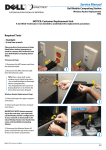
1
2
1. Disconnect the MCS power cord from
the electrical outlet.
2. Disconnect the MCS network cable
from the Ethernet outlet.
TIPS: Place a drop cloth under
working area to catch loose parts.
• Use a small flashlight to illuminate
interior compartments.
• Lock casters to keep MCS stable
during replacement steps.
3
Upper Netbook Key Guide
Replacement Steps
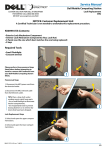
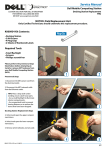
3. Unlock and open the upper compartment doors.
4. Remove the four netbooks from the
docking station with the broken Netbook Key and set aside.
doors.
5. Slide the damaged Key out of the
netbook dock frame.
4
5
888-97-073-W-01 rev. B • 08/09
1/4
Service Manual
Dell Mobile Computing Station
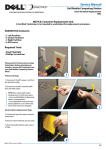
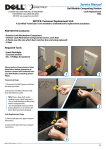
6. Slide the new Key into place at the
top of the netbook dock frame.
NOTE: the Key must be inserted
in the correct orientation so that
it's profile matches the shape of
the netbook and so that the tab at
the top of the Key holds the Key in
place at the top of the dock frame.
Tab
7. Use a flat screwdriver to ease the Key
tab over the docking station frame.
Make sure the tab is fully engaged
around the frame.
6
8. Replace the four netbooks in the
docking station with the new Key.
9. Verify function of the new Key by
removing and inserting the netbook.
Front
Back
10. Close and lock upper compartment
doors.
Upper Netbook Key guide
replacement is now complete
Wedge Tab
7
CUSTOM SOLUTION FOR DELL BY ERGOTRON
FOR SERVICE CALL (800) 888-8458
OR VISIT www.ergotron.com/Dell
888-97-073-W-01 rev. B • 08/09
2/4
Manuel
deManual
service
Service
Station
deComputing
travail mobile
Dell
Dell
Mobile
Station
Clef pour Netbook supérieur
Guide de remplacement
SOLUTION PERSONNALISÉE POUR DELL PAR ERGOTRON
POUR TOUT SERVICE APRÈS-VENTE APPELER AU (800) 888-8458
OU CONSULTER www.ergotron.com/Dell
AVERTISSEMENT : Unité remplaçable par le client
Un technicien certifié n’est pas requis pour effectuer cette procédure de remplacement.
Contenu de la trousse K000957 :
• Guide de clef pour Netbook supérieur
Avant
Outils requis
• Petite lampe de poche
• Tournevis à tête plate
Prière d’exécuter les étapes préalables énumérées ici-bas avant
d’essayer d’installer ou d’enlever
TOUT matériel de votre station de
travail mobile Dell (MCS).
Étapes préalables
1
2
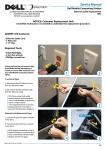
1. Débranchez le cordon d’alimentation
du MCS de la sortie d’alimentation.
2. Débranchez le câble réseau du MCS
de la sortie Ethernet.
CONSEILS : Placez une toile de
protection sous votre zone de travail
pour récupérer les pièces détachées.
• Utilisez une petite lampe de poche
pour éclairer les compartiments intérieurs. Verrouillez les roulettes pour
maintenir le MCS stable pendant les
étapes de remplacement.
3
Étapes de remplacement
pour la clef pour Netbook supérieur
3. Déverrouillez et ouvrez les portes du
compartiment supérieur.
4. Enlevez les quatre netbooks de la
station d’accueil avec la clef de netbook
brisée et mettez-les de côté. portes.
5. Glissez la clef endommagée hors
du cadre de la porte de netbook.
888-97-073-W-01 rev. B • 08/09
4
5
3/4
Manuel
deManual
service
Service
Station
deComputing
travail mobile
Dell
Dell
Mobile
Station
6. Glissez la nouvelle clé en place
en haut du cadre d’accueil pour netbook.
NOTE : la clef doit être insérée
dans la bonne orientation afin que
son profil corresponde à la forme
du netbook et que la languette en
haut de la clef retienne la clef en
place en haut du cadre d’accueil.
Languette
7. Utilisez un tournevis plat pour aider la
languette de la clef à passer par-dessus
le cadre de la station d’accueil. Assurezvous que la languette est insérée à fond
autour du cadre.
8. Replacez les quatre netbooks dans les
stations d’accueil avec la nouvelle clef.
6
Avant
Arrière
9. Vérifiez le fonctionnement de la
nouvelle clef en enlevant et replaçant le
netbook.
10. Fermez et verrouillez les portes du
compartiment supérieur.
LE REMPLACEMENT DU GUIDE DE
CLEF POUR NETBOOK SUPÉRIEUR
EST MAINTENANT TERMINÉ.
Coin Languette
7
SOLUTION PERSONNALISÉE POUR DELL PAR ERGOTRON
POUR TOUT SERVICE APRÈS-VENTE APPELER AU (800) 888-8458
OU CONSULTER www.ergotron.com/Dell
888-97-073-W-01 rev. B • 08/09
4/4