1
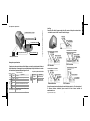
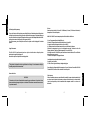
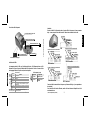
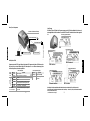
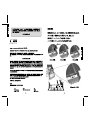
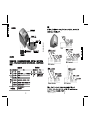
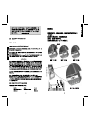
Bouton Coupure du papier
Bouton Avance papier
Voyant Imprimante Allumée
Voyant Informations
Interrupteur marche-arrêt
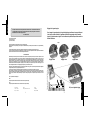
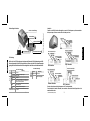
Installing
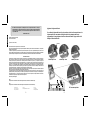
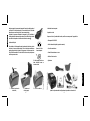
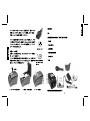
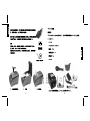
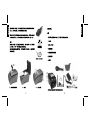
Connect the DC cable of the power supply to the DC connector of the printer as shown below
– note that the arrow in the DC connector must be facing up.
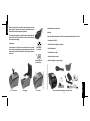
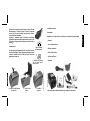
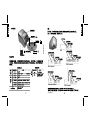
USB Host*
USB
Drawer Connector
DC Connector
USB
Communication Port Connector
USB Host*
USB
Drawer Connector
DC Connector
Communication Port Connector
USB Host* USB
Drawer Connector
DC Connector
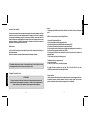
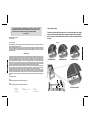
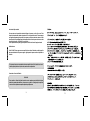
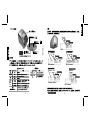
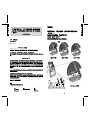
Messages des voyants lumineux
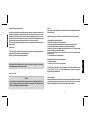
L’imprimante a deux voyants lumineux afin d’indiquer son status: Voyant Imprimante Allumée et
Voyant Informations. Les messages d’erreur seront indiqués par le Voyant Informations. La couleur
et le nombre des clignotements indiquent le type d’erreur.
Message Apparence
Jaune
Erreur Récupérable
FRANÇAIS
VERT
Prêt
Allumé
Clignotant
Allumé
Clignotant
Voyant Imprimante Allumée
Voyant Informations
Signification
Apparence
Prêt à l’emploi
Prêt à l’emploi, mais il y a peu de papier
Capot ouvert
Il n’y a plus de papier
2 fois
Protection contre surchauffe de la tête d’impression activée.
L’imprimante fonctionnera lentement. Attendre refroidir.
3 fois
Erreur du massicot. Ouvrez le capot afin de le récupérer (ERS)
4 fois
Erreur de communication / commande ignorée
Rouge
Erreur Non Récupérable
Veuillez reportez-vous au Manuel d’Utilisateur afin de
diagnostiquer le problème.
70
Signification
Éteint
Imprimante éteinte
Allumé
Imprimante allumée
(Transformateur OK)
DB9 Interface
DB25 Interface
Communication Port Connector
Communication Port Connector
USB Host*
USB
Drawer Connector
DC Connector
Ethernet Interface
USB Host*
USB
Drawer Connector
DC Connector
WiFi Interface
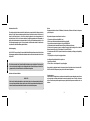
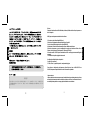
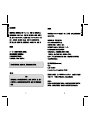
Connect the communication cable to the printer and to the host system (i.e. a PC or other terminal).
To Ethernet interface installation, please consult the User's Manual available at
www.bematech.com
7
(*Supported device under request)
ENGLISH
Manette d’ouverture du capot
L’image est fournie à titre d’illustration seulement
Description de l’imprimante