1
1. Safety Introductions
cresting stunning text patterns, geometric figures, dynamic scanning, rolling and
rotating effects.
Please read the instructions carefully which includes important
Great built-in lighting shows under Master/Slave operation triggered by music
WARNING
Optional CA-8 easy controller for enjoying instant lighting shows at you fingertips
Please keep this User Manual for future consultation. If you sell the fixture to another
LED display for easy navigation
user, be sure that they also receive this instruction booklet.
Input Voltage: 100V~240V 50/60Hz
Unpack and check carefully there is no transportation damage before using the fixture.
Fuse: T 6.3A
Before operating, ensure that the voltage and frequency of power supply match the
Power consumption: 29W
power requirements of the fixture.
LED: Total 256pcs,
information about the installation, operation and maintenance.
Red 64pcs, Green 64pcs, Blue 64pcs, White 64pcs
It’s important to ground the yellow/green conductor to earth in order to avoid electric
shock.
Dimension: 270 x 242 x 317mm
Disconnect main power before servicing and maintenance.
Weight: 3.8 kgs
Maximum ambient temperature is Ta : 40℃. Don’t operate it where the temperature is
higher than this.
In the event of serious operating problem, stop using the fixture immediately. Never try
to repair the fixture by yourself. Repairs carried out by unskilled people can lead to
damage or malfunction. Please contact the nearest authorized technical assistance
3. Main Function
center. Always use the same type spare parts.
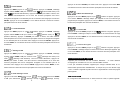
To select any functions, press MENU button until the required one is shown on the display.
Do not connect the device to any dimmer pack.
Select the function by ENTER button and the display will blink. Use DOWN and UP button to
Do not touch any wire during operation and there might be a hazard of electric shock.
change the mode. Once the required mode has been selected, press ENTER button to
To prevent or reduce the risk of electrical shock or fire, do not expose the fixture to rain
setup or it will automatically return to the main functions without any change after idling 10
or moisture.
seconds. Back to the functions without any change press MENU button.
The housing must be replaced if they are visibly damaged.
Do not look directly at the LED light beam while the fixture is on.
There are no user serviceable parts inside the fixture. Do not open the housing or
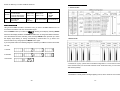
The main functions are shown below:
attempt any repairs by yourself. In the unlikely event your fixture may require service,
please contact your nearest dealer.
Due to the magnifying type lens, please keep the lens out of contact with direct sunlight.
Direct sunlight can cause heat to build up inside of the unit, which will seriously damage
unit.
For power supply, do not connect in series much more than 20 units, use another mains
supply for next 20 units.
2. Technical Specifications
The Matrix 4 LED features 4 high brightness red, green, blue and white LEDs clusters,
14-
15-