1
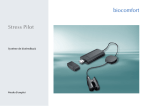
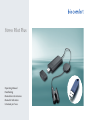
To activate the Stress Pilot Plus software, plug
the Stress Pilot Plus dongle into a free USB
port.
Stress Pilot Plus offers you the following extended functions for professional use:
Users
With the Stress Pilot Plus you can create and
manage up to 2,000 users. Note: If you have
created more than eight users, you cannot
conduct a biofeedback session or an HRV
measurement without the Stress Pilot Plus
dongle. If you do not use the dongle, you
must delete all of the users except for eight.
2
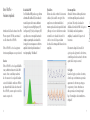
HRV biofeedback
In the HRV biofeedback you can also select
a neutral display of the frequency spectrum
instead of the 3D biofeedback. The High
Frequency (HF), Low Frequency (LF) and Very
Low Frequency (VLF) ranges permit rapid
detection of sympathetic and parasympathetic
activation. The frequency ranges are evaluated
in the extended report. To launch this function,
click on HRV “Biofeedback/Frequency
spectrum” in the main menu.
QuickView
Look at the raw heart rate signal and the
biosignal from a recording. To magnify a part
of the signal, hold down the left mouse key
and make a frame by dragging the pointer
around the area of interest. Click on the
magnifying glass icon at the right to undo the
magnification.
Extended report
In addition to the standard report you can
generate an extended report for professional
evaluation. This includes a detailed analysis
of the HRV measurement or biofeedback
practice, an extended parameter list and an
analysis of the frequency spectrum.
1
English
Stress Pilot Plus –
Extended features
You can choose one of the two reports
right after completing the measurement or
practice, or you can retrieve the reports from
the history.
Your logo
Save your logo and your contact data so that
your personal information is shown on the
reports which you give to your patients and
clients. Enter your personal data in the main
menu under “System/System settings/Report –
Expanded”.
3