1
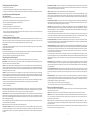
Press any other function and sound will be restored.
CENTER. This function is only operational in the Pro Logic or Dolby Digital mode. Press this button to adjust the volume level of the center channel. The LCD display
will show CENTER. Set the center level by using the plus (+) or minus (-) part of the VOL button. The LCD display will increase in ascending order as volume is
increased and will turn off in descending order as volume is decreased.
SURR(SURROUND). This function is operational in the StereoX2, Quad, Pro Logic, and Dolby Digital mode. Press this button to adjust the volume level of the
surround channel. Set the surround level by using the plus (+) or minus (-) part of the VOL button. The LCD volume level indicators will increase in ascending order
as the volume is increased and will turn off in descending order as the volume is decreased.
MODE. Repeatedly press this button to access all modes of operation: STEREO, STEREO X2, PRO LOGIC, DOLBY DIGITAL and QUAD.
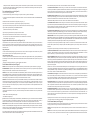
Specifications
System Response
Total Amplifier Power
Maximum Peak System Output
Input Impedance
Analog Input Sensitivity
Digital Input
Satellite Speakers
Drivers
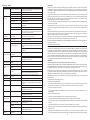
ADA890 Troubleshooting
Symptoms
All indicators are off
Possible Problem
AC cord is not connected to wall outlet
No Sound from any Speakers
Control speaker is not connected
to the subwoofer
Power is off
Power is not on
Volume setting is too low
S/PDIF cable is not connected to
DVD playback card
Signal cable is disconnected from sound card
Right (Control) speaker is disconnected
Computer not sending out signal
Subwoofer
Driver One 8" dual voice coil
Power 60 Watts
Crossover Frequency 150Hz
Signal-to-Noise-Ratio >70dB
Power Requirements
USA/Canada 120v/60Hz/360W
Europe/United Kingdom and various Asian Countries
230v/50Hz
UL/cUL/CE Approved
Dimensions
Subwoofer 365mm Wide x 260mm Deep x 290mm High
Main Speaker 137mm Wide x 110mm Deep x 162mm High
Surrounds 110mm Wide x 104mm Deep x 117 mm High
*Sony/Philips Digital Interconnect Format
27Hz - 20kHz
120 Watts
103 dB SPL @ 0.7m
>10k Ohms
300 mV for full output
S/PDIF*
Four 3" Full Range
Two 1" Tweeters
Power 60 Watts (15 watts per satellite)
Signal-to-Noise Ratio >70dB
Mute turns off unexpectedly
Subwoofer emits very loud
humming/buzzing noise
No sound from Subwoofer
Sound source has very little low
frequency content
No sound from surround speakers
Unit is not in a surround mode
Surround level is too low
Center and Surround buttons
do not work
No sound from surround
speakers when detached
No playback from digital input
Sound is distorted
6
Mute was re-pressed or a function
was selected
Signal cable is not completely inserted
into signal jack on subwoofer
Subwoofer volume is too low
Unit is not in a surround mode
Surround bases are not connected
Unit is not in a surround mode
Surround level is too low
Digital signal cable is not connected
to soundcard.
Volume level too high
Sound source is distorted
Not enough treble
Treble setting is too low
Too much treble
Treble setting is too high
Too much bass or
subwoofer distorted
Bass setting is too high
Remote Control does not work
Batteries are dead or not installed
Remote is not pointed at speakers
Remote signal path is blocked
No sound when playing DVD
PCM Jack on dongle is connected
to the system
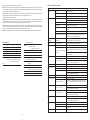
Solution
Check to see if the LED is illuminated on the rear of the subwoofer. If not,
connect AC power or try a different outlet.
Connect control speaker to subwoofer
Press power button or use remote to turn on system
Verify the AC line cord is plugged into the wall outlet
Verify power switch has been pressed (Display is on)
Raise master volume control
Connect S/PDIF cable to DVD card and make sure all software drivers for computer are
set to proper output.
Connect analog signal cable from sound card (not DVD card) to ADA890 analog input
Connect right (Control) speaker
Press the Diagnostic button on the rear of the ADA890 subwoofer. The speakers should
sequentially play a tone. If so, the ADA890 is working properly and problem is cables
or computer settings
System will un-mute whenever the mute button pressed again, if a function button is
pressed, or if the volume control is rotated
Make sure signal cable is inserted snugly into signal jack. Especially check the signal cable
at the computer end to make sure is completely plugged in
Select Bass function and raise volume level
Press the Diagnostic button on the rear of the ADA890. This will sequentially play a tone
from each speaker, including the subwoofer. It will also set the system to the factory
default levels.
.WAV files often have little low frequency content. Try a music signal with more bass.
Press the mode button to select a surround mode.
Select surround level function and raise volume.
Press and hold Treble and Bass buttons for 3 seconds to reset Treble, Bass, Center, and
Surround levels to default position.
Press the mode button to select a surround mode.
Connect surround bases to rear of subwoofer.
Press the mode button to select a surround mode.
Select surround level function and raise volume
Press and hold Treble and Bass buttons for 3 seconds to reset Treble, Bass, Center, and
Surround levels to default position.
Connect digital signal cable to S/PDIF output of DVD playback card
Decrease master volume level
.WAV files are often of poor quality so distortion and noise are easily noticed with high
powered speakers. Try a different sound source like a music CD.
Select Treble function and increase level
Press and hold Treble and Bass buttons for 3 seconds to reset Treble, Bass, Center, and
Surround levels to default position
Select Treble function and decrease level
Press and hold Treble and Bass buttons for 3 seconds to reset Treble, Bass, Center, and
Surround levels to default position
Select Bass function and decrease level
Press and hold Treble and Bass buttons for 3 seconds to reset Treble, Bass, Center, and
Surround levels to default position
Replace or install new batteries
Point remote control at the right (control) speaker.
Removed any object that is blocking the signal from the remote to the right (control)
speaker next to the LCD display
Switch out the PCM RCA jack on dongle and connect the AC3 jack
7