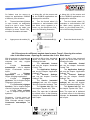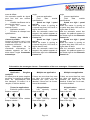
1
1.
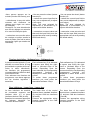
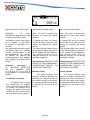
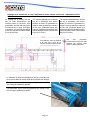
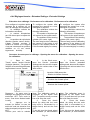
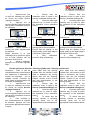
Assurez-vous que
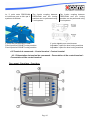
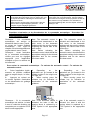
le menu de calibrage est ouvert
au niveau de l’onglet Service
(réglages étendus).
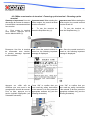
2. Appuyez sur la
touche logicielle supérieure droite
(afin d’ouvrir l’extension du menu
de calibrage).
3. Appuyez sur
touche logicielle START.
la
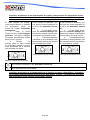
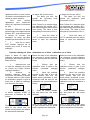
Remarque : Après environ 1
minute, une valeur moyenne doit
se stabiliser.
Faites attention à ce que
l’affichage de la qualité du signal
sur le bord inférieur soit au
minimum de 80 à 90 %.
4.
Après le calibrage,
appuyez sur la touche logicielle
Stop.
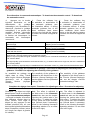
1. Ensure that the
calibration menu is open in the
Service (extended settings) tab.
2.
Press the upper right
software key (in order to open
the extension of the calibration
menu).
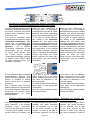
1. Ensure that the
calibration menu is open in the
Service (extended settings) tab.
2.
Press the upper right
software key (in order to open
the extension of the calibration
menu).
3. Press the START
software key.
3. Press the START
software key.
Note: After about 1 minute, an
average value should stabilise.
Ensure that the display of the
signal quality on the lower edge is
a minimum of 80 to 90%.
4. After
calibration,
press the Stop software key.
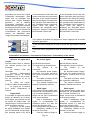
Note: After about 1 minute, an
average value should stabilise.
Ensure that the display of the
signal quality on the lower edge is
a minimum of 80 to 90%.
4. After
calibration,
press the Stop software key.
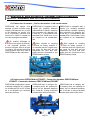
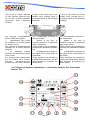
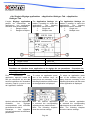
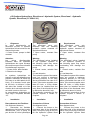
Test du cylindre de direction - Steering cylinder test - Steering cylinder test
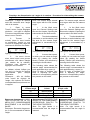
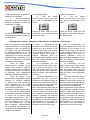
Remarque : Outre le test du
cylindre de direction, cette fonction
sert également à déterminer la
vitesse de braquage ; voir le
chapitre suivant «Contrôle du
débit d’huile et détermination de
la vitesse de braquage».
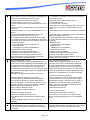
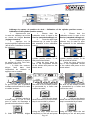
1.
Assurez-vous que
le menu de calibrage est ouvert
au niveau de l’onglet Service
(réglages étendus).
2. Appuyez sur la
touche logicielle supérieure droite
(afin d’ouvrir l’extension du menu
de calibrage).
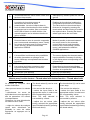
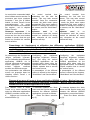
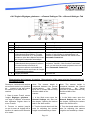
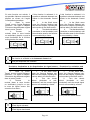
3.
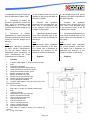
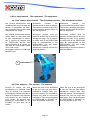
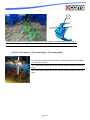
Pour contrôler le
bon fonctionnement du cylindre
de direction, appuyez sur l’une
des touches appropriées illustrées
ci-après :
Note: Apart from the steering
cylinder test, this function is also
used to determine the turning
speed; also see the following
chapter “Control of the oil flow
rate and determination of the
turning speed».
1. Ensure that the
calibration menu is open in the
Service (extended settings) tab.
2.
Press the upper right
software key (in order to opern
the extension of the calibration
menu).
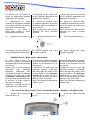
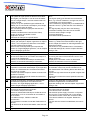
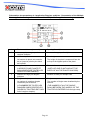
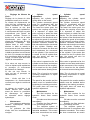
3.
To check that the
steering cylinder is operating
correctly, press one of the
appropriate keys illustrated below.
Page 47
Note: Apart from the steering
cylinder test, this function is also
used to determine the turning
speed; also see the following
chapter “Control of the oil flow
rate and determination of the
turning speed».
1. Ensure that the
calibration menu is open in the
Service (extended settings) tab.
2.
Press the upper right
software key (in order to opern
the extension of the calibration
menu).
3.
To check that the
steering cylinder is operating
correctly, press one of the
appropriate keys illustrated below.