1
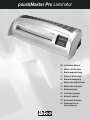
pouchMaster Pro Laminator
Safety instructions
YOUR SAFETY AS WELL AS THE SAFETY OF OTHERS IS IMPORTANT TO GBC.
IN THIS INSTRUCTION MANUAL AND ON THE PRODUCT ARE IMPORTANT
SAFETY MESSAGES. READ THESE MESSAGES CAREFULLY.
THE SAFETY ALERT SYMBOL PRECEDES EACH SAFETY
MESSAGE IN THIS INSTRUCTION MANUAL.
THIS SYMBOL INDICATES A POTENTIAL PERSONAL SAFETY
HAZARD THAT COULD HURT YOU OR OTHERS, AS WELL AS
CAUSE PRODUCT DAMAGE OR PROPERTY DAMAGE.
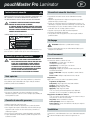
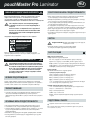
THE FOLLOWING WARNING IS FOUND ON THE BOTTOM OF THE PRODUCT.
WARNING
Electrical shock hazard.
Do not open. No user
servicable parts inside.
Refer servicing to qualified
service personnel.
Electrical safeguards
• The unit must be connected to a supply voltage corresponding to the
electrical rating.
• Unplug the unit before moving it, or when it is not in use for an extended
period of time.
• Do not operate with a damaged supply cord or plug, if it is damaged,
or malfunctions.
• Do not overload electrical outlets beyond their capacity; fire or electrical
shock could result.
• The unit is intended for indoor use only.
• Do not spill liquid of any kind on this product.
• Close supervision is required when this product is used near children.
Cleaning
This safety message means that you could be seriously hurt or killed if you
open the product and expose yourself to hazardous voltage.
Important safeguards
WARNING: FOR YOUR PROTECTION DO NOT CONNECT THE
POUCH LAMINATOR TO ELECTRICAL POWER UNTIL YOU
READ THESE INSTRUCTIONS COMPLETELY. KEEP THESE
INSTRUCTIONS IN A CONVENIENT LOCATION FOR
FUTURE REFERENCE. TO GUARD AGAINST INJURY, THE
FOLLOWING BASIC SAFETY PRECAUTIONS MUST BE
OBSERVED IN THE SET-UP AND USE OF THIS PRODUCT.
Special notice
Thank you, for your recent purchase of a Ibico Pouch Laminator. Your new
laminator may emit a slight odour during the initial stage of operation. It is
normal and will diminish after several hours of operation.
Service
• Do not attempt to service or repair the pouch laminator yourself. Unplug the
unit and contact an authorized GBC service representative for any required
repairs.
General safeguards
• Use the unit only for its intended purposes.
• Do not place anything in the throat opening of the unit other than
pouches/documents.
• Place unit on a secure, stable work area to prevent the unit from falling and
possibly causing personal injury and damage to the unit.
• Follow all warnings and instructions marked on the unit.
• The socket outlet shall be installed near the equipment and shall be easily
accessible.
Caution: Unplug this product before cleaning.
• Wipe exterior only with a damp cloth. Do not use detergents or solvents.
Operation
1
Control Panel LCD
The following information is displayed on the LCD:
Set – The numbers directly next to the word
SET indicate the set temperature.
Speed – The numbers directly next to the word
SPEED indicate the speed setting.
Ready – Indicates that the machine is at the requested operating
temperature.
Lower Center 000 – Counter, represents the number of items laminated
Lower Right – Indicates the actual temperature of the rollers
Selecting Functions
Pressing keys performs functions as follows:
Temperature Functions:
Cold – Sets the machine to ambient temperature
Low – Sets the machine 110°C
Med – Sets the machine to 130°C
High – Sets the machine to 150°C
– These keys are used to increase or decrease temperature by 1°C.
Temperature can be adjusted up to 160°C.
Motor / Speed Functions
– These keys are used to adjust the speed of the rollers. Speed 1 is
the slowest and speed 6 the fastest.
Stop – Stops the revolution of the rollers.
Counter – Resets the counter to zero.
Reverse – Reverses the revolution of the rollers to correct mis-feeds.
Set up
1 Connect power cord to appropriate power source.
2 Push the power switch located on the back of the machine to the “on”
position.