1
MANUEL D’UTILISATION
(INSTRUCTION MANUAL)
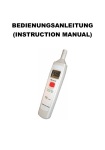
DATA LOGGER SOUND LEVEL METER
TABLE DES MATIERES
Titre
Page
I.
CONSIGNES DE SECURITE
2
II.
DESCRIPTION GENERALE
2
III.
CARACTERISTIQUES
3
IV.
SPECIFICATIONS
3
V.
FONCTIONS
4
VI.
PREPARATION DES MESURES
6
VII. PREPARATION DE L‘APPAREIL
7
VIII. ETALONNAGE
7
IX.
8
MESURE
1
DATA LOGGER SOUND LEVEL METER
I. CONSIGNES DE SECURITE
Veuillez lire attentivement les consignes ci-après avant de procéder aux
mesures.
Utilisez seulement l’instrument de mesure de la manière indiquée dans ce
manuel, autrement la garantie de l’appareil sera annulée.
Conditions ambiantes
§ Jusqu‘à 2000m au-dessus du niveau de la mer
§ Humidité relative max. = 90% HR
§ Gamme de température de service = 0 … + 40 °C.
Entretien & nettoyage
§ Seul le fabricant est autorisé à effectuer des travaux de réparation sur
l’appareil.
§ Il est impératif de maintenir l’appareil propre et sec.
Symboles de sécurité
Répond aux exigences de la directive concernant la
compatibilité électromagnétique
N’utilisez que des pièces de rechange spécifiques lors de
l‘entretien.
II. DESCRIPTION GENERALE
Merci d’avoir opté pour cet appareil. Afin d’utiliser l’appareil au mieux de
ses possibilités, nous vous recommandons de lire attentivement le
manuel d‘utilisation.
L’appareil est conforme aux normes et standards généralement en
vigueur (IEC61672-1 type2, ANSI S1.4 type2) et est certifié CE.
Ce phonomètre a été conçu pour répondre aux exigences des
ingénieurs de sécurité, de la santé, des bureaux de la sécurité de travail,
et du contrôle de la qualité sonore dans différents environnements.
2
DATA LOGGER SOUND LEVEL METER
III. CARACTERISTIQUES
-
Pratique
-
Facile à utiliser
-
Performant et à un prix très attractif
-
Gamme automatique
-
Capacité d’enregistrement maximale
-
Affichage LCD 4 chiffres avec une résolution de 0,1 dB
-
Dispositif d’étalonnage d‘entreprise
IV. SPECIFICATIONS
Normes :
IEC61672-1 type2, ANSI S1.4 type2
Gamme de fréquence : 31.5Hz ~ 8KHz
Gamme de mesure : 32 ~ 130dB
Microphone :
microphone à condensateur électret d‘ 1/2 pouce
Affichage :
LCD
Résolution :
0.1dB
Cadence d’actualisation de l’affichage : 0,5 s
Pondération fréquentielle :
A
Pondération temporelle :
RAPIDE
Précision :
±1,4dB (dans les conditions de référence @ 94
dB, 1kHz )
Fonctions d’alarme : “OVER” s’affiche lorque la valeur de mesure
actuelle est située au-dessus de la limite
supérieure de la gamme de mesure sélectionnée.
“UNDER” s’affiche lorsque la valeur de mesure
actuelle est située en dessous de la limite
inférieure de la gamme de mesure
3
DATA LOGGER SOUND LEVEL METER
sélectionnée.
Alimentation :
deux piles de type IEC R03 (AAA), 1,5V X2.
Durée de vie des piles :
env. 50h (pile alcaline LR03)
Température de service :
0 ...+40 °C ( 32 ... +104 °F )
Humidité de service : de 10 à 90% HR
Température de stockage : -10 ... 60 °C ( 14 ... 140 °F )
Humdité de stockage : de 10 à 75%HR
Dimensions :
206 (L) × 42 (W) × 25 (H)mm
8.1° (L) x 1.7“ (W) x 1.0“ (H)
Poids :
100g (0.22 lbs) (pile comprise)
Accessoires :
deux piles 1,5V, manuel d‘utilisation,
tournevis, protection anti-vent.
V. FONCTIONS
1
4
1.5V X 2
2
SIZE AAA / IEC LR03
Max Hold
3
Press 2 Sec
6
32 dB
CAL
130 dB
OPEN
7
4
5
DATA LOGGER SOUND LEVEL METER
(1) Protection anti-vent
Si, lors de la réalisation de vos mesures, l’appareil est exposé à une
vitesse de vent > 10m/s, mettez la protection anti-vent devant le
microphone.
(2) Affichage
Max Mode Indicator
Low Battery Indicator
Frequency Weighting Indicator
Sound Level Reading
F
Under-Range Indicator
Over-Range Indicator
Fast
Time Weighting Indicator
(3) Bouton marche/arrêt & MAX Hold (enregistrement)
Bouton marche
Vous mettez l’appareil en marche en appuyant sur le bouton „MAX
Hold“.
Mode d’enregistrement MAX
Appuyez sur le bouton „MAX Hold“ pour accéder au mode
d’enregistrement MAX. L’écran LCD affiche le symbole „MAX“. Le
mode d’enregistrement MAX saisit et mémorise les valeurs d’entrée
maximales. Lorsque l’appareil détecte une entrée supérieure à la
valeur maximale enregistrée, l’instrument de mesure enregistre alors
la nouvelle valeur maximale.
Le bouton „MAX Hold vous permet de quitter le mode MAX. Les
valeurs enregistrées sont supprimées et le symbole „MAX“ disparaît.
Bouton arrêt
Eteignez l’appareil en maintenant le bouton „MAX Hold“ enfoncé
pendant au moins 2 secondes. L‘écran LCD affiche „OFF“ ; vous
pouvez alors relâcher le bouton.
5
DATA LOGGER SOUND LEVEL METER
(4) Microphone
Microphone à condensateur électret d’1/2 pouce
(5) Mesure / calcul
Mesures ou étalonnage interne, sélectionnez le commutateur dédié
(6) Ajustement de l‘étalonnage
(7) Couvercle du compartiment à piles
VI. PREPARATIONS DES MESURES
(1) Insertion des piles
Appuyez légèrement sur le couvercle du compartiment à piles et
faites-le glisser vers le bas. Insérez les deux piles 1,5V en
respectant les polarités comme indiqué dans le compartiment à piles.
Fermez le couvercle.
(2) Remplacement des piles
Si la tension nécessaire à la réalisation des mesures diminue, le
symbole d’avertissement
apparaît. Cela signifie que la pile (1,5
V) doit être remplacée.
VII. PREPARATION DE L‘APPAREIL
(1) Le vent qui souffle sur le microphone occasionne des bruits
supplémentaires.
Si vous utilisez l’appareil par temps de vent, il convient de fixer la
protection anti-vent pour ne pas avoir de bruits indésirables.
(2) Etalonnez l’appareil avant chaque utilisation, notamment si l’appareil
n’a pas été utilisé pendant une longue période de temps ou si ce
dernier a été utilisé dans un environnement nuisible.
(3) Ne rangez ni n’utilisez l’appareil dans des zones de haute
température ou humides.
(4) Gardez l’appareil sec et évitez les vibrations puissantes.
(5) Enlevez les piles lorsque l’instrument de mesure reste inutilisé
pendant longtemps car elles pourraient couler.
VIII . ETALONNAGE
6
DATA LOGGER SOUND LEVEL METER
Vous devez étalonner l’appareil avant de procéder à une mesure. Il
existe deux types d’étalonnage : l’étalonnage électrique interne et
l’étalonnage acoustique à l’aide d’un étalonneur acoustique. En
règle générale, seul un étalonnage électrique interne est nécessaire.
Etalonnage interne (94dB @ 1kHz)
Appuyez légèrement sur le couvercle du compartiment à piles et
faites-le glisser vers le bas. Assurez-vous que le „Cal Mode“ est bien
réglé sur „Internal CAL“. L’écran LCD affiche „CAL“ pendant au
moins 1 seconde. Activez l’oscillateur intégré ( 1 kHz, courbe
sinusoïdale) en vue de l’étalonnage électrique de l‘appareil. A l’issue
de l’étalonnage, faites glisser le commutateur sur la position
„MEAS“.
IX. MESURE
(1) Mettez l’appareil en marche et sélectionnez les paramètres et
réglages souhaités. La pondération A est utilisée par défaut pour se
rapprocher de la sensibilité de l’oreille humaine.
(2) Assurez-vous que le commutateur au dos de l’appareil est réglé sur
„MEAS“.
(3) Orientez l’appareil de mesure vers la source sonore
(4) L’afficheur de niveau numérique montre le niveau sonore
actuellment mesuré. La valeur mesurée est actualisée deux fois par
seconde.
CONTENTS
Title
Page
7
DATA LOGGER SOUND LEVEL METER
I.
SAFETY INFORMATION
10
II.
GENERAL DESCRIPTION
10
III.
FEATURES
11
IV.
SPECIFICATIONS
11
V.
NAME AND FUNCTIONS
12
VI.
MEASUREMENT PREPARATION
14
VII. OPERATING PRECAUTIONS
14
VIII. CALIBRATION
15
IX.
15
MEASUREMENT
8
DATA LOGGER SOUND LEVEL METER
I. SAFETY INFORMATION
Read the following safety information carefully before attempting to
operate or service the meter.
Use the meter only as specified in this manual; otherwise, the protection
provided by the meter may be impaired.
Environment conditions
§ Altitude up to 2000 meters
§ Relatively humidity 90% max.
§ Operation Ambient 0 ~ 40°C
Maintenance & Clearing
§ Repairs or servicing not covered in this manual should only be
performed by qualified personnel.
§ Periodically wipe the case with a dry cloth. Do not use abrasives or
solvents on this instruments.
Safety symbols
Comply with EMC
When servicing, use only specified replacement parts.
II. GENERAL DESCRIPTION
Thank you for using our Sound Level Meter. To ensure that you can get
the most from it, we recommend that you read and follow the manual
carefully before use.
This unit conforms to the IEC61672-1 Class2, ANSI S1.4 Type2 for
Sound Level Meters.
This Sound Level Meter has been designed to meet the measurement
requirements of safety Engineers, Health, Industrial safety offices and
sound quality control in various environments.
9
DATA LOGGER SOUND LEVEL METER
III. FEATURES
§
Mini size
§
Easy to use
§
High performance at a low cost
§
Autoranging
§
Maximum recording
§
4-digit LCD with a resolution of 0.1 dB
§
Internal Calibrator (94dB@1kHz)
IV. SPECIFICATIONS
Standard applied:
Frequency range:
Measuring level range:
Microphone:
Display:
Resolution:
Display Update:
Frequency Weighting:
Time Weighting:
Accuracy:
IEC61672-1 Class2, ANSI S1.4 Type2
31.5Hz ~ 8KHz
32 ~ 130dB
1/2 inch electret condenser microphone
LCD
0.1dB
0.5 sec.
A
FAST
±1.4dB ( under reference conditions, 94dB @
1kHz )
Alarm function:
“OVER” when input is more than upper limit of
range.
“UNDER” when input is Less than lower limit
of range.
Power supply:
Two IEC R03 (size “AAA”) batteries, 1.5V X2.
Battery Life:
Approx. 50hrs (alkaline battery LR03)
Operation temperature: 0 to 40°C ( 32 to 104°F )
Operation humidity:
10 to 90%RH
Storage temperature:
-10 to 60°C ( 14 to 140°F )
Storage humidity:
10 to 75%RH
Dimensions:
206 (L) × 42 (W) × 25 (H)mm
10
DATA LOGGER SOUND LEVEL METER
8.1” (L) × 1.7” (W) × 1.0” (H)
100g (0.22 lbs) (including batteries)
two 1,5V batteries, instruction manual,
screwdriver, windscreen.
Weight:
Accessories:
V. NAME AND FUNCTIONS
1
4
1.5V X 2
2
SIZE AAA / IEC LR03
Max Hold
3
Press 2 Sec
6
32 dB
CAL
5
130 dB
OPEN
7
(1)
Windscreen
When making outdoor measurements in windy weather, wind noise
at he microphone can cause measurement errors. Such effects can
be using the windscreen.
11
DATA LOGGER SOUND LEVEL METER
(2) Display
Max Mode Indicator
Low Battery Indicator
Frequency Weighting Indicator
Sound Level Reading
F
Under-Range Indicator
(3)
Over-Range Indicator
Fast
Time Weighting Indicator
Power On/Off & Max Hold button
Power On
Turn the unit on by press the “Max Hold” button.
Max recording mode
Press the “Max Hold” button to enter the Max Hold mode under the
power-on. The LCD will show “MAX” symbol.The MAX recording
mode captures and stores the maximum input values detected.
When the unit detects an input that is above the recorded
maximum, the unit recods the new maximum value.
Press the “Max Hold” button again to exit the MAX mode.
Recorded values are erased, “MAX” symbol disappears.
Power-off
Turn the unit off by holding down the “Max Hold” button for at least
2 seconds. The LCD will show “OFF”, release the button.
(4)
Microphone
1/2 inch electret Condenser microphone
(5)
Measurement / Calculation
Measurements or internal calibrator select switch
(6)
Calibration adjustment
(7)
Battery Cover
12
DATA LOGGER SOUND LEVEL METER
VI. MEASUREMENT PREPARATION
(1) Inserting the batteries
Lightly press the battery cover and slide it to the down. Insert two
1.5V batteries, paying attention to the polarity as indicated in the
compartment. Replace the cover.
(2) Battery Replacement
When the battery voltage drops below the operating voltage, this
symbol will appear.
Replace 1.5 Volt batteries.
VII. OPERATION PRECAUTIONS
(1)
(2)
(3)
(4)
(5)
Wind blowing across the microphone will bring additional
extraneous noise.
When using the instrument in the presence of wind, it is a must to
mount the windscreen to not pick up undesired signals.
Calibrate the instrument before the operation if the instrument was
not in use for a long time or operated in bad environment.
Do not store or operate the instrument at high temperature and
high humidity environment.
Keep microphone dry and avoid severe vibration.
If the unit is not used for a long period of time, the batteries will
have to be removed from the battery compartment, since it might
leak.
VIII. CALIBRATION
Before starting a measurement, the unit must be calibrated. There are
two types of calibration: internal electrical calibration and acoustic
calibration using a sound calibrator. Normally, internal electrical
calibration only is required.
Internal Calibrator (94dB @ 1kHz)
Lightly press the battery cover and slide it to the down. Slide the switch
to the down. Verify that the Cal Mode is set to “Internal” CAL. LCD
shows “CAL” approx. 1 sec. Activates the built-in oscillator (1 kHz, sine
wave) for electrical calibration of the unit. When calibration is end, slide
the switch to the up “MEAS” position.
13
DATA LOGGER SOUND LEVEL METER
IX . MEASUREMENT
(1)
(2)
(3)
(4)
Turn the power ON to measure noise sound.
For general sound level measurements, A- - frequency weighting
and F (FAST) time weighting (dynamic characteristics) the setting
should be used.
Make sure that slide the switch to the “MEAS” position on rear of
the unit.
Hold the instrument comfortably in hand and point the
microphone at the suspected noise source.
The numeric level indication shows the current measured sound
level. The reading is updated twice every second.
14