1
®
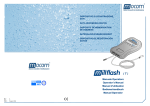
DISPOSITIVO DI REGISTRAZIONE
DATI
DATA RECORDING DEVICE
DISPOSITIF DE MEMORISATION
DE DONNÉES
DATENAUFZEICHNUNGSGERÄT
DISPOSITIVO DE REGISTRACIÓN
DATOS
®
Manuale Operatore
Operator’s Manual
Manuel d’utilisation
Bedienerhandbuch
Manual Operador
Ed. :
Rev. :
Data :
1
0
Settembre 2005
DISPOSITIF DE MEMORISATION DE DONNÉE
Manuel d’utilisation
DATENAUFZEICHNUNGSGERÄT
Bedienerhandbuch
DISPOSITIVO DE REGISTRACIÓN DATOS
Manual Operador
ITALIANO
ENGLISH
Operator’s Manual
FRANÇAIS
DATA RECORDING DEVICE
DEUTSCH
Manuale Operatore
ESPAÑOL
DISPOSITIVO DI REGISTRAZIONE DATI
ITALIANO
DISPOSITIVO
DI REGISTRAZIONE DATI
MANUALE OPERATORE
REVISIONI
Nella tabella seguente vengono elencate le successive edizioni/revisioni del documento.
Il campo “Descrizione” riporta brevemente l’argomento che è stato oggetto dell’ultima revisione.
Ediz.
Rev.
Data
1
0
09-2005
Descrizione
Prima emissione
INDICE
INTRODUZIONE ........................................................................................................................................................... 1
DESTINAZIONE D’USO..................................................................................................................................... 1
AVVERTENZE GENERALI ............................................................................................................................... 1
SCOPO DEL MANUALE ................................................................................................................................... 1
CONTENUTO DELL’IMBALLO .................................................................................................................................... 2
DIMENSIONI E PESO....................................................................................................................................... 2
DESCRIZIONE DEL CONTENUTO ................................................................................................................... 2
PRESENTAZIONE DEL PRODOTTO........................................................................................................................... 3
CARATTERISTICHE TECNICHE....................................................................................................................... 3
INSTALLAZIONE.......................................................................................................................................................... 4
POSIZIONAMENTO DEL DISPOSITIVO ........................................................................................................... 4
CONFIGURAZIONE DELLA STERILIZZATRICE.............................................................................................. 5
COLLEGAMENTO DEL LETTORE USB AD UN PC/MAC................................................................................. 5
UTILIZZO DI MILLFLASH............................................................................................................................................ 6
PRINCIPIO DI FUNZIONAMENTO ................................................................................................................... 6
LED DI SEGNALAZIONE.................................................................................................................................. 7
LA SCHEDA DI MEMORIA ................................................................................................................................ 7
PER NON PERDERE I DATI ............................................................................................................................ 7
STRUTTURA DEL NOME FILE ......................................................................................................................... 8
MANUTENZIONE.......................................................................................................................................................... 8
PULIZIA ESTERNA............................................................................................................................................ 8
ASSISTENZA TECNICA............................................................................................................................................... 9
I
Gentile Cliente
ITALIANO
INTRODUZIONE
nel ringraziarLa per la preferenza accordata a M.O.COM. Srl, ci auguriamo che le
prestazioni di questo prodotto siano di Sua completa soddisfazione.
In questo manuale troverà descritte tutte le procedure per la corretta installazione ed
utilizzo del dispositivo.
Rimaniamo a completa disposizione per qualsiasi chiarimento, nonché per ogni Suo
suggerimento rivolto al miglioramento del prodotto o del servizio.
Simboli di nota e
attenzione utilizzati
nel manuale
NOTA
PRESTARE ATTENZIONE; INDICAZIONI RIGUARDANTI LE PROCEDURE DI
INSTALLAZIONE, UTILIZZO E MANUTENZIONE.
ATTENZIONE
RICHIAMO DI ATTENZIONE
AGIRE SECONDO LE PROCEDURE INDICATE AL FINE DI
PREVENIRE POSSIBILI DANNI A MATERIALI,
APPARECCHIATURE E/O PROPRIETÀ.
DESTINAZIONE
D’USO
è concepito per la registrazione su scheda di memoria dei dati dei cicli di
sterilizzazione e di test eseguiti con sterilizzatrici a vapore della serie Millennium. I dati
registrati possono essere scaricati e gestiti su un PC tramite il lettore fornito in
dotazione.
AVVERTENZE
GENERALI
Il dispositivo di registrazione dati ed il lettore USB, devono essere utilizzati secondo le
procedure contenute nel presente manuale
-
Non appoggiare i dispositivi sopra superfici calde.
-
Non versare acqua o altri liquidi
-
Non forzare l’inserimento della scheda di memoria
-
Non conservare i dispositivi accanto ad oggetti che potrebbero penetrare
all’interno della fessura di alloggiamento della scheda di memoria.
NOTA
LE INFORMAZIONI CONTENUTE NEL PRESENTE MANUALE SONO SOGGETTE A
MODIFICHE SENZA PREAVVISO.
M.O.COM. SRL NON SARÀ RESPONSABILE PER DANNI DIRETTI, INDIRETTI,
ACCIDENTALI, CONSEQUENZIALI OD ALTRI DANNI RELATIVI ALLA
FORNITURA/USO DI QUESTE INFORMAZIONI.
E’ VIETATO RIPRODURRE, ADATTARE O TRADURRE IL PRESENTE DOCUMENTO,
O PARTI DI ESSO, SENZA PREVIA AUTORIZZAZIONE SCRITTA DI M.O.COM. SRL.
È UN MARCHIO REGISTRATO DI M.O.COM. SRL.
SCOPO DEL
MANUALE
Questo manuale ha lo scopo di fornire:
– Una descrizione generale del prodotto;
– Le procedure per la sua corretta installazione;
– Le istruzioni per il suo sicuro ed efficiente utilizzo.
1
CONTENUTO
DELL’IMBALLO
Altezza
Larghezza
Profondità
55 mm
250 mm
206 mm
DIMENSIONI
E PESO
Peso totale
0,5 kg
250
55
NOTA
AL RICEVIMENTO VERIFICARE CHE
L’IMBALLO SIA INTEGRO IN OGNI PARTE.
206
Una volta aperto l’imballo controllare che:
–
la fornitura corrisponda alle specifiche dell’ordine (vedi documento di
accompagnamento);
–
non vi siano danni evidenti.
NOTA
IN CASO DI ERRATA FORNITURA, PARTI MANCANTI O DANNEGGIAMENTI DI
QUALUNQUE TIPO, INFORMARE IMMEDIATAMENTE ED IN MODO DETTAGLIATO IL
RIVENDITORE ED IL CORRIERE CHE HA EFFETTUATO LA CONSEGNA.
DESCRIZIONE DEL
CONTENUTO
1
Il kit è composto da:
*
*
*
*
*
*
*
Dispositivo di registrazione
(Rif. 1)
Lettore USB per scheda di
memoria CF (Rif. 2)
Scheda di memoria Compact
Flash (Rif. 3)
Cavo a doppia interfaccia (Rif. 4)
Cavo interfaccia USB (Rif. 5)
CD di installazione del SW
per lettore USB (Rif. 6)
2
3
5
4
7
6
Istruzioni d’uso e certificato
di garanzia (Rif. 7)
La scheda di memoria ed il lettore USB forniti con il dispositivo di registrazione sono
selezionati da Mocom per essere utilizzati insieme.
NOTA
IL CERTIFICATO DI GARANZIA DEVE ESSERE CONSERVATO PRESSO IL CLIENTE
ASSIEME ALLA FATTURA DI ACQUISTO DEL PRODOTTO.
2
è un sistema opportunamente studiato per essere interfacciato alle
sterilizzatrici della serie Millennium e registrare automaticamente su memorie
Compact Flash (tipo 1 e 2) il file di stampa contenente i dati del ciclo effettuato.
ITALIANO
PRESENTAZIONE
DEL PRODOTTO
La scheda di memoria può essere successivamente estratta dal registratore e inserita
nel lettore in dotazione connesso ad una porta USB di un normale PC. In questo modo
sarà possibile scaricare tutti i file contenuti in memoria per la loro archiviazione e
gestione.
Grazie alla sua elevata capacità di memoria, semplicità ed efficienza di utilizzo, il
rappresenta una valida soluzione per la gestione dei rapporti dei
sistema
cicli di sterilizzazione.
CARATTERISTICHE
TECNICHE
Dispositivo di registrazione dati
Temperatura di esercizio
+0°C ÷ +40°C
(senza luce diretta del sole, vicinanza di
altre fonti di calore o eccessiva umidità)
Temperatura di immagazzinamento
0°C ÷ +40°C
(al riparo dall’umidità e da fonti di calore)
Dimensioni
(senza memoria inserita e senza cavi)
108 x 165 x 20 mm (LxPxA)
Peso (senza scheda e cavi)
140 grammi
Utilizzo
Interno
Memoria Compact Flash
Tecnologia
Tipo 1 o tipo 2
Capacità
128 Mb (o altro valore disponibile)
Formattazione
Preformattazione FAT
Requisiti minimi per l’hardware del PC/MAC
PC/MAC
1 porta libera USB1.1 (o superiore )
PC/MAC
Lettore per CD-ROM
Sistema operativo PC
Windows 98SE, 2000, ME, XP o
superiori
Sistema operativo MAC
OS 9.1.x, OS X v10.1.2+
Marca e prodotti sono marchi di fabbrica dei loro relativi detentori
Compatibilità con le sterilizzatrici
Millflash è completamente compatibile con la nuova serie di sterilizzatrici Millennium
dotate del connettore PS/2 (4 pin) per l’alimentazione del dispositivo di registrazione.
3
INSTALLAZIONE
ATTENZIONE
PRIMA DI INIZIARE L’INSTALLAZIONE, SPEGNERE LA
STERILIZZATRICE E SCOLLEGARE IL CAVO DI RETE DALLA
PRESA.
1.
Spegnere la sterilizzatrice e aprire il portello del vano servizi;
2.
Inserire il connettore “A” a 9 poli nella porta seriale del dispositivo di
registrazione e bloccare con le viti;
3.
Inserire il connettore “B” a 9 poli nella porta seriale RS232 della sterilizzatrice e
bloccare con le viti;
4.
Inserire il connettore “C” nel corrispondente connettore PS2 della sterilizzatrice
(interfaccia di alimentazione);
5.
Inserire fino in fondo la scheda di memoria nella fessura presente sul dispositivo
di registrazione e rispettando l’orientamento indicato in figura.
6.
Accendere la sterilizzatrice.
C
B
A
Durante il test iniziale della sterilizzatrice, il Led del dispositivo di registrazione si
accende fisso per qualche secondo per poi passare intermittente a frequenza di circa 1
secondo.
POSIZIONAMENTO
DEL DISPOSITIVO
Il dispositivo di registrazione può essere installato ed opera correttamente con
qualunque orientamento.
NOTA
P
SI CONSIGLIA TUTTAVIA DI NON ORIENTARE IL DISPOSITIVO DI REGISTRAZIONE
ED IL LETTORE USB CON LA FESSURA RIVOLTA VERSO L’ALTO PER EVITARE
CHE CORPI ESTRANEI POSSANO CADERE ALL’INTERNO.
INSTALLARE IL DISPOSITIVO DI REGISTRAZIONE IN MODO CHE IL LED DI
SEGNALAZIONE SIA BEN VISIBILE PER POTER IDENTIFICARE IMMEDIATAMENTE
EVENTUALI CONDIZIONI DI ANOMALIA E CONSEGUENTE PERDITA DI DATI.
OK
ATTENZIONE
NON POSIZIONARE IL DISPOSITIVO DI REGISTRAZIONE IN
PROSSIMITÀ DI FONTI DI CALORE (es. DIETRO LA
STERILIZZATRICE).
4
Sulla sterilizzatrice non occorre configurare nessun ulteriore parametro.
COLLEGAMENTO
DEL LETTORE USB
AD UN PC/MAC
I dati registrati sulla scheda di memoria possono essere letti, copiati e stampati tramite
un personal computer IBM compatibile o Macintosh dotati di lettore compatibile.
ITALIANO
CONFIGURAZIONE
DELLA
STERILIZZATRICE
Il dispositivo di registrazione è totalmente compatibile con qualsiasi modalità di stampa
impostata sulla sterilizzatrice.
Il lettore USB fornito in dotazione consente l’utilizzo delle memorie Compact Flash
anche su PC/MAC sprovvisti di lettore interno, purché dotati di una porta USB 1.1 o
superiore.
Per installare il lettore USB sul vostro PC/MAC procedere come segue:
1.
Accendere il PC/MAC;
2.
Attendere la fine del caricamento del sistema operativo
3.
Collegare il cavo di interfaccia tra il lettore e una porta USB libera del PC/MAC;
4.
Seguire le indicazioni a video del sistema operativo.
Alla porta
USB del PC/MAC
Cavo USB
Lettore schede CF
NOTA
LA MAGGIOR PARTE DEI SISTEMI OPERATIVI RICONOSCONO LA PRESENZA DI UN
NUOVO HARDWARE E PROCEDONO AUTOMATICAMENTE ALLA SUA
INSTALLAZIONE.
IN ALCUNI CASI IL SISTEMA OPERATIVO POTREBBE RICHIEDERE L’INSERIMENTO
DEL DISCO DI INSTALLAZIONE; UTILIZZARE IL CD IN DOTAZIONE E SEGUIRE LE
INDICAZIONI FORNITE. PER ULTERIORI INFORMAZIONI FARE RIFERIMENTO AL
FOGLIO ISTRUZIONI DEL LETTORE USB.
Una volta terminata la procedura di installazione del lettore, la scheda di memoria verrà
vista dal sistema operativo come periferica di memoria removibile con la quale è
possibile eseguire operazioni di copia, spostamento, riorganizzazione, apertura e
salvataggio dei file.
ATTENZIONE
PER EVITARE POSSIBILI DANNI ALLA MEMORIA O LA PERDITA
DEI DATI, PRIMA DI ESTRARRE LA SCHEDA DI MEMORIA DAL
LETTORE USB ATTENDERE CHE TUTTE LE OPERAZIONI IN
CORSO SIANO TERMINATE.
ATTENZIONE
PRIMA DI RIMUOVERE IL LETTORE USB DAL PC/MAC,
ASSICURARSI CHE TUTTE LE OPERAZIONI IN CORSO SIANO
TERMINATE E, DOVE PRESENTE, ATTIVARE LA FUNZIONE DI
RIMOZIONE SICURA DELLA PERIFERICA.
5
UTILIZZO DI
MILLFLASH
PRINCIPIO DI
FUNZIONAMENTO
Durante il normale ciclo della sterilizzatrice, il dispositivo di registrazione non richiede
interventi da parte dell’utilizzatore.
Il funzionamento del dispositivo di registrazione è indipendente dalla presenza o meno
della stampante a bordo della sterilizzatrice
Al termine del ciclo di sterilizzazione e dopo l’eventuale stampa del rapporto, il
dispositivo di registrazione invierà alla sterilizzatrice un comando di richiesta del file dei
dati di ciclo (identico a quello stampato su carta); la macchina invia quindi al dispositivo
di registrazione il file in formato .TXT, con nome strutturato in modo univoco, e
memorizzato sulla scheda Compact Flash.
Il file del rapporto di stampa è in formato ridotto contenente i valori di Temperatura e
Pressione più rappresentativi del ciclo di sterilizzazione.
Utilizzando l’opzione di ristampa del menu di configurazione della sterilizzatrice è
possibile memorizzare il file del rapporto di stampa in formato esteso contenente i
valori delle 4 sonde di Temperatura e del sensore di Pressione misurati ad intervalli di
10 secondi.
Il dispositivo di registrazione preleva sempre un singolo file anche se l’opzione Copie
di stampa è configurata ad un valore superiore.
Al comando di Start del ciclo, la sterilizzatrice rivela la presenza o meno della scheda
Compact Flash sul dispositivo di registrazione. Se non è inserita, sul display LCD della
sterilizzatrice appare un messaggio di avviso.
A
S C H E D
↵
p e r
⇑
p e r
T T E N Z I O N E
A
C F
M A N C A N T E
c o n t i n u a r e
u s c i r e
Inserire la scheda CF nel dispositivo di registrazione e premere il tasto ↵ sul pannello
comandi della sterilizzatrice. Premere invece il tasto ⇑ per interrompere il comando.
Se viene utilizzata una scheda CF con memoria piena o con capacità insufficiente per
memorizzare un nuovo ciclo, al comando di Start apparirà il seguente messaggio:
↵
⇑
A T T E N Z I O N E
S C H E D A
C F
P I E N A
p e r
c o n t i n u a r e
p e r
u s c i r e
Premere il tasto ↵ per continuare ma perdendo la registrazione dei dati.
Premere invece il tasto ⇑ per interrompere il comando; estrarre la scheda CF, inserirla
nel lettore, scaricare i file e quindi cancellare il contenuto della scheda.
Inserire la scheda CF vuota nel dispositivo di registrazione e ripetere il comando di
Start.
I file scaricati sul personal computer possono essere gestiti e stampati come un
qualsiasi file .TXT.
6
In caso di guasto o di potenziale perdita dei dati, il dispositivo di registrazione provvede
a segnalare la condizione tramite il proprio Led.
ITALIANO
LED DI
SEGNALAZIONE
Questo Led può assumere tre aspetti:
LA SCHEDA DI
MEMORIA
PER NON
PERDERE I DATI
•
Intermittente, frequenza 1 secondo
funzionamento regolare del dispositivo di registrazione
•
Spento
cavo seriale e/o di alimentazione non collegato alla sterilizzatrice
•
Intermittente, frequenza diversa da 1 secondo
dispositivo di registrazione guasto; i file non possono essere memorizzati
•
Acceso fisso
fase di scrittura del file
La scheda è formattata secondo lo standard FAT.
La scheda in dotazione può essere sostituita con altre
schede con capacità di memoria uguale o maggiore
purché di tipo COMPACT FLASH (I o II).
NOTA
SI CONSIGLIA DI SCARICARE PERIODICAMENTE I DATI CONTENUTI NELLA
SCHEDA DI MEMORIA E VERIFICARNE LA LORO CORRETTA CONSISTENZA.
Se al termine del ciclo la scheda di memoria non è inserita oppure se è scollegato il
dispositivo di registrazione, il file di stampa non verrà memorizzato e, se l’utente lancia
un nuovo ciclo, il file di stampa verrà perso per sempre.
Se l’utente si accorge del problema prima di lanciare un nuovo ciclo, è possibile
recuperare il rapporto e memorizzarlo sulla scheda. Entrare nel menu di
Configurazione della sterilizzatrice e selezionare l’opzione Stampa ultimo e di seguito
Stampa estesa.
Se si seleziona l’opzione Stampa normale, il file non verrà memorizzato
Se al comando di ristampa in formato Stampa estesa la scheda di memoria risulta non
inserita, il file di stampa verrà perso definitivamente.
Riportiamo per chiarimento i passi essenziali per attivare questo comando (per la
procedura completa fare riferimento al Manuale Operatore della sterilizzatrice).
Per entrare nel menu CONFIGURAZIONE di una sterilizzatrice Millennium, tenere
premuto per qualche secondo il tasto ⇑ sul pannello comandi della sterilizzatrice fino a
quando il display visualizza:
↵
⇑
M I L L E N N I U M
B +
C O N F I G U R A Z I O N E
p e r
e n t r a r e
p e r
u s c i r e
Premere il tasto ↵ per entrare nel menù e selezionare la voce AVANZATO e di seguito
la voce OPZIONI STAMPA.
Selezionare quindi la voce RAPPORTO:
→
S T A M P A N T E
R A P P O R T O
U S C I T A
+
↑
↓
-
7
Selezionare l’opzione STAMPA
ciclo eseguito.
M O D
N U M
→ S T A
U S C
ULTIMO per ristampare il rapporto relativo all'ultimo
A L I T A ’
S T A M P A
.
C O P I E
M P A
U L T I M O
I T A
+
↑
↓
-
Selezionare l’opzione STAMPA ESTESA per la stampa completa comprendente tutti i
valori di Temperatura, Pressione e Tempo (tipica di un ciclo interrotto a causa di un
allarme).
→
S T A M P A
S T A M P A
U S C I T A
N O R M A L E
E S T E S A
+
↑
↓
-
NOTA
PRIMA DI CONFERMARE CON IL TASTO ↵ , ASSICURARSI CHE
DI REGISTRAZIONE SIA INSERITA LA SCHEDA.
NEL DISPOSITIVO
Verrà visualizzato il messaggio:
R A P P O R T O
I N
F A S E
D I
S T A M P A
A T T E N D E R E
P R E G O
sino al termine della registrazione.
Premere il tasto ESC ⇑ per uscire dal menu di CONFIGURAZIONE.
STRUTTURA DEL
NOME FILE
I file registrati hanno un nome univoco e con la seguente struttura (esempio):
05BP0123_00120_134 POROUS_R.TXT
S/N della sterilizzatrice
Contatore cicli (n. di cicli avviati)
Tipo di ciclo
R (o E) - Tipo di stampa Ridotta o Estesa
Formato di file
MANUTENZIONE
PULIZIA ESTERNA
8
Pulire con panno leggermente inumidito e con detergente non abrasivo e non corrosivo
(pH neutro).
ITALIANO
ASSISTENZA TECNICA
PER QUALSIASI RICHIESTA DI
INTERVENTO TECNICO SUL PRODOTTO,
SIA IN GARANZIA CHE FUORI GARANZIA,
RIVOLGERSI DIRETTAMENTE
AL SERVIZIO ASSISTENZA TECNICA
DEL CONCESSIONARIO O RIVENDITORE
CHE HA FORNITO IL PRODOTTO.
Il Servizio Assistenza Tecnica M.O.COM. Srl è a completa disposizione dei Clienti per soddisfare qualsiasi richiesta
di informazione tecnica inerente il prodotto, nonché per offrire suggerimenti e consigli sulle procedure connesse alla
sterilizzazione a vapore d'acqua.
Fare riferimento ai seguenti indirizzi:
M.O.COM. Srl
Assistenza Clienti
Via delle Azalee, 1
20090 Buccinasco (MI)
ITALIA
Tel.
Fax
(+39) 02-45701505
(+39) 02-45701258
e-mail
[email protected]
sito web
www.mocom.it
Per contribuire nell'indispensabile opera di miglioramento della qualità del prodotto e del servizio Vi preghiamo di
inviare eventuali. commenti e/o suggerimenti per lettera , fax o al seguente indirizzo e-mail:
[email protected]
(Settore Commerciale/Vendite)
Vi ringraziamo in anticipo per la preziosa collaborazione.
9
DATA RECORDING DEVICE
ENGLISH
OPERATOR’S MANUAL
REVISIONS
The following table lists subsequent editions/revisions of the manual.
The “Description” field brief explains the subject of the latest revision.
Edition
Rev.
Date
Description
1
0
09-2005
First issue
TABLE OF CONTENTS
INTRODUCTION ........................................................................................................................................................... 1
USAGE............................................................................................................................................................... 1
GENERAL WARNINGS ..................................................................................................................................... 1
MANUAL PURPOSE.......................................................................................................................................... 1
CONTENTS OF THE PACKAGE.................................................................................................................................. 2
DIMENSIONS AND WEIGHT............................................................................................................................ 2
DESCRIPTION OF CONTENTS ........................................................................................................................ 2
INFORMATION ABOUT THE PRODUCT..................................................................................................................... 3
TECHNICAL FEATURES................................................................................................................................... 3
INSTALLATION ............................................................................................................................................................ 4
CORRECT DEVICE ARRANGEMENT .............................................................................................................. 4
STERILIZER CONFIGURATION........................................................................................................................ 5
CONNECTING THE USB READER TO PC/MAC .............................................................................................. 5
USING THE MILLFLASH............................................................................................................................................. 6
PRINCIPLES OF OPERATION .......................................................................................................................... 6
INDICATIONS BY THE LED .............................................................................................................................. 7
MEMORY CARD ................................................................................................................................................ 7
HOW NOT TO LOSE DATA............................................................................................................................... 7
NAME FILE STRUCTURE ................................................................................................................................. 8
MAINTENANCE ............................................................................................................................................................ 8
EXTERNAL CLEANING ..................................................................................................................................... 8
CUSTOMER SUPPORT................................................................................................................................................ 9
I
INTRODUCTION
Dear Customer
Thank you for choosing a product from M.O.COM. Srl. We hope that you will find it
completely satisfactory.
This manual describes all procedures for the correct installation and use of the device.
Should you have any questions or suggestions concerning this product or our support,
do not hesitate to contact us.
Note and warning
symbols used
through the manual
PAY SPECIAL ATTENTION; NOTES FOR PROPER INSTALLATION AND
MAINTENANCE PROCEDURES AND USE METHODS.
WARNING
THIS SYMBOL INDICATES A POTENTIAL DANGER OF PROPERTY
DAMAGE. FOLLOWS THE INSTRUCTIONS IN THE MANUAL TO
PREVENT POTENTIAL DAMAGE TO MATERIALS, EQUIPMENT OR
OTHER PROPERTY.
USAGE
is designed for recording on memory card the sterilization and test cycle
data performed on steam sterilizers of the Millennium series. The recorded data can
be downloaded and managed on a PC through the reader provided with the supply.
GENERAL
WARNINGS
The data recording device and the USB reader, must be used according to the
procedures detailed in this manual
-
Do not place the units on warm or hot surfaces.
-
Do not pour water or other liquids
-
Do not force the insertion of the memory card
-
Do not keep the units next to objects that could end inside the slot housing the
memory card.
NOTE
THE INFORMATION IN THIS MANUAL IS SUBJECT TO CHANGE WITHOUT NOTICE.
M.O.COM. SRL SHALL NOT BE RESPONSIBLE FOR DIRECT, INDIRECT,
ACCIDENTAL OR CONSEQUENTIAL DAMAGE OR OTHER DAMAGES RELATED TO
THE SUPPLY/USE OF THIS INFORMATION.
THIS DOCUMENT MAY NOT BE REPRODUCED, ADAPTED OR TRANSLATED, IN
WHOLE OR IN PART, WITHOUT THE PRIOR, WRITTEN AUTHORIZATION OF
M.O.COM. SRL
IS REGISTERED TRADEMARKS OF M.O.COM. SRL
MANUAL PURPOSE
The purpose of this manual is to provide instructions for:
–
becoming generally familiar with the product;
–
its correct installation;
–
its safe and efficient use.
1
ENGLISH
NOTE
CONTENTS OF
THE PACKAGE
Package:
250
Total weight
DIMENSIONS
AND WEIGHT
about 0,5 Kg
NOTE
55
CHECK THE INTEGRITY OF THE PACKAGE
UPON RECEIPT.
206
Once the package is opened, check that:
– the supply matches the specifications of the order (see the accompanying
document);
– that there is no obvious product damage.
NOTE
IN THE CASE OF A WRONG PRODUCT, MISSING PARTS OR ANY TYPE OF DAMAGE,
IMMEDIATELY PROVIDE A DETAILED DESCRIPTION TO THE RESELLER AND THE
TRANSPORTER THAT MADE THE DELIVERY.
DESCRIPTION OF
CONTENTS
1
The kit is made up of:
*
*
*
*
*
*
*
Recording device
(Ref. 1)
USB reader for CF memory
card (Ref. 2)
Compact Flash memory card
(Ref. 3)
Dual interface cable (Ref. 4)
USB interface cable (Ref. 5)
USB reader SW installation CD
(Ref. 6)
2
3
5
4
7
6
Operator’s Manual and warranty
certificate (Ref. 7)
The memory card and the USB reader provided with the recording device has been
selected by Mocom to be used together.
NOTE
THE CUSTOMER MUST KEEP THE WARRANTY CERTIFICATE TOGETHER WITH THE
RECEIPT.
2
INFORMATION
ABOUT THE
PRODUCT
is a system specially designed to be interfaced to sterilizers of the
Millennium series and automatically record on Compact Flash memories (type 1 and
2) the printout file containing the data of the performed cycle.
The memory card can be then extracted from the recorder and inserted in the provided
reader connected to a USB reader of a standard PC. In this way it will be possible to
download all files contained in the memory for their archiving and management.
TECHNICAL
FEATURES
ENGLISH
Thanks to its high memory capacity, simplicity and efficiency of use, the
system represents a valid solution for the management of sterilization cycle reports.
Data recording unit
Operating temperature
+0°C ÷ +40°C
(without direct sun light, or proximity of
other heat sources or excessive
humidity)
Storage temperature
0°C ÷ +40°C
(protected from humidity or other heat
sources)
Size
(without memory and cables inserted)
108 x 165 x 20 mm (WxDxH)
Weight (without card and cables)
140 grams
Usage
Internal
Compact Flash Memory
Technology
Type 1 or type 2
Capacity
128 Mb (or other size available)
Format
FAT Preformatted
Minimal requirements for PC/MAC hardware
PC/MAC
1 free USB1.1 port (or higher )
PC/MAC
CD-ROM reader
PC Operating system
Windows 98SE, 2000, ME, XP or higher
MAC Operating System
OS 9.1.x, OS X v10.1.2+
Makes and products are trademarks of the related owners.
Compatibility with sterilizers
Millflash is fully compatible with the new series of sterilizers Millennium equipped with
PS/2 connector (4-pin) for the power supply of the recording device.
3
INSTALLATION
ATTENTION
BEFORE STARTING THE INSTALLATION, SWITCH OFF THE
STERILIZER AND DISCONNECT THE POWER CABLE FROM THE
SOCKET.
1.
Switch off the sterilizer and open the service compartment door;
2.
Insert the 9-poles connector “A” into the serial port of the recording device and
fix it with its screws;
3.
Insert the 9-pole connector “B” in the RS232 serial port of the sterilizer and fix it
with its screws;
4.
Insert the connector “C” in the corresponding PS2 connector of the sterilizer
(power supply interface);
5.
Fully insert the memory card in the slot of the recording device, observing the
orientation shown in the picture.
6.
Switch on the sterilizer.
C
B
A
During the sterilizer initial test, the Led on the recording device lights for a few seconds
and then will continue to flash at frequency of about 1 second.
CORRECT DEVICE
ARRANGEMENT
The recording device can be installed and works correctly with any orientation.
NOTE
HOWEVER, IT IS SUGGESTED NOT PLACING THE RECORDING DEVICE AND THE
USB READER WITH ITS SLOT UPWARDS, TO AVOID THAT EXTRANEOUS MATTER
COULD FALL INSIDE.
P
OK
INSTALL THE RECORDING DEVICE SO THAT THE SIGNALLING LED IS WELL
VISIBLE, SO THAT ANY ANOMALY STATUS AND CONSEQUENT POSSIBLE LOSS OF
DATA CAN BE IMMEDIATELY IDENTIFIED AND AVOIDED.
ATTENTION
DO NOT POSITION THE RECORDING DEVICE NEAR HEAT
SOURCES (NOT BEHIND THE STERILIZER).
4
STERILIZER
CONFIGURATION
No extra parameter is to be configured on the sterilizer.
CONNECTING THE
USB READER TO
PC/MAC
The data recorded on the memory card can be read, copied and printed by means of a
personal computer IBM compatible or Macintosh equipped with a compatible reader.
The recording device is fully compatible with any printing mode set on the sterilizer.
The USB reader supplied allows the management of Compact Flash memories also on
PC/MAC without an internal reader, provided they are equipped with a port USB 1.1 or
higher.
1.
Switch on the PC/MAC;
2.
Wait for the operating system to complete the loading
3.
Connect the interface cable between the reader and a free USB port on the
PC/MAC;
4.
Follow the indications on the display.
ENGLISH
To install the USB reader on your PC/MAC proceed as follows:
to PC/MAC USB port
USB cable
CF card reader
NOTE
MOST OPERATING SYSTEMS RECOGNIZE THE PRESENCE OF NEW HARDWARE
AND PROCEED AUTOMATICALLY WITH THE INSTALLATION.
IN A FEW CASES THE OPERATING SYSTEM COULD ASK TO INSERT THE
INSTALLATION DISK; USE THE PROVIDED CD AND FOLLOW THE DISPLAYED
INSTRUCTIONS. FOR FURTHER INFORMATION, REFER TO THE INSTRUCTION
SHEET OF THE USB READER.
Once the reader installation procedure is completed, the memory card will be seen by
the operating system as a removable memory peripheral device, on which it will be
possible to carry out any file operations (copy, move, save etc.).
ATTENTION
TO AVOID POSSIBLE MEMORY DAMAGE OR LOSS OF DATA,
BEFORE EXTRACTING THE CARD WAIT FOR ALL OPERATIONS
IN PROGRESS TO BE COMPLETE.
ATTENTION
BEFORE REMOVING THE USB READER FROM THE PC/MAC,
MAKE SURE THAT ALL ONGOING OPERATIONS ARE
COMPLETED AND, WHERE PRESENT, ACTIVATE THE SAFE
PERIPHERAL REMOVAL FEATURE.
5
USING THE
MILLFLASH
PRINCIPLES OF
OPERATION
During the sterilizer’s normal cycle, the recording unit does not require any actions by
the user.
The recording device operation is independent of the presence or lack of the internal
printer of the sterilizer.
At the end of the sterilization cycle and after the possible report printout, the recording
device will send the sterilizer a command requesting the cycle’s data file (identical to
the paper copy); the sterilizer will send the file to the recording device in.TXT format,
with a uniquely defined name, which is stored on the Compact Flash card.
The report file is in reduced format containing the more significant Temperature and
Pressure values of the sterilization cycle.
Using the print options in the sterilizer’s configuration menu it is possible to store the
report file in extended format containing the readings of the four Temperature probes
and of the Pressure Probe performed at intervals of 10 seconds.
The recording device stores a single file even though the Print copies option has been
set > 1.
Upon the Start command, the sterilizer detects whether the Compact Flash is present
in the recording device. If it is not inserted, the sterilizer’s LCD display will show a
warning message.
↵
⇑
A T T E N T I O N
C F C A R D
M I S S I N G
t o
c o n t i n u e
t o
q u i t
Insert the CF card into the recording device and press the ↵ key on the sterilizer’s
command panel. Press instead the ⇑ key to abort the command and quit.
In case of a CF card with memory full or insufficient to store a new cycle, upon the Start
command the following message will be displayed:
↵
⇑
A T T E N T I O N
C F
C A R D
F U L L
t o
c o n t i n u e
t o
q u i t
Press the ↵ key to continue, losing however the data recording.
Press instead the ⇑ key to abort the command; extract the CF card, insert it in the
reader, download the file and then delete the card content.
Insert the empty CF card in the recording device and repeat the Start command.
The files downloaded on the personal computer can be managed and printed as any
.TXT file.
6
INDICATIONS BY
THE LED
In case of fault or potential data loss, the recording device signals this condition
through its own Led.
This Led can take one of three aspects:
Slow flashing (about 1 second)
regular operation of the device
•
Off
serial and/or power supply cable not connected to the sterilizer
•
Flashing, frequency other than 1 second
recording device faulty; the files cannot be stored
•
On fixed
file writing phase
ENGLISH
MEMORY CARD
•
The card is formatted in the FAT standard.
The supplied card can be replaced with other cards with
equal or higher memory capacity, provided they are
COMPACT FLASH (I or II) type.
HOW NOT TO LOSE
DATA
NOTE
WE RECOMMEND TO UNLOAD PERIODICALLY THE DATA STORED IN THE
MEMORY CARD AND TO CHECK THEIR CORRECTNESS.
If at the end of the cycle the memory card is not inserted or the recording device
disconnected, the print file will not be stored and, if the user starts a new cycle, the
printout file will be lost for ever.
If the user is aware the problem before launching a new cycle, it is possible to retrieve
the report file and store it on the card. Enter the sterilizer SETUP menu, select the
option Print Last and then Extended Print.
If set the option Normal Print, the file will not be stored.
If entered the print command in Extended Print format without the memory card not
still inserted, the printout file will be definitely lost.
To make clearer this procedure, we highlight the essential configuring steps to activate
this command (for the full procedure refer to the Operator’s Manual of the sterilizer).
To enter the SETUP menu of a Millennium sterilizer, keep pressed for a few seconds
the key ⇑ on the command panel until the display shows:
↵
⇑
M I L L E N N I U M
S E T U P
t o
c o n t i n u e
t o
e x i t
B +
Press the key ↵ to enter the menu and select the item ADVANCED and then PRINT
OPTIONS.
Select then the REPORT item:
→
P R I N T E R
R E P O R T
E X I T
+
↑
↓
-
7
Choice the option PRINT LAST to reprint the report of the last cycle performed.
→
P
N
P
E
R
R
R
X
I N T O U T
M O D E
.
C O P I E S
I N T
L A S T
I T
+
↑
↓
-
Select the option EXTENDED PRINT to enable the complete printout (i.e. a report
containing any sterilization data, typical for a cycle interrupted by an alarm).
→
N O R M A L
P R I N T
E X T E N D E D
P R I N T
E X I T
+
↑
↓
-
NOTE
BEFORE CONFIRMING WITH THE KEY ↵, MAKE SURE THE CARD IS INSERTED IN
THE RECORDING DEVICE.
The display will show the message:
N O W
T H E
P R I N T I N G
R E P O R T
P L E A S E
W A I T . . .
until the recording is completed.
Press the key ⇑ to quit the SETUP menu.
NAME FILE
STRUCTURE
The recorded file have a unique name with the following structure (example):
05BP0123_00120_134 POROUS_R.TXT
Sterilizer’s S/N
Cycles counter (n. of started cycles)
Type of cycle
R (or E) – Print type Reduced or Extended
File format
MAINTENANCE
EXTERNAL
CLEANING
8
Clean with a cloth dampened with a non abrasive or corrosive agent (neuter pH).
CUSTOMER SUPPORT
ENGLISH
FOR ANY REQUEST FOR
TECHNICAL SERVICE FOR THE PRODUCT,
WHETHER IN OR OUT OF WARRANTY,
DIRECTLY CONTACT THE
TECHNICAL SUPPORT DEPARTMENT
OF THE DEALER OR RESELLER
THAT SUPPLIED THE PRODUCT.
M.O.COM. Srl is completely available to customers to provide any technical information about the product as well as
to offer suggestions and advice on steam sterilization procedures.
In this regard, please refer to the following address:
M.O.COM. Srl
Customer Support
Via delle Azalee, 1
20090 Buccinasco (MI)
ITALY
Tel.
(+39) 02-45701505
Fax
(+39) 02-45701258
e-mail
[email protected]
website
www.mocom.it
To help us in the indispensable work of improving the quality of our products and service, please send your
comments and/or suggestions by letter or fax or to the following e-mail address:
[email protected]
(Marketing/sale department)
Thank you in advance for your valuable assistance.
9
DISPOSITIF DE MEMORISATION
DES DONNÉES
MANUEL D’UTILISATION
RÉVISIONS
Le tableau suivant énumère les éditions/révisions du document.
La colonne “Description” indique brièvement l’argument ayant fait l’objet de la dernière révision.
Rév.
Date
1
0
09-2005
Description
Première émission
FRANÇAIS
Edit.
SOMMAIRE
INTRODUCTION ........................................................................................................................................................... 1
DESTINATION D’EMPLOI ................................................................................................................................. 1
PRECAUTIONS GENERALES .......................................................................................................................... 1
OBJECTIF DU MANUEL.................................................................................................................................... 1
CONTENU DE L’EMBALLAGE .................................................................................................................................... 2
DIMENSIONS ET POIDS................................................................................................................................... 2
DESCRIPTION DU CONTENU .......................................................................................................................... 2
PRÉSENTATION DU PRODUIT ................................................................................................................................... 3
CARACTERISTIQUES TECHNIQUES .............................................................................................................. 3
INSTALLATION ............................................................................................................................................................ 4
INSTALLATION DU DISPOSITIF....................................................................................................................... 4
CONFIGURATION DU STERILISATEUR .......................................................................................................... 5
RACCORDEMENT DU LECTEUR USB A UN PC/MAC .................................................................................... 5
UTILISATION DU MILLFLASH................................................................................................................................... 6
PRINCIPE DE FONCTIONNEMENT.................................................................................................................. 6
LED D’INDICATION ........................................................................................................................................... 7
LA CARTE MEMOIRE........................................................................................................................................ 7
POUR NE PAS PERDRE LES DONNEES ........................................................................................................ 7
STRUCTURE DU NOM DU FICHIER ................................................................................................................ 8
ENTRETIEN .................................................................................................................................................................. 8
NETTOYAGE EXTERNE ................................................................................................................................... 8
SERVICE APRÈS-VENTE ............................................................................................................................................ 9
I
INTRODUCTION
Cher Client
Nous vous remercions de la préférence que vous avez accordée à M.O.COM. Srl et
nous espérons que les performances de ce produit vous donneront entière satisfaction.
Vous trouverez dans ce manuel toutes les procédures utiles pour l’installation et
l’utilisation correctes du produit.
Symboles utilisés
dans ce Manuel
(Remarque,
Attention)
Nous restons à votre entière disposition pour tout complément d’information et pour
toutes les suggestions que vous jugerez utiles pour l’amélioration du produit et du
service.
REMARQUE
FAIRE ATTENTION; INDICATIONS CONCERNANT LES PROCEDURES
D’INSTALLATION, D’UTILISATION ET DE MAINTENANCE.
ATTENTION
DESTINATION
D’EMPLOI
a été conçu pour stocker sur une carte mémoire les données des cycles
de stérilisation et des tests effectués avec le stérilisateur à vapeur de la série
Millennium. Les données enregistrées peuvent être téléchargées et gérées sur un
ordinateur à l’aide du lecteur fourni.
PRECAUTIONS
GENERALES
Le dispositif de stockage des données et le lecteur USB, doivent être utilisés en suivant
les procédures contenues dans le présent manuel
-
Ne pas poser les dispositifs sur des surfaces chaudes.
-
Ne pas verser de l’eau ou d’autres liquides
-
Ne pas forcer pour insérer la carte mémoire
-
Ne pas installer les dispositifs à proximité d’objets susceptibles de pénétrer à
l’intérieur de la fente de la carte mémoire.
FRANÇAIS
CE SYMBOLE SIGNALE UN DANGER POTENTIEL POUR LES
BIENS. AGIR SELON LES PROCÉDURES INDIQUÉES AFIN DE
RÉDUIRE LES RISQUES DE DOMMAGES AU MATERIEL, AUX
APPAREILS ET/OU À LA PROPRIÉTÉ.
REMARQUES
LES INFORMATIONS CONTENUES DANS LE PRESENT MANUEL SONT SUJETTES A
DES MODIFICATIONS SANS PREAVIS.
M.O.COM. SRL NE POURRA EN AUCUN CAS ETRE TENUE RESPONSABLE DES
DOMMAGES DIRECTS, INDIRECTS, ACCIDENTELS, CONSECUTIFS OU DES
AUTRES DOMMAGES RELATIFS A LA FOURNITURE / UTILISATION DE CES
INFORMATIONS.
IL EST INTERDIT DE REPRODUIRE, ADAPTER OU TRADUIRE LE PRESENT
DOCUMENT EN TOTALITE OU EN PARTIE, SANS AUTORISATION PREALABLE
ECRITE DE M.O.COM. SRL.
EST UNE MARQUE ENREGISTREE DE M.O.COM. SRL.
OBJECTIF DU
MANUEL
L’objectif du présent manuel est de fournir:
– Une description générale du produit;
– Les procédures pour une installation correctes;
– Les instructions pour une utilisation fiable et efficace.
1
CONTENU DE
L’EMBALLAGE
DIMENSIONS ET
POIDS
250
Emballage:
Hauteur
Largeur
Profondeur
55 mm.
250 mm.
206 mm.
Poids total
55
0,5 Kg env.
REMARQUE
206
DES RECEPTION DU PRODUIT VERIFIER SI
TOUTES LES PARTIES DE L’EMBALLAGE
SONT EN BON ETAT.
Après avoir ouvert l’emballage, contrôlez si:
–
la fourniture correspond bien aux spécifications de la commande
(consultez la lettre d’accompagnement);
–
aucun dommage n’est évident.
REMARQUE
EN CAS DE FOURNITURE ERRONEE, DE PIECES MANQUANTES OU DE DOMMAGES
DE QUELQUE TYPE QUE CE SOIT, INFORMER IMMEDIATEMENT ET EN DETAIL LE
REVENDEUR ET LE TRANSPORTEUR AYANT EFFECTUE LA LIVRAISON.
DESCRIPTION DU
CONTENU
1
Le kit est composé de:
*
*
*
*
*
*
*
Dispositif de stockage
(Réf. 1)
Lecteur USB pour carte mémoire
CF (Réf. 2)
Carte mémoire Compact Flash
(Rif. 3)
Câble à double interface (Réf. 4)
Câble interface USB (Réf. 5)
CD d’installation du logiciel pour
lecteur USB (Réf. 6)
2
3
5
4
7
6
Mode d’emploi et certificat de
garantie (Réf. 7)
La carte mémoire et le lecteur USB fournis avec le dispositif de stockage ont été
sélectionnés par Mocom pour pouvoir être utilisés ensemble.
REMARQUE
LE CERTIFICAT DE GARANTIE DOIT ETRE CONSERVE CHEZ LE CLIENT AVEC LA
FACTURE D’ACHAT DU PRODUIT.
2
PRÉSENTATION
DU PRODUIT
est un système spécialement conçu pour être interfacé avec les
stérilisateurs de la série Millennium et stocker automatiquement sur une carte
mémoire Compact Flash (types 1 et 2), le fichier d’impression contenant les données
du cycle effectué.
La carte mémoire peut ensuite être retirée de l’enregistreur et introduite dans le lecteur
fourni, lequel est connecté au port USB d’un simple ordinateur. Il est ainsi possible de
télécharger tous les fichiers contenus dans la mémoire pour leur archivage et leur
gestion.
Grâce à sa grande capacité de mémoire, son utilisation simple et efficace, le système
est une excellente solution pour gérer les rapports des cycles de
stérilisation.
Dispositif de stockage des données
Température de travail
+0°C ÷ +40°C
(sans lumière directe du soleil, loin des
autres sources de chaleur ou sans une
humidité excessive)
Température de stockage
0°C ÷ +40°C
(à l’abri de l’humidité et des sources de
chaleur)
FRANÇAIS
CARACTERISTIQUES
TECHNIQUES
Dimensions
108 x 165 x 20 mm (LxPxH)
(sans mémoire insérée et sans câbles)
Poids (sans carte ni câbles)
140 grammes
Utilisation
A l’intérieur
Mémoire Compact Flash
Technologie
Type 1 ou type 2
Capacité
128 Mo (ou autre valeur disponible)
Formatage
Préformatage FAT
Exigences minimales pour le matériel informatique du PC/MAC
PC/MAC
1 port libre USB1.1 (ou supérieur )
PC/MAC
Lecteur de CD-ROM
Système d’exploitation PC
Windows 98SE, 2000, ME, XP ou
supérieur
Système d’exploitation MAC
OS 9.1.x, OS X v10.1.2+
Les marques et les produits cités sont des marques déposées de leurs détenteurs
respectifs
Compatibilité avec les stérilisateurs
Millflash est totalement compatible avec la nouvelle série de stérilisateurs Millennium
dotés du connecteur PS/2 (4 broches) pour l’alimentation du dispositif de stockage.
3
INSTALLATION
ATTENTION
AVANT DE PROCEDER A L’INSTALLATION, ETEINDRE LE
STERILISATEUR ET DEBRANCHER LE CORDON
D’ALIMENTATION DE LA PRISE DE COURANT.
1.
Eteindre le stérilisateur et ouvrir la porte du compartiment services;
2.
Insérer le connecteur “A” à 9 pôles dans le port série du dispositif de stockage
et le bloquer avec les vis;
3.
Insérer le connecteur “B” à 9 pôles dans le port série RS232 du stérilisateur et le
bloquer avec les vis;
4.
Insérer le connecteur “C” dans le connecteur correspondant PS2 du stérilisateur
(interface d’alimentation);
5.
Insérer complètement la carte mémoire dans la fente située sur le dispositif de
stockage en respectant le sens indiqué sur la figure.
6.
Allumer le stérilisateur.
C
B
A
Durant le test initial du stérilisateur, la led du dispositif de stockage s’allume et reste
fixe pendant quelques secondes puis elle se met à clignoter pendant 1 seconde
environ.
INSTALLATION DU
DISPOSITIF
Le dispositif de stockage peut être installé et fonctionne parfaitement quelle que soit
son orientation.
REMARQUE
P
IL EST TOUTEFOIS CONSEILLE DE NE PAS ORIENTER LE DISPOSITIF DE
STOCKAGE ET LE LECTEUR USB AVEC LA FISSURE TOURNEE VERS LE HAUT
POUR EVITER QUE DES CORPS ETRANGERS PUISSENT TOMBER A L’INTERIEUR.
INSTALLER LE DISPOSITIF DE STOCKAGE EN FAISANT EN SORTE QUE LA LED
D’INDICATION SOIT BIEN VISIBLE AFIN DE POUVOIR IDENTIFIER IMMEDIATEMENT
TOUTES LES ANOMALIES POUVANT ENTRAINER DES PERTES DE DONNEES.
OK
ATTENTION
NE PAS INSTALLER LE DISPOSITIF DE STOCKAGE A PROXIMITÉ
DES SOURCES DE CHALEUR (par ex. DERRIÈRE LE
STÉRILISATEUR).
4
CONFIGURATION
DU
STERILISATEUR
Aucun paramètre supplémentaire n’a besoin d’être configuré sur le stérilisateur.
RACCORDEMENT
DU LECTEUR USB
A UN PC/MAC
Il est possible de lire, copier et imprimer les données stockées sur la carte mémoire,
avec un ordinateur IBM compatible ou un Macintosh, tous deux dotés d’un lecteur
compatible.
Le dispositif de stockage est totalement compatible avec tous les modes d’impression
configurés sur le stérilisateur.
Le lecteur USB fourni avec le dispositif permet également d’utiliser des mémoires
Compact Flash sur des PC/MAC démunis de lecteur intégré, à condition qu’ils soient
équipés d’un port USB 1.1 ou supérieur.
Pour installer le lecteur USB sur le PC/MAC, opérer de la manière suivante:
1.
Allumer le PC/MAC;
2.
Attendre la fin du chargement du système d’exploitation
3.
Connecter le câble d’interface entre le lecteur et un port USB libre du PC/MAC;
4.
Suivre les indications apparaissant sur l’écran du système d’exploitation.
FRANÇAIS
Au port USB
du PC/MAC
Câble USB
Lecteur carte CF
REMARQUE
LA PLUPART DES SYSTEMES D’EXPLOITATION RECONNAISSENT LA PRESENCE
D’UN NOUVEAU MATERIEL INFORMATIQUE ET SE CHARGENT DE L’INSTALLER
AUTOMATIQUEMENT.
DANS CERTAINS CAS, LE SYSTEME D’EXPLOITATION POURRAIT DEMANDER
D’INSERER LE DISQUE D’INSTALLATION; UTILISER LE CD FOURNI ET SUIVRE
LES INDICATIONS. POUR DE PLUS AMPLES INFORMATIONS, CONSULTER LA
FEUILLE D’INSTRUCTIONS DU LECTEUR USB.
Après avoir terminé la procédure d’installation du lecteur, la carte mémoire est
considérée par le système d’exploitation comme un périphérique de mémoire amovible
avec lequel il est possible de copier, de déplacer, de réorganiser, d’ouvrir et de
sauvegarder les fichiers.
ATTENTION
POUR NE PAS ENDOMMAGER LA MEMOIRE OU PERDRE LES
DONNEES, ATTENDRE QUE TOUTES LES OPERATIONS EN
COURS SOIENT TERMINEES AVANT D’EXTRAIRE LA CARTE
MEMOIRE DU LECTEUR USB.
ATTENTION
AVANT DE RETIRER LE LECTEUR USB DU PC/MAC, S’ASSURER
QUE TOUTES LES OPERATIONS EN COURS SONT TERMINEES
ET, ACTIVER LA FONCTION PERMETTANT DE RETIRER LE
PERIPHERIQUE EN TOUTE SECURITE, SI CELLE-CI EST
PRESENTE.
5
UTILISATION DU
MILLFLASH
Durant le cycle normal du stérilisateur, le dispositif de stockage ne nécessite d’aucune
intervention de la part de l’utilisateur.
PRINCIPE DE
FONCTIONNEMENT
Le fonctionnement du dispositif de stockage ne dépend pas du fait qu’une imprimante
soit présente ou non dans le stérilisateur
A la fin du cycle de stérilisation et après avoir éventuellement imprimé le rapport, le
dispositif de stockage demande au stérilisateur le fichier des données du cycle
(identique à celui qui est imprimé sur papier); la machine envoie donc au dispositif de
stockage le fichier au format .TXT, avec un nom structuré de manière univoque et
mémorisé sur la carte Compact Flash.
Le fichier du rapport d’impression est au format réduit et il contient les valeurs de
Température et de Pression les plus représentatifs du cycle de stérilisation.
En utilisant l’option d’impression du menu de configuration du stérilisateur, il est
possible de mémoriser le fichier du rapport d’impression au format étendu contenant
les valeurs des 4 sondes de Température et du capteur de Pression à intervalles de 10
secondes.
Le dispositif de stockage prélève toujours un fichier, même si l’option Copies
d’impression est configurée avec une valeur supérieure.
A la commande Start du cycle, le stérilisateur détecte la présence ou non de la carte
Compact Flash sur le dispositif de stockage. Si la carte n’est pas insérée, un message
d’avertissement apparaît sur l’écran LCD du stérilisateur.
↵
⇑
A T T E N T I O N
C A R T E
C F
A B S E N T E
p o u r
c o n t i n u e r
p o u r
q u i t t e r
Introduire la carte CF dans le dispositif de stockage et appuyer sur la touche ↵ située
sur le panneau de commandes du stérilisateur. Appuyer sur la touche ⇑ pour
interrompre la commande.
Si une carte CF avec une mémoire pleine ou avec une capacité insuffisante est utilisée
pour mémoriser un nouveau cycle, le message suivant apparaît au moment de la
commande Start:
↵
⇑
A
C A R T
p o u r
p o u r
T T E N T I O N
E
C F
P L E I N E
c o n t i n u e r
q u i t t e r
Appuyer sur la touche ↵ pour continuer, mais l’enregistrement des données sera
perdu.
Appuyer sur la touche ⇑ pour interrompre la commande; retirer la carte CF, l’introduire
dans le lecteur, télécharger les fichiers puis supprimer le contenu de la carte.
Introduire la carte CF vide dans le dispositif de stockage et appuyer à nouveau sur la
commande Start.
Les fichiers téléchargés sur l’ordinateur peuvent être gérés et imprimés comme un
quelconque fichier .TXT.
6
LED D’INDICATION
En cas de panne, ou de perte potentielle des données, le dispositif de stockage se
charge de signaler la condition avec la Led.
Cette Led peut avoir trois aspects différents:
POUR NE PAS
PERDRE LES
DONNEES
Clignotante, fréquence 1 seconde
fonctionnement régulier du dispositif de stockage
•
Eteinte
le câble série et/ou d’alimentation n’est pas raccordé au stérilisateur
•
Clignotante, fréquence autre que 1 seconde
le dispositif de stockage est en panne; les fichiers ne peuvent pas être
mémorisés
•
Allumée fixe
phase d’écriture du fichier
La carte est formatée selon le standard FAT.
La carte fournie peut être remplacée par d’autres cartes
ayant une capacité de mémoire supérieure ou égale, à
condition qu’elles soient de type COMPACT FLASH (I ou
II).
FRANÇAIS
LA CARTE
MEMOIRE
•
REMARQUE
IL EST CONSEILLE DE TELECHARGER PERIODIQUEMENT LES DONNEES
CONTENUES DANS LA CARTE MEMOIRE ET DE CONTROLER LEUR EXACTITUDE.
A la fin du cycle, si la carte mémoire n’est pas insérée ou si le dispositif de stockage
est débranché, le fichier d’impression ne peut pas être mémorisé et si l’utilisateur lance
un nouveau cycle, le fichier d’impression est perdu pour toujours.
Si l’utilisateur se rend compte du problème avant de lancer un nouveau cycle, il peut
récupérer le rapport et le mémoriser sur la carte. Entrer dans le menu de Configuration
du stérilisateur et sélectionner l’option Imprimer dernier puis l’option Impression
étendue.
Si l’option Impression normale est sélectionnée, le fichier n’est pas mémorisé.
Si, au moment de la commande d’impression au format Impression étendue, la carte
mémoire n’est pas insérée, le fichier d’impression est définitivement perdu.
Voici les étapes essentielles permettant d’activer cette commande (pour la procédure
complète, consulter le Manuel d’utilisation du stérilisateur).
Pour entrer dans le menu PRÉPARATION d’un stérilisateur Millennium, presser
pendant quelques secondes la touche ⇑ située sur le panneau de commandes du
stérilisateur jusqu’à ce que l’écran affiche:
↵
⇑
M I L
P R
p o u r
p o u r
L E N N I U M
B +
É P A R A T I O N
c o n t i n u e r
s o r t i r
Appuyer sur la touche ↵ pour entrer dans le menu et sélectionner la rubrique AVANCÉ
puis la rubrique OPTIONS IMPRESSION.
Sélectionner ensuite la rubrique DOSSIER:
→
I M P R I M A N T E
D O S S I E R
S O R T I E
+
↑
↓
-
7
Sélectionner l’option NO. DE COPIES pour réimprimer le rapport relatif au dernier cycle
effectué.
M O
N
→ I
S
D
O
M
O
E
D E
I M P R I M É E
.
D E
C O P I E S
P R .
L E
D E R N I E R
R T I E
+
↑
↓
-
Sélectionner l’option IMPRESS. ÉTENDUE pour l'impression complète (celle qui inclut
toutes les données et qui est typique d'un cycle interrompu par une alarme).
→
I M P R E S S .
N O R M A L E
I M P R E S S .
É T E N D U E
S O R T I E
+
↑
↓
-
REMARQUE
AVANT DE CONFIRMER AVEC LA TOUCHE ↵ , S’ASSURER QUE LA CARTE EST
BIEN INSEREE DANS LE DISPOSITIF DE STOCKAGE.
Le message suivant s’affiche:
D O S S I E R
E N
P H A S E
D ' I M P R E S S I O N
A T T E N D E Z
S V P
jusqu’à la fin de l’enregistrement.
Appuyer sur la touche ESC ⇑ pour quitter le menu de CONFIGURATION.
STRUCTURE DU
NOM DU FICHIER
Les fichiers stockés ont un nom univoque et la structure suivante (exemple):
05BP0123_00120_134 POROUS_R.TXT
S/N du stérilisateur
Compteur de cycles (n. de cycles lancés)
Type de cycle
R (ou E) – Type d’impression Réduite ou Etendue
Format du fichier
ENTRETIEN
NETTOYAGE
EXTERNE
8
Nettoyer le dispositif avec un chiffon légèrement humide et avec un détergent non
abrasif et non corrosif (pH neutre).
SERVICE APRÈS-VENTE
POUR TOUTE DEMANDE D’INTERVENTION
TECHNIQUE RELATIVE AU PRODUIT, QU’IL
SOIT SOUS GARANTIE OU NON,
ADRESSEZ-VOUS DIRECTEMENT
AU SERVICE APRÈS-VENTE
FRANÇAIS
DU POINT DE VENTE OU DU REVENDEUR
QUI VOUS A FOURNI LE PRODUIT.
Le Service Après-Vente M.O.COM. Srl est à l’entière disposition des Clients afin de répondre à toutes les
demandes d’information technique concernant le produit et pour fournir des suggestions et des conseils sur les
procédures liées à la stérilisation à vapeur d’eau.
Vous pouvez contacter les adresses suivantes:
M.O.COM. Srl
Service après-vente
Via delle Azalee, 1
20090 Buccinasco (MI)
ITALIA
Tel.
Fax
(+39) 02-45701505
(+39) 02-45701258
e-mail
[email protected]
site web
www.mocom.it
Pour l’amélioration de la qualité du produit et du service, nous vous remercions de nous envoyer vos commentaires
et/ou vos suggestions par lettre , fax ou à l’adresse e-mail suivante:
[email protected]
(Secteur Commercial/Ventes)
Nous vous remercions par avance de votre collaboration.
9
DATENAUFZEICHNUNGSGERÄT
BEDIENERHANDBUCH
REVISIONEN
In folgender Tabelle werden die nachträglichen Ausgaben/Revisionen des Dokuments aufgeführt.
Das Feld „Beschreibung“ enthält in Kürze das Argument, welches Gegenstand der letzten Revision war.
Rev.
Datum
1
0
09-2005
Beschreibung
Erste Emission
DEUTSCH
Ausg.
INHALTSVERZEICHNIS
EINLEITUNG................................................................................................................................................................. 1
BESTIMMUNGS-ZWECK .................................................................................................................................. 1
ALLGEMEINE HINWEISE.................................................................................................................................. 1
ZWECK DES HANDBUCHS .............................................................................................................................. 1
INHALT DER VERPACKUNG ...................................................................................................................................... 2
AUSMAßE UND GEWICHT ............................................................................................................................... 2
BESCHREIBUNG DES INHALTS ...................................................................................................................... 2
PRODUKT-PRÄSENTATION ....................................................................................................................................... 3
TECHNISCHE EIGENSCHAFTEN..................................................................................................................... 3
INSTALLATION ............................................................................................................................................................ 4
POSITIONIERUNG DES GERÄTS .................................................................................................................... 4
KONFIGURATION DES STERILISIER-GERÄTS .............................................................................................. 5
ANSCHLUSS DES USB-LESEGERÄTS AN EINEN PC/MAC........................................................................... 5
VERWENDUNG DES MILLFLASH............................................................................................................................... 6
FUNKTIONS-ABLAUF ....................................................................................................................................... 6
SIGNAL-LED ...................................................................................................................................................... 7
DIE SPEICHERKARTE ...................................................................................................................................... 7
UM DIE DATEN NICHT ZU VERLIEREN........................................................................................................... 7
AUFBAU DES DATEINAMENS.......................................................................................................................... 8
WARTUNG.................................................................................................................................................................... 8
EXTERNE REINIGUNG ..................................................................................................................................... 8
KUNDENDIENST .......................................................................................................................................................... 9
I
EINLEITUNG
Sehr geehrter Kunde
Wir danken Ihnen dass Sie der M.O.COM.Srl den Vorzug gegeben haben und hoffen,
dass die Leistungen dieses Produkts Sie vollkommen zufrieden stellen.
In diesem Handbuch finden Sie die Beschreibung aller Vorgänge für eine korrekte
Installierung und Verwendung des Produkts.
Wir verbleiben zu Ihrer vollen Verfügung für jegliche Erklärung sowie für jeden Hinweis
von Ihnen zur Verbesserung des Produkts oder der Dienstleistung.
Symbole von
Anmerkungen, zur
Beachtung und zur
Wartung, die im
Handbuch
verwendet werden
ANMERKUNG
GEBEN SIE ACHT; HINWEISE BEZÜGLICH DER INSTALLIERUNGS-, NUTZUNGSUND WARTUNGSVORGÄNGE
ACHTUNG
BESTIMMUNGSZWECK
wurde für die Aufzeichnung der Daten der mit Dampf-Sterilisiergeräten der
Serie Millennium durchgeführten Sterilisations- und Testzyklen auf einer
Speicherkarte entworfen. Die erfassten Daten können mithilfe eines mitgelieferten
Lesegeräts auf einen PC geladen und hier verwaltet werden.
ALLGEMEINE
HINWEISE
Das Datenaufzeichnungsgerät und das USB-Lesegerät müssen entsprechend den im
vorliegenden Handbuch enthaltenen Vorgangsweisen verwendet werden
-
Nicht die Geräte auf heiße Flächen stellen.
-
Nicht Wasser oder andere Flüssigkeiten verschütten.
-
Nicht das Einfügen der Speicherkarte gewaltsam forcieren.
-
Nicht die Geräte neben Gegenstände stellen, die ins Innere des Spalts dringen
könnten, in dem sich die Speicherkarte befindet.
DEUTSCH
DIESES SYMBOL WEIST AUF EINE MÖGLICHE GEFAHR FÜR
GEGENSTÄNDE HIN. HANDELN SIE ENTSPRECHEND DER
ANGEGEBENEN VORGEHENSWEISE, UM MÖGLICHE SCHÄDEN
AN MATERIALIEN, GERÄTEN UND/ODER BESITZTÜMERN ZU
VERMEIDEN.
ANMERKUNGEN
DIE IN VORLIEGENDEM HANDBUCH ENTHALTENEN INFORMATIONEN KÖNNEN
OHNE VORANKÜNDIGUNG VERÄNDERT WERDEN.
M.O.COM.SRL IST NICHT FÜR DIREKTE, INDIREKTE, VERSEHENTLICHE,
NACHFOLGENDE ODER ANDERE SCHÄDEN VERANTWORTLICH, DIE MIT DER
LIEFERUNG/VERWENDUNG DIESER INFORMATIONEN IN VERBINDUNG STEHEN.
ES IST VERBOTEN, DAS VORLIEGENDE DOKUMENT ODER TEILE DESSELBEN
OHNE VORHERIGE SCHRIFTLICHE GENEHMIGUNG SEITENS DER M.O.COM.
SRL. ZU VERVIELFÄLTIGEN, ANZUPASSEN ODER ZU ÜBERSETZEN.
IST EINE REGISTRIERTE MARKE DER M.O.COM. SRL.
ZWECK DES
HANDBUCHS
Das vorliegende Handbuch hat den Zweck, folgende Informationen zu liefern:
– Eine allgemeine Produktbeschreibung;
– Die Vorgänge für die korrekte Installierung;
– Die Anleitungen für seinen sicheren und effizienten Gebrauch.
1
INHALT DER
VERPACKUNG
AUSMAßE UND
GEWICHT
Verpackung
Höhe
Breite
Tiefe
250
55 mm.
250 mm.
206 mm.
Gesamtgewicht:
55
etwa 0,5 Kg
ANMERKUNG
206
BEI ERHALT DES PRODUKTS
KONTROLLIEREN SIE, DASS DIE
VERPACKUNG IN ALLEN TEILEN
UNVERSEHRT IST.
Nachdem Sie die Verpackung geöffnet haben, kontrollieren Sie,
dass:
– Die Lieferung den Spezifizierungen der Bestellung entspricht
(siehe beiliegende Unterlagen);
–
Keine offensichtlichen Beschädigungen vorliegen.
ANMERKUNG
IM FALLE EINER FALSCHEN LIEFERUNG, FEHLENDEN TEILEN ODER SCHÄDEN
IRGEND EINER ART INFORMIEREN SIE BITTE UNVERZÜGLICH UND AUSFÜHRLICH
DEN WIEDERVERKÄUFER UND DEN KURIER, DER DIE LIEFERUNG
DURCHGEFÜHRT HAT.
BESCHREIBUNG
DES INHALTS
1
Das Set besteht aus:
*
*
*
*
*
*
*
Aufzeichnungsgerät (Ref. 1)
USB-Lesegerät für CFSpeicherkarte (Ref. 2)
Compact Flash Speicherkarte
(Ref. 3)
Kabel mit doppelter Schnittstelle
(Ref. 4)
USB-Schnittstellenkabel (Ref. 5)
Installations-CD der SW für das
USB-Lesegerät (Ref. 6)
2
3
5
4
7
6
Bedienungsanleitungen und
Garantieschein (Ref. 7)
Die Speicherkarte und das USB-Lesegerät, die zusammen mit dem
Aufzeichnungsgerät geliefert werden, wurden von Mocom ausgewählt, um zusammen
verwendet zu werden.
ANMERKUNG
DER GARANTIESCHEIN MUSS VOM KUNDEN ZUSAMMEN MIT DER
KAUFRECHNUNG DES PRODUKTS AUFBEWAHRT WERDEN.
2
PRODUKTPRÄSENTATION
ist ein System, das eigens entwickelt wurde, um mit dem Sterilisiergerät
der Serie Millennium über Schnittstellen verbunden zu werden und automatisch die
Druckdatei mit den Daten des durchgeführten Zyklus auf Speicherkarten Compact
Flash (des Typs 1 und 2) aufzuzeichnen.
Die Speicherkarte kann danach aus dem Aufzeichnungsgerät genommen und in das
mitgelieferte Lesegerät eingeführt werden, das mit einem USB-Anschluss eines
normalen PC verbunden wurde. In dieser Weise ist es möglich, alle im Speicher
enthaltenen Dateien zu ihrer Archivierung und Verwaltung herunter zu laden.
Dank seiner großen Speicherkapazität sowie der einfachen und zweckmäßigen
eine gute Lösung für die Verwaltung der
Handhabung ist das System
Sterilisierungszyklus-Berichte.
Datenaufzeichnungsgerät
Betriebstemperatur
+0°C ÷ +40°C
(ohne direktes Sonnenlicht, Nähe zu
anderen Wärmequellen oder
übermäßige Feuchtigkeit)
Lagertemperatur
0°C ÷ +40°C
(Geschützt vor Feuchtigkeit und
Wärmequellen)
Ausmaße
(ohne eingefügte Speicherkarte und
ohne Kabel)
108 x 165 x 20 mm (BxTxH)
Gewicht (ohne Karte und Kabel)
140 Gramm
Gebrauch
In Innenräumen
Compact Flash-Speicher
Technologie
Typ 1 oder Typ 2
Kapazität
128 MB (oder ein anderer verfügbarer
Wert)
Formatierung
Vorformatierung FAT
DEUTSCH
TECHNISCHE
EIGENSCHAFTEN
Minimalanforderungen an die Hardware des PC/MAC
PC/MAC
1 freier USB-Anschluss 1.1 (oder höher)
PC/MAC
CD-ROM-Laufwerk
Betriebssystem PC
Windows 98SE, 2000, ME, XP oder eine
nachfolgende Version
Betriebssystem MAC
OS 9.1.x, OS X v10.1.2+
Marken und Produkte sind Warenzeichen ihrer jeweiligen Inhaber
Kompatibilität mit den Sterilisiergeräten
Millflash ist vollständig kompatibel mit der neuen Serie der Sterilisiergeräte
Millennium, die mit einem PS/2-Verbindungsstecker (4-Stifte) für die Speisung des
Aufzeichnungsgeräts ausgestattet sind.
3
INSTALLATION
ACHTUNG
SCHALTEN SIE DAS STERILISIERGERÄT VOR DER
INSTALLATION AUS UND ZIEHEN SIE DAS NETZKABEL AUS DER
STECKDOSE.
1.
Sterilisiergerät ausschalten und die Klappe des Betriebsfachs öffnen;
2.
Stecken Sie den 9-poligen Stecker „A“ in den seriellen Anschluss des
Aufzeichnungsgeräts und blockieren Sie ihn mithilfe der Schrauben;
3.
Stecken Sie den 9-poligen Stecker „B“ in den seriellen Anschluss RS232 des
Sterilisiergeräts und blockieren Sie ihn mithilfe der Schrauben;
4.
Stecken Sie den Stecker "C" in den zugehörigen Verbinder PS2 des
Sterilisiergeräts (Zuleitungsschnittstelle);
5.
Führen Sie die Speicherkarte bis zum Anschlag in den Schlitz am
Aufzeichnungsgerät ein und beachten Sie hierbei die in der Abbildung gezeigte
Ausrichtung.
6.
Schalten Sie das Sterilisiergerät ein.
C
B
A
Während des Anfangstests des Sterilisiergeräts leuchtet die LED des
Aufzeichnungsgeräts einige Sekunden lang auf, dann beginnt es mit einer Frequenz
von 1 Sekunde zu blinken.
POSITIONIERUNG
DES GERÄTS
Das Aufzeichnungsgerät kann in jeglicher Stellung installiert und betrieben werden.
ANMERKUNG
ES WIRD DENNOCH EMPFOHLEN, DAS AUFZEICHNUNGSGERÄT UND DAS USBLESEGERÄT NICHT MIT DEM SCHLITZ NACH OBEN ZU STELLEN, UM ZU
VERHINDERN, DASS FREMDKÖRPER INS INNERE FALLEN.
P
OK
INSTALLIEREN SIE DAS AUFZEICHNUNGSGERÄT SO, DASS DIE SIGNAL-LED
GUT SICHTBAR IST, UM UNVERZÜGLICH ETWAIGE STÖRZUSTÄNDE UND DARAUS
RESULTIERENDE DATENVERLUSTE ZU BEMERKEN.
ACHTUNG
POSITIONIEREN SIE DAS AUFZEICHNUNGSGERÄT NICHT IN DER
NÄHE VON WÄRMEQUELLEN (z.B. HINTER DEM
STERILISIERGERÄT.
4
KONFIGURATION
DES STERILISIERGERÄTS
An dem Sterilisiergerät muss kein weiterer Parameter konfiguriert werden.
ANSCHLUSS DES
USB-LESEGERÄTS
AN EINEN PC/MAC
Die auf der Speicherkarte aufgezeichneten Daten können mithilfe eines kompatiblen
Personal-Computers von IBM oder Macintosh, der mit einem kompatiblen Lesegerät
ausgestattet ist, gelesen, kopiert und ausgedruckt werden.
Das Aufzeichnungsgerät ist vollständig mit jedem am Sterilisiergerät eingestellten
Druckmodus kompatibel.
Das mitgelieferte UBS-Lesegerät ermöglicht die Verwendung von Compact FlashSpeichern auch mit einem PC/MAC ohne internes Lesegerät, wenn er mit einem USBAnschluss 1.1 oder höher ausgestattet ist.
Um das USB-Lesegerät an Ihrem PC/MAC zu installieren, gehen Sie wie folgt vor:
1.
Schalten Sie den PC/MAC ein;
2.
Warten Sie ab, bis das Betriebssystem geladen wurde;
3.
Schließen Sie das Schnittstellenkabel an das Lesegerät und an einen freien USBAnschluss des PC/MAC an;
4.
Befolgen Sie die Bildschirmanweisungen des Betriebssystems.
Zum USB-Anschluss
des PC/MAC
USB-Kabel
DEUTSCH
CF-Kartenlesegerät
ANMERKUNG
DER GROßTEIL DER BETRIEBSSYSTEME ERKENNT DIE PRÄSENZ EINER NEUEN
HARDWARE UND BEGINNT AUTOMATISCH MIT IHRER INSTALLIERUNG.
IN EINIGEN FÄLLEN KÖNNTE DAS BETRIEBSSYSTEM DAS EINLEGEN DER
INSTALLIERUNGS-CD VERLANGEN; VERWENDEN SIE DIE MITGELIEFERTE CD
UND BEFOLGEN SIE DIE GEGEBENEN ANWEISUNGEN. FÜR WEITERE
INFORMATIONEN WIRD AUF DIE BETRIEBSANLEITUNG DES USB-LESEGERÄTS
VERWIESEN.
Nach der Installierung des Lesegeräts wird die Speicherkarte vom Betriebssystem als
entfernbares Speicher-Peripheriegerät erkannt, mit dem es möglich ist, Dateien zu
kopieren, zu verschieben, neu zu organisieren, zu öffnen und zu speichern.
ACHTUNG
UM MÖGLICHE SCHÄDEN AN DER SPEICHEREINHEIT ODER
DATENVERLUSTE ZU VERMEIDEN, WARTEN SIE VOR
HERAUSZIEHEN DER SPEICHERKARTE AUS DEM LESEGERÄT,
BIS ALLE LAUFENDEN VORGÄNGE BEENDET SIND.
ACHTUNG
BEVOR SIE DAS USB-LESEGERÄT VOM PC/MAC ENTFERNEN,
VERSICHERN SIE SICH, DASS ALLE LAUFENDEN VORGÄNGE
BEENDET SIND UND AKTIVIEREN SIE, WENN VORHANDEN, DIE
FUNKTION DER SICHEREN ENTFERNUNG DES
PERIPHERIEGERÄTS.
5
VERWENDUNG
DES MILLFLASH
FUNKTIONSABLAUF
Während des normalen Sterilisierungszyklus benötigt das Aufzeichnungsgerät keine
besonderen Wartung durch den Benutzer.
Der Betrieb des Aufzeichnungsgeräts erfolgt unabhängig davon, ob ein Drucker an das
Sterilisiergerät angeschlossen ist oder nicht.
Nach Beendigung des Sterilisierungszyklus und nach dem etwaigen Ausdrucken des
Berichts sendet das Aufzeichnungsgerät einen Befehl an das Sterilisiergerät, der die
Zusendung der Datei mit den Zyklusdaten verlangt (identisch mit der auf Papier
ausgedruckten); die Maschine wird sodann dem Aufzeichnungsgerät die Datei im TXTFormat zusenden, mit einem eindeutigen Namen und gespeichert auf der Compact
Flash-Karte.
Die Datei des Druckberichts besitzt ein reduziertes Format und enthält die
aussagekräftigsten Temperatur- und Druckwerte des Sterilisierungszyklus.
Wenn Sie die Option des erneuten Druckens im Konfigurationsmenü des
Sterilisiergeräts wählen, ist es möglich, die Datei des Druckberichts in ausführlichem
Format zu speichern, welches die Werte der 4 Temperaturfühler und des Druckfühlers
umfasst, die in 10-Sekunden-Abständen gemessen wurden.
Das Aufzeichnungsgerät entnimmt immer nur eine einzige Datei, auch wenn die Option
Druckkopien mit einem höheren Wert konfiguriert wurde.
Beim Zyklus-Start-Befehl erkennt das Sterilisiergerät, ob die Compact Flash-Karte am
Aufzeichnungsgerät vorhanden ist oder nicht. Ist sie nicht eingefügt, erscheint auf der
LCD-Anzeige des Sterilisiergeräts eine Mitteilung.
↵
⇑
A C H T U N G
C F - K A R T E F E H L T
u m f o r t z u f a h r e n
u m a b z u b r e c h e n
Führen Sie die CF-Karte in das Aufzeichnungsgerät ein und drücken Sie die Taste ↵
auf der Bedientafel des Sterilisiergeräts. Drücken Sie hingegen die Taste ⇑, um den
Vorgang abzubrechen.
Wenn eine CF-Karte mit vollem Speicher oder mit einer für die Speicherung eines
neuen Zyklus unzureichenden Kapazität verwendet wird, erscheint nach dem
Startbefehl folgende Mitteilung:
↵
⇑
A C H T U N G
C F - K A R T E V O L L
u m f o r t z u f a h r e n
u m a b z u b r e c h e n
Drücken Sie die Taste ↵, um fortzufahren, wobei jedoch die Datenaufzeichnung
verloren geht.
Drücken Sie hingegen die Taste ⇑, um den Vorgang abzubrechen; ziehen Sie die CFKarte heraus, führen Sie sie in das Lesegerät ein, laden Sie die Dateien herunter und
löschen Sie sodann den Inhalt der Karte.
Führen Sie die leere CF-Karte in das Aufzeichnungsgerät ein und wiederholen Sie den
Start-Befehl.
Die auf den Personal-Computer geladenen Dateien können wie eine übliche .TXTDatei verwaltet und ausgedruckt werden.
6
SIGNAL-LED
Im Falle eines Defekts oder bei einem möglichen Datenverlust zeigt das
Aufzeichnungsgerät den Zustand mithilfe seiner LED an.
Diese LED kann auf drei Arten erscheinen:
DIE
SPEICHERKARTE
•
Blinkend, Frequenz 1 Sekunde
Betrieb des Aufnahmegeräts ist regulär
•
Ausgeschaltet
Das serielle Kabel und/oder die Zuleitung ist nicht mit dem Sterilisiergerät
verbunden
•
Blinkend, Frequenz entspricht nicht 1 Sekunde
Das Aufzeichnungsgerät ist defekt; die Dateien können nicht gespeichert
werden
•
Stetig eingeschaltet
Die Datei wird geschrieben
Die Karte wurde entsprechend des FAT-Standards
formatiert.
Die mitgelieferte Karte kann durch andere Karten mit
gleicher oder größerer Speicherkapazität ersetzt werden,
solange sie vom Typ COMPACT FLASH (I oder II) sind.
ANMERKUNG
ES WIRD EMPFOHLEN, REGELMÄßIG DIE IN DER SPEICHERKARTE ENTHALTENEN
DATEN HERUNTER ZU LADEN UND IHRE INTEGRITÄT ZU KONTROLLIEREN..
Sollte am Ende des Zyklus die Speicherkarte nicht eingefügt sein oder wenn das
Aufzeichnungsgerät nicht angeschlossen ist, wird die Druckdatei nicht gespeichert
und geht für immer verloren, wenn der Nutzer einen neuen Zyklus in Gang setzt.
Wenn der Nutzer das Problem bemerkt, bevor er einen neuen Zyklus startet, ist es
möglich, den Bericht zurück zu gewinnen und auf der Karte zu speichern. Öffnen Sie
das Konfigurationsmenü des Sterilisiergeräts und wählen Sie die Option letzter und
danach ausführliches Drucken.
Wird die Option normales Drucken gewählt, wird die Datei nicht gespeichert.
Sollte im Moment des Befehls des erneuten Druckens im Format ausführliches
Drucken die Speicherkarte nicht eingeführt sein, geht die Druckdatei definitiv verloren.
Im folgenden werden zur Klarheit die grundlegenden Schritte aufgeführt, um diesen
Befehl in Gang zu setzen (für den vollständigen Vorgang wird auf das
Bedienerhandbuch des Sterilisiergeräts verwiesen).
Um das Menü EINSTELLUNGEN eines Sterilisiergeräts Millennium zu öffnen, halten
Sie die Taste ⇑ auf der Bedientafel des Sterilisiergeräts einige Sekunden lang
gedrückt, bis auf der Anzeige erscheint:
↵
⇑
M
E
z u
z u
I L L E N
I N S T E
r
E i n
m
V e r
N
L
g
l
I
L
a
a
U
U
b
s
DEUTSCH
UM DIE DATEN
NICHT ZU
VERLIEREN
M
B +
N G E N
e
s e n
Drücken Sie die Taste ↵, um das Menü zu öffnen, und wählen Sie das Stichwort
ERWEITERTEN und danach das Stichwort DRUCKOPTIONEN.
Wählen Sie nun das Stichwort BERICHT:
→
D R U C K E R
B E R I C H T
A U S G A N G
+
↑
↓
-
7
Wählen Sie das Stichwort LETZTEN DRUCK, um die Daten des letzten durchgeführten
Zyklus neuzudrucken.
→
A
A
L
A
U
N
E
U
S
Z
T
S
D R U C K A R T
.
K O P I E N
Z T E R
D R U C K
G A N G
+
↑
↓
-
Wählen Sie das Stichwort UMFASSEND. DRUCK, der alle Daten enthält und für einen
aufgrund eines Alarms unterbrochenen Zyklus typisch ist.
→
N O R M A L
D R U C K
U M F A S S E N D .
D R U C K
A U S G A N G
+
↑
↓
-
ANMERKUNG
BEVOR SIE MIT DER TASTE ↵ BESTÄTIGEN, VERSICHERN SIE SICH, DASS DIE
KARTE IN DAS AUFZEICHNUNGSGERÄT EINGEFÜGT WURDE.
Es wird folgende Mitteilung angezeigt:
B E R I C H T
I N
D R U C K
P H A S E
A B G E R U F E N
B I T T E
W A R T E N
bis zum Ende der Aufzeichnung.
Drücken Sie die Taste ESC ⇑, um das KONFIGURATIONS-Menü zu verlassen.
AUFBAU DES
DATEINAMENS
Die aufgezeichneten Dateien haben einen eindeutigen Namen, mit folgendem Aufbau
(Beispiel):
05BP0123_00120_134 POROUS_R.TXT
S/N des Sterilisiergeräts
Zyklenzähler (Anzahl der gestarteten Zyklen)
Zyklusart
R (oder E) – Art des Druckens R= reduziert oder E = ausführlich
Dateiformat
WARTUNG
EXTERNE
REINIGUNG
8
Reinigen Sie das Gerät mit einem leicht mit nicht abschleifendem und nicht
korrodierendem (PH-neutralem) Reinigungsmittel befeuchteten Tuch.
KUNDENDIENST
FÜR JEGLICHEN ANTRAG AUF
EINEN TECHNISCHEN EINGRIFF AM
PRODUKT
SOWOHL WÄHREND DER GARANTIEZEIT
ALS AUCH DANACH,
WENDEN SIE SICH BITTE DIREKT
AN DEN TECHNISCHEN
KUNDENDIENST
DES VERTRAGSHÄNDLERS ODER
WIEDERVERKÄUFERS,
DER IHNEN DAS PRODUKT GELIEFERT
HAT.
DEUTSCH
Der Technische Kundendienst M.O.COM. Srl steht den Kunden zur vollen Verfügung, um jeder Bitte um technische
Informationen in Bezug auf das Produkt nachzukommen sowie um Empfehlungen und Ratschläge zu den mit der
Sterilisierung mit Wasserdampf in Zusammenhang stehenden Vorgängen zu liefern.
Wenden Sie sich an eine der folgenden Adressen:
M.O.COM. Srl
Kundendienst
Via delle Azalee, 1
20090 Buccinasco (MI)
ITALIEN
Tel.
Fax
(+39) 02-45701505
(+39) 02-45701258
E-Mail
[email protected]
Web Site
www.mocom.it
Um zu der ständigen Verbesserung der Qualität der Produkte und der angebotenen Dienstleistungen beizutragen,
bitten wir Sie, uns etwaige Kommentare und/oder Ratschläge per Brief, Fax oder an folgenden E-Mail-Adresse zu
senden:
[email protected]
(Handels-/Verkaufsabteilung)
Wir danken Ihnen im Voraus für ihre geschätzte Hilfe.
9
DISPOSITIVO
DE REGISTRACIÓN DATOS
MANUAL OPERADOR
REVISIONES
En la siguiente tabla son enumeradas las sucesivas ediciones/revisiones del documento.
La columna “Descripción” hace referencia brevemente al argumento que ha sido tema de la última revisión.
Edic.
Rev.
Fecha
1
0
09-2005
Descripción
Primera emisión
ÍNDICE
INTRODUCCIÓN........................................................................................................................................................... 1
DESTINACIÓN DE USO .................................................................................................................................... 1
ADVERTENCIAS GENERALES........................................................................................................................ 1
FINALIDAD DEL MANUAL................................................................................................................................ 1
CONTENIDO DEL EMBALAJE .................................................................................................................................... 2
DIMENSIONES Y PESO................................................................................................................................... 2
DESCRIPCIÓN DEL CONTENIDO .................................................................................................................... 2
ESPAÑOL
PRESENTACIÓN DEL PRODUCTO ............................................................................................................................ 3
CARACTERÍSTICAS TÉCNICAS....................................................................................................................... 3
INSTALACIÓN .............................................................................................................................................................. 4
COLOCACIÓN DEL DISPOSITIVO .................................................................................................................. 4
CONFIGURACIÓN DEL ESTERILIZADOR ....................................................................................................... 5
CONEXIÓN DEL LECTOR USB A ..................................................................................................................... 5
UN PC/MAC ....................................................................................................................................................... 5
UTILIZACIÓN DE MILLFLASH.................................................................................................................................... 6
PRINCIPIO DE FUNCIONAMIENTO ................................................................................................................ 6
LED DE SEÑALACIÓN .................................................................................................................................... 7
LA TARJETA DE MEMORIA.............................................................................................................................. 7
PARA NO PERDER LOS DATOS...................................................................................................................... 7
ESTRUCTURA DEL NOMBRE DEL DOCUMENTO.......................................................................................... 8
MANTENIMIENTO ........................................................................................................................................................ 8
LIMPIEZA EXTERNA ......................................................................................................................................... 8
ASISTENCIA TÉCNICA................................................................................................................................................ 9
I
INTRODUCCIÓN
Estimado Cliente
Agradeciéndole la preferencia concedida a M.O.COM. Srl, le deseamos que las
prestaciones de este producto sean de su completa satisfacción.
En este manual encontrará descritos todos los procedimientos para la correcta
instalación y utilización del producto.
Permanecemos a su completa disposición para cualquier aclaración o sugerencia por
parte suya dirigida al mejoramiento del producto o del servicio.
Símbolos de nota y
atendión utilizados
en el manual
NOTA
PRESTAR ATENCIÓN; INDICACIONES CONCERNIENTES A LOS PROCEDIMIENTOS
DE INSTALACIÓN, UTILIZACIÓN Y MANTENIMIENTO.
ATENCIÓN
ESTE SÍMBOLO INDICA UN POSIBLE PELIGRO PARA LAS COSAS.
ACTUAR SEGÚN LOS PROCEDIMIENTOS INDICADOS CON EL FIN
DE PREVENIR POSIBLES DAÑOS A MATERIALES, APARATOS Y/O
PROPIEDADES.
DESTINACIÓN DE
USO
está concebido para la registración en una tarjeta de memoria, de los
datos de los ciclos de esterilización y de tests realizados con esterilizadores a vapor de
la serie Millennium. Los datos registrados pueden ser descargados y gestionados en
un PC mediante un lector suministrado en dotación.
ADVERTENCIAS
GENERALES
El dispositivo de registración de datos y el lector USB, deben ser utilizados según los
procedimientos contenidos en el presente manual:
-
No apoyar los dispositivos sobre superficies calientes.
-
No versar agua u otros líquidos.
-
No forzar la introducción de la tarjeta de memoria.
-
No conservar los dispositivos al lado de objetos que podrían penetrar en el
interior de la ranura de alojamiento de la tarjeta de memoria.
NOTAS
LAS INFORMACIONES CONTENIDAS EN EL PRESENTE MANUAL ESTÁN SUJETAS
A MODIFICACIONES SIN PREVIO AVISO.
ESPAÑOL
M.O.COM. SRL NO SERÁ RESPONSABLE DE LOS DAÑOS DIRECTOS,
INDIRECTOS, ACCIDENTALES, CONSECUENTES U OTROS DAÑOS RELATIVOS AL
SUMINISTRO/UTILIZACIÓN DE ESTAS INFORMACIONES.
ESTÁ PROHIBIDO REPRODUCIR, ADAPTAR O TRADUCIR EL PRESENTE
DOCUMENTO, O PARTE DE ÉSTE, SIN LA PREVIA AUTORIZACIÓN POR ESCRITO
DE M.O.COM. SRL.
ES UNA MARCA REGISTRADA DE M.O.COM. SRL.
FINALIDAD DEL
MANUAL
El presente manual tiene como objetivo suministrar:
– Una descripción general del producto;
– Los procedimientos para su correcta instalación;
– Las instrucciones para una segura y eficiente utilización.
1
CONTENIDO DEL
EMBALAJE
DIMENSIONES
Y PESO
Embalaje:
Altura
Anchura
Profundidad
250
55 mm.
250 mm.
206 mm.
Peso total
55
0,5 Kg. ca.
NOTA
206
AL RECIBIMIENTO DEL PRODUCTO,
VERIFICAR QUE EL EMBALAJE ESTÉ
COMPLETAMENTE ÍNTEGRO.
Una vez abierto el embalaje verificar que:
–
el suministro corresponda a las especificaciones del pedido (ver documento
adjunto);
–
no haya daños evidentes.
NOTA
EN CASO DE SUMINISTRO ERRADO, PARTES QUE FALTAN O DAÑOS DE
CUALQUIER TIPO, INFORMAR INMEDIATAMENTE Y DE MANERA DETALLADA AL
VENDEDOR Y AL MENSAJERO QUE HA EFECTUADO LA ENTREGA.
DESCRIPCIÓN DEL
CONTENIDO
1
El kit está compuesto por:
*
*
*
*
*
*
*
Dispositivo de registración
(Ref. 1)
Lector USB para tarjeta de
memoria CF (Ref. 2)
Tarjeta de memoria Compact
Flash (Ref. 3)
Cable de doble interfaz (Ref. 4)
Cable interfaz USB (Ref. 5)
CD de instalación del SW
para lector USB (Ref. 6)
2
3
5
4
7
6
Instrucciones de uso y
certificado de garantía (Ref. 7)
La tarjeta de memoria y el lector USB suministrados con el dispositivo de registración
han sido seleccionados por Mocom para ser utilizados juntos.
NOTA
EL CERTIFICADO DE GARANTÍA LO DEBE CONSERVAR EL CLIENTE JUNTO CON
LA FACTURA DE COMPRA DEL PRODUCTO.
2
PRESENTACIÓN
DEL PRODUCTO
es un sistema adecuadamente estudiado para ser conectado con interfaz
a los esterilizadores de la serie Millennium y registrar automáticamente en memorias
Compact Flash (tipo 1 y 2) el documento de impresión que contiene los datos del ciclo
efectuado.
La tarjeta de memoria puede ser sucesivamente extraída del registrador e introducida
en el lector, suministrado en dotación, conectado a una puerta USB de un PC normal.
De esta manera, será posible descargar todos los documentos contenidos en la
memoria para su archivo y gestión.
Gracias a su elevada capacidad de memoria, sencillez y eficiencia de utilización, el
representa una válida solución para la gestión de los informes de
sistema
los ciclos de esterilización.
Dispositivo de registración datos
Temperatura de ejercicio
+0°C ÷ +40°C
(sin luz directa del sol, cercanía a otras
fuentes de calor o excesiva humedad)
Temperatura de almacenamiento
0°C ÷ +40°C
(protegido de la humedad y de fuentes
de calor)
Dimensiones
(sin memoria introducida y sin cables)
108 x 165 x 20 mm (AxPxA)
(AnchuraXProfundidadXAltura)
Peso (sin tarjeta ni cables)
140 gramos
Utilización
Interna
Memoria Compact Flash
Tecnología
Tipo 1 ó tipo 2
Capacidad
128 Mb (u otro valor disponible)
Formateado
Preformateado FAT
Requisitos mínimos para el hardware del PC/MAC
PC/MAC
1 puerta libre USB1.1 (o superior)
PC/MAC
Lector para CD-ROM
Sistema operativo PC
Windows 98SE, 2000, ME, XP o
superiores
Sistema operativo MAC
OS 9.1.x, OS X v10.1.2+
ESPAÑOL
CARACTERÍSTICA
S TÉCNICAS
Marca y productos son marcas de fábrica de sus relativos poseedores.
Compatibilidad con los esterilizadores
Millflash es completamente compatible con la nueva serie de esterilizadores
Millennium dotados de conector PS/2 (4 pines) para la alimentación del dispositivo de
registración.
3
INSTALACIÓN
ATENCIÓN
ANTES DE INICIAR LA INSTALACIÓN, APAGAR EL ESTERILIZADOR
Y DESCONECTAR EL CABLE DE RED DE LA TOMA.
1.
Apagar el esterilizador y abrir la portezuela del compartimento servicios;
2.
Introducir el conector “A” de 9 polos en la puerta serial del dispositivo de
registración y bloquear con los tornillos;
3.
Introducir el conector “B” de 9 polos en la puerta serial RS232 del esterilizador y
bloquear con los tornillos;
4.
Introducir el conector “C” en el correspondiente conector PS2 del esterilizador
(interfaz de alimentación);
5.
Introducir hasta el fondo la tarjeta de memoria en la ranura presente en el
dispositivo de registración, respetando la orientación indicada en la figura.
6.
Encender el esterilizador.
C
B
A
Durante el test inicial del esterilizador, el led del dispositivo de registración se enciende
fijo durante algún segundo y después empieza a parpadear a una frecuencia de
aproximadamente 1 segundo.
COLOCACIÓN DEL
DISPOSITIVO
El dispositivo de registración puede ser instalado y opera correctamente en cualquier
orientación.
NOTA
P
OK
SE ACONSEJA, EN CUALQUIER CASO, NO ORIENTAR EL DISPOSITIVO DE
REGISTRACIÓN Y EL LECTOR USB CON LA RANURA DIRIGIDA HACIA ARRIBA
PARA EVITAR QUE CUERPOS EXTRAÑOS PUEDAN CAER EN EL INTERIOR.
INSTALAR EL DISPOSITIVO DE REGISTRACIÓN DE MANERA QUE EL LED DE
SEÑALACIÓN QUEDE COMPLETAMENTE VISIBLE PARA PODER IDENTIFICAR
INMEDIATAMENTE EVENTUALES CONDICIONES DE ANOMALÍA Y SU
CONSIGUIENTE PÉRDIDA DE DATOS.
ATENCIÓN
NO COLOCAR EL DISPOSITIVO DE REGISTRACIÓN CERCANO A
FUENTES DE CALOR (ej. DETRÁS DEL ESTERILIZADOR).
4
CONFIGURACIÓN
DEL
ESTERILIZADOR
En el esterilizador no es necesario configurar ningún ulterior parámetro.
CONEXIÓN DEL
LECTOR USB A
UN PC/MAC
Los datos registrados en la tarjeta de memoria pueden ser leídos, copiados e impresos
mediante un ordenador personal IBM compatible o Macintosh dotados de lector
compatible.
El dispositivo de registración es totalmente compatible con cualquier modalidad de
impresión programada en el esterilizador.
El lector USB suministrado en dotación consiente la utilización de las memorias
Compact Flash también en PC/MAC desprovistas de lector interno, con tal de que
estén dotados de una puerta USB 1.1 o superior.
Para instalar el lector USB en vuestro PC/MAC proceder como se indica a
continuación:
1.
Encender el PC/MAC;
2.
Esperar a que acabe de cargar el sistema operativo;
3.
Conectar el cable de interfaz entre el lector y una puerta USB libre del PC/MAC;
4.
Seguir las indicaciones a video del sistema operativo.
a la puerta USB
del PC/MAC
Cable USB
Lector tarjetas CF
NOTA
LA MAYORÍA DE LOS SISTEMAS OPERATIVOS RECONOCEN LA PRESENCIA DE UN
NUEVO HARDWARE Y PROCEDEN AUTOMÁTICAMENTE A SU INSTALACIÓN.
EN ALGUNOS CASOS, EL SISTEMA OPERATIVO PODRÍA REQUERIR LA
INTRODUCCIÓN DEL DISCO DE INSTALACIÓN; UTILIZAR EL CD EN DOTACIÓN, Y
SEGUIR LAS INDICACIONES SUMINISTRADAS. PARA ULTERIORES
INFORMACIONES TOMAR REFERENCIA DEL FOLIO DE INSTRUCCIONES DEL
LECTOR USB.
ESPAÑOL
Una vez terminado el procedimiento de instalación del lector, la tarjeta de memoria
será vista por el sistema operativo como periférica de memoria removible, con la cual
es posible realizar operaciones de copiado, desplazamiento, reorganización, apertura y
salvaguardia de los documentos.
ATENCIÓN
PARA EVITAR POSIBLES DAÑOS EN LA MEMORIA O LA
PÉRDIDA DE DATOS, ANTES DE EXTRAER LA TARJETA DE
MEMORIA DEL LECTOR USB, ESPERAR A QUE TODAS LAS
OPERACIONES EN CURSO HAYAN TERMINADO.
ATENCIÓN
ANTES DE QUITAR EL LECTOR USB DEL PC/MAC, ASEGURARSE
DE QUE TODAS LAS OPERACIONES EN CURSO HAYAN SIDO
TERMINADAS Y, DONDE SEA PRESENTE, ACTIVAR LA FUNCIÓN
DE ELIMINACIÓN SEGURA DE LA PERIFÉRICA.
5
UTILIZACIÓN DE
MILLFLASH
PRINCIPIO DE
FUNCIONAMIENTO
Durante el normal ciclo del esterilizador, el dispositivo de registración no requiere
intervenciones por parte del usuario.
El funcionamiento del dispositivo de registración es independiente de la presencia o no
de la impresora en el esterilizador.
Al final del ciclo de esterilización y después de la eventual impresión del informe, el
dispositivo de registración enviará al esterilizador una orden de pedido del documento
con los datos del ciclo (idéntico al impreso en papel); la máquina envía por lo tanto al
dispositivo de registración el documento en formato .TXT, con nombre estructurado en
modo unívoco, y memorizado en la tarjeta Compact Flash.
El documento del informe de impresión está en formato reducido que contiene los
valores de Temperatura y Presión más representativos del ciclo de esterilización.
Utilizando la opción de re-impresión del menú de configuración del esterilizador es
posible memorizar el documento del informe de impresión en formato extendido que
contiene los valores de las 4 sondas de Temperatura y del sensor de Presión medidos
a intervalos de 10 segundos.
El dispositivo de registración extrae siempre un documento individual, a pesar de que
la opción Copias de impresión está configurada a un valor superior.
Al accionar el mando Start del ciclo, el esterilizador detecta la presencia o no de la
tarjeta Compact Flash en el dispositivo de registración. Si no está introducida, en el
display LCD del esterilizador aparece un mensaje de aviso:
A
T A R J E T
↵
p a r a
⇑
p a r a
T E N C I Ó N
A
C F
A U S E N T E
c o n t i n u a r
s a l i r
Introducir la tarjeta CF en el dispositivo de registración y apretar la tecla ↵ en el panel
de mandos del esterilizador. Apretar, sin embargo, la tecla ⇑ para interrumpir la acción.
Si se utiliza una tarjeta CF con memoria llena o con capacidad insuficiente para
memorizar un nuevo ciclo, al accionar el mando Start aparecerá el siguiente mensaje:
↵
⇑
A
T A R J E
p a r a
p a r a
T E N C I Ó N
T A
C F
L L E N A
c o n t i n u a r
s a l i r
Apretar la tecla ↵ para continuar, pero perdiendo la registración de los datos.
Apretar, sin embargo, la tecla ⇑ para interrumpir la acción; extraer la tarjeta CF,
introducirla en el lector, descargar los documentos y a continuación cancelar el
contenido de la tarjeta.
Introducir la tarjeta CF vacía en el dispositivo de registración y repetir el mando Start.
Los documentos descargados en el ordenador personal, pueden ser gestionados e
impresos como cualquier documento de extensión .TXT.
6
LED DE
SEÑALACIÓN
En caso de avería o de eventual pérdida de datos, el dispositivo de registración se
dispone a señalar la condición a través del propio Led.
Este Led puede asumir tres aspectos:
PARA NO PERDER
LOS DATOS
Intermitente, frecuencia de 1 segundo
funcionamiento regular del dispositivo de registración
•
Apagado
cable serial y/o de alimentación desconectado al esterilizador
•
Intermitente, frecuencia diversa de 1 segundo
dispositivo de registración averiado; los documentos no pueden ser
memorizados
•
Encendido fijo
fase de escritura del documento
La tarjeta está formateada según el estándar FAT.
La tarjeta en dotación puede ser sustituída con otras
tarjetas con capacidad de memoria igual o mayor, con tal
de que el tipo sea COMPACT FLASH (I ó II).
NOTA
SE ACONSEJA DESCARGAR PERIÓDICAMENTE LOS DATOS CONTENIDOS EN LA
TARJETA DE MEMORIA Y VERIFICAR SU CORRECTA COHERENCIA.
Si al final del ciclo, la tarjeta de memoria no es introducida o se ha desconectado el
dispositivo de registración, el documento de impresión no será memorizado y, si el
usuario lanza un ciclo nuevo, el documento de impresión se perderá para siempre.
Si el usuario se da cuenta del problema antes de lanzar un nuevo ciclo, es posible
recuperar el informe y memorizarlo en la tarjeta. Entrar en el menú de Configuración
del esterilizador y seleccionar la opción Imprime último y a continuación Impresión
extendida.
Si se selecciona la opción Impresión normal, el documento no será memorizado.
Si al accionar el mando de re-impresión en formato Impresión extendida la tarjeta de
memoria resulta no introducida, el documento de impresión se perderá definitivamente.
Indicamos, para aclaración, los pasos esenciales para activar este mando (para el
procedimiento completo, hacer referencia al Manual Operador del esterilizador).
Para entrar en el menú CONFIGURACIÓN de un esterilizador Millennium, mantener
apretada durante algún segundo la tecla ⇑ del panel de mandos del esterilizador hasta
que en el display se visualice:
↵
⇑
ESPAÑOL
LA TARJETA DE
MEMORIA
•
M I L L E N N I U M
B +
C O N F I G U R A C I Ó N
p a r a
e n t r a r
p a r a
s a l i r
Apretar la tecla ↵ para entrar en el menú y seleccionar el término AVANZADO y a
continuación la voz OPCIONES IMPRESIÓN.
Seleccionar después el término INFORME:
→
I M P R E S O R A
I N F O R M E
S A L I D A
+
↑
↓
-
7
Seleccionar la opción IMPRESION ÚLTIMO para reimprimir el informe relativo al último
ciclo ejecutado.
M O D O
D E I M P R E N T A
+
N Ú M .
C O P I A S
↑
→ I M P R E S I O N
Ú L T I M O ↓
S A L I D A
-
Seleccionar la opción IMPR. DETALLADA para la impresión completa (aquélla que
incluye todos los datos, típica de un ciclo interrumpido a causa de una alarma).
→
I M P R E S I Ó N
N O R M A L +
I M P R .
D E T A L L A D A
↑
S A L I D A
↓
-
NOTA
ANTES DE CONFIRMAR CON LA TECLA ↵ , ASEGURARSE DE QUE EN EL DISPOSITIVO
DE REGISTRACIÓN ESTÁ INTRODUCIDA LA TARJETA.
Aparecerá el mensaje:
I N F O R M E
E N
F A S E
D E
I M P R E S I Ó N
E S P E R E
P O R
F A V O R . .
hasta el final de la registración.
Apretar la tecla ESC ⇑ para salir del menú CONFIGURACIÓN.
ESTRUCTURA DEL
NOMBRE DEL
DOCUMENTO
Los documentos registrados tienen un nombre unívoco y con la siguiente estructura
(ejemplo):
05BP0123_00120_134 POROUS_R.TXT
S/N del esterilizador
Contador ciclos (n° de ciclos iniciados)
Tipo de ciclo
R (o E) - Tipo de impresión Reducida o Extendida
Formato del documento
MANTENIMIENTO
LIMPIEZA
EXTERNA
8
Limpiar con un paño ligeramente humedecido y con detergente no abrasivo y no
corrosivo (pH neutro).
ASISTENCIA TÉCNICA
PARA CUALQUIER PEDIDO DE
INTERVENCIÓN TÉCNICA DEL PRODUCTO,
YA SEA EN GARANTÍA QUE FUERA DE
GARANTÍA, DIRIGIRSE DIRECTAMENTE
AL SERVICIO ASISTENCIA TÉCNICA
DEL CONCESIONARIO O VENDEDOR
QUE HA SUMINISTRADO EL PRODUCTO.
El Servicio Asistencia Técnica M.O.COM. Srl está a la completa disposición de los Clientes para satisfacer
cualquier solicitud de información técnica inherente al producto, además de ofrecer sugerencias y consejos sobre los
procedimientos relacionados con la esterilización a vapor de agua.
Tomar referencia de las siguientes direcciones:
M.O.COM. Srl
Asistencia Clientes
Via delle Azalee, 1
20090 Buccinasco (MI)
ITALIA
Tel.
Fax
(+39) 02-45701505
(+39) 02-45701258
e-mail
[email protected]
sito web
www.mocom.it
[email protected]
ESPAÑOL
Para contribuir en la indispensable obra de mejoramiento de la calidad del producto y del servicio, les rogamos
enviar eventuales comentarios y/o sugerencias a través de carta , fax o a la siguiente dirección e-mail:
(Sector Comercial/Ventas)
Les agradecemos anticipadamente su valiosa colaboración.
9