1
Controls
Table of Contents
Controls
7
Getting Started
8
Diving
9
Tool Menu
12
On Board the Boat
13
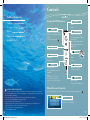
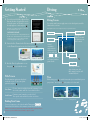
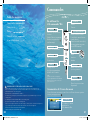
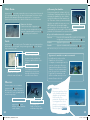
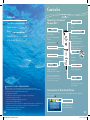
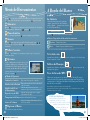
Using the Wii Remote™
Pointer
Point
Turn
Button
+ Control Pad
Choose Tool menu options
Check/Use (while pointing)
Grab
(press together with )
Display Tool menu
Scroll through Tool menu
(left/right)
Close Tool menu (down)
Chat (during Nintendo
WFC play)
Button
Display HOME Menu
Button
Button
Swim
Walk
Cancel
Autoswim
Zoom out
Button
Button
Change view
Access detailed camera
settings
Enter Zoom mode
(while pointing)
Note:
When diving, quickly flick
the Wii Remote up, down, or
sideways to perform a fast turn.
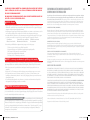
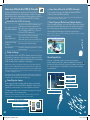
CAUTION: WRIST STRAP USE
Please use the wrist strap to help prevent injury to other people or damage to surrounding
objects or the Wii Remote in case you accidentally let go of the Wii Remote during game play.
Also remember the following:
• Make sure all players put on the wrist strap properly when it is their turn.
• Do not let go of the Wii Remote during game play.
• Dry your hands if they become moist.
• Allow adequate room around you during game play and make sure that all areas you
might move into are clear of other people and objects.
• Stay at least three feet from the television.
• Use the Wii Remote Jacket.
Wii_EndlessOcean_manual.indd 6-7
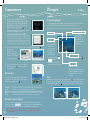
Button
Display map
Place fish in aquarium
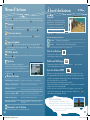
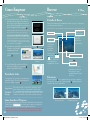
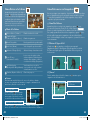
Menu Screen Controls
To select a menu or icon on a menu screen, point at it, then press
.
Cursor
This shows where the
Wii Remote is pointing.
07.12.7 1:37:16 PM


![reply_card [Converted]](http://vs1.manualzilla.com/store/data/006431610_1-a96cdf9e94afe173ba2eb2b834531732-150x150.png)