1
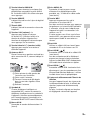
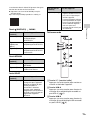
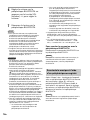
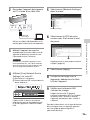
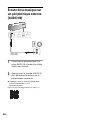
To use the BLUETOOTH/Network standby function If the BLUETOOTH/Network standby function is on, the unit turns on automatically by operating a BLUETOOTH device or network device, even if the unit is turned off. The unit will start up more quickly than usual. 1 Make sure the unit is turned on. Tap and hold the / (on/standby) button until it lights up in orange. The unit turns off and enters the BLUETOOTH/Network standby mode. If you operate a BLUETOOTH device or network device, the unit turns on automatically and connection starts. To initialize the unit Initialize the unit if these measures do not resolve the problem or if the settings fail. 1 Make sure the unit is turned on. Tap and hold both the VOL (volume) – button and / (on/standby) button at the same time for more than 5 seconds. The unit will turn off. Settings will return to their factory defaults, and all BLUETOOTH pairing information and network settings will be reset. Note If you initialize the unit, the unit may not be able to connect your iPhone/iPad/iPod. In this case, erase the pairing information on the iPhone/iPad/iPod, and then perform the pairing procedure again. Refer to Help Guide for symptoms other than the above. http://rd1.sony.net/help/speaker/srs-x99/h_zz/ What is BLUETOOTH wireless technology? BLUETOOTH wireless technology is a shortrange wireless technology that enables wireless data communication between digital devices, such as a computer and digital camera. BLUETOOTH wireless technology operates within a range of about 10 m (about 30 ft). Connecting two devices as necessary is common, but some devices can be connected to multiple devices at the same time. You do not need to use a cable for connection, nor is it necessary for the devices to face one another, such is the case with infrared technology. For example, you can use such a device in a bag or pocket. BLUETOOTH standard is an international standard supported by thousands of companies all over the world, and employed by various companies worldwide. Maximum communication range Maximum communication range may shorten under the following conditions. There is an obstacle such as a person, metal, or wall between the system and BLUETOOTH device. A wireless LAN device is in use near the system. A microwave oven is in use near the system. A device that generates electromagnetic radiation is in use near the system. Interference from other devices Because BLUETOOTH devices and wireless LAN (IEEE802.11b/g/n) use the same frequency, microwave interference may occur and resulting in communication speed deterioration, noise, or invalid connection if the system is used near a wireless LAN device. In such a case, perform the following. Use the system at least 10 m (about 30 ft) away from the wireless LAN device. 24US