1
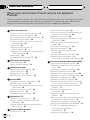
Contents
Thank you for buying this Pioneer product.
Please read through these operating instructions so you will know how to operate
your model properly. After you have finished reading the instructions, keep this manual in a safe place for future reference.
Before You Start
Information to User 5
About this manual 5
About this unit 5
After-sales service for Pioneer products 5
Product registration 6
About digital and analog source 6
Precautions 6
Use and care of the remote control 7
Using the remote control operation mode
switch 7
Reverse mode 8
Dolby Digital/DTS compatibility 8
Whats What
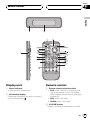
Display unit 9
Remote control 9
Basic Operations
Turning the unit on 12
Selecting a source 12
Adjusting the volume 12
Turning the unit off 12
DVD Player
Function menu switching 13
Repeating play 13
Playing tracks in a random order 13
Scanning tracks of a CD 13
Pausing playback 13
Resume playback (Bookmark) 13
TV tuner
Using the TV tuner 15
Storing and recalling broadcast stations 15
Storing the strongest broadcast stations
sequentially 15
2
En
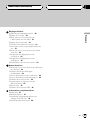
Multi-CD Player
Playing a CD 16
50-disc multi-CD player 16
Introduction of advanced multi-CD player
operation 17
Repeating play 17
Playing tracks in a random order 17
Scanning CDs and tracks 18
Pausing CD playback 18
Using ITS playlists 18
Using disc title functions 20
Using CD TEXT functions 20
Using compression and bass emphasis 21
Digital Signal Processor
Introduction of DSP adjustments 22
Using the sound field control 23
Using the position selector 24
Using balance adjustment 24
Adjusting source levels 24
Using the dynamic range control 25
Using the direct control 25
Using the Dolby Pro Logic B 25
Using the down-mix function 26
Setting the speaker setting 26
Selecting a cross-over frequency 27
Adjusting the speaker output levels 28
Adjusting the speaker output levels using a
test tone 28
Using the time alignment 29
Using the auto-equalizer 30
Auto TA and EQ (auto-time alignment and
auto-equalizing) 30
Using the equalizer 32
Initial Settings
Adjusting initial settings 35
Setting the clock 35
Switching the dimmer setting 35