1
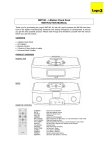
Thank you lor purchasing this uni\. For optimum performance follow these operating instructions carefully . I ENGLlSH> 3-7 LOCATION OF CONTROLS (Reler lo paga 2.l o e o O o m Volume Control (VOLUME) Bal ance Control (BALANCE) Oo ze Bulton (DOZE) Alarm 1 OisplaylAdjust Bulton Alarm 2 Display/Adjust Button Sleep Bulton (SLE EP) Off Button (IOFFh Radio On Button (RADIO ON) Tuning Control (TUNING) Speaker Clock Display Ambience Switch (AMBIENC E) Booster Switch (AMPLlFIER BOOSTER) Audi o Input Jack (A UDI O INPUT) Headphones Jack (PHONES) Radio On Indicator Alarm 1/2 Indicators FM Stereo Indicator (FM STEREO) Band Selector (B AND) Alarm 2 Selector (ALARM 2) Alarm 1 Selector (ALARM 1) Time Set Buttons [TI ME SET (REV. FAST • FWO)) el BrlghtnesslTim e Set Selector fD AC Power Cord O G O Q 'Il> Gl 41) CEl 4Il ~ ,~ CD m «> ~ Gl For your safety and to prevent damage to the set : -Do not connect the set to an AC power oullet other than one supplying the specified voltage. e Avoid cuts, scratches, or poor connections in the AC Power Cord which may result in possible lire or electric shock hazard. Also excessive bendlng, pulling, or splicing 01 the cord should be avoided . -Do not unplug the AC Power Cord by pulling on the cord . To do so may cause premature lailure or shock hazard. - Keep the set away Irom heating devices and electrical noise generating devices such as fluorescent lamps and motors - The set should be kept Iree Irom dust, moisture, and vibration, and should not be exposed to direct sunligh\. -Do not clean the plastic cabinet with benzine or thinner. Clean it with a mild solution 01 soap and water. -Avoid spray-type insecticides. Some insecticides contain chemicals that could cause cabinet delormation. (BRIGHTNESS/ITJ~~I ) G) Back· up Baltery Compartm ent EI!I fII Baltery Holder Battery Connector The correct time can usually be obtained by listening lor time checks on the radio or from telephone time services. -3