1
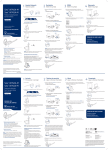
ENGLISH Description AND connection Konftel DECT base station is GAP-compatible for analogue connection to the telephone network. Holes for wall suspension Registering a handset (conference phone) A DECT-handset or a DECT conference phone has to be registered with a DECT base station before it can be used. Please refer to your handset/conference phone user guide if you are unsure. If you have purchased a Konftel 300W with base station, the conference phone is already registered. Key and LED Power supply Line connection Connection Connect the base station to a telephone jack and the mains using the power adapter as illustrated. Wall suspension The base station can be mounted on the wall. Use the screws provided as illustrated. Make sure it is securely mounted. Set the Konftel DECT base station in registration mode To be able to register a handset, the base station has to be put into registration mode. Hold down the key/LED on the base station for at least 3 seconds. The LED flashes rapidly. The base station is now in registration mode. Once registration has been completed, the LED will stop flashing. If the base station does not identify a DECT phone within 10 minutes, the registration mode will switch off automatically. Konftel DECT base station is automa- Screw tically set into registration mode when connected to the mains. PIN-code 92mm 2m During the registration, you must enter the base station security code (PIN code) into the handset. PIN-code 0000 PARK-code Not used