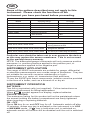
1
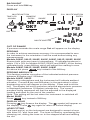
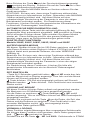
BACKLIGHT
Press and hold ON key.
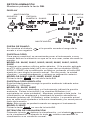
DISPLAY
MULTIFUNCTION
TIME LOG
HH:MM
AVERAGE
ENTER
NE A/R
OK?
BATTERY
CAL MULTIFUNCTION
NUMERIC
ENTRY RANGE
YES
PSI
MULTIFUNCTION
Cal P3 21
mbar PSI
in
mm H 2O
k
in
cm Hg M Pa
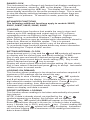
OUT OF RANGE
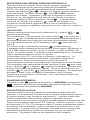
If pressure exceeds the scale range Out will appear on the display.
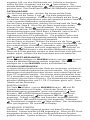
ZEROING
In order to achieve maximum accuracy it is recommended to zero
the instrument in the orientation it will be used before taking any
measurements.
Models 2000P, 2001P, 2002P, 2003P, 2020P, 2021P, 2022P, 2023P
Ensure both ports are open to atmosphere. If indicated pressure is
within 1%f.s (3% for Models 2000P, 2020P and 2080P) of the factory
calibrated zero, press 0.0 key which will adjust the reading to zero.
Models 2080P, 2081P, 2082P, 2083P, 2084P
As above but press
key instead of the 0.0 key.
ZEROING ABSOLUTE
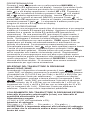
This feature enables correction of the indicated ambient pressure
between 900mbar and 1100mbar.
Models 2005P, 2025P
Open port to atmosphere and the instrument will indicate ambient
pressure. Press 0.0 key and 900mbar (or the equivalent in other
engineering units) will appear on the display. Press and hold this
key. The display will scroll and when required atmospheric pressure
is displayed (maximum 1100mbar) release key. The current
pressure being measured will then be adjusted to the displayed
reading and used for the rest of the session.
Note: This setting will be lost when the instrument is switched off.
Model 2085P
Press
key instead of 0.0 key.
DISPLAY HOLD
Pressing
key freezes the display. The
symbol will appear on
the display. Press
key again to return to normal display.
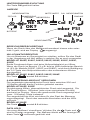
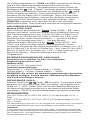
HOSE FITTING
The input port(s) on the instrument are designed to accept a hose
with 4mm I.D. and 1mm wall. The hose is fitted by unscrewing the
clamping nut, sliding the hose on to the stepped shaft and refitting
the nut.