1
PLAYING AND RECORDING
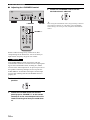
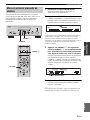
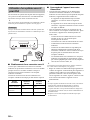
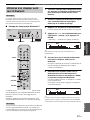
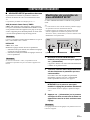
Recording a source
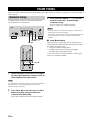
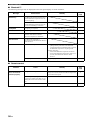
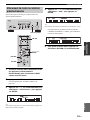
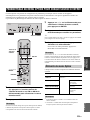
Using the sleep timer
Notes
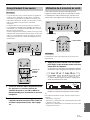
• The audio from the current input source is output to the TAPE
REC and LINE 1 REC jacks. When TAPE is selected, audio is
output to the LINE 1 REC jacks only. When LINE 1 is selected,
audio is output to the TAPE REC jacks only.
• This unit must be turned on in order to record.
• The VOLUME, BASS, TREBLE, BALANCE and
LOUDNESS controls and the PURE DIRECT switch have no
effect on the source being recorded.
• Check the copyright laws in your country before recording from
records, CDs, radio, etc. Recording copyright-protected
material may infringe on copyright laws.
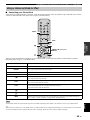
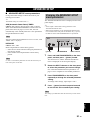
Use this feature to automatically set this unit to standby
mode after a certain amount of time. The sleep timer is
useful when you are going to sleep while this unit is
playing or recording a source.
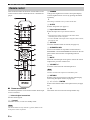
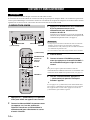
A (power)
SLEEP
A (power)
BASIC
OPERATION
INPUT selector
Note
The sleep timer can only be set with the remote control.
1
Input selector
buttons
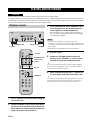
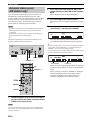
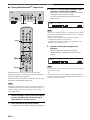
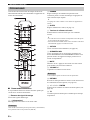
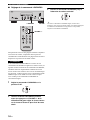
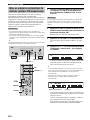
Press SLEEP repeatedly to set the amount of
time before this unit is set to standby mode.
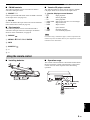
Each time you press SLEEP, the front panel display
changes as shown below.
FM, AM
The SLEEP indicator blinks while setting the amount
of time for the sleep timer.
1
2
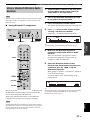
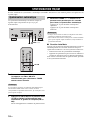
Rotate the INPUT selector on the front panel
(or press one of the input selector buttons or
FM or AM on the remote control) to select the
source you want to record.
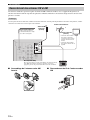
Play the source and begin recording using
the recording device connected to the REC
jacks (TAPE and/or LINE 1) on the rear panel.
See page 10.
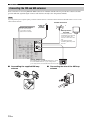
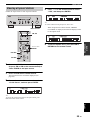
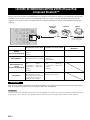
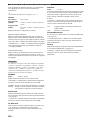
If the sleep timer is set, the SLEEP indicator on the
front panel display lights up.
y
To cancel the sleep timer, do one of the following:
• Select “Sleep Off”.
• Press A (power) on the remote control to set this unit to standby
mode.
• Press A (power) on the front panel to turn off this unit.
English
17 En