1
BFT/M/HKMHM/SKNT
5
H
6
4
1
3
2
%
MAX WBT DP WCI EXT RH
7
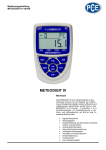
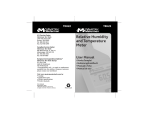
1) Air velocity unit
2) Primary LCD display:
Air velocity, Air temperature, relative humidity,
Windchill (WCI), Dew point temp.(DP), Wet bulb temp.
(WBT), probe temp.(EXT) in turns.
3) Unit of temperature. oC or oF selectable
4) Max. velocity indicator
5) To freeze the latest display.
6) Low battery indicator
7) Humidity indicator and unit
POWER / HOLD KEY:
• To turn on the meter
• Press more than 3 seconds to turn off the
meter.e electricity waste and cost
• In normal mode, press to freeze the readings
• In power off mode, press more than 3 seconds
to disable the auto sleep mode.
+
UNIT / MODE KEY:
• In normal mode, press to display different
modes in turns: Velocity/Max. Velocity/Air
Temp./Relative Humidity/Windchill/Dew
Point Temp./Wet Bulb Temp./External Probe
Temperature.
• In air velocity mode, press these two keys to
change the air velocity unit.
• In any temperature mode, press these two
keys to change the temperature unit.