1
ENGLISH
Instructions
Warranty
1. Identify the wall outlet or fixture for which the breaker must
be determined.
2. Safely check that the outlet or fixture is live.
3. Plug in the transmitter. Its LED will light if it is receiving power.
4. Move to the breaker panel with the receiver.
5. Turn on the receiver by pressing, but not holding, the power button.
You will hear a beep and see its LED lit.
6. Position the receiver perpendicularly on the breakers in the panel
with the power button pointing up.
7. Slowly scan all breakers in the panel once. Ignore any beeps
or indications, as the receiver is learning the panel.
8. Scan all breakers a second time. This time, the receiver will beep
and illuminate the green arrow only at the correct breaker.
9. Power off the receiver by pressing and holding the power button.
Return to the outlet or fixture and remove the transmitter.
www.kleintools.com/warranty
CLEANING
Clean the instrument by using a damp cloth. Do not use abrasive cleaners
or solvents.
STORAGE
Remove the batteries when instrument is not in use for a prolonged period of
time. Do not expose to high temperatures or humidity. After a period of storage in
extreme conditions exceeding the limits mentioned in the Specifications section,
allow the instrument to return to normal operating conditions before using it.
Disposal / Recycle
Do not place equipment and its accessories in the trash. Items must
be properly disposed of in accordance with local regulations.
ER
TRA
Dig
ital
NSM
Circ
uit
ITT
Bre
ET3
ake
r
Find
er
00
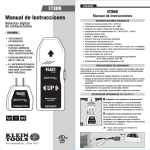
Once plugged in, the LED
will light up when
socket is live
Micro-Processor
Controlled
Mi
cro
Co -Pro
ntr ce
oll sso
ed r
UP
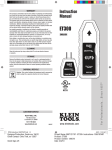
ET300
Digital Circuit Breaker
Finder
5
UP
Dig
i
tal
Cir
c
uit
B
rea
ke
r
Fin
de
r
ET
30
0
3
CUSTOMER SERVICE
KLEIN TOOLS, INC.
450 Bond Street
Lincolnshire, IL 60069
7
1-877-775-5346
www.kleintools.com
139578T Rev. 01/15 B