1
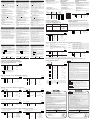
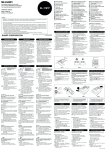
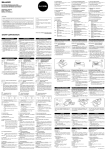
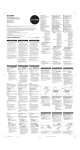
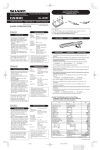
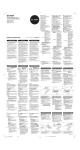
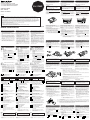
® INK ROLLER REPLACEMENT REMPLACEMENT DU CYLINDRE ENCREUR CAMBIO DEL RODILLO ENTINTADOR If printing is blurry even when the ink roller is in the proper position, replace the roller. Si l’impression est floue bien que le cylindre encreur soit dans la position convenable, remplacer ce cylindre. Si la impresión queda borrosa aunque esté bien colocado el rodillo entintador, reemplace el rodillo. Ink roller: Type EA-772R Cylindre encreur: Type EA-772R Rodillo entintador: Tipó EA-772R ELECTRONIC PRINTING CALCULATOR CALCULATRICE IMPRIMANTE ÉLECTRONIQUE EL-1750P CALCULADORA IMPRESORA ELECTRÓNICA OPERATION MANUAL WARNING APPLYING INK TO WORN INK ROLLER OR USE OF UNAPPROVED INK ROLLER MAY CAUSE SERIOUS DAMAGE TO PRINTER. AVERTISSEMENT LE FAIT D’APPLIQUER DE L’ENCRE A UN CYLINDRE ENCREUR ABIME, OU D’UTILISER UN CYLINDRE ENCREUR NONAPPROUVE PEUT CAUSER DE GRAVES DEGATS A L’IMPRIMANTE. ADVERTENCIA E C H A N D O T I N TA E N U N R O D I L L O E N T I N TA D O R R O TO O U S A N D O U N RODILLO ENTINTADOR NO AUTORIZADO PUEDE CAUSAR DETERIOROS GRAVES EN LA IMPRESORA. 1) Placer l’interrupteur sur la position OFF. 2) Retirer le couvercle de l’imprimante. (Fig. 1) 3) Saisir le rouleau encreur à la partie supérieure puis le tirer à soi et vers le haut en exerçant une pression. (Fig. 2) 4) Installer le nouveau cylindre encreur dans la position correcte. S’assurer que le cylindre soit bien en place. (Fig. 3) 5) Remettre en place le couvercle de l’imprimante. 1) Poner el interruptor de corriente en “OFF”. 2) Sacar la tapa de la impresora. (Fig. 1) 3) Sujete la parte superior del rodillo entintador y extraiga el rodillo tirando de él hacia usted y hacia arriba. (Fig. 2) 4) Instalar el nuevo rodillo entintador en la posición correcta. Cerciorarse de que el rodillo esté firmemente colocado en su sitio. (Fig. 3) 5) Poner de nuevo en su lugar la tapa de la impresora. Fig. 1 Fig. 2 Fig. 3 Cleaning the printing mechanism If the print becomes dull after long time usage, clean the printing wheel according to the following procedures: Nettoyage du mécanisme d’impression Si l’impression devient faible après une longue période d’utilisation, nettoyer la roue imprimante en suivant les instructions cidessous: Limpieza del mecanismo de impresión Si la impresión se debilita después de usar la calculadora durante un largo tiempo, limpiar la rueda de impresión de acuerdo con el siguiente procedimiento: 1) Retirer le couvercle de l’imprimante et le cylindre encreur. 2) Mettre le rouleau de papier en place et faire avancer le papier jusqu’à ce qu’il sorte par l’avant du mécanisme d’impression. 3) Placer une petite brosse (telle qu’une brosse à dents) sur la roue imprimante et la nettoyer en . appuyant sur 4) Remettre le cylindre encreur et le couvercle de l’imprimante en place. 1) Quitar la tapa de la impresora y el rodillo entintador. 2) Instalar el rollo de papel y hacerlo avanzar hasta que salga por la parte delantera del mecanismo de impresión. 3) Apoyar un cepillo pequeño (similar a un cepillo de dientes) ligeramente sobre la rueda de . impresión y limpiarla apretando 4) Volver a colocar el rodillo entintador y la tapa de la impresora. Note: • Eviter de faire tourner la roue imprimante à la main, l’imprimante pourrait être endommagée de cette manière. Nota: • Tratar de no girar la rueda de impresión manual-mente, de lo contrario dañará la impresora. 1) Set the power switch to OFF. 2) Remove the printer cover. (Fig. 1) 3) Hold the top of the ink roller and remove the roller by pulling it toward you and then upward. (Fig. 2) 4) Install the new ink roller in the correct position. Make sure that the roller is securely in place. (Fig. 3) 5) Put back the printer cover. MODE D’EMPLOI MANUAL DE MANEJO In U.S.A.: WARNING – FCC Regulations state that any unauthorized changes or modifications to this equipment not expressly approved by the manufacturer could void the user’s authority to operate this equipment. Note: This equipment has been tested and found to comply with the limits for a Class B digital device, pursuant to Part 15 of the FCC Rules. These limits are designed to provide reasonable protection against harmful interference in a residential installation. This equipment generates, uses, and can radiate radio frequency energy and, if not installed and used in accordance with the instructions, may cause harmful interference to radio communications. However, there is no guarantee that interference will not occur in a particular installation. If this equipment does cause harmful interference to radio or television reception, which can be determined by turning the equipment off and on, the user is encouraged to try to correct the interference by one or more of the following measures: – Reorient or relocate the receiving antenna. – Increase the separation between the equipment and receiver. – Connect the equipment into an outlet on a circuit different from that to which the receiver is connected. – Consult the dealer or an experienced radio/TV technician for help. PRINTED IN CHINA / IMPRIMÉ EN CHINE / IMPRESO EN CHINA SHARP CORPORATION 01HT(TINSZ0498EHZZ) OPERATIONAL NOTES PRÉCAUTIONS NOTAS AL MANEJARLA To insure trouble-free operation of your SHARP calculator, we recommend the following: 1. The calculator should be kept in areas free from extreme temperature changes, moisture, and dust. 2. A soft, dry cloth should be used to clean the calculator. Do not use solvents or a wet cloth. 3. Since this product is not waterproof, do not use it or store it where fluids, for example water, can splash onto it. Raindrops, water spray, juice, coffee, steam, perspiration, etc. will also cause malfunction. 4. If service should be required, use only a SHARP servicing dealer, a SHARP approved service facility or SHARP repair service. Afin d’assurer un fonctionnement sans ennui de la c a l c u l a t r i c e S H A R P, v e u i l l e z p r e n d r e l e s précautions suivantes: 1. Ne pas laisser la calculatrice dans les endroits sujets à de forts changements de température, à l’humidité, et à la poussière. 2. Pour le nettoyage de la calculatrice, utiliser un chiffon doux et sec. Ne pas utiliser de solvants ni un chiffon humide. 3. Cet appareil n’étant pas étanche, il ne faut pas l’utiliser ou l’entreposer dans des endroits où il risquerait d’étre mouillé, par exemple par de l’eau. La pluie, l’eau brumisée, l’humidité, le café, la vapeur, la transpiration, etc. sont à l’origine de dysfonctionnements. 4. Si une réparation s’avérait nécessaire, confier l’appareil à un distributeur agréé par SHARP et assurant l’entretien, à un service d’entretien agréé par SHARP, ou à un centre d’entretien SHARP. A fin de que su calculadora SHARP funcione sin averías, le recomendamos lo siguiente: 1. Evite dejar la calculadora en ambientes en que haya cambios de temperatura, humedad y polvo bastante notables. 2. Al limpiar la calculadora, utilice un paño suave y seco. No use disolventes ni tampoco un paño húmedo. 3. Debido a que este producto no es a prueba de agua, no deberá ser utilizado o guardado en lugares donde pudiera ser salpicado por líquidos, por ejemplo agua. Gotas de lluvia, salpicaduras de agua, jugos o zumos, café, vapor, transpiración, etc. también perjudican el funcionamiento del producto. 4. Si necesita reparar esta unidad, diríjase sólo a un distribuidor SHARP, a un centro de servicio autorizado por SHARP o a un centro de reparaciones SHARP. OPERATING CONTROLS OFF • P P•IC “OFF”: “•”: “P”: “P•IC”: ON POWER SWITCH; PRINT / ITEM COUNT MODE SELECTOR: Power OFF Power ON. Set to the non print mode. Power ON. Set to the print mode. Power ON. Set to the print and item count mode. For addition or subtraction, each time is pressed, 1 is added to the item counter, and each time is pressed, 1 is subtracted. • The count is printed when the calculated result is obtained. • Pressing of , clears the counter. Note: The counter has a maximum capacity of 3 digits (up to ±999). If the count exceeds the maximum, the counter will recount from zero. F320A LES COMMANDES OFF • P P•IC ON CONTROLES DE FUNCIONAMIENTO INTERRUPTEUR; SÉLECTEUR DE MODE D’IMPRESSION / COMPTAGE D’ARTICLES: ON INTERRUPTOR DE CORRIENTE; SELECTOR DEL MODO DE IMPRESION / MODO PARA CONTAR ARTICULOS: “OFF”: Mise hors tension. “•”: Mise sous tension. Pour choisir le mode de non impression. “P”: Mise sous tension. Pour choisir le mode de impression. “P•IC”: Mise sous tension. Pour choisir le mode d’impression et de comptage d’articles. Lors des additions et des soustractions, chaque fois que l’on appuie sur , une unité est ajoutée au compteur d’articles et chaque fois que l’on appuie sur , une unité est retranchée. • Le compte est imprimé lorsque le résultat calculé est obtenu. • Le compteur revient à zéro en agissant sur , . “OFF”: Apagado (OFF) “•”: Encendido (ON). Fija el modo de no impresión. “P”: Encendido (ON). Fija el modo de impresión. “P•IC”: E n c e n d i d o ( O N ) . F i j a e l m o d o d e impresión y de cuenta de artículos. En las sumas o restas, cada vez que se apriete se añadira 1 al contador de artículos, y cada vez que se apriete se restará 1. • La cuenta queda impresa cuando se obtiene el resultado calculado. • Al apretar , se borra el contenido del contador. Note: La capacité du compteur est de 3 chiffres maximum (jusqu’à ±999). Si le compte dépasse ce maximum, le compteur repartira de zéro. Nota: El contador tiene una capacidad de un máximo de 3 cifras (hasta ±999). Si la cuenta excede el máximo, el contador vuelve a contar partiendo de cero. F320A DECIMAL / ADD MODE SELECTOR: OFF • P P•IC F320A “3 2 0”: Presets the number of decimal places in the answer. “F”: The answer is displayed in the floating decimal system. “A”: The decimal point in addition and subtraction entries is automatically positioned to the 2nd digit from the lowest digit of entry number. Use of the add mode permits addition and subtraction of numbers without entry of the decimal point. Use of , and will automatically override the add mode and decimally correct answers will be printed. SÉLECTEUR DE MODE DÉCIMAL / ADDITION: “3 2 0”: Il préétablit le nombre de décimales dans le résultat. “F”: Le résultat est affiché dans le système à virgule flottante. “A”: L o r s d e s o p é r a t i o n s d ’ a d d i t i o n e t d e soustraction, le point décimal est automatiquement placé à gauche du 2ème chiffre en partant de la droite. Le mode addition permet l’addition et la soustraction de nombres sans que la frappe du point décimal soit nécessaire. L’emploi des , et annule automatiquement le mode addition et permet l’impression du résultat, le point décimal étant placé à l’endroit approprié. SELECTOR DEL MODO DE DECIMAL / SUMA: “3 2 0”: Prefija el número de lugares decimales de la respuesta. “F”: La respuesta aparecerá en la exhibición en el sistema decimal flotante. “A”: El punto decimal en los registros de suma y resta se coloca automáticamente en la segunda cifra a partir de la cifra más baja del número registrado. Utilizando el modo de suma se pueden sumar y restar números sin registrar el punto decimal. El uso de , y anula automáticamente el modo de suma e imprime las respuestas decimal-mente correctas. ROUNDING SELECTOR: Set Decimal Selector to 2. 4 ÷ 9 = 0.444 ... , 5 ÷ 9 = 0.555 ... SÉLECTEUR D’ARRONDI: Placer le sélecteur de décimale sur 2. 4 ÷ 9 = 0.444 ... , 5 ÷ 9 = 0.555 ... SELECTOR DE REDONDEO: Fija el selector decimal en 2. 4 ÷ 9 = 0.444 ... , 5 ÷ 9 = 0.555 ... 4 9 5 0.45 0.44 0.44 5/4 4 9 0.56 0.56 0.55 Note: The decimal point floats during successive or . calculation by the use of If the decimal selector is set to “F” then the answer is always rounded down ( ). 9 5 0.45 0.44 0.44 5/4 9 4 0.56 0.56 0.55 Note: La virgule flotte durant un calcul successif ou . en utilisant Si le sélecteur de décimale est sur la position “F”, le résultat est toujours arrondi à la valeur inférieure ( ). 9 5 0.45 0.44 0.44 5/4 0.56 0.56 0.55 Nota: El punto (= coma) decimal flota mientras se o . hacen cálculos sucesivos usando Si el selector decimal se coloca en “F”, la respuesta siempre se redondea por defecto ( ). TOUCHE DE MONTÉE DE PAPIER TECLA DE AVANCE DEL PAPEL NON-ADD / SUBTOTAL KEY TOUCHE DE NON ADDITION / TOTAL PARTIEL TECLA DE NO SUMA / TOTAL PARCIAL TOUCHE EFFACEMENT / D’EFFACEMENT DES ENTREES TECLA DE BORRADO / BORRADO DE ENTRADA TOTAL KEY TOUCHE TOTAL TECLA TOTAL EQUAL KEY TOUCHE SIGNE ÉGAL TECLA IGUAL CHANGE SIGN KEY: Changes the algebraic sign of a number (i.e., positive to negative or negative to positive). TOUCHE DE CHANGEMENT DE SIGNE: Permet de changer le signe algébrique d’un nombre (c.à.d. de positif à négatif ou de négatif à positif). TECLA DE CAMBIO DE SIGNO: Cambia el signo algebraico de un número (es decir, de positivo a negativo o de negativo a positivo). MARKUP KEY: Used to perform mark-ups, percent change and automatic add on/discount. TOUCHE DE MAJORATION: Cette touche sert à effectuer les hausses de prix, le changement de pourcentage et les majorations/ rabais automatiques. TECLA DE USO MULTIPLE: Se usa para llevar a cabo aumentos, cambios de porcentaje y recargos/descuentos automáticos. RECALL AND CLEAR MEMORY KEY TOUCHE DE RAPPEL ET D’EFFACEMENT DE LA MÉMOIRE RECALL MEMORY KEY STORE KEY: This key is used to store the tax rate. • A maximum of 4 digits can be stored (decimal point is not counted as a digit). • Only one rate can be stored. If you enter a new rate, the previous rate will be cleared. TECLA DE TOTAL Y BORRADO DE MEMORIA TOUCHE DE RAPPEL DE LA MÉMOIRE TOUCHE ENREGISTREMENT: Cette touche permet de mettre en mémoire un taux de taxe. • 4 chiffres, au plus, peuvent être mis en mémoire (le point décimal ne compte pas pour un chiffre). • Un seul taux peut être mis en mémoire. L’enregistrement d’un nouveau efface le précédent. TAX-INCLUDING KEY TOUCHE DE TAXE INCLUE PRE-TAX KEY TOUCHE DE PRÉTAXE TECLA DE ANTES DE IMPUESTOS : Visualisé lorsqu’un nombre est mis en mémoire. M : Aparece cuando un número se almacena en la memoria. E : Appears when an overflow or other error is detected. – : Visualisé lorsque le nombre est négatif. – : Aparece cuando el número es negativo. E : Visualisé en cas d’erreur ou de dépassement de capacité. E : Aparece cuando se detecta un error o se supera la capacidad. TAX+ TAX– TAX ▲ M : Appears when a number is negative. ▲ : Appears when a number is in the memory. – ▲ M • Appears when the total calculated excludes tax. -----------------------------------• Visualisé losque le total calculé exclu la taxe. -----------------------------------• Aparece cuando el total calculado excluye impuesto. CAMBIO DEL ROLLO DEL PAPEL Nunca introduzca un rollo de papel roto. Esto causará atascos del papel. Corte siempre en primer lugar el borde anterior. 1) Introduzca el borde del papel del rollo de papel en la abertura. (Fig. 1) 2) Conecte la alimentación y haga avanzar el . (Fig. 2) papel apretando 3) Levante el soporte metálico para papel incorporado e introduzca el rollo de papel en el soporte. (Fig. 3) Fig. 1 Fig. 2 DO NOT PULL PAPER BACKWARDS AS THIS MAY CAUSE DAMAGE TO PRINTING MECHANISM. NE PAS TIRER LE PAPIER EN ARRIERE, CAR CELA POURRAIT ENDOMMAGER LE MÉCANISME IMPRIMANT. Fig. 3 NO TIRAR DEL PAPEL HACIA ATRAS PUES PUEDE OCASIONAR DAÑOS AL MECANISMO DE IMPRESION. HOW TO CONNECT THE AC ADAPTOR BRANCHEMENT DE L’ADAPTATEUR CA MANERA DE CONECTAR EL ADAPTADOR DE CA This machine can also be operated on AC power by use of AC Adaptor. When the AC adaptor is connected to the calculator, the power source is automatically switched over from dry batteries to AC power source. Cette calculatrice peut être également alimentée par le courant secteur au moyen d’un adaptateur CA. Lorsque l’adaptateur CA est branché à la calculatrice, l’alimentation passe automatiquement des piles sur celle du secteur. Esta calculadora puede también funcionar con corriente alterna usando un adaptador de CA. Cuando el adaptador de CA está conectado a la calculadora, la fuente de alimentación se conmuta automáticamente de pilas secas a corriente alterna. AC adaptor: Model EA-63A, EA-28A Adaptateur CA: modèle EA-63A, EA-28A Adaptador de CA: Modelo EA-63A, EA-28A Make sure that you turn the calculator’s power off when connecting or disconnecting the AC adaptor. To connect the AC adaptor, follow steps ➀ and ➁. To disconnect the AC adaptor, simply reverse the procedure. Avant de brancher ou de débrancher l’adaptateur secteur, veillez à mettre la calculatrice hors tension. Pour brancher l’adaptateur secteur, procédez aux opérations ➀ et ➁. Pour débrancher l’adaptateur secteur, inversez l’ordre de la procédure. Asegúrese de desconectar la alimentación de la calculadora cuando conecte o desconecte el adaptador de CA. Para conectar el adaptador de CA, siga los pasos ➀ y ➁. Para desconectar el adaptador de CA, invierta simplemente el procedimiento. PRECAUTIONS A PRENDRE CAUTION Use of other than the AC adaptor EA-63A/28A may apply improper voltage to your SHARP calculator and will cause damage. L’emploi d’un adaptateur CA autre que le EA63A/28A pourrait envoyer une tension inadéquate à cette calculatrice SHARP et l’endommager. PRECAUCIONES El uso de otro adaptador que no sea el EA63A/28A podría ocasionar la entrada de una tensión inadecuada a su calculadora SHARP y provocar deterioros en la misma. BATTERY REPLACEMENT (OPTION) REMPLACEMENT DES PILES (ENOPTION) REEMPLAZO DE LAS PILAS (OPCIONAL) To Install or Replace Batteries — When the batteries become weak, the display will work but not the printer. This indicates that you should replace the batteries. 1. Set the power switch to OFF. 2. Remove the battery cover by sliding it in the direction of the arrow on the cover. 3. Replace the batteries. Be sure that the “+” and “–” marks on the battery correspond to the “+” and “–” marks in the calculator. Always put back the 4 batteries at the same time. 4. Put back the battery cover. 5. Press the RESET switch on the back of the unit. Pour installer ou remplacer les piles — lorsque les piles deviennent faibles, l’affichage fonctionne mais pas l’imprimante. Vous devez alors remplacer les piles. 1. Placer l’interrupteur sur la position OFF. 2. Retirer le couvercle du logement des piles en le faisant glisser dans le sens de la flèche qui se trouve sur le couvercle. 3. Remettre les piles en place. S’assurer que leurs polarités “+” et “–” soient conformes aux marques du logement. Toujours replacer les 4 piles en même temps. 4. Remettre le couvercle en place. 5. Appuyez sur le bouton RESET, au dos de l’appareil. Para instalar o cambiar las pilas — Cuando se gastan las pilas, el indicador funcionará pero no la impresora. Esto indica que hay que cambiar las pilas. 1. Poner el interruptor de corriente en “OFF”. 2. Sacar la tapita de las pilas haciéndola correr en la dirección indicada por la flecha de la tapita. 3. Coloque nuevamente las pilas. Cercionarse de que las marcas “+” y “–” de las pilas correspondan a las marcas “+” y “–” de la cajita. Siempre coloque las 4 pilas al mismo tiempo. 4. Coloque nuevamente la tapa de las pilas. 5. Pulse el interruptor RESET de la parte posterior de la unidad. Battery: Heavy-duty manganese battery, size AA (or R6) × 4 Piles: Plies au manganese de grande de puissance format AA (ou R6) × 4 Pilas: Pilas de manganeso de gran potencia tamaño AA (ó R6) × 4 Note: • If you pull out the power cord to cut electricity completely or replace the batteries, the presently stored tax rate will be cleared. Note: • Si la fiche du cordon d’alimentation est débranchée, ou des piles retirées de telle sorte que l’alimentation électrique se trouve complètement coupée, le taux de taxe présentement mis en mémoire est effacé. Nota: • Si desconecta el cable de alimentación para desconectar completamente la electricidad o sustituye las pilas, el tipo de impuesto almacenado actualmente se borrará. TECLA DE INCLUSIÓN DE IMPUESTOS SIMBOLOS DE LA EXHIBICION: • Appears when the total calculated includes tax. -----------------------------------• Visualisé losque le total calculé inclut la taxe. -----------------------------------• Aparece cuando el total calculado incluye impuesto. REMPLACEMENT DU ROULEAU DE PAPIER Ne tentez pas d’introduire le papier s’il est déchiré. En procédant ainsi, vous risquez un bourrage. Avant tout, coupez soigneusement le début de la bande au moyen d’une paire de ciseaux. 1) Engagez l’extrémité du rouleau de papier dans l’ouverture. (Fig. 1) 2) Mettez l’appareil sous tension et faites avancer . (Fig. 2) le papier en appuyant sur 3) Soulevez le support métallique pour papier et introduisez le rouleau de papier dans le support pour papier. (Fig. 3) TECLA DE ALMACENAMIENTO: Esta tecla se utiliza para almacenar el tipo de impuesto. • Se podrá almacenar un máximo de 4 dígitos (la coma decimal no se cuenta como un dígito). • Sólo se podrá almacenar un tipo. Si introduce un nuevo tipo, el tipo anterior se borrar. SYMBOLES AFFICHÉS: TAX+ TAX– TAX PAPER ROLL REPLACEMENT Never insert paper roll if torn. Doing so will cause paper to jam. Always cut leading edge with scissors first. 1) Insert the leading edge of the paper roll into the opening. (Fig. 1) 2) Turn the power on and feed the paper by . (Fig. 2) pressing 3) Lift the attached metal paper holder up and insert the paper roll to the paper holder. (Fig. 3) TECLA DE TOTAL PARCIAL EN MEMORIA DISPLAY SYMBOLS: TAX+ TAX– TAX Note: • Do not rotate the printing mechanism manually, this may damage the printer. 9 PAPER FEED KEY CLEAR/CLEAR ENTRY KEY 1) Remove the printer cover and the ink roller. 2) Install the paper roll and feed it until it comes out of the front of the printing mechanism. 3) Put a small brush (like a tooth brush) lightly to . the printing wheel and clean it by pressing 4) Put back the ink roller and the printer cover. • Appears when the tax rate is set. -----------------------------------• Visualisé aussi losque le taux de taxe est réglé. -----------------------------------• Aparece cuando se establece el tipo de impuesto. ERRORS ERREURS ERRORES There are several situations which will cause an overflow or an error condition. When this occurs, “E” will be displayed. The contents of the memory at the time of the error are retained. If an “0䡠E” is displayed at the time of the error, “– – must be – – – – –” will be printed in red and used to clear the calculator. Il existe plusieurs cas qui entraînent un dépassement de capacité ou une situation d’erreur. Si cela se produit, “E” sera affiché. Le contenu de la mémoire au moment de l’erreur est préservé. Si un “0䡠E” s’affiche au moment de l’erreur, “– – – – – – –” s’imprime en rouge et il faut utiliser pour effacer l’erreur. Existen diversos casos en los que ocurre un exceso de capacidad o una condición de error. Al producirse esto, aparecerá “E”. Los contenidos de la memoria, en el momento del error, quedan retenidos. Si, al ocurrir el error, se visualiza el símbolo “0䡠E”, se imprimirá en rojo “– – – – – – –” y se deberá para borrar la calculadora. usar Conditions d’erreur: 1. Lorsque la partie entière d’un résultat dépasse 12 chiffres. 2. Lorsque la partie entière du nombre en mémoire excède 12 chiffres. 999999999999 1 ) (Ex. 3. Lorsqu’un nombre est divisé par zéro. (Ex. 5 0 ) Condiciones de error: 1. Cuando la parte entera de un resultado excede las 12 cifras. 2. Cuando la parte entera de los contenidos de la memoria supera las 12 cifras. 999999999999 1 ) (Ej. 3. Cuando se divide un número cualquiera por un 0 ) divisor de cero. (Ej. 5 Error conditions: 1. When the integer portion of an answer exceeds 12 digits. 2. When the integer portion of the contents of the memory exceeds 12 digits. 999999999999 1 ) (Ex. 3. When any number is divided by zero. (Ex. 5 0 ) EL-1750P(U1C)-1 ➀ SPECIFICATIONS FICHE TECHNIQUE ESPECIFICACIONES TECNICAS Operating capacity: 12 digits Power supply: AC: Local voltage with AC adaptor EA-63A / 28A 6V ... (DC): Heavy-duty manganese battery, size AA (or R6) × 4 (Option) Calculations: Four arithmetic, constant multiplication and division, power, add-on, tax, repeat addition and subtraction, reciprocal, item count calculation, markup, memory, etc. Capacité de travail: 12 chiffres Alimentation: CA: Tension local avec l’adaptateur EA-63A / 28A 6V ... (CC): Piles au manganèse de grande puissance, format AA (ou R6) × 4 (en option) Calculs: Quatre opérations arithmétiques, multiplication et division par une constante, élévation à une puissance, majoration, taxe, additions et soustraction successives, inverse, comptage d’articles, hausse, calcul en mémoire, etc. Capacidad de cálculo: 12 cifras Alimentación de corriente: CA: Voltaje local usando el adaptador de CA, EA-63A / 28A 6V ... (CC): 4 pilas de manganeso de gran potencia tamaño AA (o R6) (opcional) Cálculos: Las cuatro operaciones aritméticas, multiplicaciones y divisiones por constante, potencia, recargos, Impuestos, sumas y restas consecutivas, recíprocos, cuenta de artículos, aumento, memoria, etc. SECTION IMPRESSION Imprimante: Imprimante mécanique Vitesse d’impression: Env. 1,6 lignes/s (À la température de 25°C, quand “741.9 + ” est imprimé. L’adaptateur EA-63A est utilisé.) Papier d’impression: Largeur: 57 mm – 58 mm Diamètre (maxi.): 80 mm Température: 0°C – 40°C Consommation: 6V ... (CC): 2,0 W Durée de service de la pile: Piles au manganèse pour service intensif, taille AA (ou R6) Env. 4.000 heures (sans impression, avec affichage de 555’555, à la température ambiante de 25°C) Le durée de service dépend du type de pile et de l’emploi qui est fait de l’appareil. Dimensions: 150 mm (L) × 215 mm (P) × 50 mm (H) Poids: Env. 500 g (avec les piles) Accessoires: 1 rouleau de papier, 1 cylindre encreur (installé), l’adaptateur EA-63A, et mode d’emploi SECCION DE LA IMPRESORA Impresora: Impresora mecánica Velocidad de impresión: Aprox. 1,6 líneas/seg. (A una temperatura de 25°C, cuando se imprime “741.9 + ”. Se utiliza un adaptador de CA, EA63A.) Papel de impresión: 57 mm – 58 mm de ancho, 80 mm de diámetro (máx.) Temperatura: 0°C – 40°C Potencia: 6V ... (CC): 2,0 W Tiempo de funcionamiento: Pila de manganeso de gran resistencia tamaño AA (o R6) 4.000 horas aproximadamente (en el modo de no impresión, visualizando 555’555 con una temperatura ambiental de 25°C) El tiempo de funcionamiento depende del tipo de pila y la forma de utilización. Dimensiones: 150 mm (An.) × 215 mm (Pr.) × 50 mm (Al.) Peso: Aprox. 500 g (con pilas) Accesorios: 1 rollo de papel, 1 rodillo entintador (instalado), adaptador de CA, EA-63A, y manual de manejo PRINTING SECTION Printer: Mechanical printer Printing speed: Approx. 1.6 lines/sec. (At temperature 25°C(77°F), when “741.9 + ” is printed. An AC adaptor EA-63A is used.) Printing paper: 57mm (2-1/4") – 58mm (2-9/32") wide 80mm (3-5/32") in diameter (max.) Operating temperature: 0°C – 40°C (32°F – 104°F) Power consumption: 6V ... (DC): 2.0 W Operating time: Heavy-duty manganese battery, size AA (or R6) Approx. 4,000 hours (in non-print mode, displaying 555’555 at 25°C (77°F) ambient temperature) Operating time depends on the type of battery and type of use. Dimensions: 150 mm (W) × 215 mm (D) × 50 mm (H) (5-29/32" (W) × 8-15/32" (D) × 1-31/32" (H)) Weight: Approx. 500 g (1.1 Ib.) (with batteries) Accessories: 1 paper roll, 1 ink roller (installed), AC adaptor EA-63A, and operation manual RESETTING THE UNIT REINITIALISATION DE L’APPAREIL REPOSICIÓN DE LA UNIDAD Strong impacts, exposure to electrical fields, or other unusual conditions may render the unit inoperative, and pressing the keys will have no effect. If this occurs, you will have to press the RESET switch on the back of the unit. The RESET switch should be pressed only when: • an abnormal event occurs all keys are disabled. • you install or replace the batteries. Notes : • Pressing the RESET switch will clear the stored tax rate and other data stored in the memory. • Use only a ballpoint pen to press the RESET switch. Do not use anything breakable or anything with a sharp tip, such as a needle. • After pressing the RESET switch, turn the power switch “ON” and check that “0.” is displayed. Un choc violent, I’expositon à un champ électrique et d’autres conditions inhabituelles, peuvent empêcher le fonctionnement de I’appareil et rendre les touches inopérantes. En ce cas, appuyez sur le bouton RESET, placé à la partie inférieure de I’appareil. Ce bouton RESET ne doit être utilisé que dans les cas suivants: • Une situation inhabituelle s’est développée et toutes les touches sont inopérantes. • Vous avez mis en place les piles, ou vous les avez remplacées. Notes: • Une poussée sur le bouton RESET efface le taux de taxe mémorisé, et toutes les autres données placées en mémoire. • Pour appuyer sur le bouton RESET, n’utilisez que la pointe d’un stylo à bille. N’utilsez pas un instrument susceptible de se casser, ni un instrument pointu tel qu’une aiguille. • Après avoir appuyè sur le bouton RESET, mettez l’appareil sous tension en mettant l’interrupteur d’alimentation sur la position “ON” et assurez vous que “0.” s’affiche. Los impactos fuertes, Ia exposición a campos eléctricos u otras condiciones inusuales pueden ser la causa de que la unidad no funcione, y presionar las teclas no servirá de nada. Si pasa esto, tendrá que presionar el interruptor RESET de la parte interior de la unidad. El interruptor RESET sólo deberá presionarse cuando: • Se produzca alguna anormalidad y no funcione ninguna tecla. • Instala o sustituye las pilas. Notas: • AI presionar el interruptor RESET se borrarán todas las tasas impositivas y otros datos almacenados en la memoria. • Use solamente un boligrato para presionar el interruptor RESET. No use nada que pueda romperse ni tampoco algo muy puntiagudo como, por ejemplo, una aguja. • Luego de presionar el interruptor de RESET, ponga el interruptor de la alimentación en “ON” y compruebe que se visasulice “0.”. CALCULATION EXAMPLES EXEMPLES DE CALCULS EJEMPLOS DE CALCULOS 1. Set the decimal selector as specified in each example. The rounding selector should be in the “5/4” position unless otherwise specified. 2. The print / item count mode selector should be in the “P•IC” position unless otherwise specified. prior to beginning any calcula3. Press tion. 4. If an error is made while entering a number, and enter the correct number. press 5. Example procedures are listed in following manner unless otherwise specified. 1. Régler le sélecteur de décimale tel que spécifié dans chaque exemple. Le sélecteur d’arrondi, doit être placé sur la position “5/4” sauf indication contraire. 2. S a u f i n d i c a t i o n c o n t r a i r e , l e s é l e c t e u r d’impression / comptage d’articles doit être placé sur la position “P•IC”. avant tout calcul. 3. Appuyez sur 4. En cas d’erreur à l’introduction d’un nombre, et introduire le nombre appuyer sur correct. 5. Sauf indication contraire, les méthodes figurent de la manière suivante. 1. Colocar el selector decimal según se especifica en cada ejemplo. El selector de redondeo debe estar en la posición “5/4” salvo que se especifique lo contrario. 2. El selector de impresión / cuenta de artículos deber estar en la posición “P•IC” salvo que se especifique lo contrario. antes de empezar cualquier 3. Pulse cálculo. 4. Si se hace un error al ingresar un número, e ingresar el número correcto. apretar 5. Los procedimientos de ejemplos están puestos de la siguiente manera, a menos que se especifique lo contrario. MARKUP AND MARGIN Markup and Profit Margin are both ways of calculating percent profit. – Profit margin is percent profit vs. selling price. – Markup is percent profit vs. cost. – – – – – Cost is the cost. Sell is the selling price. GP is the gross profit. Mkup is the percent profit based on cost. Mrgn is the percent profit based on selling price. To find Pour trouver Para encontrar Knowing Quand on connaît Sabiendo Display Print Opération Affichage Impression Operación Exhibición INCREMENTO PORCENTUAL Y MARGEN Le calcul des majorations et des marges bénéficiaires sont deux façons de calculer un pourcentage de profit. – La marge bénéficiaire est un pourcentage de profit par rapport au prix de vente. – La majoration est un pourcentage de profit par rapport au prix d’achat. Tanto la función del incremento porcentual como la del margen de beneficio son formas de calcular el beneficio porcentual. – El margen de beneficio es el beneficio porcentual con respecto al precio de venta. – El incremento porcentual es el beneficio porcentual con respecto al coste. – – – – – – – – – Cost est le prix d’achat. Sell est le prix de vente. GP est le bénéfice brut. Mkup est le bénéfice par rapport au coût. Mrgn est le bénéfice par rapport au prix de vente. Operation Opération Operación Cost F3 20 A $200 Mrgn Sell, Cost Cost Sell Sell $250 200 Sell, Cost Sell Cost GP $50 20 Sell Cost, Mrgn Cost Mrgn Cost Sell, Mrgn Sell Mrgn Sell Cost, Mkup Cost Mkup Cost Sell, Mkup Sell Mkup Cost es el coste. Sell es el precio de venta. GP es el beneficio bruto. Mkup es el beneficio porcentual basado en el coste. – Mrgn es el beneficio porcentual basado en el precio de venta. Ex./Ex./Ej. Mkup Mkup 25% Mrgn 20% PERCENT CHANGE / VARIATION EN POUR CENT / CAMBIO PORCENTUAL Bill No. Facture n° N° de factura Number of bills Nbre de factures Cantidad de facturas Amount Montant Importe 1 2 3 4 5 1 1 1 1 1 $100.55 $200.00 $200.00 $400.55 $500.65 Total (a) (b) ● Calculate the dollar difference (a) and the percent change (b) between two yearly sales figures $1,500 in one year and $1,300 in the previous. ● Calculer la différence en dollars (a) et la variation en pour cent (b) entre deux prix. 1.500 $ pour cette année et 1.300 $ pour l’année précédente. ● Calcular la diferencia en dólares (a) y el cambio porcentual (b) entre dos cifras de ventas anuales, $1.500 en un año y $1.300 en el año anterior. F3 20 A 1500 1’500.00 1300 200.00 1,500.00 + 1,300.00 – 200.00 ✱ (a) 15.38 15.38 % (b) F3 20 A 100.55 100.55 200 300.55 200. ÷ Cost 20. %M Mrgn 250.00 ✱ Sell 50.00 GP 200. 50.00 ITEM COUNT CALCULATION CALCUL DE COMPTE D’ARTICLES CALCULO DE CUENTA DE ARTICULOS 100.55 + 200.00 + 200.00 + 500.55 400.55 901.10 400.55 + 500.65 1’401.75 500.65 + 005 . . . . . . . . . . . . . (a) 1’401.75 1,401.75 ✱ (b) TAX RATE CALCULATIONS / CALCULS DE TAXE / CALCULOS CON EL TIPO DE IMPUESTO EXAMPLE 1: Operation HAUSSE ET MARGE BÉNÉFICIAIRE EXEMPLE 1: EJEMPLO 1: Set a 5% tax rate. Calculate the tax on $800 and calculate the total including tax. Règle une taxe de 5%. Calcule la taxe sur $800 et calcule le total incluant la taxe. Establezca un tipo de impuesto del 5%. Calcule el impuesto sobre $800 y calcule el total incluyendo el impuesto. EXAMPLE 2: EXEMPLE 2: EJEMPLO 2: F3 20 A Perform two calculations using $840 and $525, both of which already include tax. Calculate the tax on the total and the total without tax. (tax rate: 5%) Réalise deux calculs en utilisant $840 et $525, les deux incluant déjà la taxe. Calcule la taxe sur le total et le total sans la taxe. (taux de la taxe: 5%) Realice dos cálculos utilizando $800 y $525, los cuales ya incluyen impuesto. Calcule et impuesto sobre el total y el total sin impuesto. (tasa de impuestos: 5%) F3 20 A 5 5. 5.000 . . . 5.000 % 840 840. 525 1’365. 800. . . . 40. 800 840. Impresión 1’300. 840. + 525. + 1 ,365. . . . 65. – 1 ,300. 840. Note: During tax rate calculations, a symbol “ ” may appear on the display; it is not printed in the operation manual. Note: Pendant le calcul de taxe, un symbole “ ” peut apparaître sur l’affichage, bien qu’il ne soit pas imprimé dans le mode d’emploi. Nota: Durante los cálculos con el tipo de impuesto, en el visualizador puede aparecer el símbolo “ ”, que no está impreso en el manual de manejo. A. F3 20 A 46 × 78 = +) 125 ÷ 5 = –) 72 × 8 = 12.45 + 16.24 + 19.35 – 5.21 = *1 In U.S.A.: MEMORY / MÉMOIRE / MEMORIA ADDITION AND SUBTRACTION WITH ADD MODE ADDITION ET SOUSTRACTION AVEC MODE D’ADDITION SUMA Y RESTA CON MODO DE SUMA LIMITED WARRANTY F3 20 A Total 1245 12.45 1624 28.69 1935 48.04 521 42.83 42.83 12.45 + 16.24 + 19.35 + *2 46 46. 78 5.21 – 002 . . . . . . . . . . . . . 3’588. M 46. × 78. = 3,588. +M 42.83 ✱ was not used in the entries. *1 : n’a pas été utilisée dans les entrées. *1 : La no ha sido usada en los registros. *1 : La 125. M 125 5 25.M 72.M 72 8 MIXED CALCULATIONS / CALCUL COMPLEXE / CALCULOS MIXTOS F3 20 A A. (10 + 2) × 5 = 576. M F3 20 A B. 5 × 2 + 12 = 12. 10. + 2. + 12. × 60. 60. ✱ 10 10. 2 12. 5 2 10. 3’037. M 22. 22. This warranty does not apply to any appearance items of the Product nor to the additional excluded item(s) set forth below nor to any Product the exterior of which has been damaged or defaced, which has been subjected to improper voltage or other misuse, abnormal service or handling, or which has been altered or modified in design or construction. In order to enforce the rights under this limited warranty, the purchaser should follow the steps set forth below and provide proof of purchase to the servicer. The limited warranty described herein is in addition to whatever implied warranties may be granted to purchasers by law. ALL IMPLIED WARRANTIES INCLUDING THE WARRANTIES OF MERCHANTABILITY AND FITNESS FOR USE ARE LIMITED TO THE PERIOD(S) FROM THE DATE OF PURCHASE SET FORTH BELOW. Some states do not allow limitations on how long an implied warranty lasts, so the above limitation may not apply to you. Neither the sales personnel of the seller nor any other person is authorized to make any warranties other than those described herein, or to extend the duration of any warranties beyond the time period described herein on behalf of Sharp. The warranties described herein shall be the sole and exclusive warranties granted by Sharp and shall be the sole and exclusive remedy available to the purchaser. Correction of defects, in the manner and for the period of time described herein, shall constitute complete fulfillment of all liabilities and responsibilities of Sharp to the purchaser with respect to the Product, and shall constitute full satisfaction of all claims, whether based on contract, negligence, strict liability or otherwise. In no event shall Sharp be liable, or in any way responsible, for any damages or defects in the Product which were caused by repairs or attempted repairs performed by anyone other than an authorized servicer. Nor shall Sharp be liable or in any way responsible for any incidental or consequential economic or property damage. Some states do not allow the exclusion of incidental or consequential damages, so the above exclusion may not apply to you. THIS WARRANTY GIVES YOU SPECIFIC LEGAL RIGHTS. YOU MAY ALSO HAVE OTHER RIGHTS WHICH VARY FROM STATE TO STATE. *2 : Press to clear the memory before starting a memory calculation. *2 : Effacer le contenu de la mémoire ( ) avant de procéder à un calcul avec mémoire. *2 : Apretar para cancelar la memoria antes de empezar a efectuar un cálculo con memoria. 10. + 12. + 002 . . . . . . . . . . . . . 10. 12 72. × 8. = 576. –M 3,037. ◊M 5. × 2. = 10. ✱ 5. 5. = 5 125. ÷ 5. = 25. +M SHARP ELECTRONICS CORPORATION warrants to the first consumer purchaser that this Sharp brand product (the “Product”), when shipped in its original container, will be free from defective workmanship and materials, and agrees that it will, at its option, either repair the defect or replace the defective Product or part thereof with a new or remanufactured equivalent at no charge to the purchaser for parts or labor for the period(s) set forth below. 22. ✱ Your Product : Electronic Calculator Warranty Period for this Product : Six (6) months parts and labor from date of purchase. Additional Items Excluded Any consumable items such as paper, maintenance cartridge, ink from Warranty Coverage : cartridges supplied with the Product or to any equipment or any hardware, software, firmware, fluorescent lamp, power cords, covers, rubber parts, or peripherals other than the Product. Where to Obtain Service : At a Sharp Authorized Servicer located in the United States. To find out the location of the nearest Sharp Authorized Servicer, call Sharp toll free at 1-800-BE-SHARP. What to do to Obtain Service : Ship (prepaid) or carry in your Product to a Sharp Authorized Servicer. Be sure to have proof of purchase available. If you ship or mail the Product, be sure it is packaged carefully. CONSTANT / CALCULS AVEC CONSTANTE / CONSTANTES A. 62.35 × 11.11 = 62.35 × 22.22 = 62.35 F3 20 A 692.7085 62.35 × 11.11 = 692.7085 ✱ 1’385.417 22.22 = 1,385.417 ✱ 62.35 11.11 22.22 B. 11.11 ÷ 77.77 = 22.22 ÷ 77.77 = 11.11 11 .11 ÷ 11.11 77.77 = 77.77 0.14285714285 0.14285714285 ✱ 22.22 = 22.22 0.28571428571 0.28571428571 ✱ PERCENT / POURCENTAGE / PORCENTAJES F3 20 A A. 100 × 25% = 100 F3 20 A B. 100. × 25. % 25.00 ✱ 100. 25 25.00 123 ÷ 1368 = (%) 123 123. 123. ÷ 8.99 1,368. % 8 .99 ✱ 1368 ADD-ON AND DISCOUNT / MAJORATION ET RABAIS / RECARGOS Y DESCUENTOS F3 20 A 5% add-on to 100. / Majoration de 5% de 100./ Un 5% de recargo sobre 100. 100. 5 105.00 100. × 5. % 5.00 105.00 ✱ Increased amount Majoration Incremento New amount Total majoré Nueva cantidad F3 20 A 10% discount on 100. / Rabais de 10% sur 100./ Un 10% de descuento sobre 100. 100 100 B. 100. 10 90.00 100. × –10. % –10.00 90.00 ✱ In Canada: GARANTIE LIMITÉE Produits de bureau personnels Bravo! Vous Venez de faire un excellent achat! LIMITED WARRANTY Personal Office Products Congratulations on your purchase! Au Canada: Sharp Electronics of Canada Ltd. (hereinafter called “Sharp”) gives the following express warranty to the first consumer purchaser for this Sharp brand product, when shipped in its original container and sold or distributed in Canada by Sharp or by an Authorized Sharp Dealer: Sharp warrants that this product is free, under normal use and maintenance, from any defects in material and workmanship. If any such defects should be found in this product within the applicable warranty period, Sharp shall, at its option, repair or replace the product as specified herein. This warranty shall not apply to: (a) Any defects caused or repairs required as a result of abusive operation, negligence, accident,improper installation or inappropriate use as outlined in the owner’s manual. (b) Any Sharp product tampered with, modified, adjusted or repaired by any party other than Sharp,Sharp’s Authorized Service Centres or Sharp’s Authorized Servicing Dealers. (c) Damage caused or repairs required as a result of the use with items not specified or approved by Sharp, including but not limited to software, paper and batteries. (d) Any replacement of accessories, glassware, consumable or peripheral items required through normal use of the product including but not limited to batteries, AC adapters, ribbons, correction tapes, ink rollers, cables, printwheel, or paper. (e) Any cosmetic damage to the surface or exterior that has been defaced or caused by normal wear and tear. (f) Any damage caused by external or environmental conditions, including but not limited to transmission line/power line voltage or liquid spillage. (g) Any product received without appropriate model, serial number and CSA/CUL markings. (h) Any products used for rental purposes. (i) Any installation, setup and/or programming charges. Should this Sharp product fail to operate during the warranty period, warranty service may be obtained upon delivery of the Sharp product together with proof of purchase and a copy of this LIMITED WARRANTY statement to an Authorized Sharp Service Centre or an Authorized Sharp Servicing Dealer. This warranty constitutes the entire express warranty granted by Sharp and no other dealer, service centre or their agent or employee is authorized to extend, enlarge or transfer this warranty on behalf of Sharp. To the extent the law permits, Sharp disclaims any and all liability for direct or indirect damages or losses or for any incidental, special or consequential damages or loss of profits resulting from a defect in material or workmanship relating to the product, including damages for the loss of time or use of this Sharp product or the loss of information. The purchaser will be responsible for any removal, reinstallation, transportation and insurance costs incurred. Correction of defects, in the manner and period of time described herein, constitute complete fulfillment of all obligations and responsibilities of Sharp to the purchaser with respect to the product and shall constitute full satisfaction of all claims, whether based on contract, negligence, strict liability or otherwise. Calculator without printer Calculator with printer Pocket Computer WARRANTY PERIODS 1 year Personal Computer 6 months Electronic Organizer 1 year Personal Digital Assistant 1 year 1 year 1 year To obtain the name and address of the nearest Authorized Sharp Service Center or Dealer, please contact: A. TO OBTAIN SUPPLY, ACCESSORY OR PRODUCT INFORMATION, CALL 1-800-BE-SHARP. F3 20 A Discount Remise Descuento Net amount Montant net Cantidad neta SHARP ELECTRONICS OF CANADA LTD. SHARP ELECTRONICS OF CANADA LTD 335 Britannia Road East Mississauga, Ontario L4Z 1W9 (905) 568-7140 or 1 (877) SHARP-CC Web site: www.sharp.ca Sharp Électronique du Canada Ltée (ci-après nommée “Sharp”) donne la garantie expresse suivante à l’acheteur initial du produit ci-dessous mentionné de Sharp, si celui-ci est emballé dans son contenant original et s’il est vendu et distribué au Canada par Sharp ou par un Détaillant autorisé Sharp . Sharp garantit que ledit produit est, s’il est utilisé et entretenu normalement, exempt de défaut de fabrication. Si un défaut de fabrication est décelé durant la période de garantie stipulée, Sharp s’engage à réparer ou remplacer, selon son choix, le produit spécifié ci-dessous. La garantie offerte par Sharp ne s’applique pas: (a) Aux appareils qui ont été l’objet d’un emploi abusif, de négligence, d’un accident, d’une installation inadéquate ou d’une utilisation non appropriée, tel qu’il est mentionné dans le manuel du propriétaire; (b) Aux produits Sharp altérés, modifiés, réglés ou réparés ailleurs qu’aux bureaux de Sharp, à un Centre agréé de service Sharp ou à un Détaillant autorisé au service Sharp; (c) Au dommage causé ou réparation requise à la suite de l’utilisation avec des articles non désignés ou approuvés par Sharp, y compris, mais non limité au papier, les piles ou logiciel; (d) Au remplacement des accessoires, des pièces en verre, des articles consommables ou périphériques, devenu nécessaire à la suite d’une utilisation normale du produit, y compris, mais sans en être limité, aux piles, le ruban, le ruban correcteur, les adapteurs c.a., le rouleau encreur, la marguerite ou le papier; (e) Aux défauts cosmétiques à la surface ou à l’extérieur de l’appareil, et qui sont causés par une usure normale; (f) Aux dommages causés par des conditions extérieures et relatives à l’environnement, y compris mais non limité à du iquide répandu, une tension de la ligne électrique ou de transmission trop élevée ou autre; (g) Aux produits dont le numéro de série et de modèle ou le marquage CSA/CUL, ou les deux, ont été enlevés ou éffacés; (h) Aux produits de utilisés à des fins de location. (i) Aux coûts d’installation, configuration et/ou programmation. Si un défaut de fabrication est décelé dans ce produit Sharp au cours de la période de la garantie, la réparation sous garantie est offerte à la condition que le produit Sharp soit livré ainsi que la preuve d’achat et une copie de cette GARANTIE LIMITÉE à un Centre agréé de service Sharp ou à un Détaillant autorisé au service Sharp. La garantie ci-dessus constitue la seule garantie expresse accordée par Sharp. Aucun autre détaillant, aucun centre de service, ses représentants ou ses employés, n’est autorisé à prolonger la durée de la garantie, à fournir des garanties autres ou à transférer cette garantie au nom de Sharp. Dans la mesure où la loi en vigueur le permet, Sharp décline toute responsabilité pour les pertes ou les dommages directs ou indirects, pour les pertes ou les dommages imprévus et pour les pertes de profits indirectes résultant d’un défaut de fabrication du produit, y compris les dommages reliés à la perte de temps ou d’utilisation de ce produit Sharp. L’acheteur doit assumer les coûts de démontage, de réinstallation, de transport et d’assurance de l’appareil. La réparation des défectuosités, selon la manière et durant la période de temps ci-haut décrites, constitue l’exécution complète de toutes les obligations et les responsabilités de Sharp vis-à-vis l’acheteur en ce qui a trait au produit et constituera un acquittement complet pour toute réclamation, qu’elle soit basée sur le contrat, la négligence, la responsabilité stricte ou autre. Calculatrice sans imprimante Calculatrice avec imprimante Calculatrice de poche PÉRIODES DE GARANTIE 1 an Agenda électronique 6 mois Ordinateur Portatif 1 an Assistant Numérique Personnel 1 an 1 an 1 an Pour obtenir le nom et l’adresse du Centre de service ou du Détaillant autorisé au service Sharp le plus près, veuillez écrire ou téléphoner à: SHARP ÉLECTRONIQUE DU CANADA LTÉE. SHARP ÉLECTRONIQUE DU CANADA LTÉE 335 Britannia Road East Mississauga, Ontario L4Z 1W9 (905) 568-7140 ou 1 (877) SHARP-CC Site web: www.sharp.ca EL-1750P(U1C)-2 ➂