1
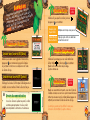
Vs. Bcoamtpetteleusing a single.
players canireless Communications
Up to four ov
ess Link
er DS W
rd
game ca “Establishing the DS Wirelre starting.
Please see oad Play)” P. 20–21 befo
(DS Downl
Game Select
Controls
on the
Host
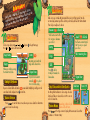
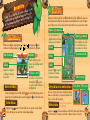
Select which game you want to play with
to confirm.
. Press
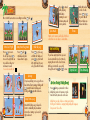
Speed Climb
Climb as fast as you can!
Booster Battle
Race your friends in a Booster Barrel!
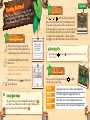
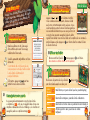
Starting Vs. Battle
Player with the DS card (Host)
Wait for others to join you at the entry screen. Press to
start sending the game data. Once it’s done, you will move to
the Game Select screen.
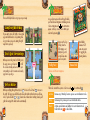
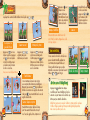
Character Select
Select which character you want to use from the list. Use
to choose, and press to confirm. Once everyone has
picked a character, the game will start.
Players without the DS card (Guest)
Download the data from the host. Once the downloading is
completed, you will move to the Game Select screen.
Communication Errors
If you’re disconnected during the game, the battle
will end immediately. If this happens to you, simply
follow the instructions and start over.
18
Total Points
Controls
on the
Host
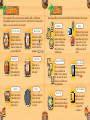
Once you finish your game, you’ll see the Results screen and
then get to look at your total points. Select Next to advance to
the next stage. Press Quit to return to the Game Select screen.
Guests cannot bring up the Pause menu.
Until you select Quit, the game will continue.
19