1
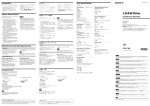
Introduction This product offers the following features. ❑ An internal CD-RW drive with ATAPI (EIDE) interface for PCs. ❑ Writes up to 52× speed on CD-R disc media. ❑ Writes up to 24× speed on CD-RW disc media. ❑ Reads CD-ROM discs at up to 52× speed. ❑ With the Turbo Boost function, easily switch from the default 40× read/write speed to 52× speed.1) 2) 3) はじめに ❑ Features “Power-Burn conformed” technology to prevent buffer under-run errors. “Power-Burn conformed” is used to refer to a CD-R/RW that uses CD-R/RW recording technology (ICs and/or firmware) other than Power-Burn, but provides performance equivalent to that of Sony original Power-Burn technology based on the Power-Burn concept. CAUTION • Writing speed may automatically be adjusted depending on the disc specified speed or disc conditions such as weight imbalance and eccentricity. • 1× and 2× writing speed and discs are not supported. 1) On rare occasions, some discs may not be able to tolerate 52× speed, causing them to break. We recommend that you do not use deeply scratched, brittle, or other discs that may break at 52× speed. 2) The Turbo Boost function does not guarantee a 52× write speed. Depending on the condition of the disc you are using, the speed may be lower. 3) The Turbo Boost function does not increase read/ write speed with CD-RW discs. この製品には、次の特長があります。 □ ATAPIインターフェースのパソコン内蔵型 CD-RWドライブです。 □ CD-Rディスクに最大52倍速で書き込むこと ができます。 □ CD-RWディスクに最大24倍速で書き込むこ とができます。 □ CD-ROMディスクを最大52倍速で読むこと ができます。 □ ターボブースト機能により、初期状態で40倍 速の読み書き速度をワンタッチで52倍速1) 2) 3) に切り替えることができます。 1) 52倍速では、まれにディスクが高速の回転に耐え □ バッファーアンダーランエラーの発生を防 ぐ、“Power-Burn Conformed” テクノロ ジーが搭載されています。 “Power-Burn Conformed” とは、ソニー独自の CD-R/RW記録技術以外で、Power-Burnのコンセ プトに基づき、Power-Burnと同等の性能を有する (IC. ことが確認されたCD-R/RW記録制御システム ファームウエア) です。 ご注意 • 実際の書き込み速度は、ディスクの対応速度、ディスク の状態や重心の片寄りなどによって左右される場合があ ります。 • 1倍速、2倍速での書き込み、および1倍速、2倍速のみ 対応のディスクはサポートしていません。 られずに割れることがあります。深いキズのある ディスクや硬質でもろいディスクは特に割れやすい ので、52倍速では使用しないでください。 2) 3) Main Specifications 主な仕様 Compatible disc 使用できるディスク CD-R CD-RW CD-ROM CD-ROM XA CD-DA1) CD Extra (CD+) Video CD CD TEXT Photo CD Disc diameter 12 cm 8 cm (reading only) Operating Environment Operating temperature 5 to 40 ºC 1) ターボブースト機能は52倍速での書き込みを保証する ものではありません。ディスクの状態によっては自動 的に書き込み速度が制限されることがあります。 1) CD-RWディスクの場合は、ターボブースト機能を 使用しても読み書き速度は上がりません。 Only use discs that display the mark, showing that they conform to the CD-DA standard. We do not guarantee problem-free playback or the best sound quality when using discs that do not display this mark. This CD-RW drive can be used in systems with the following capabilities. ❑ CPU: Pentium 266 MHz or higher For stable writing performance at high speeds, the CPU speed should be considerably higher than the above minimum requirement. For writing at 52× speed, a Pentium II/400 MHz or higher is recommended. ❑ PC/AT-compatible PC ❑ OS: Windows 98 Second Edition (Windows 98 SE), Windows 2000 Professional (Windows 2000), Windows Millennium Edition (Windows Me), Windows XP Home Edition or Windows XP Professional (Windows XP) 必要なシステム構成 ❑ At least 32 MB RAM (64 MB or higher recommended) ❑ At least 1 GB available hard disk space ❑ One available EIDE (ATAPI) interface connection with DMA capability ❑ One empty 5-inch half-height drive bay ❑ One available internal +12 V/+5 V power connector CAUTION • The above system configuration is given as a minimum requirement for a system on which basic CD-RW writing performance can be obtained. In actual use, the requirements for the writing software and “Windows” also have to be taken into consideration. (Normally, these requirements will be higher than the above specifications.) • The drive cannot be assured to operate properly if connected to an ATAPI interface adapter card (we cannot guarantee compatibility or offer user support). CD-RWドライブを使用するためには、下記のシ ステムが必要です。 □ CPU:Pentium 266 MHz以上 高速で安定した書き込みを行うには、通常、 この値以上のCPU速度が必要です。目安とし て、52倍速での書き込みでは、Pentium II/ 400 MHz以上を推奨します。 □ PC/AT互換パソコン □ OS: Windows 98 Second Edition (Windows 98 SE)、 Windows 2000 Professional (Windows 2000) 、 Windows Millennium Edition (Windows Me)、 Windows XP Home Editionおよび Windows XP Professional (Windows XP) □ RAM:32 Mバイト以上 (64 Mバイト以上推 奨) □ ハードディスク空き容量:1 Gバイト以上 □ DMA機能をもったIDE (ATAPI) バスコネク ターに空きがあること。 □ パソコンのハーフハイトのドライブ用スロッ トに空きがあること。 □ 内蔵ドライブ用+12 V/+5 Vの電源プラグに 空きがあること。 CD-DAについては、ディスクレーベル面に マークの入ったCD規格に合致したディスクをお使いく ださい。CD規格外ディスクを使用された場合には安定 ご注意 Writing Systems Track-at-once Disc-at-once Session-at-once Packet writing 基本的な書き込み動作を想定した、目安です。実際に本 機を使用するには、このシステム構成の条件を満足し、 で指定 かつ、ライターソフトウェアおよび “Windows” された条件を満たす必要があります。 (ライターソフト ウェアの条件は、通常、上記の条件を上回ります。) • ATAPIインターフェースカードへの接続には対応して いません。 (動作保証およびユーザーサポートの対象外 となります。) 2) 内容物一覧 Please verify that the package includes the following accessories with the drive when unpacking. If any of these items appears to be missing or damaged, please contact your supplier. 梱包箱から取り出したら、ドライブと以下の付属品がそろっているか確認してください。 万一、不足しているものがあったり損傷しているものがあるときには、お買い上げの販売店にご相談くだ さい。 • CD-RW drive unit • CD-RWドライブ本体 • 40 pin ATAPI (IDE) flat cable • IDEフラットケーブル(40ピン) 動作温度 5 ℃∼40 ℃ Power and Miscellaneous DC +5 V 1.5 A DC +12 V 1.5 A Size Approx. 145.8 × 41.3 × 190 mm (WHD) (excluding front bezel) Weight Approx. 1 kg (drive only) CD-RW Drive User’s Guide 取扱説明書 お買い上げいただきありがとうございます。 トラックアットワンス ディスクアットワンス セッションアットワンス パケットライト When using the Turbo Boost function. Further, the maximum data transfer rate depends on the capabilities of the host PC. DC +5 V DC +12 V 電気製品は安全のための注意事項を守らないと、火災や人身事故に なることがあります。 1.5 A 1.5 A 大きさ 約145.8×41.3×190 mm(幅/高さ/奥行き) (フロントベゼル除く) 質量 約1 kg(本体のみ) この取扱説明書には、事故を防ぐための重要な注意事項と製品の取り扱いかたを示 しています。この取扱説明書をよくお読みのうえ、製品を安全にお使いください。 お読みになったあとは、いつでも見られるところに必ず保管してください。 Interface Drive interface ATAPI (EIDE) compliant インターフェース ドライブインターフェース ATAPI準拠 Drive Inquiry ドライブ インクワィヤリー Vender Identification = “SONY” Product Identification = “CD-RW CRX220E1” ドライブ データ転送レート 最大:7800 Kバイト/s (52倍速2)) アクセス時間 平均 (ランダムストローク) :100 ms 2) Package Contents 書き込み方式 Drive Data transfer rate Up to 7800 KB/s (52× speed2)) Access time Average random stroke 100 ms • 上記のシステム構成は、CD-RやCD-RWディスクへの 環境条件 電源・その他 した再生や最良な音質の保証は致しかねます。 System Requirements A-BA3-100-03(1) ターボブースト機能使用時。なお、最大データ転送レー トは、コンピューターの性能によって異なります。 2002 Sony Corporation Printed in China P/N: 7819900338 バッファ容量 2 Mバイト Buffer under-run error protection technology Please note that specifications and appearance may be subject to change without notice. バッファーアンダーランエラー防止機能 仕様および外観は、改良のため予告なく変更する ことがありますが、ご了承ください。 テクノロジー CRX220A1 Buffer capacity 2 MB English Please refer to this manual together with the “ATAPI Interface Drive User’s Guide” in the attached Software Disc, which carries more detailed information. Français Reportez-vous au présent manuel ainsi qu’au document intitulé “Lecteur d'interface ATAPI - Guide de l’utilisateur” contenu sur le disque du logiciel accompagnant ce produit pour plus de détails. Deutsch Einzelheiten entnehmen Sie bitte diesem Handbuch sowie der “Laufwerk mit ATAPI-Schnittstelle Anwenderanleitung” auf der mitgelieferten Software-Disc. Español • Screws (×4) • User’s Guide • Quick Start Guide (for ATAPI (EIDE) Interface Drive) • Software disc • Warranty Card • 取り付けネジ(4本) • 取扱説明書 • ATAPI(EIDE)インターフェースドライブクイックスタートガイド • ソフトウェアディスク • 保証書 Consulte este manual junto con la “Unidad de interfaz ATAPI - Guía del usuario” del disco de software suministrado, que contiene información más detallada. Italiano Fare riferimento al presente manuale insieme a “Guida dell’utilizzatore dell’unità disco con interfaccia ATAPI” nel disco del software allegato, nel quale sono contenute informazioni più dettagliate. Português Note To guard against possible loss or damage, be sure to make a backup copy of the provided software disc on a CD-R disc or other media. The software disc is not sold separately. ご注意 付属のソフトウェアディスクは、必ず、CD-Rディスクなどにバックアップをとっておいてください。 万一、紛失や破損した場合も、ソフトウェアディスク単体での販売はいたしかねますので、ご了承ください。 Consulte este manual juntamente com o “Guia do Utilizador do Drive de Interface ATAPI” incluído no disco de software fornecido, para obter informações mais detalhadas. Nederlands Raadpleeg deze handleiding alsook de “ATAPI Station-interface -Gebruikershandleiding” op de bijgevoegde Software Disc, die meer gedetaileerde informatie bevat. Please Record Responsibly Before copying anything onto a CD-R or CD-RW disc, please be sure you are not violating copyright laws. Most software companies allow you to make a back-up or archive copy of software. Check your software’s license agreement for specific details. 著作権にご注意ください CD-R/CD-RWディスクにデータを書き込む前に、その行為が著作権法に違反していないかを確認し てください。多くのソフトウェアは、その所有者に対してバックアップや保管のためのコピーが許可さ れています。詳細については、コピー元のソフトウェアの使用許諾書などでご確認ください。 Svenska Förutom denna bruksanvisning finns mer information i “Brukanvisning för enhet med ATAPI gränssnitt” på den medföljande programskivan. 日本語 付属のソフトウェアディスクに収録されている「ATAPIインターフェースドライブ ユーザーズガイド」には、よ り詳細な情報を掲載しています。この取扱説明書とあわせて参照してください。 下記の注意事項を守らないとけがをしたり周辺の物品に損害を 与えたりすることがあります。 安全のために Safety Regulations WARNING ソニー製品は安全に十分配慮して設計されています。しかし、電気製 品はまちがった使い方をすると、火災や感電などにより人身事故につ ながることがあり危険です。事故を防ぐために次のことを必ずお守り ください。 安全のための注意事項を守る 以降の注意事項をよくお読みください。製品全般の注意事項が記載され ています。 故障したら使わない すぐに修理窓口、または販売店にご連絡ください。 警告表示の意味 パソコンへ取り付ける際のご注意 取扱説明書および製品で は、次のような表示をして • パソコンの電源コードをコンセントから抜き、電源を切る • 付属ネジを使用して、しっかりとパソコンに固定する • 不用意にパソコン内部を触らない • ぬれた手で、取り付けを行なわない • 雷が鳴り出したら、取り付けを行なわない います。表示の内容をよく 理解してから本文をお読み ください。 この表示の注意事項を守ら ないと、火災・感電などに より死亡や大けがなどの人 You are cautioned that any changes or modifications not expressly approved in this manual could void your authority to operate this equipment. To prevent fire or shock hazard, do not expose the unit to rain or moisture. To avoid electrical shock, do not open the cabinet. Refer servicing to qualified personnel only. CAUTION: As the laser beam in this CRX220A1 is harmful to the eyes, do not attempt to disassemble the cabinet. Refer servicing to qualified personnel only. The use of optical instruments with this product will increase eye hazard. The use of controls or adjustments or performance of procedures other than those specified herein may result in hazardous radiation exposure. 割れたディスクやヒビの入ったディスクを使用しない 高速回転時に内部でディスクが破壊されて破片が飛び出し、けがの原因となります。 This label is located on the drive unit's internal chassis. Dieses Etikett befindet sich auf dem inneren Chassis des Laufwerkes. 身事故につながることがあ ります。 DANGER 長時間使用しないときはパソコンの電源コードを抜く 万一異常が起きたら この表示の注意事項を守ら ないと、感電やその他の事 INVISIBLE LASER RADIATION WHEN OPEN. AVOID DIRECT EXPOSURE TO BEAM 長時間使用しないときは、安全のためにパソコンの電源コードのプラグをコンセント から抜いてください。 故によりけがをしたり周辺 の物品に損害を与えたりす たら • 内部に水、異物が入っ たら • 製品を落としたり、キャ ビネットを破損したとき b UNSICHTBARE LASERSTRAHLUNG. WENN ABDECKUNG GEÖFFNET NICHT DEM STRAHL AUSSETZEN. This label is located on the top of the drive unit enclosure. Dieses Etikett befindet sich am Boden des Laufwerksgehäuses. ることがあります。 • 煙が出たら • 異常な音、においがし VORSICHT 1 パソコンの電源を切る 2 パソコンの電源コードを抜く 注意を促す記号 3 接続されている周辺機器 DANGER 大音量で長時間つづけて聞きすぎない 耳を刺激するような大きな音量で長時間つづけて聞くと、聴力に悪い影響を与えるこ とがあります。呼びかけられて返事ができるくらいの音量で聞きましょう。 を取り外す UNNGÅ EKSPONERING FOR STRÅLEN. 行為を指示する記号 レーザー安全基準について この装置は、レーザーに関する安全基準(IEC60825-1) クラス1適合のCD-RWドライブです。 はソニー株式会社の商標です。 • Power-Burn、および • Pentiumは、米国Intel Corporationの米国およびその他の国における登録商標です。 • Microsoft、およびWindowsは、米国Microsoft Corporationの米国およびその他の国における登録商 標です。 • その他、本書に記載されているシステム名、製品名は、一般に各開発メーカーの登録商標あるいは商標で す。なお、本文中では™、®マークは明記していません。 本機をお使いになる前に、必ずお買い上げのコンピューターに添付のソフトウェア使用許諾契約書をお読 みください。 DC 電源プラグを正しく接続する パソコンの DC 電源プラグを正しく接続しないと、火災や感電の原因となります。 • パソコンから供給されているDC電源プラグ以外は接続しない • しっかり根元まで指し込む • DC電源プラグの向きを反対に接続しない • DC電源プラグについたほこりなどは定期的に取り除く 直射日光のあたる場所や、熱気、油煙、湯気、湿気、 ほこりの多い場所には置かない RADIATIONS INVISIBLES DU LASER EN CAS D'OUVERTURE. EVITER TOUTE EXPOSITION DIRECTE AU FAISCEAU. VORSICHT UNSICHTBARE LASERSTRAHLUNG, WENN ABDECKUNG GEÖFFNET. NICHT DEM STRAHL AUSSET ZEN. ADVARSEL USYNLIG LASERSTRÅLING VED ÅBNING. UNDGÅ UDSÆTTELSE FOR STRÅLING. ADVARSEL USYNLIG LASERSTRÅLING NÅR DEKSEL ÅPNES. 行為を禁止する記号 下記の注意事項を守らないと火災・感電などにより死亡や大けがの原因 となります。 INVISIBLE LASER RADIATION WHEN OPEN. AVOID DIRECT EXPOSURE TO BEAM. DANGER □ 弊社による製品保証は、同梱付属品 (ソフトウエア含む)を使用し、指定または推奨するシステ ム環境を満足し、かつ取扱説明書に従う正常なご使用の場合において、CD-RWドライブ本体 に限り有効です。また、ユーザーサポートなどの弊社サービスについても、製品保証と同等の 使用条件に限り対応致します。 □ 本製品のご使用による、コンピューター本体や他の機器の不具合、特定のハードウエア・ソフ トウエア・周辺機器に対する適性、またインストールされたソフトウエア相互の適正などに起 因する動作障害、データやディスクの損失、あるいは他の偶発的または必然的な損害に対して は、弊社では一切の責任を負いかねますのでご了承ください。 □ 保証およびユーザーサポートは、添付の保証書に記載された国または販売地域においてのみ有 効です。 □ 権利者の許諾を得ることなく、本機に付属のソフトウェアおよび取扱説明書の内容の全部ま たは一部を複製すること、およびソフトウェアを賃貸することは、著作権法上禁止されてお ります。 □ 本機に付属のソフトウェアを使用したことによって生じた金銭上の損害、逸失利益、および第 三者からのいかなる請求等につきましても、当社は、一切その責任を負いかねます。 □ 本機に付属のソフトウェアは、本機以外には使用できません。 □ 本機に付属のソフトウェアの仕様は、改良のため予告なく変更することがあります。 上記のような場所に置くと、火災や感電の原因となることがあります。取扱説明書に 記されている使用条件以外の環境でのご使用は、火災や感電の原因となることがあり VARNING OSYNLIG LASERSTRÅLING NÅR DENNA DEL AR ÖPPNAD. STRÅLEN ÄR FARLIG. VAROI NÄKYMÄTÖN AVATTAESSA OLET ALTTINA LASERSÄTEILYLLE. ÄLÄ KATSO SÄTEESEN. Bei diesem CD-RW-Laufwerk handelt es sich um ein Laser-Produkt der Klasse 1. Das Etikett mit der Aufschrift LASER KLASSE 1 PRODUKT befindet sich auf der Oberseite des Gehäuses. CLASS 1 LASER PRODUCT LUOKAN 1 LASERLAITE LASER KLASSE 1 PRODUKT KLASS 1 LASER APPARAT 製品サポートのご案内 ぐに電源を切り、電源コードや接続ケーブルを抜いて、修理窓口、または販売店にご 依頼ください。 内部を開けない 開けたり改造したりすると、レーザー光線による視力障害や、火災、感電の原因となる ことがあります。内部の点検、修理は修理窓口、または販売店にご依頼ください。 この製品の使いかたに関するご相談、本体や付属ソ フトウエアに関する技術的なご質問、故障に関する お問い合わせなど、お電話でご相談になる前に、以 下で提供している情報をご確認ください。 それでもご不明な場合、以下の相談窓口にお問い 合わせください。また、動作の不具合や故障に関 するご相談の場合は、次のことをお知らせくださ い。 • ユーザーサポートホームページ http://www.sony.jp/dvd_cd-rw/ • 故障かな?と思ったら 付属のソフトウェアディスクの 「ATAPI インター • 型名:CRX220A1 • 製造番号 • 製品の購入年月日・ご購入店名 • ご使用のコンピューターメーカー・型番 • コンピューターの仕様(CPU速度、メモリー容 フェース ドライブ ユーザーズガイド」に収録され ている「故障かな?と思ったら」 をご覧ください。 • ライターソフトウェアについて 付属のライターソフトウェアに関する情報は、ソ フトウェアの製造および販売元のホームページで ご案内しています。 量など) • ご使用のライターソフトウエア • 不具合時の状態:できるだけ詳しく • 製品ご使用当初は問題がなかったか、最初から うまく動かなかったか、など ソニーストレージコール TEL 0475-58-0931 受付時間 月∼金(祝日を除く) 10:00から18:00 • Power-Burn and are trademarks of Sony Corporation. • Pentium is a registrated trademark of Intel Corporation. • Microsoft, MS, MS-DOS and Windows are registered trademarks of Microsoft Corporation. • Other system and product names used herein are registered trademarks or trademarks of their respective manufacturers, although the TM and ® marks are not used in the text. Before using this device, be sure to read the end users license agreements for the software provided with your computer. ❑ Our product guarantee is valid only when the supplied accessories (including software) are used in the specified or recommended system environment, in accordance with this Users Guide, and applies only to this CD-RW drive. Our customer service and user support apply only under these product guarantee conditions. ❑ Please note that we cannot accept responsibility for failure of the computer or other devices, incompatibility with special hardware, operating problems caused by improper installation of software, loss of data, discs or other accidental or incidental damage that might occur when using this product. ❑ The guarantee and user support for this product are valid only within the countries or sales regions specified on the warranty card. ❑ Copyright laws prohibit the copying of all or part of the supplied software and Users Guide, or loaning the software, without obtaining permission of the copyright holder. ❑ We cannot accept responsibility for any direct or indirect financial damage or loss of profit that might occur when using the supplied software. ❑ The supplied software can only be used with this product. ❑ Specifications of the supplied software may be changed without notice in the interest in product improvement. FCC Compliance: This equipment has been tested and found to comply with the limits for a Class B digital device, pursuant to Part 15 of the FCC Rules. These limits are designed to provide reasonable protection against harmful interference in a residential installation. This equipment generates, uses, and can radiate radio frequency energy and, if not installed and used in accordance with the instructions, may cause harmful interference to radio communications. However, there is no guarantee that interference will not occur in a particular installation. If this equipment does cause harmful interference to radio or television reception, which can be determined by turning the equipment off and on, the user is encouraged to try to correct the interference by one or more of the following measures: • Reorient or relocate the receiving antenna. • Increase the separation between the equipment and receiver. • Connect the equipment into an outlet on a circuit different from that to which the receiver is connected. • Consult the dealer or an experienced radio/TV technician for help. Note: If you have any questions about this product, you may call the telephone number listed on the “Product and Support Information” page. The telephone number below is not for customer service but only for official purpose. Trade Name: Model No.: Responsible Party: Address: Telephone No.: Product and Support Information Sony Global Sites Information Products purchased in the USA:* http://sony.storagesupport.com/ Declaration of Conformity 水や異物が入ると火災や感電の原因となります。万一、水や異物が入ったときは、す Diese Ausrüstung erfüllt die Europäischen EMC-Bestimmungen für die Verwendung in folgender / folgenden Umgebung(en): • Wohngegenden • Gewerbegebiete • Leichtindustriegebiete (Diese Ausführung erfüllt die Bestimmungen der Norm EN55022, Klasse B.) This CD-RW drive unit is classified as a CLASS 1 LASER PRODUCT. The CLASS 1 LASER PRODUCT label is located at the top of the enclosure. ます。 内部に水や異物を入れない CE Sicherheitsbestimmungen SONY CRX220A1 Sony Electronics Inc. 680 Kinderkamack Road, Oradell, NJ 07649 USA 201-930-6972 This device complies with Part 15 of the FCC Rules. Operation is subject to the following two conditions: (1) This device may not cause harmful interference, and (2) This device must accept any interference received, including interference that may cause undesired operation. Products purchased in Canada: http://www.sony.ca/ Products purchased in Australia or New Zealand: http://www.sony.com.au/support.asp Product purchased in Europe:* http://www.sonyisstorage.com/support Product purchased in Hong Kong:* http://www.sony.com.hk/Electronics/cp Technical Support Please consult the above sources before calling with questions about using this product, or with technical questions about the drive or the supplied software. If using telephone or e-mail support, please have the following information available: • Model number: CRX220A1 • Serial number • Date and place of purchase • Computer maker and model number • Computer specifications (CPU speed, memory size, OS version, etc.) • Writer software used (version, etc.) Product purchased in China:* http://www.sony.com.cn/Electronics/edmh/ default1.html Local technical support service is available only in the following sales regions: Product Purchase in Singapore: http://www.sony.com.sg/asianit/ For product purchased in the USA (Sony Electronics Inc): Monday to Saturday 8:00 a.m. - 8:00 p.m. CT • Toll Free: 1-800-588-3847 • Free telephone support is offered for 90 days from your first call. Product purchased in Taiwan:* http://www.sony.com.tw/stwn/cpd/index.htm Product purchased in Korea:* http://www.sony.co.kr/cp Product purchased in Brazil: http://www.sonybrasil.com.br Product purchased in the Middle East: http://www.sony-middleeast.com * Local Web sites for computer peripheral products About the Bundled Writing Software Detailed information about the supplied writing software is available on the web sites of the software manufacturers and software distributors. (Accessible from the links in each software application) For product purchased in Canada (Sony of Canada Limited): Monday to Friday 8:00 a.m. - 8:00 p.m. EST • Toll Free: 1-800-961-7669 • E-mail Address: [email protected] For product purchased in Australia or New Zealand (Sony Australia Limited): Monday to Friday 8:30 a.m. - 7:00 p.m. EST • Toll Free: 1300-13-7669 • International: +61-2-9887-6666 For product purchased in Europe (Sony UK Limited): Monday to Friday 8:00 a.m. - 9:00 p.m. • Toll Free: 00800-CNCESONY (00800-26237669) • E-mail Address: [email protected] (For Nordic regions) [email protected] (For other European regions) For product purchased in Singapore (Sony Electronics Singapore Pte. Ltd): Monday to Friday 9:00 a.m. - 5:00 p.m. • Storage Support Hotline (non Toll-Free): +65-3291715 • E-mail Address: [email protected]