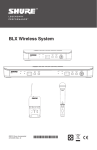
1
Transmitter Controls and Connectors
① Indicator LED
Displays battery level, mute, and IR transmission
status (see table).
1
② Power / Mute Switch
Press to mute or unmute. Press and hold to
power on or off.
3
PGXD
2
3
1
5
PGX1
2
③ Infrared (IR) port
Receives infrared beam to synchronize
frequencies. When using multiple systems, only
one transmitter IR port should be exposed at a
time.
④ 4-Pin Microphone Input Jack
⑤ Audio Gain Adjustment
4
Transmitter Indicator LED
Green
ready
Flashing green
Controls Locked
Amber
Mute On
Flashing red
IR transmission in process
Glowing red
Battery power low
Pulsing Red on startup
Batteries dead (transmitter cannot be turned on until batteries
are changed)
Pulsing Red after
synchronization
Transmitter and receive incompatible; contact your Shure
reseller
Changing Batteries
• Expected life for an Alkaline battery is approximately 8 hours.
• When the transmitter light glows red, the batteries should be changed
immediately, as shown.
Wearing the Bodypack Transmitter
Clip the transmitter to a belt or slide a guitar strap through
the transmitter clip as shown.
For best results, slide the transmitter until the belt is pressed
against the base of the clip.
5