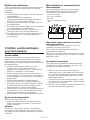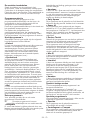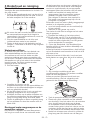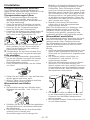
1
CUse a lower spin speed for delicate
laundries.
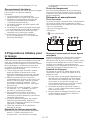
Temperature selection
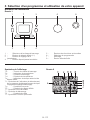
Whenever a new program is selected, the
temperature anticipated for that program
appears on the temperature indicator (7b).
To change the temperature, press the
temperature button. Temperature decreases in
10° increments.
Cold selection is shown with “-” symbol.
90˚C
Normally soiled, white cottons and
linens. (Ex.: coffee table covers,
tablecloths, towels, bed sheets)
60˚C
Normally soiled, fade proof colored
linens, cottons or synthetic clothes
(Ex.: shirts, nightgowns, pajamas)
and lightly soiled white linen clothes
(Ex.: underwear)
40˚C
30˚C Cold
Blended clothes including
synthetics and woolens as well as
delicates.
Spin Speed selection
Whenever a new program is selected, the
maximum spin speed of the selected program
is displayed on the spin speed indicator.
To decrease the spin speed, press the “Spin”
button. Spin speed decreases gradually. Then,
rinse hold and no spin options are shown
respectively.
Rinse hold is shown with “
” and no spin is
shown with “ ” symbols.
If you are not going to unload your clothes
immediately after the cycle, you may use rinse
hold function in order to prevent your clothes
become wrinkled when there is no water in
the machine. With this function, your laundry
is kept in the final rinsing water. If you want to
spin your laundry after the rinse hold function:
- Adjust the spin speed.
- Press “Start/Pause/Cancel” button.
Program resumes. Your machine drains
the water and spins your laundry.
You can use no spin function in order to drain
the water without spinning at the end of the
program.
7 - EN