1
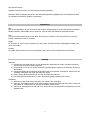
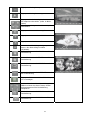
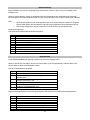
OSD LANGUAGE
This item is for selecting the language of the SYSTEM MENU and all
operating prompt interface displayed during playback.
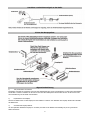
AUDIO LANG
This item is for selecting a audio language.
SUBTITLE LANG
This item is for selecting a subtitle language.
MENU LANG
This item is for selecting a disc menu language.
AUDIO SETUP
KEY
It is for selecting your desired basic music tone
(from low to high).
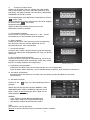
VIDEO SETUP
BRIGHTNESS
It is for adjusting
CONTRAST
It is for adjusting
HUE
It is for adjusting
SATURATION
It is for adjusting
SHARPNESS
It is for adjusting
the brightness of the video output.
the contrast of the video output.
the hue of the video output.
the saturation of the video output.
the sharpness of the video output.
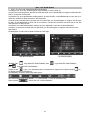
SPEAKER SETUP
DOWNMIX
This is for selecting your desired sound effect
when there is not central speaker and subwoofer.
There are 3 mode: LT/RT, STEREO, VSS.
LT/RT: When playing a disc with PRO LOGIC stereo effect, choose the item,
so it will output audio signal with vivid theatre effect.
STEREO: If you choose the item, when outputting audio signal with 5.1
channels, it will output the left and right channels of signal ; when outputting
audio signal with 2 channels, it will output the common 2 channels of stereo
signal.
VSS: If you choose the item, when playing a disc recorded with 5.1 channels,
the main channel speakers can output audio signal with VSS effect.
DIGITAL SETUP
DYNAMIC RANGE
After selecting the compression mode of LINE OUT, set the item, so you can
adjust the linear compression ratio. If you set it to be FULL, the Peak-to-Peak
value of the audio signal is the minimum; if you set it to be OFF, the Peak-toPeak value is the maximum.
DUAL MONO
This is for selecting a desired audio output mode for left and right signals.It is
mainly for Karaoke of Ac3. There are 4 modes in all as follows:
STEREO, MONO L, MONO R, MIX MONO.
41