1
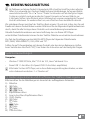
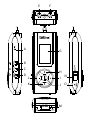
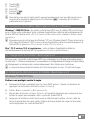
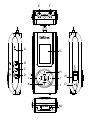
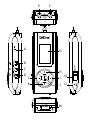
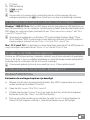
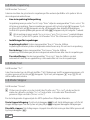
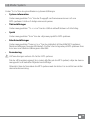
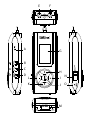
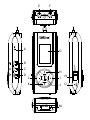
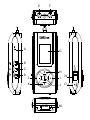
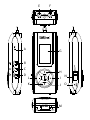
N) t switch
O) y button
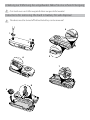
i To reset, carefully press the y button with a pointed object (such as an unbent paperclip).
The reset button is recessed deeply in the housing.
2) Connecting the TrekStor i.Beat organix 2.0 to a computer
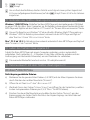
Windows® 2000/XP/Vista: Use the included USB cable to connect your MP3 player to a
USB port on your computer. Your operating system will immediately recognize the MP3
player and add it as a "Portable Media Player" under "My Computer"/"Computer."
i Note for users of Windows® XP without a current Windows Media® Player or users of
Windows® 2000: Your operating system automatically detects the MP3 player and adds a
"Device with Removable Storage" to "My Computer".
Mac® OS X from 10.3 Your operating system automatically detects the MP3 player and
adds a "Drive" to "Desktop".
3) Load the TrekStor i.Beat organix 2.0
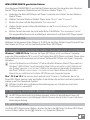
The MP3 player starts charging automatically as soon as you connect it to a computer.
The battery is charged after a maximum of three to four hours; charging stops automatically
to prevent overcharging.
i The maximum operating time of the MP3 player can be reached only after approximately
10 battery charging cycles have been completed.
4) Exchanging data with the TrekStor i.Beat organix 2.0
Windows® 2000/XP/Vista
Files that are not copy-protected
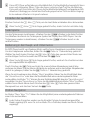
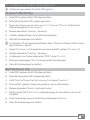
a) Select the desired files (such as MP3) with the mouse. Copy these files by clicking
them with your right mouse button ("Copy").
b) Under "My Computer", open "i.Beat organix 2.0".
c) Switch to the folder "Internal Storage", and open the directory that is for the files to be
copied (such as "Music" for MP3 files).
d) Right-click this folder and select "Paste" to start copying. After copying has completed,
the data will be available on your MP3 player.
21 EN