1
USER´S MANUAL
BEDIENUNGSANLEITUNG
MANUEL D`UTILISATION
MANUAL DE USUARIO
INSTRUKCJA OBSŁUGI
MANUALE D‘ USO
COM
B
ROLLER HU
WIN42 CONT
POWER
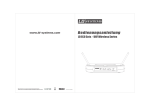
LD WIN42 CONTROLLER HUB
WIN42HUB
ENGLISH
DEUTSCH
Thank you for choosing LD-Systems!
FRANCAIS
ITALIANO
FRANCAIS
POLSKI
español
FRANCAIS
We have designed this product to operate reliably over many years. Therefore LD-Systems guarantees for high
quality products with its name and many years of experience as a producer.
2
Please, take a few moments to read these instructions carefully, as we want you to enjoy your new LD-Systems
products quickly and to the fullest.
For information about LD-Systems check out our website WWW.LD-SYSTEMS.COM
Introduction
The LD Systems WIN42HUB and the associated WIN42 CONTROL CENTER software enable you to monitor and
control up to 16 WIN42 wireless systems. Clearly arranged graphics give you control over the radio frequency,
battery status, audio level, and much more for each individual WIN42 wireless systems connected. In addition,
the software has an "environment scan" feature with the help of which you can scan the respective location for
unused frequencies.
FRANCAIS
DEUTSCH
FRANCAIS
COM
ESPAÑOL
POWER
B
LLER HU
N42 CONTRO
WI
FRANCAIS
ENGLISH
WIN42HUB
LD WIN42HUB
POLSKI
ITALIANO
3
FRANCAIS
ITALIANO
FRANCAIS
POLSKI
español
FRANCAIS
DEUTSCH
ENGLISH
PREVENTIVE MEASURES:
4
1. Please read this information carefully.
2. Keep all information and instructions in a safe place.
3. Please follow the instructions.
4. Please observe all warnings. Don‘t remove safety instructions or any other information located on the device.
5. Use the device only in the intended manner.
6. Use only stable and appropriate stands and/or mounts when the device is permanently installed. Make certain
that wall brackets are firmly secured. Make certain that the unit is installed securely and cannot fall down.
7. When installing please observe the corresponding safety standards for your country.
8. Do not install the device near radiators, heat accumulators, ovens or other sources of heat. Make certain that
the device is always installed so that is cooled sufficiently and cannot overheat.
9. Do not place open sources of ignition, e.g., burning candles, on the device.
10. Do not cover ventilation slots.
11. Do not operate the device in the immediate vicinity of water. Do not expose this equipment to combustible
materials, liquids or gases.
12. Please make certain that dripping or splashing water cannot get inside the device. Do not put objects filled
with fluids, such as vases or drinking vessels, on top of the device.
13. Make certain that objects cannot fall into the device.
14. Use the device only with accessories with which the manufacturer intends the device to be used.
15. CAUTION: If this device has a mains connector equipped with protective earth, it must be connected to a
mains socket with a protective ground connection. Never disable the function of the protective ground connection
of the included power cord.
16. Do not turn on the device immediately if it was exposed to strong temperature fluctuations (for example after
transportation). Moisture and condensation may damage the device. Leave the device switched off until it has
reached room temperature.
17. Do not open the device and do not make any changes to the device.
18. Before connecting to mains power, make certain that the mains voltage and the mains frequency are the
same as the operating values of the device (see type label). If the device is equipped with a supply voltage selector switch, make certain that the values of the device match the values of the mains power before connecting.
If the plug on the included cord does not fit your mains outlet, contact your electrician.
19. Make certain that the power cord is not stepped on. Protect the power cord against pinching, especially at
the device plug and the power plug.
20. In order to prevent damage or accidents, for example, due to tripping hazards, check all connections once
you have connected the device.
21. When connecting the device, make certain that the power plug remains readily accessible.
Always pull out the power plug when the device is not in use or when you clean the device. Disconnect the
power cord by pulling the plug not the cable. Never touch the power cable and power adapter with wet hands.
22. Avoid switching the device on and off at short intervals, because it may shorten the durability of the device.
23. IMPORTANT: Replace fuse only by fuse of same type and rating! If fuse blows repeatedly please contact
authorized service center!
24. In order to disconnect the device completely from the mains voltage, the power plug must be unplugged.
25. If your device is equipped with a Volex power connector, the matching Volex device plug must be unlocked in order to disconnect it. This also means that a tug on the power cord can pull the device out of place, thus
causing personal injuries and/or property damage. Thus please make certain to route your cables carefully.
PREVENTIVE MEASURES:
FRANCAIS
DEUTSCH
FRANCAIS
CAUTION
RISK OF ELECTRIC SHOCK
DO NOT OPEN
FRANCAIS
ENGLISH
26. If there is a risk of lightning strike or during extended periods of disuse, unplug the power plug.
27. During transport, make certain that the equipment being transported cannot fall down and possibly
cause personal injuries and/or property damage.
28. If your device no longer works properly, if it has been exposed to liquids or an object has fallen inside it or
if it has been damaged in some other manner, turn the device off immediately und unplug the power plug. This
device should be repaired only by authorized experts.
29. Use only a dry cloth to clean the device.
30. Comply with all of the disposal laws that are applicable in your country. During disposal, please separate
plastic and paper/cardboard.
31. Plastic bags must be kept out of the reach of children.
CAUTION:
The lightning flash with arrowhead symbol within an equilateral triangle is intended to alert the
user to the presence of uninsulated “dangerous voltage” within the product´s enclosure that may be
of sufficient magnitude to constitute a risk to persons.
CAUTION! HIGH VOLUME!
POLSKI
The exclamation mark within an equilateral triangle is intended to alert the user to the presence of
important operating and maintenance (servicing) instructions in the literature accompanying the
appliance.
ESPAÑOL
To reduce the risk of electric shock, do not remove cover (or back). No user serviceable parts inside. Refer
servicing to qualified personnel.
You will operate this transmission system for professional use. Therefore the commercial use of this equipment
is liable to the rules and regulations of the Accident Prevention & Insurance Association of your industry sector.
Adam Hall as a manufacturer is bound to inform you formally about the existence of eventual sanitary risks.
ITALIANO
Risk of hearing damage due to prolonged exposure to excessive volumes: The loudspeaker is easily capable of
generating sound pressure levels (SPL) sufficient to cause permanent hearing damage to performers, production
crew and audience members. Caution should be taken to avoid prolonged exposure SPL in excess of 90 dB.
5
ENGLISH
PACKAGE CONTENTS:
1 x WIN42 CONTROLLER HUB
COM
ROLLER HUB
WIN42 CONT
POWER
DEUTSCH
1 x WIN42 USB to RS485 converter
FRANCAIS
1 x USB cable
16 x RJ11 cable
español
1 x RJ45 cable
FRANCAIS
ITALIANO
FRANCAIS
POLSKI
1 x power adapter
6
1 x software CD
USER´S MANUAL
BEDIENUNGSANLEITUNG
MANUEL D`UTILISATION
MANUAL DE USUARIO
INSTRUKCJA OBSŁUGI
MANUALE D‘ USO
COM
WIN42 CONTROLLER
HUB
POWER
LD WIN42 CONTROLLER HUB
WIN42HUB
1 x User's Manual
FRONT / REAR PANEL:
FRANCAIS
ENGLISH
FRONT PANEL
FRANCAIS
DEUTSCH
1
2
1 On / off switch
2 Indicator LEDs 1-16 for WIN42 receivers 1-16
FRANCAIS
Rear panel
4
3
2 DATA port for USB to RS485 converter
1
ESPAÑOL
1 AC adapter connector (9 - 18 V DC, 300 mA)
2
3 DATA connectors (COM 1 - 16) for WIN42 receivers
POLSKI
4 Provision for port expansion (currently unavailable)
ITALIANO
7
ENGLISH
USB to RS485 CONVERTER:
1
FRANCAIS
DEUTSCH
3
4
2
español
1 RJ45 port, connection to the WIN42HUB
2 USB port, connection to a Windows PC
3 Power LED: Lights up when the converter is connected correctly via USB.
4 Link LED: Lights up when the connection between converter and controller
FRANCAIS
ITALIANO
FRANCAIS
POLSKI
hub has been made correctly.
8
SOFTWARE INSTALLATION:
FRANCAIS
ENGLISH
System requirements
for the WIN42 CONTROL CENTER software and the driver for the WIN42 CONTROLLER HUB: Windows XP,
Windows Vista, Windows 7 and Windows 8, an unused USB 2.0 port, and a recommended monitor resolution of
at least 1366 x 768.
1. Insert the included software CD in the optical drive of your computer, open it, and double-click on the "Setup" file, then follow
the instructions to install the WIN42 CONTROL CENTER software on your computer.
FRANCAIS
DEUTSCH
FRANCAIS
ESPAÑOL
POLSKI
ITALIANO
9
SOFTWARE INSTALLATION:
FRANCAIS
ITALIANO
FRANCAIS
POLSKI
español
FRANCAIS
DEUTSCH
ENGLISH
2. You now be prompted to click "Next" multiple times in order to carry out the installation.
10
Click on "Close" to complete installation.
DRIVER INSTALLATION:
FRANCAIS
ENGLISH
Connect the included USB to RS485 converter to an unused USB port on your computer.
FRANCAIS
DEUTSCH
FRANCAIS
ESPAÑOL
POLSKI
ITALIANO
11
FRANCAIS
ITALIANO
FRANCAIS
POLSKI
español
FRANCAIS
DEUTSCH
ENGLISH
DRIVER INSTALLATION:
12
If you see the system messages depicted on the preceding page, install the associated driver by pressing the Windows key on
your keyboard and clicking on "Control Panel".
DRIVER INSTALLATION:
The "Control Panel" window will open. Now click on "Hardware and Sound" and then on "Device Manager".
FRANCAIS
ENGLISH
FRANCAIS
DEUTSCH
FRANCAIS
ESPAÑOL
POLSKI
ITALIANO
13
FRANCAIS
ITALIANO
FRANCAIS
POLSKI
español
FRANCAIS
DEUTSCH
ENGLISH
DRIVER INSTALLATION:
14
Once the Device Manager window has opened, click on the arrow next to "Other devices". Now click the right mouse button on
"USB serial port" and then click on "Update driver software".
DRIVER INSTALLATION:
Now click with the left mouse key on "Browse the computer for driver software".
FRANCAIS
ENGLISH
FRANCAIS
DEUTSCH
FRANCAIS
Select the optical drive of your computer containing the included software and driver CD, click on "Include subfolders", and
continue the process by clicking on "Next".
ESPAÑOL
POLSKI
ITALIANO
15
DRIVER INSTALLATION:
FRANCAIS
ITALIANO
FRANCAIS
POLSKI
español
FRANCAIS
DEUTSCH
ENGLISH
If the following message appears, click on "Install this driver software anyway".
16
The driver is now installed. Click on "Close" to exit the installation procedure.
DRIVER INSTALLATION:
FRANCAIS
ENGLISH
Now the COM port number of the "USB serial port" will be displayed in Device Manager.
Note: The COM port number of the "USB serial port" must be between 1 and 16.
FRANCAIS
DEUTSCH
FRANCAIS
ESPAÑOL
Now, using the included RJ45 cable, connect the WIN42 CONTROLLER HUB to the USB to RS485 converter and start the WIN42
CONTROL CENTER SOFTWARE. Now select the command "Communication" in the "Tools" menu to see whether the port number
of the USB serial port and the port number in the WIN42 CONTROL CENTER match (COM16 in our example).
POLSKI
ITALIANO
17
FRANCAIS
DEUTSCH
ENGLISH
Connecting the WIN42 Controller Hub:
USB
USB RS485
DATA CONVERTER
español
DATA
8
FRANCAIS
POLSKI
2
CHANNEL2
XLR BALANCED
UNBAL
OUTPUT
Data Output
CHANNEL2
XLR BALANCED
UNBAL
OUTPUT
Data Output
CHANNEL2
XLR BALANCED
UNBAL
OUTPUT
Data Output
CHANNEL2
XLR BALANCED
UNBAL
OUTPUT
Data Output
4
6
FRANCAIS
ITALIANO
8
18
7
6
5
4
1
ANTENNA-B
1000mA
D.C 12-18V
CHANNEL1
XLR BALANCED
UNBAL
OUTPUT
Data Output
1000mA
D.C 12-18V
CHANNEL1
XLR BALANCED
UNBAL
OUTPUT
Data Output
1000mA
D.C 12-18V
CHANNEL1
XLR BALANCED
UNBAL
OUTPUT
Data Output
1000mA
D.C 12-18V
CHANNEL1
XLR BALANCED
UNBAL
OUTPUT
Data Output
3
ANTENNA-B
5
ANTENNA-B
7
ANTENNA-B
3
2
1
ANTENNA-A
ANTENNA-A
ANTENNA-A
ANTENNA-A
Note: The cables (16 included in the package contents) for connecting the WIN42 CONTROLLER HUB to the WIN42 receivers have
plugs of two different sizes on each cable. The larger plug is inserted in the COM connector (1 - 16) of the WIN42 CONTROLLER
HUB, while the smaller of the two is plugged into the Data Output connector of the WIN42 receiver.
Using the Win42 Control Center Software:
8
10
11
POLSKI
AF Info
9 Receiver signal level indictor
10 Receiver mute status indicator
11 EQ
Click here to change the equalizer settings of
the receiver (Flat/Low-cut/Low-cut+High-boost/
High-boost)
ESPAÑOL
9
RF Info
8 Receiver RF field strength indicator
The active receiver of the diversity system is
indicated by the (A/B) indicators.
FRANCAIS
Battery Info
7 Battery status display (0-100%)
If the battery status of the transmitter nears a
critical state, the "LOW" indicator lights up.
FRANCAIS
DEUTSCH
7
FRANCAIS
ENGLISH
1
2
3
4
5
6
Receiver Info
1 Name
Click here to assign a name to the receiver
2 Group/Channel
Click here to assign the frequency and channel.
3 Frequency
Displays the Group/Channel allocation assigned
under (2)
4 Address code
Click here to assign an address to the receiver
(0-244)
5 Squelch
Click here to adjust the squelch setting of the
receiver (Low/Mid/High)
6 Receiver volume adjustment (03-48)
ITALIANO
19
Saving and retrieving settings
All settings that you make in the main window can be saved on your computer and retrieved at a later point in
time.
To do this, select the menu item Open Setting or Save Setting in the File menu in the main window
FRANCAIS
ITALIANO
FRANCAIS
POLSKI
español
FRANCAIS
DEUTSCH
ENGLISH
Using the Win42 Control Center Software:
20
Environment Scan
The Environment Scan function lets you scan the entire frequency spectrum of the LD Systems WIN42 system
and find unused frequencies simply and easily.
Please follow these instructions step by step in order to utilize the full scope of functionality of the software.
Select the Environment Scan function in the Tools menu
Using the Win42 Control Center Software:
The following functions are available in the Environment Scan window (sample depiction of environment scan)
FRANCAIS
ENGLISH
6
7
8
3
4
5
1
ESPAÑOL
POLSKI
ITALIANO
Scan Menu
1 Port
Select the port of one of the connected receivers that is to be used for scanning. Note: This receiver cannot
be used for any other function during scanning.
2 Start Scan
Starts the scanning procedure. The receiver defined in the port selection is used to scan the environment.
The receiver RF field strength is displayed directly in the graph. The entire procedure may take several
minutes.
If the scanning procedure cannot be started, then the message "Scan timeout" appears. In this case, make
certain that the proper port (1) is selected and the receiver is correctly connected and working.
3 Stop
Stops the scanning procedure.
4 Save Pic
Click here to save the scan results as a graphics file (*.jpg) on your computer.
5 Scan Table
Click here to view the scan results in tabular form and allocate unused frequencies to the connected
receivers. See also the section "Scan Table".
6 Show Grid
Toggles the coordinate grid in the display on and off.
FRANCAIS
2
FRANCAIS
DEUTSCH
9
21
ENGLISH
Using the Win42 Control Center Software:
7 Zoom in
Click here to zoom in on a section of the scan results. Use the mouse to mark the area to be enlarged.
8 Auto Coordinate
Click here to toggle the automatic adjustment of the coordinates on or off.
9 Default Coordinate
Scan Table
(Sample depiction of scan table)
In this view, you can find frequencies and assign them to the connected receivers.
Carry out the environment scan as described above and click on Scan Table to view the scan results in tabular
form. Here you will find all available frequency groups with the associated frequencies. The results of the
environment scan are shown for each frequency as the value of the measured field strength. The available
frequencies in the desired group are also identified by coloured markings.
White: Receiver field strength 0dBuV or less
unused frequency
Yellow: receiver field strength 0dBuV to 20dBuV
frequency possibly in use
Red: Receiver field strength 20dBuV or greater
frequency in use
FRANCAIS
ITALIANO
FRANCAIS
POLSKI
español
FRANCAIS
DEUTSCH
Click her to leave the zoom view and return to the default view.
22
To be able to access the results at a later point in time, save the scan table by clicking on the Save button at the
lower right edge of the screen.
To open a previously saved scan table , select the menu item Open RF File in the File menu in the main menu.
Frequency Allocation
Double-click on a frequency that you want to assign to one of the connected receivers. Afterwards, you will be
returned to the main screen automatically.
Using the Win42 Control Center Software:
FRANCAIS
ENGLISH
The blinking of the receiver number indicates to which receiver the selected frequency can be assigned. Select
a receiver by clicking on the corresponding receiver number. The selected frequency from the scan table will be
assigned to the desired receiver.
FRANCAIS
DEUTSCH
FRANCAIS
ESPAÑOL
POLSKI
Repeat this operation until frequencies have been allocated to all available receivers. To synchronize the
receivers that you have now programmed with their transmitters, use the sync function of the receiver or set the
frequency manually at the transmitter.
ITALIANO
23
FRANCAIS
ITALIANO
FRANCAIS
POLSKI
español
FRANCAIS
DEUTSCH
ENGLISH
SPECIFICATIONS:
24
Product type
Controller for WIN42 wireless systems
Type
software-based
Number of supported wireless systems
16
Indicators
16 x LED activation indicator
Operating voltage
9 V - 18 V DC, 300 mA
Width
482 mm
Height
44 mm
Depth
160 mm
Weight
1850 g
Included accessories
USB to RS485 converter, 1 x USB cable, 16 x RJ11 cable, 1 x RJ45 cable, 1 x
power adapter, software CD
MANUFACTURER´S DECLARATIONS:
This Limited Warranty applies to the Adam Hall, LD Systems, LD Premium, Defender, Palmer, Cameo and Eminence
branded products.
FRANCAIS
ENGLISH
LIMITED warranty
The statutory warranty rights towards the seller are not affected by this guarantee. In fact, it justifies, additional
independent warranty claims towards Adam Hall.
This Limited Warranty extends only to the original purchaser of this Adam Hall branded product and is not transferable to anyone who obtains ownership of the Adam Hall branded product from the original purchaser. During
the Limited Warranty Period, Adam Hall will repair or replace the defective component parts or the product. All
component parts or hardware products removed under this Limited Warranty become the property of Adam Hall.
Adam Hall does not warrant that the operation of this product will be uninterrupted or error-free. Adam Hall is not
responsible for damage that occurs as a result of your failure to follow the instructions included with the Adam
Hall branded product.
ITALIANO
These terms and conditions constitute the complete and exclusive warranty agreement between you and Adam
Hall regarding the Adam Hall branded product you have purchased.
POLSKI
This Limited Warranty does not apply,
-to wear parts (e.g. accumulator)
-to any product from which the serial number has been removed or that has been damaged or rendered defective as the result of an accident
-in case of, misuse, abuse, or other external causes
-by operation outside the usage parameters stated in the user´s documentation shipped with theproduct by use
of spare parts not manufactured or sold by Adam Hall
-by modification or service by anyone other than Adam Hall
ESPAÑOL
In the unlikely event that your Adam Hall product has a recurring failure, Adam Hall, at its discretion, may elect to
provide you with a replacement unit of Adam Hall´s choice that is at least equivalent to your Adam Hall branded
product in hardware performance.
FRANCAIS
The Limited Warranty Period starts on the date of purchase. In order to receive warranty services you are required
to provide proof of the purchase date. Your dated sales or delivery receipt, showing the date of purchase, is your
proof of the purchase date. Should products of the brands named above be in need of repair within the limited warranty period, you are entitled to warranty services according to the terms and conditions stated in this document.
FRANCAIS
DEUTSCH
Adam Hall warrants that the Adam Hall product you have purchased from Adam Hall or from an Adam Hall authorized reseller is free from defects in materials or workmanship under normal use for a period of 2 or 5 years from
the date of purchase.
25
FRANCAIS
DEUTSCH
ENGLISH
MANUFACTURER´S DECLARATIONS:
LIMITATION OF LIABILITY
If your Adam Hall branded hardware product fails to work as warranted above, your sole and exclusive remedy
shall be repair or replacement. Adam Halls’ maximum liability under this limited warranty is expressly limited
to the lesser of the price you have paid for the product or the cost of repair or replacement of any hardware
components that malfunction in conditions of normal use.
Adam Hall is not liable for any damages caused by the product or the failure of the product, including any lost
profits or savings or special, incidental, or consequential damages. Adam Hall is not liable for any claim made by
a third party or made by you for a third party.
This limitation of liability applies whether damages are sought, or claims are made, under this Limited Warranty
or as a tort claim (including negligence and strict product liability), a contract claim, or any other claim. This limitation of liability cannot be waived or amended by any person. This limitation of liability will be effective even if
you have advised Adam Hall of an authorized representative of Adam Hall of the possibility of any such damages.
This limitation of liability however, will not apply to claims for personal injury.
This Limited Warranty gives you specific legal rights. You may also have other rights that may vary from state to
state or from country to country. You are advised to consult applicable state or country laws for a full determination of your rights.
FRANCAIS
ITALIANO
FRANCAIS
POLSKI
español
REQUESTING WARRANTY-SERVICE
26
To request warranty service for the product, contact Adam Hall or the Adam Hall authorized reseller from which
you purchased the product.
EC DECLARATION OF CONFORMITY
These devices meet the essential requirements and further relevant specifications of Directives 2004/108/EC
(EMC) and 2006/95/EC (LVD). For more information, see www.adamhall.com.
Correct Disposal OF THIS PRODUCT (ELECTRICAL WASTE)
(Applicable in the European Union and other European countries with separate collection systems)
This marking shown on the product or its literature, indicates that it should not be disposed with other household
wastes at the end of its working life. To prevent possible harm to the environment or human health from uncontrolled waste disposal, please separate this from other types of wastes and recycle it responsibly to promote the
sustainable reuse of material resources.
Household users should contact either the retailer where they purchased this product, or their local government
office, for details on where and how they can recycle this item in an enviromentally friendly manner.
Business users should contact their supplier and check the terms and conditions of the purchase contract. This
product should not be mixed with other commercial wastes for disposal.
MANUFACTURER´S DECLARATIONS:
Your LD-Systems product was developed and manufactured with high quality materials and components wich
can be recycled and/or reused. This symbol indicates that electrical and electronic equipment must be disposed
of separately from normal waste at the end of its operational lifetime.
Please dispose of this product by bringing it to your local collection point or recycling centre for such equipment.
This will help to protect the environment in which we all live.
The supplied batteries or rechargeable batteries can be recycled. Please dispose of them as special waste or
return them to your specialist dealer. In order to protect the environment, only dispose exhausted batteries.
Ecology and Energy Saving
FRANCAIS
Saving electric energy helps to protect the environment. Please turn off all electrical equipment when it is not in
use. To avoid power consumption in idle mode, disconnect all electrical equipment from mains when not in use.
FRANCAIS
DEUTSCH
BatteriES and ACCUMULATORS
FRANCAIS
ENGLISH
WEEE-DECLARATION
ESPAÑOL
POLSKI
ITALIANO
Adam Hall GmbH, all rights reserved. The technical data and the functional product characteristics can be subject
to modifications. The photocopying, the translation, and all other forms of copying of fragments or of the integrality of this user’s manual is prohibited.
27
ENGLISH
DEUTSCH
FRANCAIS
español
FRANCAIS
POLSKI
FRANCAIS
ITALIANO
28
Sie haben die richtige Wahl getroffen!
Dieses Gerät wurde unter hohen Qualitätsanforderungen entwickelt und gefertigt, um viele Jahre einen reibungslosen Betrieb zu gewährleisten. Dafür steht LD Systems mit seinem Namen und der langjährigen Erfahrung als
Hersteller hochwertiger Audioprodukte.
Bitte lesen Sie diese Bedienungsanleitung sorgfältig, damit Sie Ihr neues Produkt von LD Systems schnell optimal
einsetzen können.
Mehr Informationen zu LD-SYSTEMS finden Sie auf unserer Internetseite WWW.LD-SYSTEMS.COM
Einführung
Der LD Systems WIN42HUB und die dazugehörige Software WIN42 CONTROL CENTER bietet Ihnen die
Möglichkeit, bis zu 16 WIN42 Funkstrecken zu überwachen und zu steuern. In übersichtlichen Grafiken haben
Sie Funkfrequenz, Batteriestatus, Funksignal, Audiopegel und vieles mehr jeder einzelnen angeschlossenen
WIN42 Funkstrecke unter Kontrolle. Darüber hinaus bietet die Software einen "Environment Scan" mit dessen
Hilfe der jeweilige Standort nach freien Empfangsfrequenzen abgesucht werden kann.
FRANCAIS
DEUTSCH
FRANCAIS
COM
ESPAÑOL
POWER
B
LLER HU
N42 CONTRO
WI
FRANCAIS
ENGLISH
WIN42HUB
LD WIN42HUB
POLSKI
ITALIANO
29
FRANCAIS
ITALIANO
FRANCAIS
POLSKI
español
FRANCAIS
DEUTSCH
ENGLISH
SICHERHEITSHINWEISE:
30
1. Lesen Sie diese Anleitung bitte sorgfältig durch.
2. Bewahren Sie alle Informationen und Anleitungen an einem sicheren Ort auf.
3. Befolgen Sie die Anweisungen.
4. Beachten Sie alle Warnhinweise. Entfernen Sie keine Sicherheitshinweise oder andere Informationen vom Gerät.
5. Verwenden Sie das Gerät nur in der vorgesehenen Art und Weise.
6. Verwenden Sie ausschließlich stabile und passende Stative bzw. Befestigungen (bei Festinstallationen). Stellen
Sie sicher, dass Wandhalterungen ordnungsgemäß installiert und gesichert sind. Stellen Sie sicher, dass das
Gerät sicher installiert ist und nicht herunterfallen kann.
7. Beachten Sie bei der Installation die für Ihr Land geltenden Sicherheitsvorschriften.
8. Installieren und betreiben Sie das Gerät nicht in der Nähe von Heizkörpern, Wärmespeichern, Öfen oder
sonstigen Wärmequellen. Sorgen Sie dafür, dass das Gerät immer so installiert ist, dass es ausreichend gekühlt
wird und nicht überhitzen kann.
9. Platzieren Sie keine Zündquellen wie z.B. brennende Kerzen auf dem Gerät.
10. Lüftungsschlitze dürfen nicht blockiert werden.
11. Betreiben Sie das Gerät nicht in unmittelbarer Nähe von Wasser. Bringen Sie das Gerät nicht mit brennbaren
Materialien, Flüssigkeiten oder Gasen in Berührung.
12. Sorgen Sie dafür, dass kein Tropf- oder Spritzwasser in das Gerät eindringen kann. Stellen Sie keine mit
Flüssigkeit gefüllten Behältnisse wie Vasen oder Trinkgefäße auf das Gerät.
13. Sorgen Sie dafür, dass keine Gegenstände in das Gerät fallen können.
14. Betreiben Sie das Gerät nur mit dem vom Hersteller empfohlenen und vorgesehenen Zubehör.
15. ACHTUNG: Wenn das Netzkabel des Geräts mit einem Schutzkontakt ausgestattet ist, muss es an einer
Steckdose mit Schutzleiter angeschlossen werden. Deaktivieren Sie niemals den Schutzleiter eines Netzkabels.
16. Schalten Sie das Gerät nicht sofort ein, wenn es starken Temperaturschwankungen ausgesetzt war (beispielsweise nach dem Transport). Feuchtigkeit und Kondensat könnten das Gerät beschädigen. Schalten Sie das
Gerät erst ein, wenn es Zimmertemperatur erreicht hat.
17. Öffnen Sie das Gerät nicht und verändern Sie es nicht.
18. Bevor Sie das Gerät an die Steckdose anschließen, prüfen Sie zuerst, ob die Spannung und die Frequenz
des Stromnetzes mit den auf dem Gerät angegebenen Werten übereinstimmen. Verfügt das Gerät über einen
Spannungswahlschalter, schließen Sie das Gerät nur an die Steckdose an, wenn die Gerätewerte mit den Werten
des Stromnetzes übereinstimmen.
Wenn das mitgelieferte Netzkabel bzw. der mitgelieferte Netzadapter nicht in Ihre Netzsteckdose passt, wenden
Sie sich an Ihren Elektriker.
19. Treten Sie nicht auf das Netzkabel. Sorgen Sie dafür, dass spannungsführende Kabel speziell an der Netzbuchse bzw. am Netzadapter und der Gerätebuchse nicht geknickt werden.
20. Überprüfen Sie nach dem Anschluss des Geräts alle Kabelwege, um Schäden oder Unfälle, z. B. durch
Stolperfallen zu vermeiden.
21. Achten Sie bei der Verkabelung des Geräts immer darauf, dass das Netzkabel bzw. der Netzadapter stets frei
zugänglich ist. Trennen Sie das Gerät stets von der Stromzuführung, wenn das Gerät nicht benutzt wird, oder Sie
das Gerät reinigen möchten.
Ziehen Sie Netzkabel und Netzadapter immer am Stecker bzw. am Adapter und nicht am Kabel aus der Steckdose. Berühren Sie Netzkabel und Netzadapter niemals mit nassen Händen.
22. Schalten Sie das Gerät möglichst nicht schnell hintereinander ein und aus, da sonst die Lebensdauer des
Geräts beeinträchtigt werden könnte.
FRANCAIS
ENGLISH
FRANCAIS
DEUTSCH
FRANCAIS
23. WICHTIGER HINWEIS: Ersetzen Sie Sicherungen ausschließlich durch Sicherungen des gleichen Typs
und Werten. Sollte eine Sicherung wiederholt auslösen, wenden Sie sich bitte an ein autorisiertes Servicezentrum.
24. Um das Gerät vollständig vom Stromnetz zu trennen, entfernen Sie das Netzkabel bzw. den Netzadapter aus
der Steckdose.
25. Wenn Ihr Gerät mit einem Volex-Netzanschluss bestückt ist, muss der passende Volex-Gerätestecker
entsperrt werden, bevor er entfernt werden kann. Das bedeutet aber auch, dass das Gerät durch eine Ziehen
am Netzkabel verrutschen und herunterfallen kann, wodurch Personen verletzt werden und/oder andere Schäden
auftreten können. Verlegen Sie Ihre Kabel daher immer sorgfältig.
26. Entfernen Sie Netzkabel und Netzadapter aus der Steckdose bei Gefahr eines Blitzschlags oder wenn Sie das
Gerät länger nicht verwenden.
27. Achten Sie beim Transport darauf, dass das Gerät nicht herunterfallen und dabei möglicherweise Sach- und
Personenschäden verursachen kann.
28. Wenn Ihr Gerät nicht mehr ordnungsgemäß funktioniert, Flüssigkeiten oder Gegenstände in das Geräteinnere gelangt sind, oder das Gerät anderweitig beschädigt wurde, schalten Sie es sofort aus und trennen es von
der Netzsteckdose. Dieses Gerät darf nur von autorisiertem Fachpersonal repariert werden.
29. Verwenden Sie zur Reinigung des Geräts ein trockenes Tuch.
30. Beachten Sie alle in Ihrem Land geltenden Entsorgungsgesetze. Trennen Sie bei der Entsorgung bitte Kunststoff und Papier bzw. Kartonagen voneinander.
31. Kunststoffbeutel müssen außer Reichweite von Kindern aufbewahrt werden.
CAUTION
ACHTUNG:
RISK OF ELECTRIC SHOCK
DO NOT OPEN
ESPAÑOL
Entfernen Sie niemals die Abdeckung, da sonst das Risiko eines elektrischen Schlages besteht. Im Inneren des
Geräts befinden sich keine Teile, die vom Bediener repariert oder gewartet werden können. Lassen Sie Reparaturen ausschließlich von qualifiziertem Service-Personal durchführen.
Das gleichschenkelige Dreieck mit dem Blitzsymbol kennzeichnet
nicht-isolierte, „gefährliche“ Spannungen im Gerät,
die einen für die Gesundheit gefährlichen Stromschlag verursachen können.
POLSKI
Das gleichschenkelige Dreieck mit dem Ausrufezeichen kennzeichnet wichtige Bedienungs- und
Wartungshinweise.
ACHTUNG! HOHE LAUTSTÄRKEN!
ITALIANO
Dieses Gerät ist für den professionellen Einsatz vorgesehen. Der kommerzielle Betrieb dieses Geräts unterliegt
den jeweils gültigen nationalen Vorschriften und Richtlinien zur Unfallverhütung. Als Hersteller ist Adam Hall
gesetzlich verpflichtet, Sie ausdrücklich auf mögliche Gesundheitsrisiken hinzuweisen.
Gehörschäden durch hohe Lautstärken und Dauerbelastung: Bei der Verwendung dieses Produkts können hohe
Schalldruckpegel (SPL) erzeugt werden, die bei Künstlern, Mitarbeitern und Zuschauern zu irreparablen Gehörschäden führen können. Vermeiden Sie länger anhaltende Belastung durch hohe Lautstärken über 90 dB.
31
ENGLISH
LIEFERUMFANG:
1 x WIN42 CONTROLLER HUB
COM
ROLLER HUB
WIN42 CONT
POWER
DEUTSCH
1 x WIN42 USB zu RS485 Konverter
FRANCAIS
1 x USB-Kabel
16 x RJ11-Kabel
español
1 x RJ45-Kabel
FRANCAIS
ITALIANO
FRANCAIS
POLSKI
1 x Netzadapter
32
1 x Software CD
USER´S MANUAL
BEDIENUNGSANLEITUNG
MANUEL D`UTILISATION
MANUAL DE USUARIO
INSTRUKCJA OBSŁUGI
MANUALE D‘ USO
COM
WIN42 CONTROLLER
HUB
POWER
LD WIN42 CONTROLLER HUB
WIN42HUB
1 x Bedienungsanleitung
VORDER- / RÜCKSEITE:
FRANCAIS
ENGLISH
VORDERSEITE
FRANCAIS
DEUTSCH
1
2
1 Ein- / Ausschalter
2 Betriebsanzeige LEDs 1-16 für WIN42 Empfänger 1-16
FRANCAIS
Rückseite
4
3
2 DATA-Anschluss für USB zu RS485 Konverter
1
ESPAÑOL
1 Kleinspannungsbuchse für Netzadapter (9 - 18 V DC, 300 mA)
2
3 DATA-Anschlüsse (COM 1 - 16) für WIN42 Empfänger
POLSKI
4 Vorbereitung für Port-Erweiterung (z. Zt. nicht verfügbar)
ITALIANO
33
ENGLISH
USB zu RS485 KONVERTER:
1
FRANCAIS
DEUTSCH
3
4
2
español
1 RJ45-Buchse, Anschluss an den WIN42HUB
2 USB-Buchse, Anschluss an einen Windows PC
3 Power LED: Leuchtet, wenn der Konverter korrekt über USB verbunden ist.
4 Link LED: Leuchtet, wenn die Verbindung zwischen Konverter und Controller Hub
FRANCAIS
ITALIANO
FRANCAIS
POLSKI
korrekt hergestellt ist.
34
SOFTWAREINSTALLATION:
FRANCAIS
ENGLISH
Systemanforderungen
für die Software WIN42 CONTROL CENTER und den Treiber für den WIN42 CONTROLLER HUB: Windows
XP, Windows Vista, Windows 7 und Windows 8, einen freien USB 2.0 Anschluss und eine empfohlene
Monitorauflösung von mindestens 1366 x 768.
1. Legen Sie die mitgelieferte Software-CD in das optische Laufwerk Ihres Computers, öffnen diese und doppelklicken auf die
Datei „Setup“ und folgen den Anweisungen, um die Software WIN42 CONTROL CENTER auf Ihrem Computer zu installieren.
FRANCAIS
DEUTSCH
FRANCAIS
ESPAÑOL
POLSKI
ITALIANO
35
SOFTWAREINSTALLATION:
FRANCAIS
ITALIANO
FRANCAIS
POLSKI
español
FRANCAIS
DEUTSCH
ENGLISH
2. Sie werden nun mehrmals dazu aufgefordert „Next“ anzuklicken, um die Installation durchzuführen.
36
Klicken Sie auf „Close“ um die Installation abzuschließen.
TREIBERINSTALLATION:
FRANCAIS
ENGLISH
Schließen Sie den mitgelieferten USB zu RS485 Konverter an einen freien USB Anschluss Ihres Computers an.
FRANCAIS
DEUTSCH
FRANCAIS
ESPAÑOL
POLSKI
ITALIANO
37
FRANCAIS
ITALIANO
FRANCAIS
POLSKI
español
FRANCAIS
DEUTSCH
ENGLISH
TREIBERINSTALLATION:
38
Im Falle der auf der vorigen Seite abgebildeten Systemmeldungen installieren Sie den dazugehörigen Treiber, in dem Sie die
Windows-Taste Ihrer Tastatur drücken und auf „Systemsteuerung“ klicken.
TREIBERINSTALLATION:
Das Fenster „Systemsteuerung“ öffnet sich. Klicken Sie nun auf „Hardware und Sound“ und dann auf „Geräte-Manager“.
FRANCAIS
ENGLISH
FRANCAIS
DEUTSCH
FRANCAIS
ESPAÑOL
POLSKI
ITALIANO
39
FRANCAIS
ITALIANO
FRANCAIS
POLSKI
español
FRANCAIS
DEUTSCH
ENGLISH
TREIBERINSTALLATION:
40
Wenn sich das Fenster für den Geräte-Manager geöffnet hat, klicken Sie auf den Pfeil neben „Andere Geräte“. Klicken Sie nun
mit der rechten Maustaste auf „USB Serial Port“ um danach auf „Treibersoftware aktualisieren“ zu klicken.
TREIBERINSTALLATION:
Klicken Sie nun mit der linken Maustaste auf „Auf dem Computer nach Treibersoftware suchen“.
FRANCAIS
ENGLISH
FRANCAIS
DEUTSCH
FRANCAIS
Wählen Sie das optische Laufwerk Ihres Computers aus, in dem sich die mitgelieferte Software- und Treiber-CD befindet, klicken
„Unterordner einbeziehen“ an und setzen den Vorgang fort, indem Sie auf „Weiter“ klicken.
ESPAÑOL
POLSKI
ITALIANO
41
TREIBERINSTALLATION:
FRANCAIS
ITALIANO
FRANCAIS
POLSKI
español
FRANCAIS
DEUTSCH
ENGLISH
Falls folgende Meldung erscheint, klicken Sie auf „Diese Treibersoftware trotzdem installieren“.
42
Der Treiber ist nun installiert. Klicken Sie auf „Schließen“, um den Installationsvorgang zu verlassen.
TREIBERINSTALLATION:
FRANCAIS
ENGLISH
Sie sehen nun im Geräte-Manager die COM-Anschlussnummer des „USB Serial Port“.
Hinweis: Die COM-Anschlussnummer des „USB Serial Port“ muss zwischen 1 und 16 liegen.
FRANCAIS
DEUTSCH
FRANCAIS
ESPAÑOL
Schließen Sie nun den WIN42 CONTROLLER HUB mit Hilfe des mitgelieferten RJ45-Kabels an den USB zu RS485 Konverter an
und öffnen die Software WIN42 CONTROL CENTER. Wählen Sie im Tools-Menü den Befehl „Communication“ aus, um zu sehen,
ob die Anschlussummer des „USB Serial Port“ und die Anschlussnummer im Programm WIN42 CONTROL CENTER übereinstimmen (in unserem Beispiel COM16).
POLSKI
ITALIANO
43
FRANCAIS
DEUTSCH
ENGLISH
Anschliessen des WIN42 Controller Hub:
USB
USB RS485
DATA CONVERTER
español
DATA
8
FRANCAIS
POLSKI
2
CHANNEL2
XLR BALANCED
UNBAL
OUTPUT
Data Output
CHANNEL2
XLR BALANCED
UNBAL
OUTPUT
Data Output
CHANNEL2
XLR BALANCED
UNBAL
OUTPUT
Data Output
CHANNEL2
XLR BALANCED
UNBAL
OUTPUT
Data Output
4
6
FRANCAIS
ITALIANO
8
44
7
6
5
4
1
ANTENNA-B
1000mA
D.C 12-18V
CHANNEL1
XLR BALANCED
UNBAL
OUTPUT
Data Output
1000mA
D.C 12-18V
CHANNEL1
XLR BALANCED
UNBAL
OUTPUT
Data Output
1000mA
D.C 12-18V
CHANNEL1
XLR BALANCED
UNBAL
OUTPUT
Data Output
1000mA
D.C 12-18V
CHANNEL1
XLR BALANCED
UNBAL
OUTPUT
Data Output
3
ANTENNA-B
5
ANTENNA-B
7
ANTENNA-B
3
2
1
ANTENNA-A
ANTENNA-A
ANTENNA-A
ANTENNA-A
Hinweis: Das Kabel (16 Stück im Lieferumfang) zum Verbinden des WIN42 CONTROLLER HUB mit dem WIN42 Empfänger hat
zwei verschieden große Stecker. Der größere Stecker wird in die COM-Buchse (1 - 16) des WIN42 CONTROLLER HUB gesteckt,
der kleinere Stecker in die Data Output-Buchse des WIN42 Empfängers.
Bedienung der win42 Control Center Software:
10
11
RF Info
8 Anzeige der Empfangsfeldstärke des
Empfängers
Der aktive Empfänger des Diversity Systems wird
mit den Anzeigen (A/B) signalisiert.
POLSKI
AF Info
9 Anzeige des Signalpegels am Empfänger
10 Anzeige des Mute-Status am Empfänger
11 EQ
Klicken Sie hier um die Equalizer-Einstellungen
des Empfängers zu ändern (Flat/Lowcut/
Lowcut+Highboost/Highboost)
ESPAÑOL
9
Battery Info
7 Anzeige des Batteriezustands (0-100%)
Wenn sich der Batteriezustand des Senders einem
kritischen Zustand neigt, leuchtet die Anzeige
„LOW“ auf.
FRANCAIS
8
FRANCAIS
DEUTSCH
7
FRANCAIS
ENGLISH
1
2
3
4
5
6
Receiver Info
1 Name
Klicken Sie hier, um den Namen des Empfängers
zu vergeben
2 Group/Channel
Klicken Sie hier um die Frequenzgruppe und den
Kanal zu vergeben.
3 Frequency
Anzeige der unter (2) eingestellten Group/Channel
Zuweisung
4 Address code
Klicken Sie hier, um die Adresse des Empfängers
zu vergeben (0-224)
5 Squelch
Klicken Sie hier, um die Squelch Einstellung des
Empfängers vorzunehmen (Low/Mid/High)
6 Einstellung der Empfänger-Lautstärke
(03-48)
ITALIANO
45
Settings speichern und aufrufen
Alle Einstellungen, die Sie im Hauptfenster vornehmen, können Sie auf Ihrem Computer speichern und zu einem
späteren Zeitpunkt wieder aufrufen.
Wählen Sie dazu die Menüpunkte Open Setting oder Save Setting aus dem File Menü im Hauptfenster
FRANCAIS
ITALIANO
FRANCAIS
POLSKI
español
FRANCAIS
DEUTSCH
ENGLISH
Bedienung der win42 Control Center Software:
46
Environment Scan
Die Funktion Environment Scan bietet Ihnen die Möglichkeit, das gesamte Frequenzspektrum des LD Systems
WIN42 Systems zu scannen und auf einfache Art und Weise freie Frequenzen zu finden.
Bitte folgen sie dieser Anleitung Schritt für Schritt, um den vollen Funktionsumfang der Software auszunutzen.
Wählen Sie die Funktion Environment Scan im Tools Menü
FRANCAIS
ENGLISH
Im Environment Scan Fenster stehen Ihnen folgende Funktionen zur Verfügung (Darstellung Environment Scan
beispielhaft)
6
7
9
FRANCAIS
DEUTSCH
8
FRANCAIS
2
3
4
5
1
ESPAÑOL
POLSKI
ITALIANO
Scan Menü
1 Port
Wählen Sie den Port eines der angeschlossenen Empfängers aus, der zum Scannen verwendet werden soll.
Hinweis: Dieser Empfänger kann während des Scannens für keine weitere Funktion genutzt werden.
2 Start Scan
Startet den Scan Vorgang. Der in der Port Auswahl definierte Empfänger wird zum Scannen der Umgebung
verwendet. Die Empfangsfeldstärke wird unmittelbar in der Grafik dargestellt. Der gesamte Vorgang kann
einige Minuten dauern.
Sollte der Scan-Vorgang nicht gestartet werden können, erscheint die Meldung „Scan Timeout“.
Vergewissern Sie sich in diesem Fall, dass der richtige Port (1) ausgewählt ist und der Empfänger korrekt
angeschlossen ist und funktioniert.
3 Stop
Stoppt den Scan-Vorgang
4 Save Pic
Klicken Sie hier, um das Scan Ergebnis als Bilddatei (*.jpg) auf Ihrem Computer zu speichern
5 Scan Table
Klicken Sie hier, um das Scan Ergebnis als Tabelle anzuzeigen und die Zuweisung von freien Frequenzen zu
den angeschlossenen Empfängern vorzunehmen. Siehe auch Abschnitt „Scan Table“.
6 Show Grid
Blendet das Koordinaten-Gitter in der Darstellung ein und aus.
47
7 Zoom in
Klicken Sie hier, um einen Ausschnitt zu vergrößern. Markieren Sie mit der Maus den Bereich der vergrößert
dargestellt werden soll.
8 Auto Coordinate
Klicken Sie hier, um die automatische Anpassung der Koordinaten ein- oder auszuschalten.
9 Default Coordinate
Klicken Sie hier, um aus der Zoom-Darstellung zurückzukehren und um die gesamte Grafik anzuzeigen.
Scan Table
(Darstellung Scan Table beispielhaft)
In dieser Darstellung haben Sie die Möglichkeit, freie Frequenzen zu finden und den angeschlossenen
Empfängern zuzuweisen.
Führen Sie den Environment Scan wie beschrieben durch und klicken Sie auf Scan Table um das Scan-Ergebnis
in Tabellenform darzustellen. Hier finden Sie alle verfügbaren Frequenzgruppen mit den dazugehörigen
Frequenzen. Die Ergebnisse des Environment Scans sind für jede Frequenz als Wert der gemessenen Feldstärke
dargestellt. Welche Frequenzen in der gewünschten Gruppe verfügbar sind, wird zudem farblich markiert.
Weiß: Empfangsfeldstärke 0dBuV oder niedriger
freie Frequenz
Gelb: Empfangsfeldstärke 0dBuV bis 20dBuV
Frequenz möglicherweise belegt
Rot: Empfangsfeldstärke 20dBuV oder höher
Frequenz belegt
FRANCAIS
ITALIANO
FRANCAIS
POLSKI
español
FRANCAIS
DEUTSCH
ENGLISH
Bedienung der win42 Control Center Software:
48
Speichern Sie die Scan-Tabelle durch einen Klick auf den Save-Button am unteren rechten Bildschirmrand ab,
um zu einem späteren Zeitpunkt auf die Ergebnisse zurückgreifen zu können.
Um eine gespeicherte Scan-Tabelle aufzurufen, wählen Sie den Menüpunkt Open RF File aus dem File-Menu im
Hauptfenster.
Bedienung der win42 Control Center Software:
FRANCAIS
ENGLISH
Zuweisen von Frequenzen
Doppelklicken Sie auf eine Frequenz, die Sie einem der angeschlossenen Empfänger zuweisen möchten.
Daraufhin gelangen Sie automatisch in den Hauptbildschirm zurück.
Durch Blinken der Empfänger-Nummer wird Ihnen signalisiert, welchem Empfänger die gewählte Frequenz
zugewiesen werden kann. Wählen Sie einen Empfänger aus, in dem Sie auf die entsprechende EmpfängerNummer klicken. Die gewählte Frequenz aus der Scan Table wird dem gewünschten Empfänger zugewiesen.
FRANCAIS
DEUTSCH
FRANCAIS
ESPAÑOL
POLSKI
ITALIANO
Wiederholen Sie den Vorgang so lange, bis allen verfügbaren Empfängern Frequenzen zugewiesen wurden. Um
die nun programmierten Empfänger mit ihren Sendern zu synchronisieren, verwenden Sie die Sync-Funktion des
Empfängers oder stellen Sie die Frequenz manuell am Sender ein.
49
FRANCAIS
ITALIANO
FRANCAIS
POLSKI
español
FRANCAIS
DEUTSCH
ENGLISH
TECHNISCHE DATEN:
50
Produktart
Kontrolleinheit für WIN42 Funksysteme
Typ
softwaregestützt
Anzahl unterstützter Funksysteme
16
Anzeigeelemente
16 x Betriebsanzeige LED
Betriebsspannung
9 V - 18 V DC, 300 mA
Breite
482 mm
Höhe
44 mm
Tiefe
160 mm
Gewicht
1.850 g
Mitgeliefertes Zubehör
USB zu RS485 Konverter, 1 x USB-Kabel, 16 x RJ11-Kabel, 1 x RJ45-Kabel, 1 x
Netzadapter, Software CD
HERSTELLERERKLÄRUNGEN:
GARANTIEBESTIMMUNGEN
Die gesetzlichen Gewährleistungsrechte gegenüber dem Verkäufer werden von dieser Garantie nicht berührt. Vielmehr begründet diese Garantie zusätzliche selbständige Ansprüche gegenüber Adam Hall.
Diese Garantie gilt nur für den ursprünglichen Käufer des von Adam Hall vertriebenen Produkts und ist nicht an
Personen übertragbar, denen vom ursprünglichen Käufer das Eigentum am Adam Hall Produkt übertragen wird.
Innerhalb des Garantiezeitraums werden die fehlerhaften Komponenten oder das Produkt von Adam Hall repariert
oder ersetzt. Alle im Rahmen dieser Garantie entfernten Komponenten und Hardware-Produkte gehen in das Eigentum von Adam Hall über.
Adam Hall übernimmt keine Garantie für einen störungs- oder fehlerfreien Betrieb dieses Produkts. Adam Hall
übernimmt keine Verantwortung für auf eine inkorrekte Befolgung der im Lieferumfang des Adam Hall erhaltenen
Anweisungen zurückzuführende Schäden.
Diese Bestimmungen und Bedingungen stellen die vollständige und ausschließliche Garantievereinbarung zwischen Ihnen und Adam Hall für das von Ihnen erworbene Adam Hall Produkt dar.
ITALIANO
- Verschleißteile (z.B. Akkumulator).
- Geräte deren Seriennummer entfernt wurde oder die beschädigt oder fehlerhaft wurden als folge eines Unfalls
- nicht sachgerechter oder missbräuchlicher Verwendung oder anderer missbräuchlicher Verwendung oder anderer äußerer Ursachen,
- Geräte die nicht entsprechend den Betriebsparametern betrieben wurden, die in den im Lieferumfang des Produkts enthaltenen Benutzerunterlagen festgelegt sind
- Geräte die aufgrund der Verwendung nicht von Adam Hall hergestellter oder vertriebener Teile repariert wurde
- Geräte die durch Änderung oder Wartung durch jemand anderen als Adam Hall getätigt wurde.
POLSKI
Diese Garantie erstreckt sich nicht auf:
ESPAÑOL
In dem unwahrscheinlichen Fall, dass bei dem von Ihnen erworbenen Adam Hall Produkt ein Fehler wiederholt auftritt, kann Adam Hall nach eigenem Ermessen entscheiden, Ihnen dieses Produkt durch ein vergleichbares Produkt
mit mindestens derselben Leistung zu ersetzen.
FRANCAIS
Der Garantiezeitraum beginnt mit dem Datum des Kaufs.
Der Geltendmachung eines Anspruchs auf Garantieleistungen erforderliche Nachweis des Kaufdatums, erfolgt
durch die mit dem Kaufdatum versehene Quittung oder den mit dem Kaufdatum versehenen Lieferschein. Sie haben Anspruch auf den Garantieservice zu den in diesem Dokument aufgeführten Bedingungen und Bestimmungen,
falls eine Reparatur der unter den oben genanten Marken vertriebenen Produkte innerhalb des Garantiezeitraums
erforderlich ist.
FRANCAIS
DEUTSCH
Mit dieser Garantie stellt Adam Hall sicher, dass das von Ihnen bei Adam Hall oder einem Adam Hall Partner
erworbene Produkt bei normalem Gebrauch während des Zeitraums von 2 bzw. 3 Jahren ab Kaufdatum frei von
Material- oder Verarbeitungsfehlern ist.
FRANCAIS
ENGLISH
Diese Garantie erstreckt sich auf die Marken Adam Hall, LD Systems, LD Premium, Defender, Palmer, Cameo und
Eminence.
51
español
FRANCAIS
DEUTSCH
ENGLISH
HERSTELLERERKLÄRUNGEN:
HAFTUNGSBESCHRÄNKUNG
Wenn das unter der Marke Adam Hall vertriebene Produkt nicht entsprechend der obigen Garantie funktioniert,
besteht Ihr alleiniger und ausschließlicher Anspruch aus dieser Garantie in der Reparatur oder dem Ersatz.
Weitergehende Gewährleistungsansprüche bleiben hiervon unberührt. Die maximale Haftung von Adam Hall im
Rahmen dieser Garantie ist ausdrückliche beschränkt auf den jeweils niedrigeren Betrag, der sich entweder aus
dem Kaufpreis für das Produkt oder aus den Reparatur- bzw. Ersatzkosten von Hardware-Komponenten, die bei
normalem Gebrauch nicht Ordnungsgemäß funktionieren, ergibt.
Adam Hall haftet aus dieser Garantie nicht für durch das Produkt oder sein versagen verursachte Schäden, einschließlich entgangener Gewinne, unterbliebener Einsparungen oder besonderer, indirekter oder Folgeschäden.
Adam Hall haftet zudem nicht für von Dritten oder von ihnen für Dritte geltend gemachte Ansprüche.
Diese Haftungsbeschränkung gilt unabhängig davon, ob Schäden gerichtlich verfolgt werden, ob Schadensersatzansprüche im Rahmen dieser Garantie oder aufgrund unerlaubter Handlungen (Einschließlich Fahrlässigkeit
und Gefährdungshaftung) oder aufgrund vertraglicher bzw. sonstiger Ansprüche gestellt werden. Diese Haftungsbeschränkung kann von keiner Person aufgehoben oder ergänzt werden. Diese Haftungsbeschränkung gilt auch
dann, wenn sie Adam Hall über die Möglichkeit derartiger Schäden informiert haben. Sie gilt jedoch nicht für
Ansprüche aus Personenschäden.
Aus dieser Garantie ergeben sich für Sie bestimmte Rechte. Möglicherweise haben Sie weitere Rechte, die Ihnen
von Staat zu Staat und von Land zu Land unterschiedlich sein können. Es ist ratsam, die entsprechenden Gesetze
des Staates bzw. Landes heranzuziehen, um Ihre Rechte umfassend zu ermitteln.
INANSPRUCHNAHME DES REPARATURSERVICE
Um den Garantieservice bzw. Reparaturservice für das Produkt in Anspruch zu nehmen, wenden Sie sich bitte an
Adam Hall oder an einen Adam Hall Partner, bei dem Sie das Produkt erworben haben.
FRANCAIS
ITALIANO
FRANCAIS
POLSKI
EG-KONFORMITÄTSERKLÄRUNG
52
Diese Geräte entsprechen den grundlegenden Anforderungen und den weiteren Vorgaben der Richtlinien
2004/108/EC (EMC) und 2006/95/EC (LVD). Weitere Informationen finden Sie unter www.adamhall.com.
KORREKTE ENTSORGUNG DIESES PRODUKTES
(Gültig in der Europäischen Union)
Dieses Symbol (entweder auf dem Gerät oder dem dazugehörigen Handbuch) weist darauf hin, dass das Gerät
nicht mit dem normalen Hausmüll entsorgt werden darf. Um mögliche Schäden an der Umwelt und an Personen
zu verhindern, entsorgen Sie dieses Gerät bitte fachgerecht bei einer entsprechenden Stelle für Elektromüll.
Als Privatkunde Informieren Sie sich bitte beim Hersteller oder bei Ihrer Gemeinde über die
Möglichkeiten der korrekten Entsorgung.
Als Geschäftskunde kontaktieren Sie bitte Ihren Lieferanten und prüfen Sie die Konditionen
zur Entsorgung der Geräte. Dieses Produkt sollte nicht mit anderem gewerblichen Abfall entsorgt werden.
HERSTELLERERKLÄRUNGEN:
FRANCAIS
ENGLISH
WEEE-DEKLARATION
Ihr LD-Systems Produkt wurde unter der Verwendung hochwertiger Materialien und Komponenten die wiederverwertet oder wieder verwendet werden können hergestellt. Dieses Symbol weist darauf hin, dass elektronische
Geräte nicht im normalen Hausmüll entsorgt werden dürfen. Entsorgen Sie dieses Gerät bitte fachgerecht bei
einer entsprechenden Stelle für Elektromüll und helfen Sie dabei unsere Umwelt zu schützen.
BatteriEN UND AKKUS
Umweltschutz und Energiesparen
Energiesparen ist ein aktiver Beitrag zum Umweltschutz. Schalten Sie bitte alle nicht benötigten elektrischen
Geräte aus. Um zu verhindern, dass nicht benötigte Geräte im Standby-Modus Strom verbrauchen, ziehen Sie
den Netzstecker.
FRANCAIS
DEUTSCH
Die mitgelieferten Batterien können wiederverwertet werden. Werfen Sie die Batterien daher nicht in den normalen Hausmüll sondern in gesonderte dafür vorgesehene Container. Helfen Sie, unsere Umwelt sauber zu halten.
FRANCAIS
ESPAÑOL
POLSKI
ITALIANO
Adam Hall GmbH, alle Rechte vorbehalten. Änderungen der Technischen Daten und Produktmerkmale vorbehalten. Das Erstellen von Fotokopien, Übersetzungen und anderen Reproduktionen dieser Bedienungsanleitung
oder Teilen derselben ohne vorherige Genehmigung ist untersagt.
53
ENGLISH
DEUTSCH
FRANCAIS
español
FRANCAIS
POLSKI
FRANCAIS
ITALIANO
54
Merci d’avoir choisi LD-Systems!
Nous avons conçu ce produit afin de vous offrir un matériel fiable, qui vous accompagnera durant de longues
années. En achetant l’un des produits de la marque LD-Systems vous bénéficiez de notre compétence reconnue
et de nos nombreuses années d’expérience en tant que fabricant. Notre nom est notre garantie.
Veuillez s’il-vous-plait prendre quelques minutes pour lire attentivement ces instructions d’utilisation car nous
souhaitons que vous puissiez profiter pleinement et au plus vite de votre matériel LD-Systems.
Pour plus d’informations sur LD-Systems venez visiter notre site WWW.LD-SYSTEMS.COM
Introduction
Le LD Systems WIN42HUB et le logiciel complémentaire WIN42 CONTROL CENTER assurent le suivi et le
pilotage d'un maximum de 16 récepteurs WIN42. Son interface graphique permet de visualiser et de contrôler,
pour chacun des émetteurs WIN42 connectés, la fréquence HF utilisée, le statut des batteries/piles, le niveau
du signal HF, celui du signal audio et bien d'autres paramètres. Le logiciel offre par ailleurs une fonction
"Environment Scan", permettant de trouver facilement, où qu'on se trouve, des fréquences de réception libres.
FRANCAIS
DEUTSCH
FRANCAIS
COM
ESPAÑOL
POWER
B
LLER HU
N42 CONTRO
WI
FRANCAIS
ENGLISH
WIN42HUB
LD WIN42HUB
POLSKI
ITALIANO
55
FRANCAIS
ITALIANO
FRANCAIS
POLSKI
español
FRANCAIS
DEUTSCH
ENGLISH
MESURES PRÉVENTIVES :
56
1. Veuillez lire attentivement ces instructions.
2. Gardez ces instructions et informations en lieu sûr.
3. Veuillez suivre ces instructions.
4. Veuillez respecter tous les avertissements. N'enlevez pas les instructions de sécurité ou toute autre information collée sur l'appareil.
5. N'utilisez l'appareil que conformément à l'usage auquel il est destiné.
6. Use only stable and appropriate stands and/or mounts when the device is permanently installed. Vérifiez bien
que les supports muraux sont solidement fixés. Vérifiez que l'appareil est installé de façon stable, et ne peut
tomber.
7. When installing please observe the corresponding safety standards for your country.
8. Do not install the device near radiators, heat accumulators, ovens or other sources of heat. Veillez à assurer un
refroidissement suffisant de l'appareil, afin d'éviter
9. 9. Ne posez aucune source de flamme nue sur l'appareil (bougie allumée, par exemple).
10. 10. N'obstruez pas les ouïes de ventilation.
11. Do not operate the device in the immediate vicinity of water. Do not expose this equipment to combustible
materials, liquids or gases.
12. Vérifiez qu'aucune éclaboussure ou infiltration d'eau n'est possible dans l'appareil. Do not put objects filled
with fluids, such as vases or drinking vessels, on top of the device.
13. Vérifiez qu'aucun objet ne peut tomber dans l'appareil.
14. N'utilisez l'appareil qu'avec des accessoires dont l'emploi a été prévu par le fabricant.
15. ATTENTION : If this device has a mains connector equipped with protective earth, it must be connected to a
mains socket with a protective ground connection. Ne désactivez jamais la fonction de protection par mise à la
terre du cordon secteur livré.
16. Do not turn on the device immediately if it was exposed to strong temperature fluctuations (for example after
transportation). Moisture and condensation may damage the device. Leave the device switched off until it has
reached room temperature.
17. Do not open the device and do not make any changes to the device.
18. Before connecting to mains power, make certain that the mains voltage and the mains frequency are the
same as the operating values of the device (see type label). If the device is equipped with a supply voltage selector switch, make certain that the values of the device match the values of the mains power before connecting.
If the plug on the included cord does not fit your mains outlet, contact your electrician.
19. Veillez à éviter tout piétinement du cordon secteur. Protégez le cordon secteur de toute flexion excessive, que
ce soit côté prise murale ou côté appareil.
20. Pour éviter tout dommage ou incident, par exemple si quelqu'un a trébuché sur le câble, vérifiez tous les
branchements une fois que vous avez branché l'appareil.
21. Lorsque vous branchez l'appareil, vérifiez que la prise murale reste facilement accessible.
Always pull out the power plug when the device is not in use or when you clean the device. Disconnect the
power cord by pulling the plug not the cable. Ne touchez pas le câble secteur ni l‘adaptateur à mains nues.
22. Avoid switching the device on and off at short intervals, because it may shorten the durability of the device.
23. IMPORTANT: Replace fuse only by fuse of same type and rating! If fuse blows repeatedly please contact
authorized service center!
24. Si vous désirez désolidariser complètement l'appareil de la tension secteur, il faut débrancher la prise
murale.
MESURES PRÉVENTIVES :
Le pictogramme d'éclair, ou flèche dans un triangle équilatéral, est prévu pour alerter
l'utilisateur de la présence d'une "tension dangereuse" non protégée à l'intérieur du coffret de
l'appareil, d'une valeur suffisamment élevée pour constituer un risque pour l'organisme humain.
ATTENTION ! NIVEAUX SONORES ÉLEVÉS !
POLSKI
Le point d'exclamation à l'intérieur d'un triangle équilatéral sert à attirer l'attention de l'utilisateur sur
la présence d'instructions importantes, relatives à l'utilisation ou à la maintenance, dans la brochure
livrée avec l'appareil.
ESPAÑOL
Pour éviter tout risque d'électrocution, ne démontez pas le capot (ou le panneau arrière). L'appareil ne contient
aucune pièce réparable par l'utilisateur. Veuillez confier la maintenance de l'appareil à un personnel qualifié.
FRANCAIS
ATTENTION :
FRANCAIS
DEUTSCH
CAUTION
RISK OF ELECTRIC SHOCK
DO NOT OPEN
FRANCAIS
ENGLISH
25. If your device is equipped with a Volex power connector, the matching Volex device plug must be unlocked
in order to disconnect it. Du même coup, toute sollicitation sur le cordon secteur est susceptible de déplacer
l'appareil, ce qui peut provoquer des blessures et/ou des dégâts matériels. Il vaut donc mieux, par conséquent,
soigner les passages de câbles.
26. If there is a risk of lightning strike or during extended periods of disuse, unplug the power plug.
27. During transport, make certain that the equipment being transported cannot fall down and possibly cause
personal injuries and/or property damage.
28. Si votre appareil ne fonctionne plus correctement, s'il a été exposé à du liquide ou si un objet est tombé à
l'intérieur, ou en cas de dommage, quel qu'il soit, éteignez-le immédiatement et débranchez sa prise murale. Cet
appareil ne doit être réparé que par des experts autorisés.
29. Pour nettoyer l'appareil, utilisez exclusivement un chiffon sec
30. Respectez toutes les lois en vigueur dans votre pays pour jeter l'emballage. Veuillez séparer le plastique et le
papier/carton.
31. Mettez les films plastique hors de portée des enfants.
Cet appareil sera utilisé dans le cadre d'applications professionnelles. Par conséquent, son utilisation commerciale est soumise aux lois et aux réglementations en vigueur dans votre secteur d'activités. En tant que fabricant,
Adam Hall est tenu de vous informer formellement de l'existence de certains risques sanitaires.
ITALIANO
Dommages auditifs, exposition prolongée à des niveaux sonores excessifs : ce caisson de basses est capable de
générer des niveaux de pression sonore (SPL) suffisants pour causer des dommages auditifs irréversibles aux
artistes, aux équipes de production et au public. Attention à éviter toute exposition prolongée à des niveaux de
pression sonore supérieurs à 90 dB SPL.
57
ENGLISH
CONTENUDU CARTON :
1 x HUB CONTRÔLEUR WIN42
COM
ROLLER HUB
WIN42 CONT
POWER
DEUTSCH
1 x convertisseur WIN42 USB vers RS485
FRANCAIS
1 x câble USB
16 x câbles RJ11
español
1 x câble RJ45
FRANCAIS
ITALIANO
FRANCAIS
POLSKI
1 x bloc secteur
58
1 x CD-ROM avec le logiciel
USER´S MANUAL
BEDIENUNGSANLEITUNG
MANUEL D`UTILISATION
MANUAL DE USUARIO
INSTRUKCJA OBSŁUGI
MANUALE D‘ USO
COM
WIN42 CONTROLLER
HUB
POWER
LD WIN42 CONTROLLER HUB
WIN42HUB
1 x Manuel Utilisateur
FACE AVANT- / PANNEAU ARRIÈRE :
FRANCAIS
ENGLISH
FACE AVANT
FRANCAIS
DEUTSCH
1
2
1 Interrupteur marche / arrêt
2 Indicateurs LED 1 à 16 pour récepteurs WIN42 1 à 16
FRANCAIS
Panneau arrière
4
3
2 Port DATA pour convertisseur USB vers RS485
1
ESPAÑOL
1 Embase pour bloc secteur (tension continue 9 à 18 Volts, 300 mA)
2
3 Ports DATA (COM 1 à 16) pour récepteurs WIN42
POLSKI
4 Découpe pour extension ports (en cours de développement)
ITALIANO
59
ENGLISH
CONVERTISSEUR USB vers RS485 :
1
FRANCAIS
DEUTSCH
3
4
2
español
1 Port RJ45, liaison vers le WIN42HUB
2 Port USB, liaison vers un PC sous Windows
3 LED Power : S'allume lorsque la liaison USB du convertisseur est correctement
établie.
FRANCAIS
ITALIANO
FRANCAIS
POLSKI
4 LED Link : S'allume lorsque la liaison entre le convertisseur et le Hub Contrôleurs
60
est correctement établie.
INSTALLATION DU LOGICIEL :
1. Introduisez le CD-ROM livré dans le lecteur optique de votre ordinateur ; ouvrez-le depuis le Bureau, puis double-cliquez sur
l'icône "Setup" et suivez les instructions pour installer le logiciel WIN42 CONTROL CENTER sur votre ordinateur.
FRANCAIS
ENGLISH
Configuration système
pour le logiciel WIN42 CONTROL CENTER et les pilotes pour le HUB CONTRÔLEUR WIN42 : Windows XP, Windows
Vista, Windows 7 ou Windows 8, un port USB 2.0 libre, résolution moniteur conseillée 1366 x 768 au moins.
FRANCAIS
DEUTSCH
FRANCAIS
ESPAÑOL
POLSKI
ITALIANO
61
INSTALLATION LOGICIEL :
FRANCAIS
ITALIANO
FRANCAIS
POLSKI
español
FRANCAIS
DEUTSCH
ENGLISH
2. Plusieurs écrans se succèdent alors ; cliquez sur "Next" pour poursuivre l'installation.
62
Cliquez sur "Close" pour sortir de l'installation.
INSTALLATION PILOTES :
FRANCAIS
ENGLISH
Connectez le convertisseur USB vers RS485 livré à un port USB libre de votre ordinateur.
FRANCAIS
DEUTSCH
FRANCAIS
ESPAÑOL
POLSKI
ITALIANO
63
FRANCAIS
ITALIANO
FRANCAIS
POLSKI
español
FRANCAIS
DEUTSCH
ENGLISH
INSTALLATION PILOTES :
64
Si le message de la page précédente apparaît, il faut installer les pilotes correspondants. Appuyez sur la touche Windows de
votre clavier d'ordinateur, puis cliquez sur Panneau de Configuration.
INSTALLATION PILOTES :
FRANCAIS
ENGLISH
La fenêtre Panneau de Configuration apparaît alors. Cliquez sur "Matériel et Audio", puis sur "Gestionnaire de Périphériques".
FRANCAIS
DEUTSCH
FRANCAIS
ESPAÑOL
POLSKI
ITALIANO
65
FRANCAIS
ITALIANO
FRANCAIS
POLSKI
español
FRANCAIS
DEUTSCH
ENGLISH
INSTALLATION PILOTES :
66
Dans la fenêtre Gestionnaire de Périphériques, cliquez sur la flèche située à côté de "Autres Périphériques" Cliquez avec le
bouton droit de la souris sur "Port série USB", puis sur "Mettre à jour les pilotes logiciels".
INSTALLATION PILOTES :
FRANCAIS
ENGLISH
Cliquez alors, avec le bouton gauche de la souris, sur "Rechercher des Pilotes sur l‘Ordinateur".
FRANCAIS
DEUTSCH
FRANCAIS
ESPAÑOL
Choisissez le lecteur optique de l'ordinateur, dans lequel se trouve le CD-ROM de logiciels/pilotes livré avec l'appareil ; cliquez
sur "Include subfolders" puis poursuivez en cliquant sur "Next".
POLSKI
ITALIANO
67
Si un message apparaît, cliquez sur "Installer ces pilotes à la place".
FRANCAIS
DEUTSCH
ENGLISH
INSTALLATION PILOTES :
FRANCAIS
ITALIANO
FRANCAIS
POLSKI
español
Le pilote est à présent installé. Cliquez sur "Fermer" pour quitter le processus d'installation.
68
INSTALLATION PILOTES :
FRANCAIS
ENGLISH
Vous voyez désormais apparaître dans le Gestionnaire de Périphériques le numéro de port COM du "port série USB".
Astuce : Le numéro de port COM du "port série USB" doit être compris entre 1 et 16.
FRANCAIS
DEUTSCH
FRANCAIS
ESPAÑOL
Reliez le HUB CONTRÔLEUR WIN42 au convertisseur USB vers RS485, via le câble RJ45 livré, puis lancez le logiciel WIN42 CONTROL CENTER. Choisissez l'élément "Communication" dans le menu Tools, puis vérifiez que les numéros des connecteurs "Port
série USB" correspondent à ceux des ports apparaissant dans le logiciel WIN42 CONTROL CENTER (dans notre exemple, COM16).
POLSKI
ITALIANO
69
FRANCAIS
DEUTSCH
ENGLISH
Connexion du Hub Contrôleurs WIN42 :
USB
USB RS485
DATA CONVERTER
español
DATA
8
FRANCAIS
POLSKI
2
CHANNEL2
XLR BALANCED
UNBAL
OUTPUT
Data Output
CHANNEL2
XLR BALANCED
UNBAL
OUTPUT
Data Output
CHANNEL2
XLR BALANCED
UNBAL
OUTPUT
Data Output
CHANNEL2
XLR BALANCED
UNBAL
OUTPUT
Data Output
4
6
FRANCAIS
ITALIANO
8
70
7
6
5
4
1
ANTENNA-B
1000mA
D.C 12-18V
CHANNEL1
XLR BALANCED
UNBAL
OUTPUT
Data Output
1000mA
D.C 12-18V
CHANNEL1
XLR BALANCED
UNBAL
OUTPUT
Data Output
1000mA
D.C 12-18V
CHANNEL1
XLR BALANCED
UNBAL
OUTPUT
Data Output
1000mA
D.C 12-18V
CHANNEL1
XLR BALANCED
UNBAL
OUTPUT
Data Output
3
ANTENNA-B
5
ANTENNA-B
7
ANTENNA-B
3
2
1
ANTENNA-A
ANTENNA-A
ANTENNA-A
ANTENNA-A
Astuce : Les câbles (16 sont livrés) pour relier le HUB CONTRÔLEUR WIN42 aux récepteurs WIN42 possèdent des connecteurs
de taille différente. Le plus gros connecteur va dans les ports COM (1 à 16) du HUB CONTRÔLEUR WIN42 ; le plus petit, dans la
sortie Data des récepteurs WIN42.
Utilisation du logiciel win42 Control Center :
10
11
RF Info
8 Visualisation du niveau HF "vu"par le
récepteur.
Le récepteur actif du système Diversity est indiqué
par la lettre A ou B.
POLSKI
ITALIANO
AF Info
9 Visualisation du niveau du signal audio
sur le récepteur.
10 Visualisation du statut de Mute sur le
récepteur.
11 EQ
Cliquez ici pour modifier le réglage de l'égaliseur
sur le récepteur (Flat = neutre, Lowcut =
coupe-bas, Lowcut+Highboost = coupe-bas +
accentuation des aigus, Highboost = accentuation
des aigus)
ESPAÑOL
9
Battery Info
7 Visualisation de l'état des piles (de 0 à
100%).
Lorsque les piles de l'émetteur atteignent un
stade critique, la mention "LOW" apparaît.
FRANCAIS
8
FRANCAIS
DEUTSCH
7
FRANCAIS
ENGLISH
1
2
3
4
5
6
Infos Récepteur (Receiver Info).
1 Name
Cliquez ici pour entrer le nom attribué au
récepteur.
2 Group/Channel
Cliquez ici pour entrer le numéro du groupe de
fréquences et le numéro du canal.
3 Frequency
Valeur, en clair, correspondant au groupe et au
canal entrés en (2).
4 Address code
Cliquez ici pour attribuer l'adresse du récepteur
(de 0 à 224)
5 Squelch
Cliquez ici pour régler le Squelch sur le récepteur
(trois positions : Low/Mid/High).
6 Valeur de volume du récepteur (03-48)
71
Mémorisation/rappel des paramètres
Tous les paramètres gérés dans la fenêtre principale peuvent être mémorisés sur votre ordinateur, pour rappel
ultérieur.
Choisissez l'élément de menu Open Setting ou Save Setting dans le menu File dans la fenêtre principale.
FRANCAIS
ITALIANO
FRANCAIS
POLSKI
español
FRANCAIS
DEUTSCH
ENGLISH
Utilisation du logiciel win42 Control Center :
72
Environment Scan
La fonction Environment Scan permet d'explorer tout le spectre de fréquences couvert par le système WIN42, ce
qui facilité le repérage de fréquences HF libres.
Veuillez suivre ces instructions point par point afin d'utiliser au mieux les possibilités fonctionnelles du logiciel.
Sélectionnez la fonction Environment Scan dans le menu Tools.
Utilisation du logiciel win42 Control Center :
FRANCAIS
ENGLISH
Voici les fonctions disponibles dans la fenêtre Environment Scan (cette fenêtre est donnée à titre d'exemple
uniquement)
6
7
9
FRANCAIS
DEUTSCH
8
FRANCAIS
2
3
4
5
1
ESPAÑOL
POLSKI
ITALIANO
Menu Scan
1 Port
Choisissez le port d'un des récepteurs connectés, celui sur lequel vous désirez lancer le scan. Attention :
Pendans toute la durée de Scan, ce récepteur sera inutilisable.
2 Start Scan
Lance le Scan. Le récepteur défini par le choix du port explore alors le spectre HF. L'intensité de réception
est visualisée dans le graphique. La procédure peut prendre quelques minutes.
Si la procédure de scan ne peut être lancée, la mention "Scan Timeout" apparaît. Dans ce cas, assurez-vous
que vous avez choisi le bon port (1), que le récepteur est correctement connecté et qu'il fonctionne.
3 Stop
Arrête la procédure de Scan.
4 Save Pic
Cliquez ici pour enregistrer la représentation du spectre HF issue du scan sous forme de fichier graphique
(*.jpg) sur votre ordinateur.
5 Scan Table
Cliquez ici pour enregistrer la représentation du spectre HF issue du scan sous forme de tableau, et pour
attribuer les fréquences libres aux récepteurs connectés. Voir également la section "Scan Table" ci après.
6 Show Grid
Affiche/masque la grille de coordonnées dans la représentation graphique.
73
ENGLISH
Utilisation du logiciel win42 Control Center :
7 Zoom in
Cliquez ici pour agrandir une partie de la représentation. Délimitez avec la souris la partie à agrandir.
8 Auto Coordinate
Cliquez ici pour activer/désactiver la correspondance automatique des coordonnées.
9 Default Coordinate
Scan Table
(cette fenêtre est donnée à titre d'exemple)
Cette représentation permet de trouver des fréquences libres et d'envoyer leurs valeurs aux récepteurs
connectés.
Lancez la procédure Environment Scan comme décrit précédemment, puis cliquez sur Scan Table pour
visualiser les données issues du scan sous forme de tableau. Vous trouverez ici tous les groupes de fréquences
disponibles, avec les valeurs de fréquences correspondantes. Les résultats de la procédure Environment Scan
apparaissent sous forme de valeur de champ mesurée pour chaque fréquence. Les fréquences disponibles dans
le groupe souhaité sont repérées en couleur.
Blanc : Niveau de réception 0 dBuV ou inférieur
fréquence libre
Jaune : Niveau de réception compris entre 0 dBuV et 20 dBuV
Fréquence probablement occupée
Rouge : Niveau de réception supérieur ou égal à 20 dBuV
Fréquence occupée
FRANCAIS
ITALIANO
FRANCAIS
POLSKI
español
FRANCAIS
DEUTSCH
Cliquez ici pour désactiver le Zoom et revenir à la visualisation globale du graphique.
74
Pour enregistrer le tableau Scan, cliquez sur le bouton Save situé en bas à droite du tableau ; vous pourrez ainsi
retrouver facilement ces résultats ultérieurement.
Pour rappeler un tableau Scan déjà enregistré, il suffit de choisir l'élément de menu Open RF File dans le menu
File de la fenêtre principale.
Utilisation du logiciel win42 Control Center :
FRANCAIS
ENGLISH
Attribution des fréquences
Pour attribuer une fréquence à un des émetteurs connectés, cliquez sur cette fréquence. Vous revenez alors
automatiquement à la représentation principale.
Les numéros de récepteurs clignotent afin de signaler auxquels vous pouvez attribuer la fréquence choisie.
Choisissez l'émetteur, en cliquant sur son numéro. La fréquence choisie dans le tableau Table Scan est alors
attribuée au récepteur désiré.
FRANCAIS
DEUTSCH
FRANCAIS
ESPAÑOL
POLSKI
ITALIANO
Répétez la procédure jusqu'à assignation des fréquences à tous les récepteurs disponibles. Pour synchroniser
ensuite les récepteurs programmés avec leurs émetteurs, utilisez la fonction Sync de l'émetteur ou entrez
manuellement les fréquences sur les émetteurs.
75
FRANCAIS
ITALIANO
FRANCAIS
POLSKI
español
FRANCAIS
DEUTSCH
ENGLISH
CARACTÉRISTIQUES TECHNIQUES :
76
Type de produit
Contrôleur pour système HF WIN42
Type
Interface pour pilotage/suivi par logiciel
Nombre de systèmes HF pilotables :
16
Indicateurs
16 x LED
Tension d'utilisation :
9 à 18 V continu, intensité consommée 300 mA
Largeur
482 mm
Hauteur
44 mm
Profondeur
160 mm
Poids :
1850 g
Accessoires inclus :
Convertisseur USB vers RS485, 1 x câble USB, 16 x câbles RJ11, 1 x câble RJ45, 1
x bloc secteur, CD-ROM
DECLARATIONS DU FABRICANT :
Cette garantie limitée ne s’applique qu’à l’acheteur initial de ce produit Adam Hall et ne peut être en aucun cas
transférée à un tiers devenu propriétaire du produit. Durant la période de garantie limitée, Adam Hall s‘engage
à réparer ou remplacer les pièces défectueuses du produit. Toutes les pièces ou éléments démontés lors d‘une
réparation par Adam Hall deviennent la propriété d‘Adam Hall.
Adam Hall ne garantit pas que le fonctionnement de ce produit sera exempt d‘erreur ou ininterrompu. Adam Hall ne
peut pas être rendu responsable des dégâts résultant de votre manquement à suivre les instructions d‘utilisation
fournies avec votre produit.
ITALIANO
Ces termes et conditions constituent l‘accord de garantie complet et exclusif entre vous et Adam Hall concernant
le produit de la marque Adam Hall que vous vous êtes procuré.
POLSKI
Cette garantie limitée ne s‘applique pas,
- aux pièces d‘usure (ex: piles)
- aux produits dont le numéro de série a été effacé ou aux produits endommagés ou rendus défectueux par accident
- dans le cas d‘une utilisation non conforme aux conditions normales d‘utilisation, dans le cas d‘abus ou toute autre cause externe
- dans le cas d‘un usage du produit en dehors des paramètres d‘utilisation stipulés dans la documentation fournie avec le produit
- dans le cas de l‘usage de pièces de remplacement n‘étant pas fabriquées ou vendues par Adam Hall
- dans le cas d‘une modification du produit ou d‘une réparation par quiconque autre qu‘Adam Hall
ESPAÑOL
Dans le cas improbable d´un défaut récurrent, Adam Hall peut, à sa discrétion, décider de vous fournir un produit
de remplacement de son choix, dont les capacités techniques sont au moins équivalentes à celles de votre produit
initial.
FRANCAIS
La période de garantie limitée débute le jour de l’achat du produit. Pour bénéficier de cette garantie vous devez
produire une preuve d’achat sur laquelle figure la date d’achat du produit (ex : ticket de caisse daté, bon de
livraison daté…). Si un produit d´une des marques citées ci-dessus venait à nécessiter une réparation durant la
période de garantie limitée, vous aurez alors le droit de bénéficier des services de la garantie selon les termes et
conditions mentionnés par ce document.
FRANCAIS
DEUTSCH
La société Adam Hall garantit que le produit que vous avez acheté Adam Hall ou à l’un de ses revendeurs officiels,
est exempt de défaut matériel et d’usinage pour une durée de 2 ans (ou 5 ans pour les produits Palmer) à partir de
la date d’achat, lorsqu’il est utilisé dans des conditions normales.
FRANCAIS
ENGLISH
GARANTIE LIMITÉE:
Cette garantie limitée s’applique aux produits de la marque Adam Hall, LD Systems, LD Premium, Defender, Palmer,
Cameo et Eminence.
Les droits inhérents à la garantie légale vis-à-vis du revendeur ne sont pas affectés par cette garantie. En fait elle
justifie d’une garantie supplémentaire indépendante auprès de la société Adam Hall.
77
español
FRANCAIS
DEUTSCH
ENGLISH
DECLARATIONS DU FABRICANT :
LIMITATION OF LIABILITY
Si votre produit Adam Hall devait ne pas fonctionner correctement, votre seul et unique dédommagement sera
la réparation du produit ou son remplacement. La responsabilité maximale imputable à Adam Hall dans le cadre
de cette garantie limitée se limite au montant le plus bas. Ce montant découle du prix d’achat du produit ou
bien du coût de la réparation ou des pièces de remplacement qui sont tombés en panne dans des conditions
d’utilisation normales.
Adam Hall n’est pas responsable des dommages causés par le produit ou par un dysfonctionnement du produit,
y compris les pertes de profits, les pertes d’épargne, et les conséquences inhérentes à ces dommages. La
responsabilité d’Adam Hall ne peut pas être engagée dans le cas d’une réclamation par un tiers ou dans le cas
d’une réclamation émanant de l’acheteur initial pour le compte d’un tiers.
Cette limitation de responsabilité est valable indépendamment du fait que les dommages commis fassent l’objet
de poursuites judiciaires, qu’ils fassent l’objet de réclamation (y compris pour négligence), de réclamations
contractuelles ou tout autre réclamation. Cette limitation de responsabilité ne peut être amendée ou dérogée par
quiconque. Elle est effective même si vous aviez avisé Adam Hall ou l’un de ses représentants officiels de la possibilité d’un tel dommage. Toutefois cette limitation de responsabilité est sans effet dans le cas de réclamations
pour dommages corporels.
Cette garantie limitée vous confère des droits légaux spécifiques. Selon votre pays, ou l’État dans lequel vous
vous trouvez, il est possible que vous disposiez d’autres droits. Veuillez consulter les lois applicables dans votre
pays ou votre État pour déterminer l’ensemble de vos droits.
FAIRE FONCTIONNER LA GARANTIE
Pour faire fonctionner la garantie sur ce produit, veuillez contacter Adam Hall ou le revendeur agréé auquel vous
avez acheté le produit.
FRANCAIS
POLSKI
ELIMINATION CORRECTE DES DÉCHETS (déchets électroménagers)
(Applicable dans l’Union Européenne et dans les autres pays européens disposant d’un système de tri des déchets)
Ce signe figurant sur le produit, ou dans la brochure jointe au produit, indique qu’il ne doit pas être jeté dans le
même bac à ordures que les déchets ménagers classiques lorsqu’il arrive en fin de vie. Pour écarter les risques
de pollution de l’environnement ou les risques d’intoxication humaine dûes à un mauvais traitement des déchets,
veuillez séparer ce produit des autres types de déchets. Il sera ainsi inséré dans la boucle du recyclage et ces
composants pourront être traités puis éventuellement réutilisés.
FRANCAIS
ITALIANO
Nous recommandons aux particuliers de contacter leur revendeur local ou les autorités locales pour s’informer
de la meilleure façon de traiter les déchets électroménagers.
78
Les professionnels doivent contacter leur fournisseur et examiner avec lui les termes et conditions de leur
contrat d’achat. Ce produit ne doit pas être mélangé aux déchets industriels.
DECLARATIONS DU FABRICANT :
Votre produit LD-Systems a été développé et fabriqué avec des matériaux et des composants de haute qualité,
qui peuvent être recyclés et/ou réutilisés. Ce symbole indique que les appareils électriques et électroniques, à la
fin de leur durée de vie opérationnelle, doivent être gérés séparément des déchets ordinaires.
Veuillez apporter ce produit au point de collecte ou centre de recyclage local prévu pour de tels appareils. Vous
contribuerez ainsi à la protection de l'environnement dans lequel nous vivons tous.
Les piles ou batteries rechargeable livrées avec l'appareil sont recyclables. Veuillez les jeter dans un bac à
déchets spécial, ou déposez-les chez votre revendeur spécialisé. Pour une meilleure protection de l'environnement, ne jetez les piles que lorsqu'elles sont épuisées.
FRANCAIS
DEUTSCH
BATTERIES et ACCUMULATEURS
FRANCAIS
ENGLISH
DECLARATION WEEE
Écologie et économies d'Énergie :
FRANCAIS
Économiser l'électricité contribue à la protection de l'environnement. Pensez à éteindre les appareils électriques
dès que vous ne vous en servez pas. Pour éviter le gaspillage d'énergie en mode Standby (veille), débranchez le
cordon secteur de la prise murale lorsqu'un appareil n'est pas utilisé.
ESPAÑOL
POLSKI
ITALIANO
Adam Hall GmbH, tous droits réservés. Les caractéristiques techniques et les fonctions disponibles sur le produit
sont sujettes à modifications. La photocopie, la traduction et toute forme de copie, partielle ou intégrale, de ce
manuel utilisateur sont interdites.
79
ENGLISH
DEUTSCH
Gracias por elegir LD-Systems!
FRANCAIS
ITALIANO
FRANCAIS
POLSKI
español
FRANCAIS
Este producto se ha diseñado para ofrecer una fiabilidad y durabilidad óptima. Los productos de LD-Systems se
caracterizan por su gran calidad, avalada por el prestigio de la marca y una dilatada experiencia como fabricante.
80
Le rogamos que lea atentamente estas instrucciones para familiarizarse rápidamente con este producto LDSystems y aprovechar al máximo todas las funciones.
Si desea obtener información sobre LD-Systems, visite nuestro sitio web WWW.LD-SYSTEMS.COM
Introducción
El WIN42HUB de LD Systems y el software asociado WIN42 CONTROL CENTER permiten controlar y monitorizar
hasta 16 equipos inalámbricos WIN42. Mediante unos gráficos sencillos podrá controlar la frecuencia, el estado
de la batería, la señal de radio, el nivel de audio y otros datos de cada equipo WIN42 conectado. Además, el
software ofrece una función de barrido (Environment Scan) para buscar las frecuencias libres.
FRANCAIS
DEUTSCH
FRANCAIS
COM
ESPAÑOL
POWER
B
LLER HU
N42 CONTRO
WI
FRANCAIS
ENGLISH
WIN42HUB
LD WIN42HUB
POLSKI
ITALIANO
81
FRANCAIS
ITALIANO
FRANCAIS
POLSKI
español
FRANCAIS
DEUTSCH
ENGLISH
MEDIDAS DE SEGURIDAD:
82
1. Lea detenidamente este manual.
2. Guarde el manual para poder consultarlo en el futuro.
3. Siga las instrucciones del manual.
4. Tenga en cuenta las advertencias de seguridad. No quite las instrucciones de seguridad ni cualquier otra
información indicada en el equipo.
5. Utilice el equipo únicamente según la finalidad prevista.
6. Emplee un soporte y/o sistema de fijación estables y adecuados cuando instale el equipo de forma permanente. Asegúrese de que los soportes para pared están firmemente fijados. Asegúrese de que el equipo está
instalado de forma segura y no se puede caer.
7. Al instalar el equipo, respete las normas de seguridad aplicables en su país.
8. Evite colocar el equipo cerca de radiadores, acumuladores de calor o cualquier otra fuente de calor. Asegúrese
de que el equipo dispone de la suficiente ventilación y de que no se sobrecalentará.
9. No coloque velas encendidas, ni otras fuentes de llama, sobre el equipo.
10. No tape las rejillas de ventilación.
11. No utilice el equipo cerca del agua. No exponga este equipo a materiales, líquidos o gases inflamables.
12. Asegúrese de que el equipo no quede expuesto a goteras o salpicaduras de agua. No coloque recipientes
llenos de líquido, como floreros o copas, sobre el equipo.
13. Asegúrese de que no se caiga ningún objeto sobre el equipo.
14. Emplee el equipo únicamente con los accesorios recomendados por el fabricante.
15. ADVERTENCIA: Si el equipo tiene un conector de tierra, deberá enchufarse a una toma eléctrica con conexión
de protección a tierra. No desactivar nunca esta conexión de protección a tierra del cable eléctrico.
16. Si el equipo ha estado expuesto a un cambio brusco de temperatura (por ejemplo, después del transporte),
no lo encienda inmediatamente. La condensación o la humedad podrían dañar el equipo. Deje el equipo apagado hasta que haya alcanzado la temperatura ambiente.
17. No abra el equipo ni intente modificarlo.
18. Antes de conectar el equipo a la red eléctrica, asegúrese de que la tensión y frecuencia son las mismas
que los valores indicados en el equipo (ver etiqueta de especificaciones). Si el equipo dispone de un selector de
tensión, antes de enchufarlo a la red eléctrica, asegúrese de que el valor seleccionado coincide con la tensión de
suministro.
Si el enchufe no encaja en la toma eléctrica, consulte a un electricista.
19. Asegúrese de que el cable eléctrico no está pinzado. Evite que el cable resulte pellizcado, sobre todo en los
extremos de conexión al equipo y en la toma eléctrica.
20. Para evitar accidentes y daños personales, compruebe que en toda la longitud del cableado no hay peligro de
que provoque una caída, por ejemplo.
21. Al conectar el equipo, asegúrese de que haya una toma eléctrica accesible.
Desenchufe el equipo de la toma eléctrica cuando no esté en uso o antes de limpiarlo. Para desenchufarlo
tire del enchufe, no del cable eléctrico. No tocar el cable eléctrico ni el adaptador de corriente con las manos
húmedas.
22. Evite encender y apagar el equipo en cortos intervalos de tiempo, ya que se reduce así la vida útil del equipo.
23. IMPORTANTE: Al sustituir los fusibles, utilice únicamente fusibles del mismo tipo y características. Si el
fusible se fundiera continuamente, póngase en contacto con un servicio técnico autorizado.
24. Para desconectar completamente el equipo de la tensión eléctrica, desenchúfelo de la toma eléctrica.
25. Si el equipo dispone de un enchufe eléctrico Volex, deberá desbloquearse el Volex del equipo para
MEDIDAS DE SEGURIDAD:
FRANCAIS
ENGLISH
FRANCAIS
DEUTSCH
desenchufarlo. Esto implica que un tirón en el cable eléctrico puede desplazar el equipo y provocar daños personales o materiales. Por tanto, asegúrese de instalar los cables con sumo cuidado.
26. Si es probable que caiga un rayo por una tormenta eléctrica o si no va a emplear el equipo durante mucho
tiempo, desenchufe el cable eléctrico.
27. Al transportar el equipo, para evitar daños personales o materiales, asegúrese de que no se pueda caer
accidentalmente.
28. Si el equipo no funciona correctamente, o si se ha vertido líquido sobre él, o si un objeto ha caído en su
interior o si ha sufrido algún desperfecto, apague inmediatamente el equipo y desenchufe el cable eléctrico.
Únicamente un técnico especialista debe reparar el equipo.
29. Emplee un paño seco para limpiar el equipo.
30. Siga las normas sobre reciclaje existentes en su país. Separe el plástico del papel y cartón.
31. No deje las bolsas de plástico al alcance de los niños.
CAUTION
ADVERTENCIA:
Para evitar el riesgo de descarga eléctrica, no retire la tapa (o el panel posterior). Este equipo no contiene piezas
que puedan ser reparadas por el usuario. Para cualquier tarea de mantenimiento o reparación, acuda a un
técnico cualificado.
ESPAÑOL
El símbolo de rayo dentro de un triángulo equilátero advierte al
usuario de la presencia de tensión peligrosa sin aislamiento dentro de la carcasa del producto que
pueden ser de magnitud suficiente como para suponer un riesgo para las personas.
FRANCAIS
RISK OF ELECTRIC SHOCK
DO NOT OPEN
El símbolo de exclamación dentro de un triángulo equilátero advierte al usuario de la existencia de
importantes instrucciones de funcionamiento y mantenimiento (reparaciones) en la documentación
adjunta con el equipo.
Este sistema de transmisión se destina a un uso profesional. Por consiguiente, si se aplica a un uso comercial,
estará sujeto a las normas y reglamentos de la Asociación para la prevención de accidentes de su sector profesional. Como fabricante, Adam Hall tiene la obligación de informar formalmente a los usuarios de la existencia de
posibles riesgos para la salud.
ITALIANO
Daños auditivos por exposición prolongada a un nivel SPL alto: el altavoz puede generar fácilmente un nivel de
presión sonora (SPL) lo suficientemente elevado como para causar daños auditivos permanentes a los artistas, el
personal de producción y el público. Deben tomarse precauciones para evitar la exposición prolongada a un SPL
de más de 90 dB.
POLSKI
ADVERTENCIA: ¡ALTO VOLUMEN!
83
ENGLISH
COMPONENTES INCLUIDOS:
1 WIN42 CONTROLLER HUB
COM
ROLLER HUB
WIN42 CONT
POWER
DEUTSCH
1 conversor USB a RS-485 para WIN42
FRANCAIS
1 cable USB
16 cables RJ11
español
1 cable RJ45
FRANCAIS
ITALIANO
FRANCAIS
POLSKI
1 adaptador de corriente
84
1 CD de software
USER´S MANUAL
BEDIENUNGSANLEITUNG
MANUEL D`UTILISATION
MANUAL DE USUARIO
INSTRUKCJA OBSŁUGI
MANUALE D‘ USO
COM
WIN42 CONTROLLER
HUB
POWER
LD WIN42 CONTROLLER HUB
WIN42HUB
1 manual de usuario
PANELES FRONTAL Y POSTERIOR:
FRANCAIS
ENGLISH
PANEL FRONTAL
FRANCAIS
DEUTSCH
1
2
1 Interruptor de encendido/apagado
2 Indicadores LED 1 a 16 para 16 receptores WIN42
FRANCAIS
Panel posterior
4
3
2 Conector DATA para el conversor de USB a RS-485
1
ESPAÑOL
1 Toma para el adaptador de corriente (9 a 18 VDC, 300 mA)
2
3 Conectores COM 1 a 16 para los receptores WIN42
POLSKI
4 Puerto para futuras ampliaciones (actualmente no disponible)
ITALIANO
85
ENGLISH
CONVERSOR DE USB A RS-485:
1
FRANCAIS
DEUTSCH
3
4
2
español
1 Conector RJ45 para conectar al WIN42HUB
2 Conector USB para conectar a un PC con Windows
3 LED Power: se ilumina cuando el conversor está correctamente conectado por USB.
FRANCAIS
ITALIANO
FRANCAIS
POLSKI
4 LED Link: se ilumina cuando la conexión entre el conversor y el WIN42HUB es correcta.
86
INSTALACIÓN DEL SOFTWARE:
FRANCAIS
ENGLISH
Requisitos del sistema
Para el software WIN42 CONTROL CENTER y los controladores del WIN42 CONTROLLER HUB: Windows XP,
Windows Vista, Windows 7 o Windows 8, un puerto USB 2.0 y una resolución de pantalla mínima recomendada
de 1.366 x 768.
1. Inserte el CD de software suministrado en la unidad óptica del ordenador y, a continuación, abra el disco, haga doble clic en el
archivo "Setup" y siga las instrucciones para instalar el software WIN42 CONTROL CENTER en el ordenador.
FRANCAIS
DEUTSCH
FRANCAIS
ESPAÑOL
POLSKI
ITALIANO
87
INSTALACIÓN DEL SOFTWARE:
FRANCAIS
ITALIANO
FRANCAIS
POLSKI
español
FRANCAIS
DEUTSCH
ENGLISH
2. Haga clic en el botón "Next" cada vez que se le solicite durante el proceso de instalación.
88
Haga clic en "Close" para finalizar la instalación.
INSTALACIÓN DEL CONTROLADOR:
FRANCAIS
ENGLISH
Conecte el conversor de USB a RS-485 suministrado a un puerto USB del ordenador.
FRANCAIS
DEUTSCH
FRANCAIS
ESPAÑOL
POLSKI
ITALIANO
89
FRANCAIS
ITALIANO
FRANCAIS
POLSKI
español
FRANCAIS
DEUTSCH
ENGLISH
INSTALACIÓN DEL CONTROLADOR:
90
Si al instalar los controladores se muestra un mensaje del sistema como el de la página anterior, pulse la tecla Windows del
teclado y haga clic en "Panel de control".
INSTALACIÓN DEL CONTROLADOR:
Se abrirá la ventana del "Panel de control". Haga clic en "Hardware y sonido" y luego en "Administrador de dispositivos".
FRANCAIS
ENGLISH
FRANCAIS
DEUTSCH
FRANCAIS
ESPAÑOL
POLSKI
ITALIANO
91
FRANCAIS
ITALIANO
FRANCAIS
POLSKI
español
FRANCAIS
DEUTSCH
ENGLISH
INSTALACIÓN DEL CONTROLADOR:
92
En la ventana del Administrador de dispositivos haga clic en la flecha de "Otros dispositivos". Haga clic con el botón derecho del
ratón en "USB Serial Port" y seleccione "Actualizar software del controlador".
INSTALACIÓN DEL CONTROLADOR:
Haga clic en "Buscar software de controlador en el equipo".
FRANCAIS
ENGLISH
FRANCAIS
DEUTSCH
FRANCAIS
Seleccione la unidad óptica del ordenador que contiene el CD de software y controladores suministrado, marque la casilla "Incluir
subcarpetas" y haga clic en "Siguiente" para continuar.
ESPAÑOL
POLSKI
ITALIANO
93
INSTALACIÓN DEL CONTROLADOR:
FRANCAIS
ITALIANO
FRANCAIS
POLSKI
español
FRANCAIS
DEUTSCH
ENGLISH
Si aparece el siguiente mensaje, haga clic en "Instalar este software de controlador de todas formas".
94
Ya está instalado el controlador. Haga clic en "Cerrar" para salir del asistente.
INSTALACIÓN DEL CONTROLADOR:
FRANCAIS
ENGLISH
En el Administrador de dispositivos se mostrará el número del puerto COM de "USB Serial Port".
Nota: El número del puerto COM de "USB Serial Port" estará comprendido entre 1 y 16.
FRANCAIS
DEUTSCH
FRANCAIS
ESPAÑOL
Ahora conecte el WIN42 CONTROLLER HUB al conversor de USB a RS-485 mediante el cable RJ45 suministrado y luego abra el
software WIN42 CONTROL CENTER. En el menú "Tools" seleccione la opción "Communication", para ver si el número de puerto
del "USB Serial Port" coincide con el del programa WIN42 CONTROL CENTER (en nuestro ejemplo, COM16).
POLSKI
ITALIANO
95
FRANCAIS
DEUTSCH
ENGLISH
Conexión del WIN42 Controller Hub:
USB
USB RS485
DATA CONVERTER
español
DATA
8
FRANCAIS
POLSKI
2
CHANNEL2
XLR BALANCED
UNBAL
OUTPUT
Data Output
CHANNEL2
XLR BALANCED
UNBAL
OUTPUT
Data Output
CHANNEL2
XLR BALANCED
UNBAL
OUTPUT
Data Output
CHANNEL2
XLR BALANCED
UNBAL
OUTPUT
Data Output
4
6
FRANCAIS
ITALIANO
8
96
7
6
5
4
1
ANTENNA-B
1000mA
D.C 12-18V
CHANNEL1
XLR BALANCED
UNBAL
OUTPUT
Data Output
1000mA
D.C 12-18V
CHANNEL1
XLR BALANCED
UNBAL
OUTPUT
Data Output
1000mA
D.C 12-18V
CHANNEL1
XLR BALANCED
UNBAL
OUTPUT
Data Output
1000mA
D.C 12-18V
CHANNEL1
XLR BALANCED
UNBAL
OUTPUT
Data Output
3
ANTENNA-B
5
ANTENNA-B
7
ANTENNA-B
3
2
1
ANTENNA-A
ANTENNA-A
ANTENNA-A
ANTENNA-A
Nota: El cable (16 suministrados) para conectar el WIN42 CONTROLLER HUB con los receptores WIN42 tiene dos conectores de
tamaño diferente. Conecte el conector grande al puerto COM (1 a 16) del WIN42 CONTROLLER HUB, y el conector pequeño al
puerto de salida de datos (DATA OUTPUT) del receptor WIN42.
El softwarE WIN42 Control Center:
10
11
POLSKI
AF Info (Información de audio)
9 Indicador de nivel de señal del
receptor
10 Estado de función Silencio del receptor
11 EQ
Permite ajustar el ecualizador del receptor (plano/
pasoaltos/pasoaltos+refuerzo de agudos/refuerzo
de agudos).
ESPAÑOL
9
RF Info (Información de RF)
8 Indicador del nivel de RF del receptor
En la pantalla se indica el receptor activo de un
sistema diversity (A o B).
FRANCAIS
8
Battery Info (Información de batería)
7 Indicador de estado de la batería (0 a
100%)
Si el estado de batería del transmisor se acerca al
estado crítico, el indicador "LOW" se iluminará.
FRANCAIS
DEUTSCH
7
FRANCAIS
ENGLISH
1
2
3
4
5
6
Receiver Info (Información del receptor)
1 Name
Permite asignar un nombre al receptor.
2 Group/Channel
Permite asignar el grupo de frecuencias y el
canal.
3 Frequency
Muestra la frecuencia del grupo/canal
seleccionado arriba.
4 Address code
Permite asignar una dirección al receptor (0 a
224).
5 Squelch
Permite ajustar el silenciamiento (squelch) del
receptor (Low/Mid/High).
6 Ajuste del volumen del receptor
(03 a 48)
ITALIANO
97
Guardar y activar una configuración
Puede guardar en el ordenador todos los ajustes realizados en la pantalla principal para activarlos de nuevo más
adelante.
En la pantalla principal seleccione la opción Open Setting o Save Setting en el menú File.
FRANCAIS
ITALIANO
FRANCAIS
POLSKI
español
FRANCAIS
DEUTSCH
ENGLISH
El software WIN42 Control Center:
98
Environment Scan (Barrido de búsqueda de frecuencias libres)
La función Environment Scan permite hacer un barrido completo de frecuencias del sistema WIN42 de LD
Systems para encontrar fácilmente las frecuencias libres.
Siga estas instrucciones para aprovechar toda la funcionalidad del software.
En el menú Tools seleccione la opción Environment Scan.
El softwarE WIN42 Control Center:
La ventana Environment Scan incluye las siguientes funciones (véase figura de ejemplo):
FRANCAIS
ENGLISH
6
7
8
3
4
5
1
ESPAÑOL
POLSKI
ITALIANO
Scan Menu (Menú barrido)
1 Port (Puerto)
Seleccione el puerto de uno de los receptores conectados en el que realizar el barrido. Nota: Durante el
barrido, no podrá realizarse ninguna otra función en este receptor.
2 Start Scan (Iniciar barrido)
Inicia el barrido de frecuencias. Se utiliza el puerto definido para hacer un barrido de frecuencias en el
receptor correspondiente. El nivel de la señal recibida se mostrará en una gráfica. El proceso completo
puede tardar varios minutos.
Si el barrido no se puede iniciar, aparecerá el mensaje "Scan Timeout". En este caso, compruebe el puerto
seleccionado (1) y que el receptor está correctamente conectado.
3 Stop (Detener barrido)
Detiene el barrido de frecuencias.
4 Save Pic (Guardar gráfica)
Permite guardar el resultado del barrido como una imagen (en formato JPG) en el ordenador.
5 Scan Table (Tabla del barrido)
Permite ver en forma de tabla los resultados del barrido y la asignación de frecuencias libres a los receptores
conectados. Consulte también la sección "Scan Table“ más adelante.
6 Mostrar cuadrícula
Muestra u oculta la cuadrícula de la gráfica.
FRANCAIS
2
FRANCAIS
DEUTSCH
9
99
ENGLISH
El software WIN42 Control Center:
7 Zoom
Permite ampliar una zona de la gráfica. Seleccione con el ratón la zona que desea ampliar.
8 Coordenadas automáticas
Permite activar o desactivar el ajuste automático del eje de coordenadas.
9 Coordenadas por defecto
Scan Table (Tabla del barrido)
(véase figura de tabla de barrido de ejemplo)
Con esta función, podrá encontrar las frecuencias libres y asignarlas a los receptores conectados.
Realice el barrido como se describe en la sección Environment Scan y pulse el botón "Scan Table" para ver el
resultado del barrido en forma de tabla. En la tabla están todos los grupos con sus frecuencias correspondientes.
En los resultados del barrido se muestra, para cada frecuencia, el nivel de RF recibido. Además, las frecuencias
disponibles en los grupos aparecen resaltadas en colores diferentes.
Blanco: nivel de recepción menor o igual que 0 dBuV
frecuencia libre
Amarillo: nivel de recepción de 0 a 20 dBuV
frecuencia posiblemente ocupada
Rojo: nivel de recepción mayor o igual que 20 dBuV
frecuencia ocupada
FRANCAIS
ITALIANO
FRANCAIS
POLSKI
español
FRANCAIS
DEUTSCH
Permite deshacer el zoom y volver a mostrar la gráfica a tamaño completo.
100
Guarde la tabla de barrido haciendo clic en el botón "Save" en la esquina inferior derecha de la pantalla para así
poder consultarla de nuevo en otro momento.
Para recuperar una tabla de barrido guardada, seleccione la opción "Open RF file" del menú "File" de la pantalla
principal.
El software WIN42 Control Center:
FRANCAIS
ENGLISH
Asignación de frecuencias
Haga doble clic en la frecuencia que desea asignar a uno de los receptores conectados. Volverá
automáticamente a la pantalla principal,
en la que estará parpadeando el número del receptor al que se puede asignar la frecuencia seleccionada. Haga
clic en el número del receptor para seleccionarlo. La frecuencia seleccionada en la tabla de barrido se asignará
al receptor.
FRANCAIS
DEUTSCH
FRANCAIS
ESPAÑOL
POLSKI
ITALIANO
Repita este procedimiento hasta que todos los receptores tengan asignada una frecuencia. Para sincronizar
estos receptores con su transmisor, utilice la función de sincronización del receptor o ajuste manualmente la
frecuencia en el transmisor.
101
FRANCAIS
ITALIANO
FRANCAIS
POLSKI
español
FRANCAIS
DEUTSCH
ENGLISH
CARACTERÍSTICAS TÉCNICAS:
102
Tipo de producto
Controlador para sistemas inalámbricos WIN42
Tipo
control por software
Número de sistemas inalámbricos
controlables
16
Indicadores
16 LEDs de estado
Alimentación eléctrica
9 a 18 VDC, 300 mA
Ancho
482 mm
Altura
44 mm
Fondo
160 mm
Peso
1.850 g
Accesorios incluidos
Conversor de USB a RS-485, 1 cable USB, 16 cables RJ11, 1 cable RJ45, 1
adaptador de corriente, CD de software
DECLARACIÓN DEL FABRICANTE:
Esta garantía limitada se aplica a los productos de la marca Adam Hall, LD Systems, LD Premium, Defender,
Palmer, Cameo y Eminence.
FRANCAIS
ENGLISH
GARANTÍA LIMITADA
No afecta a los derechos de garantía legal que asume el vendedor. De hecho, le concede al usuario derechos
adicionales ante Adam Hall, independientes de la garantía legal.
Esta garantía limitada se aplica únicamente al comprador original de este producto de Adam Hall y no se puede
transferir a terceras personas a las que el comprador haya cedido la propiedad del producto. Durante el periodo
de garantía limitada, Adam Hall se compromete a reparar o sustituir las piezas defectuosas del producto. Todas
las piezas o componentes retirados durante la reparación pasarán a ser propiedad de Adam Hall.
Adam Hall no garantiza el funcionamiento ininterrumpido y sin fallos de este producto. Adam Hall no se hace
responsable de los posibles daños ocasionados por no seguir las instrucciones de uso suministradas con el
producto Adam Hall.
ESPAÑOL
En el caso poco probable de que se produzca un fallo recurrente en el producto adquirido, Adam Hall, a su
entera discreción, podrá optar por sustituir dicho producto por otro de similares características.
FRANCAIS
La garantía limitada entra en vigor el día de la fecha de compra. Para tener derecho a esta garantía será
necesario presentar un justificante de compra válido en el que figure la fecha de compra del producto, por
ejemplo, la factura o el albarán de entrega. Si el producto que ha adquirido necesitara una reparación durante
la vigencia de la garantía limitada, tendrá derecho a obtener los servicios de garantía conforme a los términos y
condiciones establecidos en este documento.
FRANCAIS
DEUTSCH
Adam Hall garantiza que el producto que ha adquirido de Adam Hall o de cualquier distribuidor autorizado de
Adam Hall estará exento de defectos de material y mano de obra, en condiciones normales de uso, durante un
período de 2 o 5 años a partir de la fecha de compra.
Esta garantía limitada no se aplica:
-en caso de desgaste normal de los consumibles (baterías, etc.)
-en caso de defectos ocasionados por una incorrecta utilización o manipulación, o cualquier otra causa ajena
-en caso de utilización del producto no conforme con los parámetros establecidos en la documentación facilitada con el producto
POLSKI
-a los productos cuyo número de serie ha sido borrado, o que han quedado dañados y defectuosos debido a un
accidente
-en caso de utilización de piezas de repuesto no fabricadas o vendidas por Adam Hall
Estos términos y condiciones constituyen el acuerdo de garantía íntegro y exclusivo entre usted y Adam Hall en
relación con el producto Adam Hall que acaba de adquirir.
ITALIANO
-si el producto ha sido modificado o reparado por personal no autorizado por Adam Hall
103
español
FRANCAIS
DEUTSCH
ENGLISH
DECLARACIÓN DEL FABRICANTE:
LIMITACIÓN DE RESPONSABILIDAD
Si su producto Adam Hall no funciona de acuerdo con las garantías mencionadas arriba, tendrá derecho exclusivamente a la reparación o sustitución del mismo. La responsabilidad máxima de Adam Hall en virtud de los términos de esta garantía está limitada al menor importe que resulte del precio de compra del producto, del coste
de la reparación o la sustitución de las piezas que han dejado de funcionar en condiciones normales de uso.
Adam Hall no será responsable de cualquier daño causado por el producto o por el mal funcionamiento del
producto, incluidas la pérdida de ganancias, la pérdida de ahorros o cualquier consecuencia derivada de dichas
pérdidas. Adam Hall no se hará responsable de ninguna reclamación presentada por un tercero o por el comprador inicial en nombre de un tercero.
Esta limitación de responsabilidad se aplicará con independencia de que se solicite una indemnización por daños
y perjuicios, o se presenten reclamaciones por negligencia, contractuales o de cualquier otra índole, y no podrá
ser derogada o modificada. Esta limitación de responsabilidad será efectiva incluso en el caso de que el comprador hubiese avisado previamente a Adam Hall o a alguno de sus representantes de la posibilidad de reclamar
daños y perjuicios. No obstante, esta limitación de responsabilidad no tendrá efecto en caso de reclamación por
daños personales.
Esta garantía limitada le otorga derechos legales específicos. Puede que posea derechos adicionales conforme a
la legislación del país o Estado en el que se encuentre. Le recomendamos que consulte la legislación vigente en
su país o Estado para conocer el alcance de sus derechos.
APLICACIÓN DE LA GARANTÍA
Para solicitar asistencia técnica en relación con el producto en garantía, póngase en contacto con Adam Hall o
con el distribuidor autorizado donde adquirió el producto.
ELIMINACIÓN CORRECTA DE ESTE PRODUCTO (DESECHOS ELÉCTRICOS)
FRANCAIS
ITALIANO
FRANCAIS
POLSKI
(Aplicable en la Unión Europea y en los países europeos que dispongan de un sistema de recogida selectiva)
104
El símbolo que aparece sobre el producto o en la documentación adjunta indica que, al final de su vida útil,
no deberá desecharse con los demás residuos domésticos. Para evitar posibles efectos negativos en el medio
ambiente y en la salud humana debidos al vertido incontrolado de desechos, no mezcle este producto con los
demás residuos. La recogida selectiva ayuda a su posterior reciclaje y fomenta la reutilización sostenible de los
componentes de este equipo.
Si usted es un particular, deberá ponerse en contacto con el distribuidor donde adquirió este producto, o con el
ayuntamiento, para informarse sobre el reciclaje adecuado de este equipo.
Si usted es una empresa, deberá ponerse en contacto con su proveedor e informarse sobre los términos y condiciones de su contrato de compra-venta. Este producto no debe mezclarse con otros residuos industriales.
DECLARACIÓN DEL FABRICANTE:
Este producto LD-Systems se ha desarrollado y fabricado con materiales y componentes de alta calidad que se
pueden reciclar o reutilizar. Este símbolo indica que los equipos eléctricos y electrónicos deben separarse del
resto de residuos comunes al final de su vida útil.
Para desechar este producto, llévelo al punto de recogida municipal o al centro de reciclaje específico para este
tipo de equipos. De este modo, contribuirá a proteger el medioambiente.
Las pilas suministradas o las pilas recargables se pueden reciclar. Para desecharlas, deposítelas en un contenedor especial o entréguelas a su proveedor especializado. Para proteger el medioambiente, deseche sólo pilas
gastadas.
Ecología y ahorro energético
FRANCAIS
Ahorre energía eléctrica para proteger el medio ambiente. Para ello, apague todos los aparatos eléctricos
cuando no estén en uso. Además, para evitar el consumo de energía en modo inactivo, desconecte todo aparato
eléctrico de la toma de corriente cuando no esté en uso.
FRANCAIS
DEUTSCH
PILAS Y ACUMULADORES
FRANCAIS
ENGLISH
DECLARACIÓN SOBRE WEEE
ESPAÑOL
POLSKI
ITALIANO
Adam Hall GmbH. Todos los derechos reservados. Los datos técnicos y las características funcionales del producto están sujetos a modificaciones. Se prohíbe la fotocopia, traducción y cualquier otra forma de reproducción
parcial o total de este manual de usuario.
105
ENGLISH
DEUTSCH
FRANCAIS
español
FRANCAIS
POLSKI
FRANCAIS
ITALIANO
106
Dziękujemy za wybór LD Systems!
Zaprojektowaliśmy ten produkt tak, aby działał sprawnie przez wiele lat. LD-Systems gwarantuje wysoką jakość
produktów swoją marką i wieloma latami doświadczenia jako producent.
Prosimy abyś zapoznał się dokładnie z niniejszą instrukcją, ponieważ chcemy abyś szybko mógł cieszyć się w
pełni swoim nowym produktem LD Systems.
Więcej informacji na temat LD Systems znajdziesz na naszej stronie internetowej: WWW.LD-SYSTEMS.COM
Wprowadzenie
Sterownik LD Systems WIN42HUB wraz z oprogramowaniem WIN42 CONTROL CENTER umożliwia monitorowanie
do 16 ścieżek radiowych WIN42 i sterowanie nimi. Czytelne wykresy pozwalają na kontrolowanie częstotliwości
sygnału radiowego, statusu baterii, sygnału radiowego, poziomu sygnału audio i wielu innych parametrów
dla każdej podłączonej ścieżki radiowej WIN42. Oprogramowanie oferuje ponadto funkcję „Environment
Scan” (skanowanie otoczenia), za pomocą której można przeszukiwać daną lokalizację pod kątem wolnych
częstotliwości.
FRANCAIS
DEUTSCH
FRANCAIS
COM
ESPAÑOL
POWER
B
LLER HU
N42 CONTRO
WI
FRANCAIS
ENGLISH
WIN42HUB
LD WIN42HUB
POLSKI
ITALIANO
107
FRANCAIS
ITALIANO
FRANCAIS
POLSKI
español
FRANCAIS
DEUTSCH
ENGLISH
ŚRODKI OSTROŻNOŚCI:
108
1. Uważnie przeczytaj poniższe informacje.
2. Przechowuj wszystkie informacje i instrukcje w bezpiecznym miejscu.
3. Postępuj zgodnie z instrukcją obsługi.
4. Przestrzegaj wszystkich ostrzeżeń. Nie usuwaj instrukcji bezpieczeństwa ani żadnych innych informacji umieszczonych na urządzeniu.
5. Używaj urządzenia tylko zgodnie z jego przeznaczeniem.
6. Gdy urządzenie montowane jest na stałe, używaj wyłącznie stabilnych stojaków i/lub uchwytów ściennych,
odpowiednich dla danego urządzenia. Sprawdź, czy uchwyty ścienne są właściwie zamocowane. Upewnij się, że
urządzenie jest bezpiecznie zamocowane i nie występuje ryzyko jego upadku.
7. Podczas montowania przestrzegaj odpowiednich norm bezpieczeństwa obowiązujących w twoim kraju.
8. Nie montuj urządzenia w pobliżu kaloryferów, akumulatorów ciepła, pieców lub innych źródeł ciepła. Upewnij
się, ze urządzenie jest zamontowane w sposób, który umożliwia mu wystarczające chłodzenie i przy którym nie
istnieje możliwość jego przegrzania.
9. Nie umieszczaj otwartych źródeł zapłonu (np. płonących świec) na urządzeniu.
10. Nie przykrywaj otworów wentylacyjnych.
11. Nie korzystaj z urządzenia w bezpośrednim sąsiedztwie wody. Nie wystawiaj tego urządzenia na działanie
materiałów, płynów lub gazów palnych.
12. Upewnij się, że rozbryzgi lub krople wody nie dostają się do wnętrza urządzenia. Nie umieszczaj przedmiotów
wypełnionych płynami, takich jak wazy lub naczynia do picia, na urządzeniu.
13. Upewnij się, że żadne przedmioty nie mogą wpaść do wnętrza urządzenia.
14. Używaj urządzenia wyłącznie z akcesoriami przeznaczonymi do tego celu przez producenta.
15. UWAGA: Jeśli urządzenie to posiada złączkę zasilania sieciowego, wyposażoną w uziemienie ochronne,
musi ono być podłączone do gniazda zasilania sieciowego z obwodem uziemiającym. Nigdy nie omijaj obwodu
uziemiającego w dostarczonym przewodzie zasilającym.
16. Nie włączaj urządzenia natychmiast po narażeniu go na duże wahania temperatur (np. po transportowaniu
go). Wilgoć i skraplanie mogą uszkodzić urządzenie. Nie włączaj urządzenia do momentu, gdy osiągnie ono
temperaturę pokojową.
17. Nie otwieraj urządzenia i nie wprowadzaj do niego żadnych zmian.
18. Przed podłączeniem urządzenia do zasilania sieciowego, upewnij się, że napięcie i częstotliwość zasilania są
takie same, jak robocze wartości urządzenia (patrz: etykieta odnośnie typu). Jeśli urządzenie posiada przełącznik
wybierakowy napięcia zasilającego upewnij się, że wartości ustawione na urządzeniu odpowiadają wartościom
zasilania sieciowego, przed jego podłączeniem.
Jeśli wtyczka dołączonego przewodu nie pasuje do twojego gniazdka zasilania sieciowego, skontaktuj się z
elektrykiem.
19. Unikaj stawania na przewodzie zasilającym. Zapobiegaj ściskaniu przewodu zasilającego, zwłaszcza w
okolicach gniazda zasilania w urządzeniu i ściennego gniazda zasilania.
20. Aby zapobiec uszkodzeniu urządzenia i wypadkom spowodowanym, między innymi, potknięciem, sprawdzaj
wszystkie połączenia urządzenia po jego podłączeniu.
21. Przy podłączaniu urządzenia upewnij się, że gniazdo zasilania jest łatwo dostępne.
Gdy nie używasz urządzenia lub gdy je czyścisz zawsze odłączaj wtyczkę zasilania. Przewód zasilający odłączaj
przez pociągnięcie wtyczki, a nie kabla. Nie dotykać przewodu zasilającego i zasilacza mokrymi rękami!
22. Unikaj włączania i wyłączania urządzenia w krótkich odstępach czasu, ponieważ może to skrócić okres jego
użytkowania.
ŚRODKI OSTROŻNOŚCI:
FRANCAIS
UWAGA:
FRANCAIS
DEUTSCH
CAUTION
FRANCAIS
ENGLISH
23. WAŻNE: Bezpiecznik wymieniaj wyłącznie na bezpiecznik tego samego rodzaju i o tej samej wartości znamionowej. Jeśli bezpiecznik wielokrotnie przepala się, należy skontaktować się z autoryzowanym serwisem.
24. Aby całkowicie odłączyć urządzenie od zasilania, należy wyciągnąć wtyk z gniazda zasilania.
25. Jeśli twoje urządzenie jest wyposażone w złącze zasilania Volex, odpowiadająca mu wtyczka urządzenia
Volex powinna być odblokowana, aby ją odłączyć. Oznacza to także, że pociągnięcie za przewód zasilający może
spowodować przesunięcie urządzenia, a w konsekwencji uszkodzenia ciała i mienia. Dołóż wszelkich starań w
celu odpowiedniego poprowadzenia przewodów zasilających.
26. Odłącz wtyczkę, jeśli istnieje ryzyko uderzenia piorunu lub podczas długich okresów nieużywania.
27. Podczas transportu upewnij się, że i nie istnieje możliwość przewrócenia się transportowanego sprzętu i
uszkodzenia ciała i mienia.
28. Jeśli urządzenie nie działa prawidłowo, zostało narażone na działanie płynów, przedmiot znalazł się we
wnętrzu obudowy lub nastąpiło innego rodzaju uszkodzenie urządzenia, niezwłocznie wyłącz urządzenie i odłącz
od źródła zasilania. Urządzenie może być naprawiane wyłącznie przez autoryzowanych specjalistów.
29. Czyść urządzenie wyłącznie za pomocą suchej szmatki.
30. Przestrzegaj wszystkich krajowych przepisów związanych z utylizacją odpadów. Podczas utylizacji oddziel
plastik od papieru/tektury.
31. Plastikowe torby należy przechowywać w miejscu niedostępnym dla dzieci.
RISK OF ELECTRIC SHOCK
DO NOT OPEN
Symbol błyskawicy ze strzałką wpisany w trójkąt ostrzega
użytkownika przed obecnością nieizolowanego "niebezpiecznego napięcia" wytworzonego w obrębie
obudowy wyrobu, które może stanowić zagrożenie dla człowieka.
ITALIANO
OSTRZEŻENIE! WYSOKI POZIOM GŁOŚNOŚCI!
Opisywany system transmisyjny jest przeznaczony do zastosowań profesjonalnych. W związku z tym komercyjne użytkowanie tego sprzętu podlega zasadom i przepisom bezpieczeństwa, właściwym dla danego sektora
działalności, w tym regulacjom określonym przez towarzystwa ubezpieczeniowe. Przepisy nakładają na firmę
Adam Hall, jako na wytwórcę, obowiązek poinformowania użytkownika o istnieniu potencjalnych zagrożeń
dla zdrowia.
Głośniki mogą z łatwością wygenerować wystarczający poziom ciśnienia akustycznego (SPL), by trwale
uszkodzić słuch artystów, członków ekipy produkcyjnej oraz publiczności. Należy podjąć stosowne środki
bezpieczeństwa, aby uniknąć długotrwałego działania ciśnienia akustycznego, przekraczającego poziom 90 dB.
POLSKI
Znak wykrzyknika wewnątrz trójkąta równobocznego zwraca uwagę użytkownika na umieszczone w
dokumentach dostarczonych wraz z produktem instrukcje zawierające ważne wskazówki odnośnie
obsługi lub konserwacji (serwisu) urządzenia.
ESPAÑOL
Aby zmniejszyć zagrożenie porażeniem elektrycznym, nie zdejmuj pokrywy (lub tylnej części obudowy).
Wewnątrz nie znajdują się części, które użytkownik mógłby samodzielnie naprawić. Pozostaw obsługę serwisową
wykwalifikowanym fachowcom.
109
ENGLISH
ELEMENTY ZESTAWU:
1 x WIN42 CONTROLLER HUB
COM
ROLLER HUB
WIN42 CONT
POWER
DEUTSCH
1 x WIN42 konwerter USB na RS485
FRANCAIS
1 x kabel USB
16 x kabel RJ11
español
1 x kabel RJ45
FRANCAIS
ITALIANO
FRANCAIS
POLSKI
1 x adapter sieciowy
110
1 x płyta CD z oprogramowaniem
USER´S MANUAL
BEDIENUNGSANLEITUNG
MANUEL D`UTILISATION
MANUAL DE USUARIO
INSTRUKCJA OBSŁUGI
MANUALE D‘ USO
COM
WIN42 CONTROLLER
HUB
POWER
LD WIN42 CONTROLLER HUB
WIN42HUB
1 x instrukcja obsługi
STRONA PRZEDNIA/TYLNA
FRANCAIS
ENGLISH
STRONA PRZEDNIA
FRANCAIS
DEUTSCH
1
2
1 Włącznik/Wyłącznik
2 Sygnalizacja pracy LED 1–16 dla odbiorników WIN42 1–16
FRANCAIS
STRONA TYLNA
4
3
2 Port dla konwertera USB na RS485
1
ESPAÑOL
1 Gniazdo zasilania niskiego napięcia adaptera sieciowego (9–18 V DC, 300 mA)
2
3 Porty (COM 1–16) dla odbiorników WIN42
POLSKI
4 Miejsce na opcjonalny port rozszerzeń (aktualnie niedostępny)
ITALIANO
111
ENGLISH
KONWERTER USB na RS485:
1
FRANCAIS
DEUTSCH
3
4
2
español
1 Gniazdo RJ45, podłączanie do urządzenia WIN42HUB
2 Gniazdo USB, podłączanie do komputera z systemem Windows
3 Dioda LED – Power: Świeci się, gdy konwerter jest prawidłowo podłączony przez
gniazdo USB.
FRANCAIS
ITALIANO
FRANCAIS
POLSKI
4 Dioda LED – Link: Świeci się, gdy połączenie między konwerterem a urządzeniem
112
Controller Hub zostało wykonane prawidłowo.
INSTALACJA OPROGRAMOWANIA:
FRANCAIS
ENGLISH
Wymagania systemowe
dla oprogramowania WIN42 CONTROL CENTER i sterownika do urządzenia WIN42 CONTROLLER HUB: Windows
XP, Windows Vista, Windows 7 i Windows 8, wolne gniazdo USB 2.0 oraz zalecana rozdzielczość ekranu co
najmniej 1366 x 768.
1. Włożyć dołączoną płytę CD do napędu optycznego komputera, otworzyć ją i kliknąć dwukrotnie na plik „Setup”, a następnie
postępować zgodnie z instrukcją, aby zainstalować oprogramowanie WIN42 CONTROL CENTER na komputerze.
FRANCAIS
DEUTSCH
FRANCAIS
ESPAÑOL
POLSKI
ITALIANO
113
INSTALACJA OPROGRAMOWANIA:
FRANCAIS
ITALIANO
FRANCAIS
POLSKI
español
FRANCAIS
DEUTSCH
ENGLISH
2. Aby przeprowadzić instalację, należy kilkakrotnie kliknąć na przycisk „Next”.
114
W celu zakończenia instalacji należy kliknąć na przycisk „Close”.
INSTALACJA STEROWNIKA:
FRANCAIS
ENGLISH
Podłączyć dołączony konwerter USB na RS385 do wolnego gniazda USB w komputerze.
FRANCAIS
DEUTSCH
FRANCAIS
ESPAÑOL
POLSKI
ITALIANO
115
FRANCAIS
ITALIANO
FRANCAIS
POLSKI
español
FRANCAIS
DEUTSCH
ENGLISH
INSTALACJA STEROWNIKA:
116
Jeśli na ekranie wyświetlą się komunikaty systemowe przedstawione na poprzedniej stronie, należy zainstalować odpowiedni
sterownik. W tym celu należy nacisnąć klawisz Windows na klawiaturze i wybrać „Panel sterowania”.
INSTALACJA STEROWNIKA:
Otworzy się okno „Panel sterowania”. Kliknąć na „Wyposażenie i dźwięk”, a następnie na „Menedżer urządzeń”.
FRANCAIS
ENGLISH
FRANCAIS
DEUTSCH
FRANCAIS
ESPAÑOL
POLSKI
ITALIANO
117
FRANCAIS
ITALIANO
FRANCAIS
POLSKI
español
FRANCAIS
DEUTSCH
ENGLISH
INSTALACJA STEROWNIKA:
118
Po otwarciu okna Menedżera urządzeń kliknąć na strzałkę obok pola „Inne urządzenia”. Następnie prawym przyciskiem myszy
kliknąć na „USB Serial Port” i wybrać opcję „Aktualizacja oprogramowania sterowników”.
INSTALACJA STEROWNIKA:
Kliknąć lewym przyciskiem myszki na polecenie „Przeglądaj komputer w poszukiwaniu oprogramowania sterownika”.
FRANCAIS
ENGLISH
FRANCAIS
DEUTSCH
FRANCAIS
Wybrać napęd optyczny komputera, na którym znajduje się dostarczona płyta CD z oprogramowaniem i sterownikiem, zaznaczyć
opcję „Uwzględniaj podfoldery” i kontynuować procedurę klikając na „Dalej”.
ESPAÑOL
POLSKI
ITALIANO
119
INSTALACJA STEROWNIKA:
FRANCAIS
ITALIANO
FRANCAIS
POLSKI
español
FRANCAIS
DEUTSCH
ENGLISH
Jeśli wyświetli się poniższy komunikat, kliknąć na przycisk „Zainstaluj oprogramowanie sterownika mimo to”.
120
Sterownik zostanie zainstalowany. Aby zakończyć proces instalacji, kliknąć na „Zamknij”.
INSTALACJA STEROWNIKA:
FRANCAIS
ENGLISH
W Menedżerze urządzeń widoczny jest teraz numer portu COM dla „USB Serial Port”.
Wskazówka: numer portu COM dla „USB Serial Port” musi mieścić się w zakresie od 1 do 16.
FRANCAIS
DEUTSCH
FRANCAIS
ESPAÑOL
Podłączyć urządzenie WIN42 CONTROLLER HUB za pomocą dołączonego kabla RJ45 do konwertera USB na RS485 i otworzyć
program WIN42 CONTROL CENTER. W menu Narzędzia wybrać polecenie „Komunikacja”, aby sprawdzić, czy numer portu dla
„USB Serial Port” jest taki sam jak numer portu w programie WIN42 CONTROL CENTER (w naszym przykładzie COM16).
POLSKI
ITALIANO
121
FRANCAIS
DEUTSCH
ENGLISH
Podłączanie urządzenia WIN42 Controller Hub:
USB
USB RS485
DATA CONVERTER
español
DATA
8
FRANCAIS
POLSKI
2
CHANNEL2
XLR BALANCED
UNBAL
OUTPUT
Data Output
CHANNEL2
XLR BALANCED
UNBAL
OUTPUT
Data Output
CHANNEL2
XLR BALANCED
UNBAL
OUTPUT
Data Output
CHANNEL2
XLR BALANCED
UNBAL
OUTPUT
Data Output
4
6
FRANCAIS
ITALIANO
8
122
7
6
5
4
1
ANTENNA-B
1000mA
D.C 12-18V
CHANNEL1
XLR BALANCED
UNBAL
OUTPUT
Data Output
1000mA
D.C 12-18V
CHANNEL1
XLR BALANCED
UNBAL
OUTPUT
Data Output
1000mA
D.C 12-18V
CHANNEL1
XLR BALANCED
UNBAL
OUTPUT
Data Output
1000mA
D.C 12-18V
CHANNEL1
XLR BALANCED
UNBAL
OUTPUT
Data Output
3
ANTENNA-B
5
ANTENNA-B
7
ANTENNA-B
3
2
1
ANTENNA-A
ANTENNA-A
ANTENNA-A
ANTENNA-A
Wskazówka: kabel (16 szt. w zestawie) do połączenia urządzenia WIN42 CONTROLLER HUB z odbiornikiem WIN42 posiada
wtyczki dwóch różnych wielkości. Większą wtyczkę należy umieścić w gnieździe COM (1–16) urządzenia WIN42 CONTROLLER
HUB, a mniejszą w gnieździe wyjściowym danych odbiornika WIN42.
Obsługa programu win42 Control Center:
10
11
POLSKI
AF Info
9 Wskazanie poziomu sygnału w
odbiorniku
10 Wskazanie statusu wyciszenia (Mute) w
odbiorniku
11 EQ
Kliknąć tutaj, aby zmienić ustawienia korektora
graficznego w odbiorniku (Flat/Lowcut/
Lowcut+Highboost/Highboost).
ESPAÑOL
9
RF Info
8 Wskazanie natężenia sygnału
odbieranego przez odbiornik
Aktywny odbiornik Diversity Systems
sygnalizowany jest wskazaniem (A/B).
FRANCAIS
8
Battery Info
7 Wyświetlanie stanu naładowania
baterii (0–100%)
Jeśli stan naładowania baterii jest krytyczny,
świeci się wskaźnik „LOW”.
FRANCAIS
DEUTSCH
7
FRANCAIS
ENGLISH
1
2
3
4
5
6
Receiver Info
1 Nazwa
Kliknąć tutaj, aby przypisać odbiornikowi nazwę.
2 Group/Channel
Kliknąć tutaj, aby przypisać grupę częstotliwości
i kanał.
3 Frequency
Wyświetlanie przypisania dla Group/Channel
ustawionego w pkt. 2.
4 Address code
Kliknąć tutaj, aby przypisać odbiornikowi adres
(0–224).
5 Squelch
Kliknąć tutaj, aby wprowadzić ustawienia Squelch
dla odbiornika (Low/Mid/High).
6 Regulacja głośności odbiornika (03–48)
ITALIANO
123
Zapisywanie i wywoływanie ustawień
Wszystkie ustawienia wprowadzone w oknie głównym mogą zostać zapisane na komputerze i w późniejszym
czasie wywołane.
W tym celu należy wybrać polecenie menu Open Setting lub Save Setting z menu File w oknie głównym.
FRANCAIS
ITALIANO
FRANCAIS
POLSKI
español
FRANCAIS
DEUTSCH
ENGLISH
Obsługa programu win42 Control Center:
124
Environment Scan
Funkcja Environment Scan umożliwia skanowanie całego spektrum częstotliwości systemu LD Systems WIN42,
aby w prosty sposób znaleźć wolne częstotliwości.
Aby w pełni wykorzystać zakres funkcji oferowanych przez program, należy postępować dokładnie według
wskazówek podanych w niniejszej instrukcji.
W menu Tools wybrać opcję Environment Scan.
Obsługa programu win42 Control Center:
FRANCAIS
ENGLISH
W oknie Environment Scan dostępne są następujące funkcje (przykładowy widok okna):
6
7
9
FRANCAIS
DEUTSCH
8
FRANCAIS
2
3
4
5
1
ESPAÑOL
POLSKI
ITALIANO
Scan Menu
1 Port
Należy wybrać port podłączonego odbiornika, który ma zostać użyty do skanowania. Wskazówka: podczas
skanowania nie można używać tego odbiornika do innych funkcji.
2 Start Scan
Uruchamianie procesu skanowania. Odbiornik zdefiniowany podczas wyboru portu zostanie użyty do
skanowania otoczenia. Natężenie odbieranego sygnału jest natychmiast wyświetlane na wykresie. Cały
proces może potrwać kilka minut.
Jeśli uruchomienie procesu skanowania jest niemożliwe, wyświetla się komunikat „Scan Timeout”. W takim
wypadku należy się upewnić, czy wybrano właściwy port (1) i czy odbiornik został prawidłowo podłączony
oraz czy jest sprawny.
3 Stop
Zatrzymywanie procesu skanowania.
4 Save Pic
Funkcja ta służy do zapisu wyniku skanowania w formie pliku obrazu (*.jpg) na komputerze.
5 Scan Table
Funkcja ta umożliwia wyświetlenie wyniku skanowania w formie tabeli i przypisanie wolnych częstotliwości
do podłączonych odbiorników. Patrz także punkt „Scan Table”.
6 Show Grid
Włączanie i wyłączanie siatki współrzędnych na wykresie.
125
7 Zoom in
Funkcja ta służy do powiększania wybranego obszaru. Obszar, który ma zostać powiększony, należy
zaznaczyć myszką.
8 Auto Coordinate
Tutaj można włączyć lub wyłączyć automatyczne dopasowanie współrzędnych.
9 Default Coordinate
Funkcja ta umożliwia wyjście z widoku powiększenia i wyświetlenie całego wykresu.
Scan Table
(przykładowy widok okna)
W tym widoku możliwe jest wyszukiwanie wolnych częstotliwości i przypisywanie ich do podłączonych
odbiorników.
Należy przeprowadzić Environment Scan w sposób opisany powyżej, a następnie kliknąć na Scan Table, aby
wyświetlić wynik skanowania w formie tabeli. Tutaj widoczne są wszystkie dostępne grupy częstotliwości wraz z
ich częstotliwościami. Wyniki przeprowadzonego Environment Scan przedstawione są dla każdej częstotliwości
jako wartość zmierzonego natężenia pola. Częstotliwości dostępne w wybranej grupie oznaczone są kolorami.
Biały: natężenie sygnału odbieranego 0dBuV lub niższe
wolna częstotliwość
Żółty: natężenie sygnału odbieranego od 0dBuV do 20dBuV
częstotliwość prawdopodobnie zajęta
Czerwony: natężenie sygnału odbieranego 20dBuV lub wyższe
częstotliwość zajęta
FRANCAIS
ITALIANO
FRANCAIS
POLSKI
español
FRANCAIS
DEUTSCH
ENGLISH
Obsługa programu win42 Control Center:
126
Aby móc w przyszłości powrócić do wyników skanowania, należy zapisać tabelę skanowania poprzez kliknięcie
na przycisk „Save” znajdującym się w prawym dolnym rogu ekranu.
Aby otworzyć zapisaną tabelę skanowania, należy wybrać polecenie „Open RF File” z menu „File” w oknie
głównym.
Obsługa programu win42 Control Center:
FRANCAIS
ENGLISH
Przypisywanie częstotliwości
W celu przypisania danej częstotliwości do jednego z podłączonych odbiorników należy dwukrotnie na nią
kliknąć. Ekran automatycznie przełączy się na widok główny.
Migający numer odbiornika sygnalizuje, do którego odbiornika można przypisać wybraną częstotliwość. Aby
wybrać odbiornik, należy kliknąć na odpowiedni numer odbiornika. Częstotliwość wybrana z tabeli skanowania
(Scan Table) zostanie przypisana do wybranego odbiornika.
FRANCAIS
DEUTSCH
FRANCAIS
ESPAÑOL
POLSKI
ITALIANO
Proces należy powtarzać do momentu, gdy wszystkim wybranym odbiornikom zostaną przypisane częstotliwości.
Aby zsynchronizować zaprogramowane odbiorniki z ich nadajnikami, należy użyć funkcji Sync odbiornika lub
ustawić częstotliwość ręcznie na nadajniku.
127
FRANCAIS
ITALIANO
FRANCAIS
POLSKI
español
FRANCAIS
DEUTSCH
ENGLISH
DANE TECHNICZNE:
128
Rodzaj produktu
Moduł sterujący do systemów radiowych WIN42
Typ
software'owy
Liczba obsługiwanych systemów
radiowych
16
Wyświetlacze
16 x wskaźnik pracy LED
Napięcie robocze
9 V–18 V DC, 300 mA
Szerokość
482 mm
Wysokość
44 mm
Głębokość
160 mm
Masa
1.850 g
Akcesoria w zestawie
Konwerter USB na RS485, 1 x kabel USB, 16 x kabel RJ11, 1 x kabel RJ45, 1 x
adapter sieciowy, płyta CD z programem
OŚWIADCZENIE PRODUCENTA:
FRANCAIS
ENGLISH
OGRANICZONA gwarancja
Ta Ograniczona Gwarancja dotyczy produktów marek Adam Hall, LD Systems, LD Premium, Defender, Palmer,
Cameo oraz Eminence.
Niniejsza gwarancja nie wpływa na prawa gwarancyjne wynikające z przepisów lokalnych. Jest to dodatkowa,
niezależna gwarancja ze strony firmy Adam Hall.
Niniejsza gwarancja obejmuje wyłącznie oryginalnego nabywcę produktu marki Adam Hall i nie można jej przenieść
na inną osobę, która przejmie własność produktu od oryginalnego nabywcy. Podczas okresu gwarancyjnego, Adam
Hall zobowiązuje się do naprawy lub wymiany wadliwych komponentów produktu. Wszystkie części i elementy
wymontowane z urządzenia podczas działań serwisowych stają się własnością Adam Hall.
Adam Hall nie gwarantuje, że eksploatacja produktu będzie przebiegać bezbłędnie lub nieprzerwanie.
Adam Hall nie ponosi odpowiedzialności za uszkodzenia wynikające z niezastosowania się użytkownika do
instrukcji dołączonej do produktu Adam Hall.
ITALIANO
Te warunki określają kompletną i wyłączną umowę gwarancyjną między Nabywcą i firmą Adam Hall odnośnie
zakupionego produktu markowego Adam Hall.
POLSKI
Ta Ograniczona Gwarancja nie dotyczy,
-części podlegających normalnemu zużyciu (np. akumulator)
-produktów, których numer seryjny został usunięty, uszkodzony lub pozbawiony czytelnościw wyniku wypadku
-przypadków nieprawidłowego użycia, celowego uszkodzenia lub powodów zewnętrznych
-przekroczenia dopuszczalnych parametrów pracy określonych w dokumentacji dostarczonej z produktem
-użycia części zamiennych nie pochodzących od Adam Hall
-przez modyfikację lub serwis nieprzeprowadzony przez Adam Hall
ESPAÑOL
W mało prawdopodobnym przypadku powtarzania się wady produktu Adam Hall, Adam Hall może zdecydować
o dostarczeniu urządzenia zamiennego wybranego przez Adam Hall, które charakteryzuje się co najmniej takimi
samymi parametrami jak reklamowany produkt.
FRANCAIS
Okres gwarancyjny rozpoczyna się z dniem zakupu. Aby móc skorzystać z serwisu gwarancyjnego, kupujący
zobowiązany jest do przedstawienia dowodu zakupu opatrzonego datą. Dokumenty takie jak paragon, faktura
lub list przewozowy mogą być dowodem daty zakupu. Jeśli produkt wymienionych powyżej marek wymaga
naprawy w czasie trwania okresu gwarancyjnego, nabywcy przysługują gwarancyjne usługi serwisowe zgodne z
warunkami przedstawionymi w tym dokumencie.
FRANCAIS
DEUTSCH
Adam Hall gwarantuje, że zakupiony produkt Adam Hall zakupiony od firmy Adam Hall lub autoryzowanego
przedstawiciela Adam Hall, pozostanie wolny od wad w materiałach i wykonaniu, przy normalnym użytkowaniu
przez okres 2 lub 3 lat od daty zakupu.
129
español
FRANCAIS
DEUTSCH
ENGLISH
OŚWIADCZENIE PRODUCENTA:
OGRANICZENIE ODPOWIEDZIALNOŚCI
Jeśli Twój produkt Adam Hall nie działa prawidłowo, wskazanym i wyłącznym rozwiązaniem jest naprawa
lub wymiana. Maksymalna odpowiedzialność firmy Adam Hall w związku z niniejszą gwarancją ogranicza
się maksymalnie do kwoty równej cenie zakupu produktu lub kosztom naprawy lub wymiany komponentów
sprzętowych, które uległy uszkodzeniu lub nie działają prawidłowo podczas normalnego użytkowania.
Adam Hall nie odpowiada za jakiekolwiek szkody spowodowane przez produkt lub awarię produktu, włącznie z
utratą zysków lub oszczędności, szczególnych, przypadkowych lub powiązanych szkód. Adam Hall nie ponosi
odpowiedzialności za zobowiązania użytkownika wobec stron trzecich lub zobowiązania stron trzecich wobec
użytkownika.
Ograniczenie odpowiedzialności ma zastosowanie w przypadku, gdy występują roszczenia odszkodowawcze lub
składane są reklamacje na podstawie niniejszej gwarancji lub jako roszczenie z tytułu czynu niedozwolonego
(włączając w to zaniedbanie oraz ścisłą odpowiedzialność za produkt), roszczenie z umowy lub jakiekolwiek inne
roszczenie. Żadna osoba nie może uchylić lub zmienić tych ograniczeń odpowiedzialności. Niniejsze ograniczenie
odpowiedzialności pozostaje w mocy nawet jeśli nabywca poinformował firmę Adam Hall lub jej autoryzowanego
przedstawiciela o możliwości wystąpienia takich szkód. Te ograniczenia odpowiedzialności nie dotyczą roszczeń
wynikających z wystąpienia obrażeń u osób.
Niniejsza Gwarancja daje Ci pewne specyficzne prawa. Mogą przysługiwać Ci również inne prawa, które
różnią się między sobą zależnie od państwa nadania. Radzimy zapoznanie się z prawem właściwym krajowi
zamieszkania, w celu uzyskania kompletnej wiedzy na temat przysługujących praw.
ŻĄDANIE OBSŁUGI GWARANCYJNEJ
Aby uzyskać obsługę gwarancyjną swojego produktu, skontaktuj się z firmą Adam Hall lub jej autoryzowanym
przedstawicielem od którego kupiłeś produkt.
Prawidłowe składowanie TEGO PRODUKTU
(ODPADY ELEKTRONICZNEI)
FRANCAIS
POLSKI
(Informacje mają zastosowanie w krajach członkowskich UE i innych krajach europejskich, w których obowiązuje segregacja odpadów)
Ten znak na produkcie lub dołączonej dokumentacji oznacza, że nie należy go wyrzucać wraz z domowymi
odpadkami po wycofaniu z użycia. Aby zapobiec możliwym szkodom dla środowiska i ludzkiego zdrowia
spowodowanym niekontrolowanym składowaniem odpadów, prosimy o oddzielenie tego produktu od innych
odpadów i odpowiedzialne poddanie go recyklingowi w celu promowania ciągłego odzyskiwania zasobów
materiałowych.
FRANCAIS
ITALIANO
Użytkownicy domowi powinni skontaktować się ze sprzedawcą lub lokalnym urzędem, aby uzyskać informacje
na temat przyjaznej środowisku zbiórki odpadów elektronicznych.
130
Użytkownicy biznesowi powinni skontaktować się ze swoim dostawcą i sprawdzić warunki kontraktu nabycia.
Tego produktu nie należy mieszać z innymi odpadami komercyjnymi przy składowaniu.
OŚWIADCZENIE PRODUCENTA:
Twój produkt LD Systems został zaprojektowany i wykonany z wysokiej jakości materiałów i komponentów,
które można poddać recyklingowi i/lub użyć ponownie. Ten symbol oznacza, że sprzęt elektryczny i elektroniczny
należy składować osobno od normalnych odpadów po zakończeniu użytkowania.
Prosimy, przekaż ten produkt do lokalnego punktu zbiórki lub centrum recyklingowego przeznaczonego dla tego
typu sprzętu. W ten sposób przyczynisz się do ochrony środowiska, w którym żyjemy.
Dołączone baterie lub akumulatory można poddać recyklingowi. Prosimy, składuj je jako specjalne odpady lub
zwróć do punktu nabycia. W celu ochrony środowiska wyrzucaj wyłącznie zużyte baterie.
Ochrona środowiska i oszczędność energii:
FRANCAIS
Oszczędność energii elektrycznej pomaga chronić środowisko. Należy wyłączyć wszystkie urządzenia
elektryczne, jeśli nie są w użyciu. Aby uniknąć zużywania prądu w trybie bezczynności, należy odłączyć
wszystkie urządzenia elektryczne od sieci zasilającej, gdy nie są w użyciu.
FRANCAIS
DEUTSCH
Baterie i AKUMULATORY
FRANCAIS
ENGLISH
DEKLARACJA-WEEE
ESPAÑOL
POLSKI
ITALIANO
Adam Hall GmbH, wszystkie prawa zastrzeżone. Dane techniczne i funkcjonalne produktu mogą podlegać
modyfikacjom. Kopiowanie, tłumaczenie i pozostałe formy reprodukcji fragmentów lub całości tej instrukcji
obsługi są zabronione.
131
ENGLISH
DEUTSCH
FRANCAIS
español
FRANCAIS
POLSKI
FRANCAIS
ITALIANO
132
Acquistando un prodotto LD Systems avete fatto la scelta giusta!
Quest’apparecchio è stato sviluppato e prodotto secondo elevati standard qualitativi che garantiscono un funzionamento regolare per molti anni. Per questo motivo LD Systems, con il suo nome e la pluriennale esperienza,
rappresenta un’azienda produttrice di prodotti audio di qualità.
Leggete attentamente questo manuale d’uso per utilizzare al meglio il vostro nuovo amplificatore LD Systems.
Per ulteriori informazioni sui prodotti LD Systems consultate il nostro sito internet WWW.LD-SYSTEMS.COM
Introduzione
WIN42HUB di LD Systems ed il relativo software WIN42 CONTROL CENTER permette di controllare e comandare
fino a 16 radiodispositivi WIN42. Tramite grafici chiari è possibile tenere sotto controllo radiofrequenza, stato
delle batterie, segnale radio, picco dell'audio e molto altro di ogni radiodispositivo WIN42 collegata. Inoltre, il
software offre un "Environment Scan", con cui è possibile identificare le frequenze di ricezione libere.
FRANCAIS
DEUTSCH
FRANCAIS
COM
ESPAÑOL
POWER
B
LLER HU
N42 CONTRO
WI
FRANCAIS
ENGLISH
WIN42HUB
LD WIN42HUB
POLSKI
ITALIANO
133
FRANCAIS
ITALIANO
FRANCAIS
POLSKI
español
FRANCAIS
DEUTSCH
ENGLISH
MISURE PREVENTIVE:
134
1. Leggere attentamente queste informazioni.
2. Conservare le informazioni e istruzioni in un luogo sicuro.
3. Seguire le istruzioni.
4. Osservare tutte le avvertenze. Non togliere le istruzioni di sicurezza o qualsiasi altra informazione che si trova
sul dispositivo.
5. Usare il dispositivo solo per lo scopo per cui è previsto.
6. Utilizzare unicamente dei supporti e/o sistemi di fissaggio stabili e adeguati per l'installazione permanente
del dispositivo. Assicurarsi che i supporti a parete siano saldi. Assicurarsi che il dispositivo sia installato in modo
sicuro e non possa cadere.
7. Quando si installa il dispositivo, osservare le norme di sicurezza del proprio paese.
8. Non installare il dispositivo vicino a radiatori, accumulatori di calore, forni o qualsiasi altra fonte di calore.
Assicurarsi che il dispositivo venga sempre installato in modo da garantire una ventilazione sufficiente affinché
non si surriscaldi.
9. Non collocare possibili fonti di incendio, ad es. candele accese, sul dispositivo.
10. Non coprire le griglie di ventilazione.
11. Non far funzionare il dispositivo in prossimità di acqua. Non esporre il dispositivo a materiali, liquidi o gas
infiammabili.
12. Assicurarsi che eventuali rovesciamenti o spruzzi d'acqua non possano entrare all'interno del dispositivo. Non
collocare oggetti pieni di fluido, come ad esempio bicchieri o coppe sopra il dispositivo.
13. Assicurarsi che non possa cadere nessun oggetto all'interno del dispositivo.
14. Usare il dispositivo unicamente con gli accessori consigliati dal fabbricante.
15. ATTENZIONE: Se il dispositivo ha un connettore dotato di presa di terra, dovrà essere collegato a una presa
di corrente con connessione alla presa di terra. Non disattivare mai la funzione della connessione di protezione a
terra del cavo di alimentazione.
16. Non accendere immediatamente il dispositivo se è stato esposto a un cambiamento brusco della temperatura (ad esempio dopo il trasporto). L'umidità e la condensazione potrebbero danneggiare il dispositivo. Lasciare
spento il dispositivo fino al raggiungimento della temperatura ambiente.
17. Non aprire il dispositivo e non cercare di modificarlo.
18. Prima di collegare il dispositivo alla corrente, assicurarsi che la tensione e la frequenza siano uguali ai valori
indicati nel dispositivo (vedi targhetta delle specifiche). Se il dispositivo è dotato di un selettore di tensione,
assicurarsi che i valori del dispositivo corrispondano con i valori della rete elettrica prima della connessione.
Se la spina del cavo di alimentazione fornito non entra nella presa, contattare un elettricista.
19. Controllare che il cavo di alimentazione non sia schiacciato. Assicurarsi che il cavo di alimentazione non
venga pizzicato, soprattutto alle estremità di connessione al dispositivo e alla presa di alimentazione.
20. Per evitare danni o infortuni, ad esempio per cadute, verificare tutte le connessioni una volta collegato il
dispositivo.
21. Quando si collega il dispositivo, assicurarsi che ci sia una presa elettrica comodamente accessibile.
Scollegare la spina dalla presa elettrica quando non si utilizza il dispositivo o durante la sua pulizia. Scollegare il
cavo di alimentazione tirando la spina, non il cavo. Non toccare mai il cavo di alimentazione e l’alimentatore con
le mani umide.
22. Evitare di accendere e spegnere il dispositivo a intervalli brevi, poiché potrebbe ridurre la vita utile dello
stesso.
23. IMPORTANTE: Sostituire il fusibile solo con fusibili dello stesso tipo e potenza nominale! Se il fusibile dovesse
MISURE PREVENTIVE:
per ridurre il rischio di scosse elettriche, non rimuovere il coperchio (o il retro). All'interno del dispositivo non
sono presenti parti su cui l'utente può effettuare operazioni di manutenzione. Rivolgersi a personale qualificato
per effettuare le operazioni di manutenzione.
ESPAÑOL
Il simbolo del fulmine con una freccia in punta all'interno di un triangolo equilatero avverte
l'utente della presenza di "tensione pericolosa" senza isolamento all'interno della carcassa del prodotto
che potrebbe essere di magnitudine sufficiente per rappresentare un rischio per le persone.
FRANCAIS
ATTENZIONE:
FRANCAIS
DEUTSCH
CAUTION
RISK OF ELECTRIC SHOCK
DO NOT OPEN
FRANCAIS
ENGLISH
saltare ripetutamente, contattare un centro di assistenza autorizzato!
24. Per scollegare completamente il dispositivo dell'alimentazione, bisogna staccare il la spina.
25. Se il dispositivo è dotato di un connettore Volex, bisognerà sbloccare il Volex del dispositivo per poterlo
scollegare. Ciò significa anche che se si tira il cavo di alimentazione si può spostare il dispositivo causando danni
personali e/o materiali. Per questo bisogna assicurarsi di tirare i cavi con particolare attenzione.
26. Se esiste il rischio di caduta di fulmini o durante periodi di disuso prolungati, scollegare la spina.
27. Durante il trasporto, assicurarsi che il dispositivo non possa cadere e causare danni personali e/o materiali.
28. Se il dispositivo non funziona più correttamente, se è stato versato del liquido sullo stesso o è caduto un
oggetto al suo interno, o è stato danneggiato in qualsiasi altro modo, spegnerlo immediatamente e scollegare il
cavo di alimentazione. Questo dispositivo dovrà essere riparato solo da esperti autorizzati.
29. Utilizzare solo un panno asciutto per pulire il dispositivo.
30. Rispettare tutte le normative esistenti in termini di smaltimento dei rifiuti applicabili nel vostro paese. Separare la plastica e la carta/cartone.
31. I sacchetti di plastica devono essere tenuti lontani dalla portata dei bambini.
Il punto esclamativo all'interno di un triangolo equilatero avverte l'utente della presenza di importanti
istruzioni operative e relative alla manutenzione nella documentazione che accompagna
l'apparecchio.
Questo sistema di trasmissione verrà utilizzato a scopi professionali, pertanto l'uso commerciale dell'attrezzatura
è soggetto alle norme e ai regolamenti dell'Istituto Nazionale per l'Assicurazione contro gli Infortuni sul Lavoro
relativi al nostro settore industriale. Adam Hall, in qualità di produttore, è tenuto a fornire all'utente informazioni
formali circa l'esistenza di possibili rischi sanitari.
ITALIANO
Danno all'udito per esposizione prolungata a dei livelli di pressione sonora (SPL) eccessivi: l'altoparlante può
raggiungere facilmente dei livelli di pressione sonora sufficienti a causare danni permanenti all'udito agli artisti,
al personale della produzione e al pubblico. Bisogna adottare le precauzioni necessarie per evitare l'esposizione
prolungata a una SPL superiore a 90 dB.
POLSKI
ATTENZIONE! VOLUME ALTO!
135
ENGLISH
FORNITURA:
1 HUB CONTROLLER WIN42
COM
ROLLER HUB
WIN42 CONT
POWER
DEUTSCH
1 convertitore USB/RS-485 WIN42
FRANCAIS
1 cavo USB
16 cavi RJ11
español
1 cavo RJ45
FRANCAIS
ITALIANO
FRANCAIS
POLSKI
1 adattatore
136
1 CD software
USER´S MANUAL
BEDIENUNGSANLEITUNG
MANUEL D`UTILISATION
MANUAL DE USUARIO
INSTRUKCJA OBSŁUGI
MANUALE D‘ USO
COM
WIN42 CONTROLLER
HUB
POWER
LD WIN42 CONTROLLER HUB
WIN42HUB
1 manuale d'uso
PANNELLO FRONTALE/POSTERIORE:
FRANCAIS
ENGLISH
PANNELLO ANTERIORE
FRANCAIS
DEUTSCH
1
2
1 Interruttore di accensione/spegnimento
2 Indicatori LED di funzionamento 1-16 per ricevitori WIN42 1-16
FRANCAIS
Pannello posteriore
4
3
2 Collegamento DATA per convertitore USB/RS-485
1
ESPAÑOL
1 Presa di bassa tensione per adattatore (9 - 18 V DC, 300 mA)
2
3 Collegamenti DATI (COM 1-16) per ricevitori WIN42
POLSKI
4 Predisposizione per ampliamento porta (al momento non disponibile)
ITALIANO
137
ENGLISH
CONVERTITORE USB/RS-485
1
FRANCAIS
DEUTSCH
3
4
2
español
1 Presa RJ45 per collegamento a WIN42HUB
2 Presa USB per collegamento a PC Windows
3 Power LED: Si accende quando il convertitore è collegato correttamente tramite USB.
4 Link LED: Si accende quando il collegamento tra convertitore e Controller Hub è
FRANCAIS
ITALIANO
FRANCAIS
POLSKI
stato eseguito correttamente.
138
INSTALLAZIONE SOFTWARE:
1. Inserire il CD software incluso nella fornitura nell'apposita unità del computer, aprirla e fare doppio clic sul file Setup; quindi
seguire le istruzioni per installare sul computer il software WIN42 CONTROL CENTER.
FRANCAIS
ENGLISH
Requisiti di sistema
per il software WIN42 CONTROL CENTER ed il driver per lo WIN42 CONTROLLER HUB: Windows XP, Windows
Vista, Windows 7 e Windows 8, una porta USB 2.0 libera; risoluzione monitor consigliata: almeno 1366 x 768.
FRANCAIS
DEUTSCH
FRANCAIS
ESPAÑOL
POLSKI
ITALIANO
139
INSTALLAZIONE SOFTWARE:
FRANCAIS
ITALIANO
FRANCAIS
POLSKI
español
FRANCAIS
DEUTSCH
ENGLISH
2. Durante il procedimento, all'utente viene richiesto più volte di fare clic su Avanti per proseguire l'installazione.
140
Fare clic su Chiudi per terminare l'installazione.
INSTALLAZIONE DRIVER:
FRANCAIS
ENGLISH
Collegare il convertitore USB/RS-485 incluso nella fornitura ad una porta USB libera sul proprio computer.
FRANCAIS
DEUTSCH
FRANCAIS
ESPAÑOL
POLSKI
ITALIANO
141
FRANCAIS
ITALIANO
FRANCAIS
POLSKI
español
FRANCAIS
DEUTSCH
ENGLISH
INSTALLAZIONE DRIVER:
142
Nel caso in cui appaia l'avviso di sistema riportato nella pagina precedente, installare il driver necessario premendo il tasto
Windows sulla tastiera e facendo clic su Pannello di controllo.
INSTALLAZIONE DRIVER:
Si apre la finestra Pannello di controllo. Cliccare quindi su Hardware e suoni e in seguito su Gestione dispositivi.
FRANCAIS
ENGLISH
FRANCAIS
DEUTSCH
FRANCAIS
ESPAÑOL
POLSKI
ITALIANO
143
FRANCAIS
ITALIANO
FRANCAIS
POLSKI
español
FRANCAIS
DEUTSCH
ENGLISH
INSTALLAZIONE DRIVER:
144
Quando si apre la finestra Gestione Dispositivi, fare clic sulla freccia accanto alla voce Altri dispositivi. Fare clic con il tasto destro
del mouse su USB Serial Port, quindi su Aggiornamento software driver.
INSTALLAZIONE DRIVER:
Fare clic su Cerca software driver nel computer.
FRANCAIS
ENGLISH
FRANCAIS
DEUTSCH
FRANCAIS
Selezionare l‘unità del proprio computer su cui si trova il CD di installazione del software e del driver, quindi fare clic su Includi
sottocartelle e proseguire la procedura cliccando su Avanti.
ESPAÑOL
POLSKI
ITALIANO
145
INSTALLAZIONE DRIVER:
FRANCAIS
ITALIANO
FRANCAIS
POLSKI
español
FRANCAIS
DEUTSCH
ENGLISH
Se appare l'avviso mostrato di seguito, fare clic su Installare questo driver in ogni caso.
146
Il driver viene ora installato. Fare clic su Chiudi per terminare la procedura di installazione.
INSTALLAZIONE DRIVER:
FRANCAIS
ENGLISH
A questo punto, in Gestione dispositivi viene visualizzato il numero di connessione COM della USB Serial Port.
Nota: Il numero di connessione COM indicato in USB Serial Port deve essere compreso tra 1 e 16.
FRANCAIS
DEUTSCH
FRANCAIS
ESPAÑOL
Connettere ora WIN42 CONTROLLER HUB con il cavo RJ45 incluso nella fornitura al convertitore USB/RS-485 e avviare il software
WIN42 CONTROL CENTER. Nel menu Tools, selezionare il comando Communication per controllare che il numero di connessione
in USB Serial Port ed il numero di connessione nel programma WIN42 CONTROL CENTER coincidano (nell'esempio riportato:
COM16).
POLSKI
ITALIANO
147
FRANCAIS
DEUTSCH
ENGLISH
Collegamento dello Hub CONTROLLER WIN42
USB
USB RS485
DATA CONVERTER
español
DATA
8
FRANCAIS
POLSKI
2
CHANNEL2
XLR BALANCED
UNBAL
OUTPUT
Data Output
CHANNEL2
XLR BALANCED
UNBAL
OUTPUT
Data Output
CHANNEL2
XLR BALANCED
UNBAL
OUTPUT
Data Output
CHANNEL2
XLR BALANCED
UNBAL
OUTPUT
Data Output
4
6
FRANCAIS
ITALIANO
8
148
7
6
5
4
1
ANTENNA-B
1000mA
D.C 12-18V
CHANNEL1
XLR BALANCED
UNBAL
OUTPUT
Data Output
1000mA
D.C 12-18V
CHANNEL1
XLR BALANCED
UNBAL
OUTPUT
Data Output
1000mA
D.C 12-18V
CHANNEL1
XLR BALANCED
UNBAL
OUTPUT
Data Output
1000mA
D.C 12-18V
CHANNEL1
XLR BALANCED
UNBAL
OUTPUT
Data Output
3
ANTENNA-B
5
ANTENNA-B
7
ANTENNA-B
3
2
1
ANTENNA-A
ANTENNA-A
ANTENNA-A
ANTENNA-A
Nota: Il cavo (16 unità incluse nella fornitura) per collegare WIN42 CONTROLLER HUB con il ricevitore WIN42 è dotato di due
spinotti di diverse dimensioni. La spina più grande deve essere inserita nella presa COM (1-16) di WIN42 CONTROLLER HUB,
mentre la spina più piccola nella presa di uscita dati (DATA output) del ricevitore WIN42.
Uso del software win42 Control Center:
10
11
POLSKI
AF Info (Informazioni AF)
9 Indicatore del picco di segnale del
ricevitore.
10 Indicatore della funzione Silenzio del
ricevitore.
11 EQ
Fare clic qui per modificare le impostazioni
dell'equalizzatore del ricevitore (Flat/
Lowcut+Highboost/Highboost).
ESPAÑOL
9
RF (Informazioni RF)
8 Indicatore dell'intensità di campo di
ricezione del ricevitore.
Il ricevitore attivo del sistema Diversity viene
segnalato dall'indicatore (A/B).
FRANCAIS
8
Battery Info (Informazioni sulla batteria)
7 Indicatore dello stato della batteria
(0-100%).
Quando il livello della batteria del trasmettitore è
critico, si accende l'indicatore LOW.
FRANCAIS
DEUTSCH
7
FRANCAIS
ENGLISH
1
2
3
4
5
6
Receiver Info (Informazioni sul ricevitore)
1 Nome
Fare clic qui per immettere il norme del ricevitore.
2 Group/Channel
Fare clic qui per immettere il gruppo di frequenza
ed il canale.
3 Frequency
Indica l'assegnazione Group/Channel impostata
in (2).
4 Address code
Fare clic qui per immettere l'indirizzo del
ricevitore (0-224).
5 Squelch
Fare clic qui per eseguire il silenziamento
(squelch) indirizzo del ricevitore (Low/Mid/High).
6 Impostazione del volume del ricevitore
(03-48)
ITALIANO
149
Salvataggio e richiamo impostazioni.
Tutte le impostazioni eseguite dalla finestra principale possono essere salvate sul proprio computer per essere
richiamate in un momento successivo.
A tale scopo, selezionare Open Setting o Save Setting dal menu File nella finestra principale.
FRANCAIS
ITALIANO
FRANCAIS
POLSKI
español
FRANCAIS
DEUTSCH
ENGLISH
Uso del software win42 Control Center:
150
Environment Scan
La funzione Environment Scan offre la possibilità di eseguire lo scan dell'intera gamma di frequenza del sistema
WIN42 LD Systems per identificare le frequenze libere in modo semplice.
Seguire le istruzioni di questo manuale passo per passo per poter sfruttare al meglio tutte le funzioni.
Nel menu Tools, selezionare la funzione Environment Scan.
Uso del software win42 Control Center:
FRANCAIS
ENGLISH
Nella finestra Environment Scan, sono disponibili le seguenti funzioni (immagine esemplificativa di Environment
Scan):
6
8
9
FRANCAIS
DEUTSCH
7
FRANCAIS
3
4
5
1
POLSKI
ITALIANO
Menu Scan
1 Port
Selezionare la porta di un ricevitore connesso che si desidera usare per lo scan. Nota: Durante lo scan,
questa porta non potrà essere impiegata per nessun'altra funzione.
2 Start Scan (Avvia scan)
Avvia il procedimento di scan. Il ricevitore indicato nella selezione della porta viene impiegato per eseguire
lo scan dell'ambiente. L'intensità del campo di ricezione viene rappresentata direttamente nel grafico. Il
procedimento complessivo può durare alcuni minuti.
Nel caso in cui il procedimento di scan non si avviasse, apparirà l'avviso "Scan Timeout". In tal caso,
assicurarsi di aver selezionato la porta giusta (1) e che il ricevitore sia connesso e funzioni correttamente.
3 Stop
Arresta il procedimento di scan.
4 Save Pic
Fare clic qui per salvare il risultato dello scan come file d'immagine (*.jpg) sul computer.
5 Scan Table
Fare clic qui per visualizzare il risultato dello scan in formato tabellare e per assegnare delle frequenze libere
ai ricevitori connessi. Vedere anche la sezione "Scan Table".
6 Mostra griglia
Mostra la griglia delle coordinate nella rappresentazione.
ESPAÑOL
2
151
ENGLISH
Uso del software win42 Control Center:
7 Ingrandisci
Fare clic qui ingrandire la vista. Selezionare con il mouse la zona che si desidera ingrandire.
8 Auto Coordinate
Fare clic qui per attivare o disattivare la correzione automatica delle coordinate.
9 Default Coordinate
Scan Table
(immagine di Scan Table esemplificativa)
In questa rappresentazione è possibile trovare le frequenze libere e assegnarle ai ricevitori connessi.
Eseguire l'Environment Scan come sopra descritto e fare clic su Scan Table per visualizzare il risultato in
formato tabellare. Qui si trovano tutti i gruppi di frequenze disponibili con le rispettive frequenze. I risultati
dell'Environment Scan mostrano per ogni frequenza il valore dell'intensità di campo misurata. Le diverse
frequenze disponibili nel gruppo desiderato sono evidenziate con colori diversi.
Bianco: intensità di campo di ricezione 0dBuV o inferiore
frequenza libera
Giallo: intensità di campo di ricezione compresa tra 0dBuV e 20dBuV
frequenza probabilmente occupata
Rosso: intensità di campo di ricezione di 20dBuV o superiore
frequenza occupata
FRANCAIS
ITALIANO
FRANCAIS
POLSKI
español
FRANCAIS
DEUTSCH
Fare clic qui per uscire dalla visualizzazione ingrandita e visualizzare tutto il grafico.
152
Salvare la tabella Scan facendo clic sul pulsante Save (Salva) nella zona in basso a destra del monitor per poter
richiamare i risultati in un momento successivo.
Per richiamare una tabella Scan salvata, selezionare la voce di menu Open RF file (Apri file RF) dal menu File
nella finestra principale.
Uso del software win42 Control Center:
FRANCAIS
ENGLISH
Assegnazione delle frequenze
Fare doppio clic su una frequenza che si desidera assegnare ad uno dei ricevitori connessi. In seguito si torna
automaticamente alla schermata principale.
Il numero di ricevitore che lampeggia segnala il ricevitore a cui è stata assegnata la frequenza selezionata.
Selezionare un ricevitore facendo clic sul relativo numero. La frequenza selezionata dalla tabella Scan sarà
assegnata al ricevitore desiderato.
FRANCAIS
DEUTSCH
FRANCAIS
ESPAÑOL
POLSKI
ITALIANO
Ripetere il procedimento finché a tutti i ricevitori disponibili non sono state assegnate delle frequenze. Per
sincronizzare i ricevitori programmati ai propri trasmettitori, utilizzare la funzione Sync del ricevitore, oppure
impostare manualmente la frequenza sul trasmettitore.
153
FRANCAIS
ITALIANO
FRANCAIS
POLSKI
español
FRANCAIS
DEUTSCH
ENGLISH
DATI TECNICI
154
Tipo di prodotto
Unità di controllo per sistemi radio WIN42
Tipo
supportato da software
Numero dei radiosistemi supportati
16
Indicatori
16 indicatori LED di funzionamento
Tensione di esercizio
9 V - 18 V DC, 300 mA
Larghezza
482 mm
Altezza
44 mm
Profondità
160 mm
Peso
1.850 g
Accessori inclusi nella fornitura
Convertitore USB/RS-485, 1 cavo USB, 16 cavi RJ11, 1 cavo RJ45, 1 adattatore,
CD software
DICHIARAZIONI DEL PRODUTTORE:
Le seguenti condizioni di garanzia si applicano ai prodotti dei marchi Adam Hall, LD Systems, LD Premium,
Defender, Palmer, Cameo e Eminence.
FRANCAIS
ENGLISH
GARANZIA DEL PRODUTTORE
La presente dichiarazione di garanzia non influisce sui diritti di garanzia del produttore previsti dalla legge, ma
estende ulteriormente tali diritti anche nei confronti della ditta Adam Hall.
Questa garanzia del produttore è valida esclusivamente per il primo proprietario del prodotto Adam Hall e non
si può trasferire ad un eventuale proprietario successivo. Entro il periodo di garanzia, Adam Hall si fa carico
della riparazione o della sostituzione dei componenti o degli apparecchi difettosi. Tutti i componenti o i prodotti
sostituiti usufruendo della garanzia del produttore diventano di proprietà di Adam Hall.
Adam Hall non garantisce che il prodotto sia perfettamente funzionante e/o senza difetti. Inoltre, Adam Hall
non risponde di danni derivanti dall'inosservanza delle indicazioni riportate nelle istruzioni d'uso fornite con il
presente prodotto e in altra documentazione.
ESPAÑOL
Nel caso improbabile che il prodotto acquistato presenti ripetuti malfunzionamenti, la ditta Adam Hall è autorizzata a sostituire a propria discrezione il prodotto difettoso con un altro, a patto che il nuovo prodotto sia di
uguale valore rispetto a quello vecchio per quanto riguarda le caratteristiche hardware.
FRANCAIS
Il periodo di garanzia ha inizio dalla data di acquisto del prodotto che, nel caso in cui si voglia usufruire della
garanzia, va adeguatamente documentata tramite la presentazione dello scontrino o della bolla di consegna con
la data di acquisto. Qualora, entro il periodo di garanzia, i prodotti di una delle marche sovraindicate necessitino di interventi di riparazione, l'utente ha diritto ad usufruire del servizio alle condizioni indicate nel presente
documento.
FRANCAIS
DEUTSCH
Adam Hall garantisce per un periodo di due o cinque anni dalla data di acquisto che questo prodotto Adam Hall
acquistato direttamente dall'azienda o attraverso un rivenditore autorizzato, se utilizzato correttamente, è privo
di difetti di materiale e manodopera.
La garanzia del produttore non copre:
-apparecchi dai quali è stato rimosso il numero di serie o il cui numero di serie risulta illeggibile a causa di danneggiamenti causati dell'utente,
-danni derivanti da uso errato o improprio o altre cause esterne,
POLSKI
-parti soggette ad usura (es. accumulatori),
-danni ad apparecchi che non sono stati utilizzati secondo i parametri di funzionamento (parametri indicati nella
documentazione contenuta nella confezione),
-danni derivanti da interventi, modifiche o riparazioni non effettuate da Adam Hall.
Le presenti condizioni costituiscono l'accordo di garanzia completo ed esclusivo tra l'acquirente e la Adam Hall
per il prodotto Adam Hall acquistato.
ITALIANO
-danni derivanti dall'utilizzo di componenti non prodotti o distribuiti da Adam Hall,
155
FRANCAIS
ITALIANO
FRANCAIS
POLSKI
español
FRANCAIS
DEUTSCH
ENGLISH
DICHIARAZIONI DEL PRODUTTORE:
156
LIMITAZIONEDI RESPONSABILITÀ
Nel caso in cui, durante il periodo di garanzia, i prodotti hardware Adam Hall presentino difetti di materiale o di
lavorazione (in base alla dichiarazione di garanzia precedente), il solo ed unico diritto del cliente previsto dalla
presente garanzia è quello di riparazione o sostituzione dell'apparecchio. La massima responsabilità di Adam
Hall è limitata, come espressamente indicato nella garanzia, al prezzo d'acquisto o ai costi per la riparazione o
la sostituzione (e in questo caso per l'importo minore) dei componenti hardware difettosi in caso di uso corretto
degli stessi.
Adam Hall non è responsabile per eventuali danni provocati dal prodotto o dal malfunzionamento dello stesso,
compresi mancati guadagni, perdite e danni speciali indiretti o conseguenti. Inoltre Adam Hall è indenne da
richieste avanzate da terzi o dal cliente in nome di terzi.
La presente limitazione di responsabilità vale indipendentemente dal fatto che i danni siano oggetto di procedimenti giudiziari o che siano oggetto di risarcimento danni ai sensi della presente garanzia o per atti illeciti
(incluse negligenza e responsabilità oggettiva) o per pretese contrattuali o di altra natura, e non può essere né
annullata né modificata. La presente limitazione di responsabilità è valida anche nel caso in cui l'utente abbia
avvisato Adam Hall o un rappresentante autorizzato di possibili danni. Tale limitazione non è però valida in caso
di richieste per risarcimento danni in relazione a danni a persone.
La garanzia del produttore permette di godere di determinati diritti. A seconda della giurisdizione competente
(dello stato o della regione in cui si risiede) è possibile ottenere ulteriori diritti. Si consiglia quindi di consultare le
leggi applicabili per determinare l'insieme dei diritti di cui si può godere.
RICORSO ALLA GARANZIA
Per usufruire della garanzia rivolgersi direttamente a Adam Hall o al rivenditore autorizzato Adam Hall, dal quale è
stato acquistato il prodotto.
CORRETTO SMALTIMENTO DEL PRODOTTO ("RIFIUTI ELETTRONICI")
(Valido nei paesi dell'Unione europea e in altri paesi con sistema di smaltimento differenziato dei rifiuti)

Questo simbolo sul prodotto o sui documenti relativi ad esso sta ad indicare che l'apparecchio alla fine del suo
ciclo di vita non deve essere smaltito insieme ai normali rifiuti domestici, in modo tale da evitare eventuali danni
ambientali e alle persone causati da uno smaltimento incontrollato dei rifiuti. Si prega di smaltire questo prodotto
separatamente da altri rifiuti e promuovere così lo sviluppo di cicli economici sostenibili con il riciclaggio.
I privati cittadini possono ricevere informazioni sulle possibilità di smaltimento sostenibile presso il venditore
dal quale è stato acquistato il prodotto o presso le autorità regionali competenti. I professionisti devono invece
contattare il loro fornitore di fiducia e controllare le eventuali condizioni contrattuali per lo smaltimento degli
apparecchi. Questo prodotto non deve essere smaltito assieme ad altri rifiuti industriali.
DICHIARAZIONI DEL PRODUTTORE:
Il prodotto LD Systems acquistato è stato realizzato tramite l'utilizzo di materiali e componenti di qualità che possono essere riciclati o riutilizzati. Questo simbolo indica che gli apparecchi elettronici non vanno smaltiti assieme
ai normali rifiuti domestici indifferenziati. Si prega di smaltire questo apparecchio a norma di legge presso un
punto di raccolta per rifiuti elettronici contribuendo così alla salvaguardia dell'ambiente.
Le batterie incluse nella confezione possono essere riutilizzate. Non gettare quindi le batterie nei normali rifiuti
domestici, ma in contenitori appositi per la loro raccolta. Aiutate a mantenere pulito l'ambiente.
Ecologia e Risparmio Energetico:
FRANCAIS
Il risparmio dell'energia elettrica aiuta a proteggere l'ambiente. Spegnere tutti i dispositivi elettrici quando non
vengono utilizzati. Per evitare il consumo di energia, scollegare tutti i dispositivi elettrici dalla corrente quando
non vengono utilizzati.
FRANCAIS
DEUTSCH
BATTERIE E PILE
FRANCAIS
ENGLISH
DICHIARAZIONE RAEE
ESPAÑOL
POLSKI
ITALIANO
Adam Hall GmbH, tutti i diritti riservati. I dati tecnici e le caratteristiche del prodotto possono essere soggetti a
modifiche. È vietata la copia, la traduzione e qualsiasi altra riproduzione delle presenti istruzioni d'uso o di parte
di esse senza previa autorizzazione.
157
WWW.LD-SYSTEMS.COM
Adam Hall GmbH | Daimlerstrasse 9 | 61267 Neu-Anspach | Germany
Tel. +49(0)6081/9419-0 | Fax +49(0)6081/9419-1000
web : www.adamhall.com | e-mail : [email protected]