1
Infrared touch-free thermometer function (IRT mode)
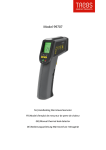
Set the thermometer using ③ on the object being measured and press
button ⑥ to display the surface temperature. The proportion of distance
to target is 1:1. This is why the thermometer should be held as close as
possible to the object being measured.
MINIMUM AND MAXIMUM MODE
While taking measurement the thermometer will display the minimum or
maximum value until button ② is pressed.
To activate minimum mode press ⑥-②-⑥. Press button ⑥ to begin
measurement.
To activate maximum mode press ⑥-②* twice-⑥. Press button ⑥ to
begin measurement.
Stay-on function
The stay-on function is useful for measuring temperatures over longer
periods of time. The thermometer displays the temperature constantly
for a period of up to 60 minutes or until button ⑥ is pressed.
To activate the stay-on function press ⑥-②* three times-⑥.
°C OR °F MODE
To switch between °C (Celsius) and °F (Fahrenheit), press ⑥-②* four
times- ⑥.