1
GB
GB
Important Safety Instructions
Installation
11. Damage Requiring Service
This unit should be serviced by qualified service personnel when:
A. The power supply cord or plug has been damaged.
B. Objects have fallen into or liquid has been spilled into the enclosure.
C. The unit has been exposed to rain.
D. The unit has been dropped or the enclosure damaged.
E. The unit exhibits a marked change in performance or does not operate normally.
12. Periods of Nonuse
If the unit is to be left unused for an extended period of time, such as a month or
longer, the power cord should be unplugged from the unit to prevent damage or
corrosion.
13. Servicing
The user should not attempt to service the unit beyond those methods described
in the user's operating instructions. Service methods not covered in the operating
instructions should be referred to qualified service personnel.
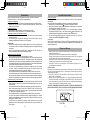
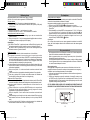
Clock setting battery back-up
A backup battery compartment located at rear of the unit.
(1) Open the main battery compartment lid.
(2) For clock setting backup, follow the polarity diagram shown inside the compartment
and install 2 x AAA (UM-4) batteries (not included).
(3) Close the battery compartment lid.
Features
Thank you for purchasing the iPod/iPhone docking music system.
This model incorporates following features :
Playing different iPod/ iPhone models with charging
PLL FM receiver with 20 preset stations
Clock and Dual Alarm timer function
Wake up to Alarm (Buzzer), Radio or iPod / iPhone with Snooze function
Sleep timer function
LCD display with back-light
Audio line-in (AUX) for connecting other digital audio player
Built-in 2 High Fidelity Speakers
Bass and Treble settings
Remcte Control Operation
“Made for iPod” and “Made for iPhone” mean that an electronic accessory has been
designed to connect specifically to iPod or iPhone respectively and has been certified
by the developer to meet Apple performance standards. Apple is not responsible for the
operation of this device or its compliance with safety and regulatory standards. Please
note that the use of this accessory with iPhone or iPod may affect wireless performance.
Note: In the absence of back-up battery, battery icon will blink at the bottom right hand
corner from the display.
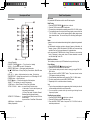
Remote Control
The remote control operates on one CR2032 battery (included).
To activate the remote control,remove the insulation tab attached
in the battery compartment.
AC-DC Adaptor Connection
The unit can be powered by an external AC-DC Adaptor, required the output DC 12V
2000mA (included).
(1) Firmly and securely plug the adaptor's AC plug into AC main outlet.
(2) Connect the adaptor's DC output plug to the DC-in jack of the unit.
Warnings:
- Batteries (battery pack or batteries installed) shall not be exposed to excessive heat
such as sunshine, fire or the like.
- Be sure that the batteries are installed correctly. Wrong polarity may damage the
unit.
- Do not mix old and new batteries.
- Do not mix alkaline, standard (carbon-zinc) or rechargeable (nickel-cadmium)
batteries.
- Only batteries of the same or equivalent type as recommend are to be used.
- If the unit is not to be used for an extended period of time, remove the battery.
- Do not dispose of batteries in fire, batteries may explode or leak.
iPhone, iPod, iPod classic, iPod nano, iPod shuffle and iPod touch are trademarks of
Apple Inc., registered in the U.S. and other countries.
iPod/ iPhone is not included.
4
IPD3560 4lang.indd
4-5
5
2011-3-18
11:19:35