1
BCAci1011:Layout 1
9/11/10
17:02
Page 4
English
English
Important!
Basic set-up
Do not use Bodyclock Active if the lamp cover is broken, damaged
or missing.
The lamp cover gets warm when the light is on so keep the unit
clear of anything that may be damaged by heat. Take care that you
don’t accidentally cover the unit with your bedding!
You’re probably keen to try it out so here’s how to set up and
program your Bodyclock Active to promote restful sleep and a
natural wake-up.
If you need to remove the lamp cover, unplug the unit first and let it
cool down.
Do not open the base – there are no user-serviceable parts inside.
For indoor use only. Keep away from water and damp.
Clean only with a dry or lightly moistened cloth.
Use 42W maximum bulb. Contact Lumie for replacement bulbs.
It’s possible there may be some interference between this product
and other electronic products close by, notably mobile phones.
Usually this is in the form of audible noise and all you need do is
move them apart.
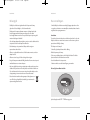
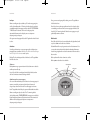
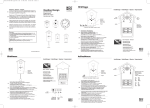
Plugging in
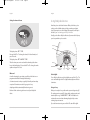
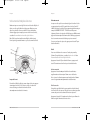
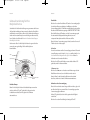
Check that nothing is broken and that the box contains everything
it should: Bodyclock Active unit with power cable and aerial
attached and a separate Lumie 42W bulb.
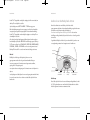
Lift off the lamp cover.
Screw the bulb firmly into the bulb holder.
Replace the lamp cover making sure that it clicks back into position.
Decide where to put your Bodyclock Active - the ideal place is near
the head of your bed.
Plug in the unit and switch on at the mains.
Now you’re ready to make some essential settings.
At the end of its life, do not throw the unit out with normal
domestic waste. Please take it to an official recycling point
to be disposed of responsibly.
4 | www.lumie.com
www.lumie.com | 5