1
EN
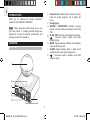
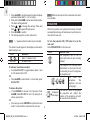
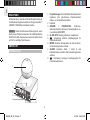
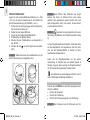
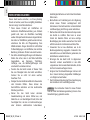
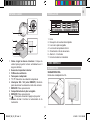
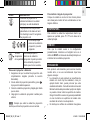
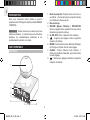
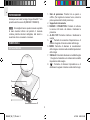
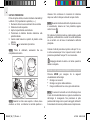
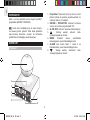
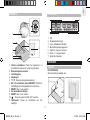
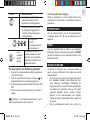
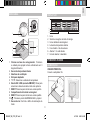
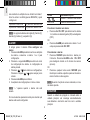
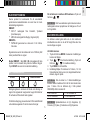
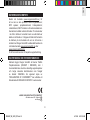
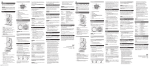
BASE VIEW
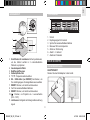
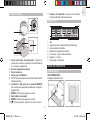
LCD DISPLAY
5
1
8
1
2
9
10
1.
2.
3.
4.
5.
6.
7.
2
3
6
7
3
4
11
4
5
6
7
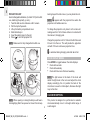
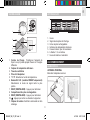
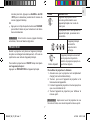
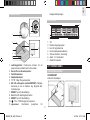
Time
Clock radio reception signal
Rechargeable battery icon
Indoor temperature reading
Time zone / day of the week
Alarm 1 / 2 is activated
Alarm time / calendar
GETTING STARTED
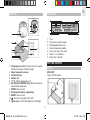
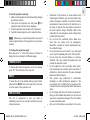
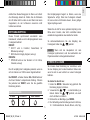
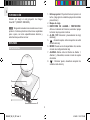
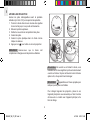
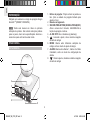
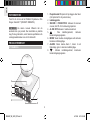
1. Charging base circles: Position the unit to project
the time vertically at 3 different angles
2. Indoor temperature sensor
3. Ventilation holes
4. Adapter slot
5. °C / °F: Selects temperature unit
6. EU / UK switch (RM382P only): Slide to select your
nearest radio signal base
7. RESET: Press to reset
8. Rechargeable battery compartment
9. RESET: Press to reset
10.
: Press to turn projector ON / OFF
11. Light sensor: Control the brightness of backlight
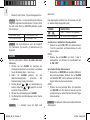
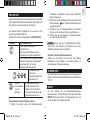
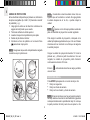
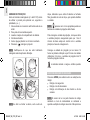
POWER
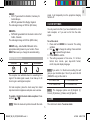
MAIN UNIT
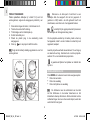
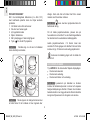
Plug in the AC adapter.
3
RM382P_M_EN_OP_REVISED1.indd 3
4/19/06 6:03:17 PM