1
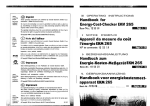
Installation
1. Wear the headset and adjust the microphone position.
3. Press the headset/handset selection switch to select the
headset and make sure that the Mute- button is released.
4. Lift and place the telephone handset beside the telephone
and check the dial tone.
English
2. Remove the compatibility switch cover with low pressure at
the marked area at the top of the multifunction box and pull it
downwards.
5. Please check all switch combination where you can hear the
dial tone at its best. You have the correct position when you
can hear the dial tone and you hear your own voice (at a low
level) when you speak into the microphone.
- 21 -
C4U pro D-E-NL.indd 21
29.03.2006 17:04:54