1
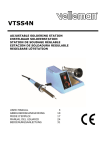
VTSS4N
3. Ge
eneral Guid
delines
Refer to the Velleman
n® Service an
nd Quality Wa
arranty on the
e last pages of this manual.
Indoorr use only. Ke
eep this device away form rain, moisture, splashing and
dripping
g liquids. Neve
er put object fillled with liquid on top.
Keep th
his device away
y from dust an
nd extreme hea
at. Make sure the
t
ventilation
opening
gs are clear at all times.
Protect this device fro
om shocks and abuse. Avoid brute force wh
hen operating the
t
device.
•
•
Famiiliarise yourself with the func
ctions of the de
evice before ac
ctually using it.
All modifications
m
off the device are
e forbidden forr safety reason
ns. Damage cau
used by user
modifications to the device is nott covered by th
he warranty.
y use the device
e for its intend
ded purpose. Using the device
e in an unauthorised way will void
Only
the warranty.
w
Dam
mage caused by
y disregard of certain
c
guidelin
nes in this man
nual is not cove
ered by the
warrranty and the dealer
d
will not accept
a
respons
sibility for any ensuing defectts or problems.
Do not
n switch the device
d
on immediately after it
i has been exp
posed to chang
ges in temperature.
Prote
ect the device against damag
ge by leaving itt switched off until
u
it has reac
ched room
temp
perature.
•
•
•
4. Fea
atures
•
•
•
•
•
•
ideal for hobby electtronics and worrkshop
plete with solde
ering iron holderr and viscose sp
ponge
comp
comp
pact, stable and
d isolated casing
g
shortt heating times
powe
erful soldering iron for a wide application
a
rang
ge
temp
perature range 150°C – 450°C
C
5. Ov
verview
Refer to the illustration
ns on page 2 of
o this manual.
1
2
3
4
ON//OFF switch
temperature contrrol
spon
nge
iron stand
5
6
7
8
bitt
heating element
antiskid rubber
handle
6. Ins
structions
s
a. Prep
paration
• Put
P the solderin
ng iron holder in the correspo
onding hole in the casing of the
t
soldering
s
station.
• Make
M
sure the sponge is completely saturatted with clean water
w
and let it drip off beforre
y
you
put it in the sponge tray.
• Put
P the solderin
ng tip into the shaft and attach it to the soldering iron witth a coupling nut.
n
O
Only
change a soldering tip when
w
the solderring iron has co
ooled down. Lo
oosen the coup
pling
n and gently pull out the so
nut
oldering tip. Ch
heck the screw fitting regularrly and tighten it
w
when
necessary
y.
Warrning: Never use
u
the solde
ering iron with
hout the soldering tip.
b. Elec
ctrical Connec
ction
• Put
P the ON/OFF
F switch in the 0-position (OF
FF) and connec
ct the device to
o a 230V/50Hz
z
p
power
supply. The
T
soldering station
s
is now ready for use.
c. Tem
mperature settting
• Switch
S
on the soldering
s
statio
on by putting the ON/OFF switch in the 1-po
osition (ON) (tthe
r
red
switch will light). You can
n set the tempe
erature betwee
en 150° and 45
50° C.
15.11.20
010
4
©Vellem
man nv