1
Optelec
MultiView
1. Introduction
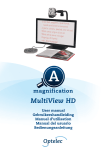
Congratulations on choosing the MultiView, an easily-transportable autofocus
video magnification system from Optelec. Use the MultiView for reading,
writing, viewing photographs, doing crafts, viewing distant objects, putting on
makeup, and so much more!
The MultiView enables you to view printed text, images and objects in different
colors, and to magnify them up to 79 times on a 19” wide screen display. With
its ergonomic control pad, flexible camera arm and light-weight X-Y table the
MultiView extends in operating and reading comfort. The MultiView can be
used at home or in school and office settings.
If you have any questions or suggestions concerning this product, please
contact your distributor or the Optelec headquarters by consulting the contact
information page found at the end of this user manual. Your feedback is
greatly appreciated. We hope you enjoy working with your MultiView.
About this manual
This user manual offers a comprehensive guide to the features and operation
of the MultiView video magnifier. The illustrations in this user manual may be
different from the actual situation. Optelec will not assume any responsibility
for the misinterpretation of any of the content found in this user manual.
Please read this user manual carefully before operating your MultiView, and
keep it handy at all times for immediate reference.
English
Page 5