1
10-555(-50)10-585(-50)
User manual - Video internal unit
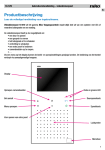
- standard function: door open key
-can also function as door open and light switch key (if installed).
Operation: if the receiver is put down, this key switches the light relay of the power
supply module. If the receiver is picked up, this key switches the door key contact
of the power supply module.
Press for 1s. to switch off the ring tone of the internal unit. The red LED next to the key lights
up. Press again for 1s to reactivate the ring tone. The red LED goes out.
Activates the camera for 80s.
Switches an additional relay (if installed).
-turning clockwise brightens the image;
-turning counterclockwise darkens the image.
-turning clockwise increases the volume;
-turning counterclockwise decreases the volume.
Ringing signals
Three fixed ring tones are used to distinguish between 3 different kinds of calls:
-call from an external unit
-call from a floor bell push button
-internal call
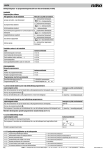
Meaning of the red LED
The LED lights continuously
The LED blinks 5x when you pick up the receiver
or the camera is activated
The LED blinks 5x during a call or when you are
viewing camera images
the ring tone has been switched off
the system is busy. Try again later.
someone else is trying to make a call, but you
are keeping the system busy.
Demounting
To demount the video internal unit for painting or papering, insert a fine
screwdriver into the opening at the top of the unit. Loosen the bolt by applying light vertical pressure with the screwdriver and pull the internal unit
from the mounting plate.
NOTE:
A demounted video internal unit may influence the image quality of
other internal units, and should therefore be mounted back in place as
soon as possible.
21
EN