1
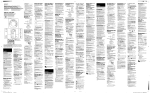
6. ALARM
7. UP & DOWN
8. P1/P2/P3/P4/P5
9. VOL10.VOL+
11.SELECT
12.Main Speaker
BACK PANEL
13. AUX IN Socket
14. PHONES Socket
15. Adjustable
Antenna
16. Battery
Compartment
17. Battery On/Off
18. AC IN~
- Press “ALARM” button to show the current Alarm setting.
- Long press “ALARM”, “UP” / “DOWN” and then “SELECT” to setup the alarm time & date,
alarm volume level and wake up source.
- Press “UP” / “DOWN” button to view the current menu selection
(DAB) Cycle through the available station, push “SELECT” button to confirm selection
and start the DAB broadcast.
(FM) Manual tune FM frequency, push “UP”/”DOWN” button step by step to select
the active frequency range.
(All setting modes) Press and hold “UP”/”DOWN” button to the next available
station.
- Press “P1”/”P2”/”P3”/”P4”/”P5” to recall the preset stations.
- Press and hold “P1”/”P2”/”P3”/”P4”/”P5” (DAB/FM) to save the current broadcasting
station into that preset key memory. It has 5 DAB and 5 FM preset memory
- Press “VOL-“ button to decrease the volume, Volume level from 0 to 20
- Press “VOL+“ button to increase the volume, Volume level from 0 to 20
- Press “SELECT” button to select the highlighted menu item
- 3” speaker drive is built-in
- Connect a stereo or mono audio source to the AUX IN socket i.e. iPod, MP3 Player, CD
player... etc
- Connect a headphone to this 3.5mm headphone socket to listen the unit. Inserting plug
automatically mutes the internal loudspeaker.
- Adjust this adjustable antenna and position it for best DAB or FM reception.
- In Strong FM signal location(s), reduce the length of antenna until better reception.
- If FM reception is unsatisfactory, turn the unit slightly until reaching the best reception.
- Retract the antenna when using/connecting the AUX IN or not using the unit
- 1 pack rechargeable batterypack can be installed into the battery compartment.
Rechargeable battery is not included.
- Turn ‘ON’ the battery switch to connect the batteries power
- Turn ‘OFF’ the battery switch to cut off the batteries power when not using the unit.
- Connect a power cord into this AC power socket and the other end of power plug in the
power plug into AC230V~50Hz power source for AC power supply.
3