1
DVM8852
5. Overview
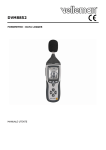
General: refer to the Figure 1 and Figure 2 on page 2 of this manual.
A windscreen
J
hold button
B LCD display
K backlight button
C record start/stop button
L external 9VDC jack
D setup button
M USB mini-B connector
E mode select button
N AC/DC output jack
F signal weighing select button
O pick-up element
G max/min capture button
P tripod mounting hole
H range/level select button
Q battery cover
I power on/off button
LCD-display: refer to Figure 3 on page 2 of this manual.
1
UNDER
the current measurement is below the selected range
2
OVER
the current measurement is above the selected range
3
MAX
the maximum noise level is being measured
4
MIN
the minimum noise level is being measured
5
FAST
fast measurement mode, measurement every 125ms
6
SLOW
slow measurement mode, measurement every 1s
7
88
range indicator, lower limit
8
188
range indicator, lower limit
9
bar graph
10
DATE
scale depends on selected range (low, medium, high, auto)
11
18:88:88
12
TIME
indicates time display
13
188.8
measured sound level
only displayed during setup
shows time during normal operation, shows set-up codes during set-up
14
auto-power off mode enabled
15
low battery indication, replace battery
16
REC
datalogger enabled, data is being stored
17
FULL
datalogger memory is full, connect meter to PC to save/clear memory
18
dBA
A-weighted mode
19
dBC
C-weighted mode
20
AUTO
automatic range selection
21
HOLD
hold mode, displayed value frozen
6. Operation
General
• Slide the windscreen [A] over the pick-up element [O] to avoid erroneous measurements due to
strong winds.
• Switch the sound meter on by pressing the power on/off button [I].
• Select the sound pressure range with the range/level select button [H]. Ranges are indicated on
the display [7], [8] and [20]. The bar graph [9] scale depends on the selected range.
[7]
•
[8]
range
30
80
low
50
100
medium
80
130
high
30
130
auto range
When the UNDER [1] or OVER [2] indication appears, the measurement is outside the selected
range. Select an appropriate range.
00 (04/11/2008)
5
Velleman®