1
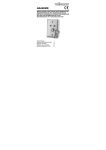
HAA263D
• Enter an appropriate USER CODE,
,
and
.
• All zone LEDs will turn off.
• The system is in disarmed mode and can be re-armed at any time.
h. Panic button function
At anytime, pressing and holding down any TWO buttons on the keypad simultaneously for more
than three seconds will trigger an alarm. This 24 hour emergency alarm is a software alarm which
is indicated as zone 8. It can not be changed.
i. Check faulty zone(s)
• Make sure the system or partition is in disarmed condition.
• Enter the appropriate USER CODE,
,
and
.
• The LEDs of the faulty zone(s) will light up.
• Each display period is 30 seconds. At the end of the period, a beep is generated. If any button is
pressed within 5 seconds after that beep, a new period of 30 seconds begins. The display period
may be prolonged as many times as necessary.
• The system resumes to normal operation 5 seconds after the beep if no button press is detected.
• The system does not allow to arm during faulty zone checking and the keypad is temporarily
disabled.
j. Dynamic battery test
• The system automatically tests the backup battery once every 24 hours.
• To initiate a dynamic battery test, disarm the alarm system.
•
•
•
•
,
and
. The battery LED will flash.
Enter USER CODE,
Manually initiated testing does not affect the periodic battery test.
The test takes 5 seconds to 2 minutes depending on the condition of the battery.
Manually battery test is usually required after installation of a new back-up battery.
k. Dynamic output relay test
Visible and audible alarm indicators e.g. siren, strobe light ..., are connected to the output relays.
It is important to periodically ensure that these relays still function properly.
• To initiate a dynamic output relays test, disarm the alarm system.
,
and
.
• Enter USER CODE,
• Both timing and latch output relays operate for 5 seconds. Verify that all visible and audible
alarm indications e.g. sirens, strobe light… are functional.
• If an alarm indicator is not working, check the wiring and the device immediately.
• It is advisable to run this test on a monthly basis.
9. Technical specifications
Operating Voltage
Dimensions
Weight
12VDC (provided by HAM263D)
117 x 117 x 27mm
220g
Use this device with original accessories only. Velleman nv cannot be held responsible in
the event of damage or injury resulted from (incorrect) use of this device.
For more info concerning this product, please visit our website www.velleman.eu.
The information in this manual is subject to change without prior notice.
02 (15/11/2013)
8
VELLEMAN