1
Bedienungsanleitung
Operating Manual
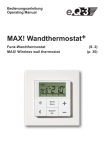
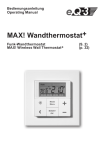
MAX! Wandthermostat
Funk-Wandthermostat MAX! Wireless wall thermostat (S. 2)
(p. 28)
1
Inhaltsverzeichnis
1. Bestimmungsgemäßer Einsatz...........................................3
2. Übersicht..............................................................................3
3. Bedienung und Display.......................................................4
4. Sicherheitshinweise............................................................5
5. Entsorgungshinweise..........................................................5
6. Batterien einlegen (wechseln).............................................5
7. Datum und Uhrzeit einstellen (dAt).....................................6
8. Montage...............................................................................8
9. Montage in bestehende Schalterserien............................10
10. Anlernen an MAX! Komponenten...................................10
11. Ablernen von MAX! Komponenten (UnL)........................12
12. Display-Inhalt im Normalbetrieb.....................................13
13. Betriebs-Modi (Auto / Manu / Urlaubsfunktion)..............13
14. Kindersicherung / Bediensperre ( )..............................14
15. Heizungspause einstellen (ON)......................................14
16. Frostschutzbetrieb einstellen (OFF)...............................15
17. Konfigurationsmenü (Menu)
(Betrieb ohne MAX! Cube)...............................................15
17.1 Wochenprogramm einstellen (Pro)...........................17
17.2 Anzeige Uhrzeit/Datum einstellen (t-d)....................19
17.3 Umschalten von Soll- und Ist-Temperatur (S-A)......19
17.4 Komfort- und Absenktemperatur einstellen.............20
17.5 Boost-Funktion ( BOOST , bOS) einstellen....................21
17.6 Die Urlaubsfunktion einstellen ( ).........................22
17.7 Entkalkungsfahrt einstellen (dEC)............................23
17.8 Fenster-auf-Funktion / Lüften ( , AEr) einstellen.24
17.9 Offset-Temperatur einstellen (tOF)..........................24
18. Zurücksetzen in den Auslieferungszustand/Reset (rES).25
19. Hinweise zum Funkbetrieb..............................................26
20. Technische Daten............................................................27
Lesen Sie diese Anleitung sorgfältig, bevor Sie das Gerät in Betrieb nehmen. Bewahren Sie die Anleitung zum späteren Nachschlagen auf.
1. Ausgabe Deutsch 04/2012
Dokumentation © 2012 eQ-3 Ltd., Hong Kong.
Alle Rechte vorbehalten.
BC-TC-C-WM, V2.0, 99109
2
1. Bestimmungsgemäßer Einsatz
Mit dem MAX! Wandthermostat können bis zu 8 MAX!
Heizkörperthermostate in einem Raum komfortabel reguliert werden.
Der Wandthermostat verfügt über einen internen Sensor,
der die Temperatur im Raum misst und zyklisch an die
Heizkörperthermostate übermittelt.
Betreiben Sie das Gerät nur in Innenräumen und vermeiden Sie den Einfluss von Feuchtigkeit, Staub sowie Sonnen- oder Wärmebestrahlung. Jeder andere
Einsatz als der in dieser Bedienungsanleitung beschriebene ist nicht bestimmungsgemäß und führt zu
Garantie- und Haftungsausschluss. Dies gilt auch für
Umbauten und Veränderungen. Die Geräte sind ausschließlich für den privaten Gebrauch gedacht.
2. Übersicht
(A) Montageplatte
(B) Wechselrahmen
(C) Taster
A
B
C
3
3. Bedienung und Display
A
B
C
D
E
J
I
H
F
4
G
(A)
Automatikbetrieb (Auto), Manueller Betrieb (Manu), Urlaubsfunktion
(
), Boost-Funktion ( BOOST ), Fenster-auf-Symbol (
), Bediensperre-Symbol ( )
(B)
Wochentag, Batterie-leer-Symbol (
), Funksynchronität (
fort-/Absenktemperatur (
), Uhrzeit/Datum
), Kom-
(C)
Eingestellte Zeiträume im Wochenprogramm
(D)
Komfort-Taste (
(E)
Absenk-Taste (
(F)
Mode-/Menu-Taste: Zum Wechseln des Betriebsmodus und zum Öffnen
des Konfigurationsmenüs; Verlassen/Zurück im Menü
(G)
BOOST-/OK-Taste: zum Bestätigen von Einstellungen und Aktivieren
der Boost-Funktion
(H)
(-) Taste: zum Senken der Solltemperatur, Blättern im Menü
(I)
(+) Taste: zum Erhöhen der Solltemperatur, Blättern im Menü
(J)
Soll-/Ist-Temperatur
): zum Wechseln auf die Komforttemperatur
): zum Wechseln auf die Absenktemperatur
4. Sicherheitshinweise
Das Gerät ist kein Spielzeug, erlauben Sie Kindern nicht
damit zu spielen. Verpackungsmaterial bitte nicht achtlos
liegen lassen, dies kann für Kinder zu einem gefährlichen
Spielzeug werden. Öffnen Sie das Gerät nicht, es enthält
keine durch den Anwender zu wartenden Teile. Im Fehlerfall schicken Sie das Gerät an den Service.
5. Entsorgungshinweise
Gerät nicht im Hausmüll entsorgen!
Elektronische Geräte sind entsprechend der Richtlinie über Elektro- und Elektronik-Altgeräte über die
örtlichen Sammelstellen für Elektronik-Altgeräte
zu entsorgen!
Das CE-Zeichen ist ein Freiverkehrszeichen, das
sich ausschließlich an die Behörden wendet und
keine Zusicherung von Eigenschaften beinhaltet.
Verbrauchte Batterien gehören nicht in den
Hausmüll! Entsorgen Sie diese in Ihrer örtlichen
Batteriesammelstelle!
6. Batterien einlegen (wechseln)
1. Auslieferungszustand
Wenn Sie das Gerät zum ersten Mal in Betrieb nehmen,
entfernen Sie zunächst die Montageplatte (A) auf der Rückseite des Tasters.
• Halten Sie dazu den MAX! Wandthermostat in einer Hand
fest und ziehen Sie die Montageplatte an einer Ecke ab.
5
2. Montierter Zustand
Im montierten Zustand lässt sich der Taster (C) einfach aus
dem Rahmen und von der Montageplatte ziehen.
• Ziehen Sie den Taster (C) samt Rahmen (B) von der Wand
ab, indem Sie seitlich am Rahmen ziehen. Ein Entfernen
der Wippe oder Öffnen des Gerätes ist nicht erforderlich.
Batterien wechseln
• Drehen Sie den Taster (C) auf die Rückseite, um die Batterien einzulegen bzw. zu entfernen. Nach Entnahme
der Batterien sollte ca. 60 Sekunden
gewartet werden.
• Legen Sie 2 LR03 Batterien (Micro/AAA)
polungsrichtig gemäß Markierung in die
Batteriefächer ein.
• Setzen Sie den Taster (C) wieder in den
Rahmen (B).
Das Batterie-leer-Symbol ( ) weist daraufhin, dass
die Batterien auszutauschen sind. Wird zusätzlich
ein V oder ein S angezeigt, müssen die Batterien eines angelernten Heizkörperthermostats (V) oder
Fensterkontakts (S) ausgetauscht werden.
Normale Batterien dürfen niemals aufgeladen werden. Es besteht Explosionsgefahr. Batterien nicht ins
Feuer werfen! Batterien nicht kurzschließen!
7. Datum und Uhrzeit einstellen (dAt)
Wenn Batterien eingelegt oder ausgetauscht werden, wird
nach kurzer Anzeige der Firmware-Versionsnummer automatisch Datum und Uhrzeit abgefragt. Mit Hilfe der (+) und
6
(-) Tasten können die Eingaben geändert und mit der OKTaste bestätigt werden.
• Stellen Sie Jahr, Monat und Tag ein und bestätigen Sie
die Eingaben mit der OK-Taste.
Jahr:
Monat und Tag:
• Stellen Sie nun die Uhrzeit ein und bestätigen Sie die
Eingaben mit der OK-Taste.
Stunden:
Minuten:
Nach abgeschlossener Zeit- und Datumseingabe wechselt
der Wandthermostat in den Normalbetrieb.
Wurde der MAX! Wandthermostat an den MAX! Cube
angelernt, so erhält er anschließend von diesem das
Datum und die Uhrzeit.
Datum und Uhrzeit können jederzeit über „dAt“ im
Konfigurationsmenü geändert werden.
7
8. Montage
Sie können den MAX! Wandthermostat entweder im beiliegenden Rahmen an eine Wand schrauben/kleben oder
in eine bestehende Schalterserie integrieren (Näheres zur
Kompatibilität finden Sie in Kapitel 9).
Klebestreifen-Montage:
• Wählen Sie einen beliebigen Ort zur Befestigung aus.
Der Untergrund muss sauber, trocken und fettfrei sein.
• Bringen Sie den MAX! Wandthermostat im zusammengebauten Zustand an. Hierzu befestigen Sie die Klebestreifen auf der Rückseite der Montageplatte (A). Achten Sie
darauf, dass die Schrift auf der Rückseite für Sie lesbar ist.
<PA66>
• Entfernen Sie die Folie von den Klebestreifen.
• Drücken Sie jetzt den zusammengebauten Wandtthermostat mit der Rückseite an die gewünschte Position
an die Wand.
Schraub-Montage:
• Wählen Sie einen geeigneten Montageort aus.
8
Stellen Sie sicher, dass in der Wand keine Leitungen
verlaufen.
• Halten Sie die Montageplatte an die gewünschte Montageposition. Achten Sie darauf, dass der Pfeil auf der
Vorderseite der Montageplatte nach oben zeigt.
• Zeichnen Sie zwei der Bohrlöcher A anhand der Montageplatte (diagonal gegenüberliegend) mit einem Stift an
der Wand an. Die Bohrlöcher B können für die Montage
auf einer Unterputzdose verwendet werden.
B
A
A
B
• Bohren Sie die vorgezeichneten Löcher. Bei Steinwänden verwenden Sie einen 5 mm Bohrer für die Dübel. (Bei
Holzwänden können Sie einen 1,5 mm Bohrer verwenden, um das Eindrehen der Schrauben zu erleichtern.)
• Montieren Sie die Montageplatte durch Eindrehen der
mitgelieferten Schrauben und Dübel.
• Setzen Sie nun den Taster im Rahmen auf die Montageplatte. Achten
Sie darauf, dass die Pfeile auf der
Rückseite des Tasters nach oben
zeigen und die Klammern der Montageplatte in die Öffnungen des Tasters rasten.
9
9. Montage in bestehende Schalterserien
Sie können den MAX! Wandthermostat sowohl mit dem mitgelieferten Rahmen, als auch mit Rahmen anderer Hersteller verwenden oder den Taster in einen Mehrfachrahmen
integrieren. In beiden Fällen ist sowohl eine Klebestreifen-,
als auch eine Schraub-Montage möglich. Bei der Montage
in Mehrfachkombinationen ist darauf zu achten, dass die
Montageplatte des MAX! Wandthermostats bündig neben
bereits befestigten Montageplatten/Tragringen angebracht
und daran ausgerichtet wird.
Der MAX! Wandthermostat passt grundsätzlich in die Rahmen folgender Hersteller:
Hersteller
Rahmen
Berker
S.1, B.1, B.3, B.7 Glas
ELSO
Joy
GIRA
System 55, Standard 55, E2, E22, Event, Espirit
merten
1-M, Atelier-M, M-Smart, M-Arc, M-Star, M-Plan
JUNG
A 500, AS 500, A plus, A creation
10. Anlernen an MAX! Komponenten
Um den MAX! Wandthermostaten in Ihrer Installation nutzen zu können, müssen Sie ihn an das MAX! System anlernen. Sie können den MAX! Wandthermostat sowohl in
Verbindung mit dem MAX! Cube als auch ohne Einsatz
des MAX! Cubes nutzen. In den nachfolgenden Abschnitten sind die zwei möglichen Anwendungsfälle beschrieben.
10
10.1 Anlernen an das MAX! System mit dem
MAX! Cube
In Verbindung mit dem MAX! Cube wird der MAX! Wandthermostat über die lokale MAX! Software angelernt und
konfiguriert. Die in Kapitel 17. beschriebenen Funktionen
sind dann durch die MAX! Software verfügbar. Das Konfigurationsmenü des MAX! Wandthermostats („Menu/Mode“Taste) ist in diesem Fall deaktiviert.
Zum Anlernen an den MAX! Cube gehen Sie folgendermaßen vor:
• Starten Sie die lokale MAX! Software und klicken Sie
auf „Neues Gerät“.
• Aktivieren Sie den Anlernmodus am MAX! Wandthermostat mit einem langen Tastendruck der OK-Taste.
• Das Antennensymbol erscheint im Display und der MAX!
Wandthermostat erscheint in der MAX! Software.
• Gehen Sie in der Software auf „Weiter“, um dem Gerät
einen Namen zu geben und es einem Raum zuzuordnen.
• Der MAX! Wandthermostat ist nun im System integriert
und kann in der Software im jeweiligen Raum konfiguriert werden.
Beim Anlernen an einen MAX! Cube gehen alle zuvor vorgenommenen Einstellungen im MAX! Wandthermostaten verloren.
Sobald der MAX! Wandthermostat an den MAX!
Cube angelernt ist, erhält er Datum, Uhrzeit und Wochenprogramm vom MAX! Cube.
11
10.2 Anlernen von MAX! Komponenten an den
MAX! Wandthermostaten (ohne MAX! Cube)
Sie können bis zu 8 MAX! Heizkörperthermostate direkt,
ohne Einsatz eines MAX! Cubes, an den MAX! Wandthermostaten anlernen. Diese übernehmen dann die Einstellungen des MAX! Wandthermostaten (z.B. Modus, Temperatur, Wochenprogramm). Der MAX! Wandthermostat gibt
alle Befehle und Einstellungen an die an ihn angelernten
Geräte sternförmig weiter.
Zum Anlernen gehen Sie wie folgt vor:
• Versetzen Sie zunächst den Anlernpartner (z.B. den MAX!
Heizkörperthermostaten) gemäß der entsprechenden
Bedienungsanleitung in den Anlernmodus.
• Aktivieren Sie den Anlernmodus am MAX! Wandthermostat mit einem langen Tastendruck der OK-Taste.
• Im Display erscheint das Antennensymbol ( ) und die
verbleibende Anlernzeit (30 Sekunden).
• Der MAX! Wandthermostat wechselt nach erfolgreichem
Anlernen zurück in den normalen Betriebsmodus.
11. Ablernen von MAX! Komponenten (UnL)
Beim Betrieb mit dem MAX! Cube erfolgt das Ablernen des
MAX! Wandthermostats und der anderen Geräte über die
MAX! Software im jeweiligen Raum.
Beim Betrieb ohne MAX! Cube nutzen Sie die Funktion
„UnL“ im Menü, um an den MAX! Wandthermostat angelernte Geräte (z.B. MAX! Heizkörperthermostat) abzulernen. Dabei werden alle Funkkomponenten gleichzeitig
abgelernt.
12
Gehen Sie zum Ablernen folgendermaßen vor:
• Halten Sie die Mode-Taste für länger als 3 Sekunden
gedrückt.
• Wählen Sie mit den (+) und (-) Tasten den Menüpunkt
UnL (Unlearn).
• Bestätigen Sie Ihre Auswahl mit der OK-Taste.
• Im Display erscheint ACC (Accept). Bestätigen Sie den
Ablern-Vorgang mit der OK-Taste.
Zum Abschluss muss der MAX! Wandthermostat über
das Herstellen der Werkseinstellungen (siehe Kapitel 18.
Reset) gelöscht werden.
12. Display-Inhalt im Normalbetrieb
Im Normalbetrieb werden Betriebsmodus, Wochentag,
Soll-Temperatur, Uhrzeit, Funksynchronität und Schaltzeiträume angezeigt.
Die Balken für Schaltzeiträume des Wochenprogramms
werden für jedes Zeitintervall angezeigt, bei dem die Temperatur über der Absenktemperatur liegt. Ein Beispiel ist
im Abschnitt 17.1.1 zu finden.
13. Betriebs-Modi (Auto / Manu / Urlaubsfunktion)
Sie haben die Möglichkeit, zwischen den Betriebs-Modi
Auto-, Manu- und Urlaubsmodus zu wechseln:
Auto: Wochenprogramm - automatische Temperaturregelung gemäß hinterlegtem Wochenprogramm.
Manu: Manueller Betrieb - die Temperatur wird manuell
über die (+) und (-) Tasten eingestellt.
13
Urlaubsfunktion ( ): Einstellen einer Temperatur, die bis
zu einem fixen Zeitpunkt gehalten werden soll.
Die Einstellungen hierfür können Sie im Betrieb mit MAX!
Cube bequem in der Software vornehmen.
Beim Betrieb ohne MAX! Cube, können Sie die Funktionen über einen kurzen Druck der Mode-Taste wechseln.
Wird der Betriebsmodus oder die Temperatur an einem Gerät im Raum geändert, übernehmen alle angelernten Heizkörperthermostate diese Änderung.
14. Kindersicherung / Bediensperre ( )
Die Bedienung des Wandthermostats kann gesperrt werden,
um das ungewollte Verändern von Einstellungen, z.B. durch
versehentliches Berühren, zu verhindern.
• Um die Bediensperre zu aktivieren/deaktivieren, sind die
Mode- und die OK-Taste gleichzeitig kurz zu drücken.
• Nach der Aktivierung erscheint das Bediensperre-Symbol ( ) im Display.
15. Heizungspause einstellen (ON)
Ist die Heizung im Sommer abgeschaltet, können die Batterien der MAX! Heizkörperthermostate geschont werden.
Dazu werden die Ventile ganz geöffnet. Der Verkalkungsschutz wird weiter durchgeführt.
• Betätigen Sie die (+) Taste im manuellen Betrieb (Manu)
so lange, bis im Display „ON“ erscheint.
• Zum Beenden verlassen Sie den manuellen Betrieb
(Manu) oder drücken Sie die (-) Taste.
14
16. Frostschutzbetrieb einstellen (OFF)
Wenn der Raum nicht geheizt werden soll, können die Ventile der Heizkörper geschlossen werden. Nur bei Frostgefahr werden sie geöffnet. Der Verkalkungsschutz wird dabei
weiter durchgeführt. Zum Aktivieren gehen Sie wie folgt vor:
• Betätigen Sie die (-) Taste im manuellen Betrieb (Manu)
so lange, bis im Display „OFF“ erscheint.
• Zum Beenden verlassen Sie den manuellen Betrieb
(Manu) oder drücken Sie die (+) Taste.
17. Konfigurationsmenü (Menu)
(Betrieb ohne MAX! Cube)
Wenn Sie Ihr MAX! System mit einem MAX! Cube
betreiben, können Sie die in den folgenden Kapiteln beschriebenen Funktionen bequem in der
MAX! Software in jedem Raum einstellen.
Die nachfolgenden Schritte erläutern, wie das
Einstellen dieser Funktionen im Betrieb ohne
MAX! Cube durchgeführt wird. In Verbindung mit
dem MAX! Cube sind diese Funktionen am MAX!
Wandthermostat deaktiviert.
Im Konfigurationsmenü lassen sich Einstellungen beim
Einsatz ohne MAX! Cube ändern. Das Menü lässt sich
über einen langen Tastendruck (länger als 3 Sekunden)
der Mode-Taste aufrufen.
Menüpunkte werden mit der (+) und (-) Taste ausgewählt
und mit OK bestätigt. Ein erneuter Druck der Mode-Taste
15
führt zur vorherigen Ebene zurück. Nach 60 Sekunden Inaktivität schließt sich das Menü automatisch.
dAt:
Ändern von Uhrzeit und Datum (Abschnitt 7.)
UnL:
Ablernen von Funkkomponenten (UnL)
(Abschnitt 11.)
Pro:
Einstellen des Wochenprogramms (Ab schnitt 17.1)
Anzeige von Uhrzeit und Datum umschalten
(Abschnitt 17.2)
t-d:
S-A:
Ändern der Displayanzeige von Soll- und IstTemperatur (Abschnitt 17.3)
bOS:
Einstellen der Ventilöffnung und der Dauer der
Boost-Funktion (Abschnitt 17.4)
Boost:
Einstellen der Boost-Funktion (Abschnitt 17.5)
Urlaubsfunktion einstellen (Abschnitt 17.6)
dEC:
Einstellen der Entkalkungsfahrt (Abschnitt
17.7)
AEr:
Einstellen der Fenster-auf-Temperatur für die
automatische Temperaturabsenkung beim Lüften (Abschnitt 17.8)
tOF:
Einstellen des Temperatur-Offsets (Abschnitt
17.9)
rES:
Werkseinstellungen wieder herstellen
(Abschnitt 18.)
16
17.1 Wochenprogramm einstellen (Pro)
Im Wochenprogramm lassen sich für jeden Wochentag separat bis zu 6 Heizphasen (13 Schaltzeitpunkte) einstellen.
Die Programmierung erfolgt für die ausgewählten Tage,
wobei für einen Zeitraum von 00:00 bis 23:59 Temperaturen hinterlegt werden müssen.
• Drücken Sie die Mode-Taste länger als 3 Sekunden. Im
Display erscheint „Pro“.
• Bestätigen Sie mit der OK-Taste. Im Display erscheint
„dAy“.
• Wählen Sie mit den (+) und (-) Tasten einen einzelnen
Wochentag, alle Werktage, das Wochenende oder die
gesamte Woche aus (Bsp. Werktage).
• Bestätigen Sie Ihre Auswahl mit der OK-Taste.
• Stellen Sie nun die Endzeit mit den (+) und (-) Tasten des
ersten Zeitabschnitts ein (Bsp. 6:00 Uhr, für den Zeitraum
von 0:00 – 6:00 Uhr).
• Bestätigen Sie die Auswahl mit der OK-Taste.
• Wählen Sie mit den (+) und (-) Tasten die gewünschte
Temperatur für den zuvor gewählten Zeitabschnitt aus
(Bsp. 17.0°C).
• Bestätigen Sie Ihre Auswahl mit
der OK-Taste.
• Wiederholen Sie diesen Vorgang,
bis für den Zeitraum von 0:00 bis
23:59 Temperaturen hinterlegt sind.
Im Auto-Modus kann das eingestellte Wochenprogramm
automatisch von angelernten MAX! Heizkörperthermostaten übernommen und die Temperatur über die (+) - und (-)
-Taste bzw. Komfort ( )- und Absenktaste ( ) jederzeit
verändert werden. Die geänderte Temperatur bleibt dann
17
bis zum nächsten Programmwechsel erhalten.
Die Programmierung am Gerät ist nur dann möglich,
wenn dieses nicht an den MAX! Cube angelernt ist.
17.1.1 Wochenprogramm: Beispiele
Mit dem MAX! Wandthermostat können für jeden Wochentag bis zu 6 Heizzeiten (13 Schaltzeitpunkte) mit individueller Temperaturvorgabe hinterlegt werden. Werkseitig ist
folgendes Wochenprogramm hinterlegt:
Montag-Freitag:
ab 00:00 bis 06:00
ab 06:00 bis 09:00
ab 09:00 bis 17:00
ab 17:00 bis 23:00
ab 23:00 bis 23:59
17.0°C
21.0°C
17.0°C
21.0°C
17.0°C
Samstag und Sonntag:
ab 00:00 bis 06:00
17.0°C
ab 06:00 bis 22:00
21.0°C
ab 22:00 bis 24:00
17.0°C
Im Display werden Balken für Heizphasen immer dann
angezeigt, wenn die eingestellte Temperatur für den
Zeitraum größer als die eingestellte Absenktemperatur ist.
18
Soll ein Raum (z.B. Badezimmer) auch zur Mittagszeit
beheizt werden, kann eine Programmierung wie folgt
aussehen:
Montag bis Sonntag:
ab 00:00 bis 06:00
15.0°C
ab 06:00 bis 09:00
23.0°C
ab 09:00 bis 12:00
17.0°C
ab 12:00 bis 14:00
19.0°C
ab 14:00 bis 18:00
17.0°C
ab 18:00 bis 22:00
21.0°C
ab 22:00 bis 23:59
15.0°C
17.2 Anzeige Uhrzeit/Datum einstellen (t-d)
Werkseitig wird im Display die Uhrzeit angezeigt. Über
das Menü können Sie statt der Uhrzeit das Datum anzeigen lassen.
• Öffnen Sie durch langen Tastendruck (länger als 3 Sek.)
der Mode-Taste das Konfigurationsmenü.
• Wählen Sie den Menüpunkt „t-d“ mit den (+) und (-) Tasten aus und bestätigen Sie mit der OK-Taste.
• Stellen Sie mit den (+) und (-) Tasten das anzuzeigende Format im Display ein (Datum und Uhrzeit wechseln
in der Anzeige).
• Bestätigen Sie Ihre Auswahl mit der OK-Taste.
17.3 Umschalten von Soll- und Ist-Temperatur (S-A)
Werkseitig wird im Display die Soll-Temperatur angezeigt.
Über das Menü können Sie sich anstatt der Soll- die IstTemperatur anzeigen lassen.
19
• Öffnen Sie durch langen Tastendruck der Mode-Taste
das Konfigurationsmenü.
• Wählen Sie den Menüpunkt „S-A“ mit den (+) und (-) Tasten aus und bestätigen Sie mit der OK-Taste.
• Wählen Sie mit den (+) und (-) Tasten „SEt“ für die SollTemperatur und „ACt“ für die Ist-Temperatur.
• Bestätigen Sie mit der OK-Taste.
Wenn die Ist-Temperaturanzeige ausgewählt ist, wird beim
Ändern der Soll-Temperatur (sowie
bei einem Modus-Wechsel) diese für
5 Sekunden mit „SEt“ im Display angezeigt. Danach erfolgt automatisch
ein Wechsel zurück zur Ist-Temperatur.
17.4 Komfort- und Absenktemperatur einstellen
Die Komfort ( )- und die Absenk-Taste ( ) dienen zum
komfortablen und einfachen Umschalten zwischen Komfort- und Absenktemperatur. Werkseitig liegen diese bei
21.0°C und 17.0°C.
Beim Einsatz ohne MAX! Cube passen Sie die Werte über
die jeweilige Taste (Komfort- bzw. Absenktemperatur) wie
folgt am Gerät an:
• Halten Sie die Komfort( )-Taste lange gedrückt, um die
Komfort-Temperatur anzupassen bzw. die Absenk-Taste
( ), um die Absenktemperatur anzupassen.
• Im Display erscheint das jeweilige Symbol und die entsprechende Komfort-/ bzw. Absenktemperatur.
• Verändern Sie die Temperatur mit den (+) und (-) Tasten.
• Bestätigen Sie mit der OK-Taste.
20
Auch im Auto-Modus kann die Temperatur über die Tasten
jederzeit geändert werden. Diese Änderung bleibt dann bis
zum nächsten Schaltzeitpunkt des Programms erhalten.
17.5 Boost-Funktion ( BOOST , bOS) einstellen
Die Boost-Funktion nutzt das menschliche Wärmeempfinden aus. Die Erwärmung eines Raumes dauert in der Regel länger als 5 Minuten, die vom Heizkörper abgegebene Strahlungswärme kann jedoch sofort wahrgenommen
werden. Bei Aktivierung wird das Heizungsventil sofort für
5 Minuten auf 80% geöffnet (Werkseinstellung).
• Drücken Sie kurz die OK-Taste zum Aktivieren der
Boost-Funktion.
• Nach Ablauf der Boost-Zeit wechselt der Heizkörperthermostat wieder in den vorher aktiven Modus (Auto/Manu)
mit der vorher eingestellten Temperatur.
• Die Boost-Funktion lässt sich jederzeit vorzeitig durch
nochmaliges Betätigen der OK-Taste deaktivieren.
Die verbleibende Funktionsdauer wird im Sekundentakt
heruntergezählt (z.B. „300“ bis „000“) und BOOST wird im
Display dargestellt.
Die Dauer und Ventilöffnung der Boost-Funktion lassen
sich individuell anpassen:
• Drücken Sie die Mode-Taste länger als 3 Sekunden.
• Wählen Sie mit den (+) und (-) Tasten den Menüpunkt
„bOS“ aus.
• Bestätigen Sie die Auswahl mit der OK-Taste.
• Stellen Sie mit den (+) und (-) Tasten die Boost-Dauer
21
von 0 bis 60 Min ein (0, 5, 10, 15, 20, 25, 30, 60 Min). Die
Auswahl 0 deaktiviert die Funktion.
• Bestätigen Sie die Auswahl mit der OK-Taste.
• Stellen Sie anschließend die Ventilöffnung mithilfe der
(+) und (-) Tasten von 0 bis 100% in 5% Schritten ein. Je
höher die Ventilöffnung, desto größer die Erwärmung
des Heizkörpers.
• Bestätigen Sie die Auswahl mit der OK-Taste.
Bei einer langen Boost-Dauer und einer hohen Ventil-Öffnung kann der Heizkörper sehr heiß werden.
Testen Sie nach Veränderung der Werkseinstellung,
ob sich der Heizkörper nicht zu stark erwärmt.
Die abgegeben Wärme hat keinen unmittelbaren Effekt, wenn der Heizkörper verdeckt ist (z.B. durch ein
Sofa).
Ist die Dauer der Boost-Funktion (z.B. über den MAX!
Cube) so eingestellt, dass die Anzeige im Display
eine Anzeige von 999 Sek. überschreitet, wird sie in
Minuten dargestellt.
17.6 Die Urlaubsfunktion einstellen (
)
Die Urlaubsfunktion kann genutzt werden, wenn während
eines Urlaubs oder einer Party für einen bestimmten Zeitraum eine feste Temperatur gehalten werden soll.
• Drücken Sie die Mode-Taste so oft kurz, bis im Display
das Koffersymbol ( ) erscheint.
• Stellen Sie die Uhrzeit ein, bis zu der die Temperatur gehalten werden soll.
22
• Bestätigen Sie die Auswahl mit der OK-Taste.
• Stellen Sie das Datum ein, bis zu dem die Urlaubsfunktion aktiv sein soll.
• Bestätigen Sie die Auswahl mit der OK-Taste.
• Stellen Sie die Temperatur ein und drücken Sie die OKTaste. Die Anzeige blinkt zur Bestätigung.
Die eingestellte Temperatur bleibt bis zum vorgegebenen
Zeitpunkt bestehen. Danach wechselt der Heizkörperthermostat in den Auto-Modus. Funkbefehle von z.B. einem
Fensterkontakt oder die wöchentliche Entkalkungsfahrt
werden weiterhin ausgeführt.
17.7 Entkalkungsfahrt einstellen (dEC)
Zum Schutz vor Ventilverkalkung wird einmal wöchentlich
eine Entkalkungsfahrt bei den Heizkörperthermostaten
durchgeführt. Der Zeitpunkt dieser Funktion kann verändert werden (werkseitig Samstag, 12:00 Uhr).
• Drücken Sie die Mode-Taste länger als 3 Sekunden.
• Wählen Sie mit den (+) und (-) Tasten den Menüpunkt
„dEC“ aus.
• Bestätigen Sie die Auswahl mit der OK-Taste.
• Wählen Sie mit den (+) und (-) Tasten den Wochentag aus.
• Bestätigen Sie die Auswahl mit der OK-Taste.
• Wählen Sie mit den (+) und (-) Tasten die Uhrzeit aus.
• Bestätigen Sie die Auswahl mit der OK-Taste.
Während die Entkalkungsfahrt ausgeführt wird, erscheint
im Display „CAL“.
23
17.8 Fenster-auf-Funktion / Lüften (
, AEr) einstellen
Der MAX! Wandthermostat regelt beim Lüften im Raum
die Temperatur automatisch herunter, um Heizkosten
zu sparen. Dabei wird im Display des Wandthermostats
und aller angelernten Geräte das Fenster-auf-Symbol (
) angezeigt.
In Verbindung mit einem MAX! Fensterkontakt wird das
Öffnen und Schließen eines Fensters zeitgenau erkannt.
Die Temperatur wird nur während der Fensteröffnung auf
die werkseitig eingestellten 12° C heruntergeregelt. Registriert der MAX! Fensterkontakt das Schließen des Fensters,
werden alle im Raum installierten MAX! Komponenten in
ihren ursprünglichen Modus zurückversetzt.
• Drücken Sie die Mode-Taste länger als 3 Sekunden.
• Wählen Sie mit den (+) und (-) Tasten den Menüpunkt
„AEr“ aus.
• Bestätigen Sie die Auswahl mit der OK-Taste.
• Stellen Sie die Temperatur mit den (+) und (-) Tasten ein.
• Bestätigen Sie die Auswahl mit der OK-Taste.
17.9 Offset-Temperatur einstellen (tOF)
Die Temperatur wird am Wandthermostat gemessen,
deshalb kann es woanders im Raum kälter oder wärmer
sein. Um dies anzugleichen, kann ein Temperatur-Offset
von ±3.5°C eingestellt werden. Werden z.B. 18°C anstatt
eingestellter 20°C gemessen, ist ein Offset von -2.0°C
einzustellen.
• Drücken Sie die Menu-Taste länger als 3 Sekunden.
• Wählen Sie mit den (+) und (-) Tasten den Menüpunkt
„tOF“ aus.
24
• Bestätigen Sie die Auswahl mit der OK-Taste.
• Stellen Sie die Temperatur mit den (+) und (-) Tasten ein.
• Bestätigen Sie die Auswahl mit der OK-Taste.
18. Zurücksetzen in den Auslieferungszustand/
Reset (rES)
Der Auslieferungszustand des MAX! Wandthermostats
kann manuell wieder hergestellt werden. Dabei gehen
alle Einstellungen und Informationen über angelernte Geräte verloren.
Bevor Sie den MAX! Wandthermostat auf Werkzustand zurücksetzen, löschen Sie das Gerät beim Betrieb mit MAX! Cube zuerst aus der MAX! Software.
• Drücken Sie die Mode-Taste länger als 3 Sekunden.
• Wählen Sie mit den (+) und (-) Tasten den Menüpunkt
„rES“ aus.
• Bestätigen Sie die Auswahl mit der OK-Taste.
• Es erscheint „ACC“ im Display, bestätigen Sie den Werksreset mit der OK-Taste.
Ist der Wandthermostat an einen MAX! Cube angelernt, ist das Konfigurationsmenü am Gerät gesperrt.
Sie können trotzdem ein Reset wie nachfolgend beschrieben ausführen:
• Entfernen Sie eine Batterie und warten Sie 60 Sekunden.
• Halten Sie die Absenk ( ) und - Taste gleichzeitig gedrückt und legen sie gleichzeitig die Batterie wieder ein
• Lassen Sie die Tasten los. Sie können jetzt mit dem Einstellen beginnen.
25
19. Hinweise zum Funkbetrieb
Die Funk-Übertragung wird auf einem nicht exklusiven
Übertragungsweg realisiert, weshalb Störungen nicht ausgeschlossen werden können. Störeinflüsse können u. a.
durch Schaltvorgänge, Elektromotoren oder auch defekte Elektrogeräte hervorgerufen werden. Die Reichweite in
Gebäuden kann stark von der im Freifeld abweichen. Außer der Sendeleistung und den Empfangseigenschaften
der Empfänger spielen Umwelteinflüsse wie Luftfeuchtigkeit neben baulichen Gegebenheiten eine wichtige Rolle.
Hiermit erklärt die eQ-3 Entwicklung GmbH, dass sich
dieses Gerät in Übereinstimmung mit den grundlegenden
Anforder-ungen und den anderen relevanten Vorschriften
der Richtlinie 1999/5/EG befindet. Die vollständige Konformitätserklärung finden Sie unter www.eQ-3.de.
26
20. Technische Daten
Technische Änderungen, die zur Verbesserung dienen, sind vorbehalten.
Versorgungsspannung:
3V
Max. Stromaufnahme:
30 mA
Batterien:
2 x LR03 (Micro/AAA)
Batterielebensdauer:
ca. 2 Jahre
Display:
LC-Display
Funkfrequenz:
868,3 MHz
Reichweite im Freifeld:
100 m
Empfängerklasse:
SRD Class 2
Wirkungsweise:
Typ 1
Anlernbare Komponenten:
(über MAX! Cube)
1 MAX! Cube,
8 MAX! Heizkörperthermostate
8 MAX! Fensterkontakte
Gehäuseabmessung:
86 x 86 x 21,5 mm
(B x H x T)
Umgebungstemperatur:
(+)5°C bis (+)55°C
27
Table of contents
1. Intended use......................................................................29
2. Overview............................................................................29
3. Operation and display.......................................................30
4. Safety instructions.............................................................31
5. Instructions for disposal....................................................31
6. Inserting (replacing) batteries...........................................32
7. Setting date and time (dAt)................................................33
8. Mounting............................................................................34
9. Installation in multiple combinations.................................36
10. Teaching-in of MAX! components...................................36
11. Teaching-out of wireless components (UnL)..................38
12. Display content during normal operation........................39
13. Operating modes (Auto / Manu / Holiday function)........39
14. Child-proof lock / operating lock ( )..............................40
15. Setting heat pause (ON)..................................................40
16. Setting frost protection (OFF).........................................40
17. Configuration menu (Menu)
(Operation without the MAX! Cube).................................41
17.1 Setting the week programmes(Pro)..........................42
17.2 Switching time/day (t-d) display................................44
17.3 Switching nominal/actual temperature (S-A)...........45
17.4 Comfort and reduced temperature ( )..................45
17.5 Set boost function ( BOOST , bOS)................................46
17.6 Setting the holiday function ( )..............................47
17.7 Setting valve protection function (dEC)....................48
17.8 Open window function / airing ( , AEr).................48
17.9 Setting the offset temperature (tOF)........................49
18. Teach-out / Reset (rES)...................................................50
19. Information about radio operation...................................50
20. Technical data.................................................................51
Read this manual carefully before starting to use the device.
Keep the manual so you can refer to it at a later date should you
need to.
1st English edition 04/2012
Documentation © 2012 eQ-3 Ltd., Hong Kong.
All rights reserved.
BC-TC-C-WM, V2.0, 99109
28
1. Intended use
With the MAX! wall thermostat up to 8 MAX! radiator thermostats can be conveniently regulated in a room.
The wall thermostat has an internal sensor that measures
the temperature in the room and cyclically transmits it to
the radiator thermostats.
The device may only be operated indoors and must
be protected from the effects of damp and dust, as
well as solar or heat radiation. Using this device for
any purpose other than that described in this operating manual does not fall within the scope of intended
use and shall invalidate any warranty or liability. This
also applies to any conversion or modification work.
This device is intended for private use only.
2. Overview
(A) Mounting plate
(B) Attachment frame
(C) Wall Thermostat
A
B
C
29
3. Operation and display
A
B
C
D
E
J
I
H
F
G
(A)
Automatic operation (Auto), Manual operation (Manu), Holiday function
(
), Boost function ( BOOST ), Open Window symbol (
), Operating lock symbol ( )
(B)
Weekday, Empty battery symbol (
), Radio activity (
reduced temperature (
), time/date
), comfort/
(C)
Bar chart of the programmed heating phases of the current day
(D)
Comfort temperature button (
): for switching to comfort temperature
(E)
Reduced temperature button (
): for switching to reduced temperature
(F)
Mode/Menu button: to change the operating mode and open the configuration menu; exit/back in the menu
(G)
BOOST/OK button: to confirm settings and activate the Boost function
(H)
(-) button: to lower the nominal temperature, browse in the menu
(I)
(+) button: to increase the nominal temperature, browse in the menu
(J)
Nominal/ actual temperature
30
4. Safety instructions
This device is not a toy; do not allow children to play with
it. Do not leave packaging material lying around, as it can
be dangerous in the hands of a child. Do not open the device: it does not contain any components that need to be
serviced by the user. In the event of an error, please return
the device to our service department.
5. Instructions for disposal
Do not dispose of the device with regular domestic
waste!
Electronic equipment must be disposed of at local
collection points for waste electronic equipment in
compliance with the Waste Electrical and Electronic Equipment Directive.
The CE Marking is simply an official symbol relating to the free movement of a product; it does not
warrant a product’s characteristics.
Used batteries should not be disposed of with
regular domestic waste! Instead, take them to
your local battery disposal point.
31
6. Inserting (replacing) batteries
1. As-delivered condition
When you are starting up the device for the first time, first
remove the mounting plate (A) on the rear of the button.
• To do this, hold the MAX! wall thermostat firmly in one
hand and pull off the installation plate at one corner.
2. Installed condition
Once mounted, the MAX! wall thermostat can easily be
pulled out of the frame.
• Pull the button off the wall together with the frame by
pulling sideways at the frame. You do
not need to remove the rocker or open
the device.
Change batteries
• Turn the MAX! wall thermostat over to
remove or insert the batteries according
to the illustration. After removing the old batteries, please
wait approx. 60 seconds before inserting the new ones.
• You can now enter two LR03 batteries (Micro/AAA) into
the battery compartment, making sure they are the right
way round according to the drawings
• Put the MAX! wall thermostat back into the frame.
An empty battery symbol ( ) indicates that the batteries need to be replaced. If, in addition, a V or S are
displayed, the batteries of a taught-in Heating Thermostat (V) or Window Sensor (S) have to be replaced.
Never recharge standard batteries. Doing so will present a risk of explosion. Do not throw the batteries
into a fire. Do not short-circuit batteries.
32
7. Setting date and time (dAt)
After inserting or replacing batteries the firmware version
number will be shown briefly. Accordingly, date and time will
be requested automatically. Settings can be changed with
the (+) and (-) buttons and confirmed with the OK button.
• Set the year, month and date and confirm each setting
with the OK button.
Year:
Month and day:
• Now set the time and confirm settings with the OK button.
Hours: Minutes:
Once the time and date were entered, the MAX! wall thermostat switches to normal operation.
If the MAX! wall thermostat was taught-in to the MAX!
cube, the current date and time will be transferred to
the MAX! wall thermostat automatically.
Date and time can be changed at any time via the
menu option “dAt” in the configuration menu.
33
8. Mounting
You can either use screws or adhesive strips to mount the
MAX! wall thermostat to a wall in the frame supplied or integrate it into an existing switch (please refer to sec. 9).
Adhesive strip mounting:
• Choose a site for installation. The surface on which you
are mounting the MAX! wall thermostat must be clean,
dry and greaseless.
• For mounting of the assembled MAX! wall thermostat,
attach the adhesive strips to the back side of the mounting plate. You should be able to read the letters on the
back side (according to figure).
<PA66>
• Remove the protective film from the adhesive strip.
• Press the assembled MAX! wall thermostat with the
back side to the wall in the position where it should subsequently be attached.
Screw mounting:
• Choose a site for installation.
34
Make sure that electrical lines in the wall will not be
damaged.
• Position the mounting plate on the desired site on the
wall. Make sure that the arrow on the mounting plate is
pointing upwards.
• Use a pen to mark the positions of 2 bore holes A (diagonally opposite) in the mounting plate on the wall. The
bore holes B can be used for installation with a flushmounting box.
B
A
A
B
• If you are working with a stone wall, drill the marked two
5 mm holes and insert the plugs supplied. If you are working with a wooden wall, you can pre-drill 1.5 mm holes
to make screws easier to insert.
• Use the screws and plugs supplied to fasten the mounting plate to the wall.
• Attach the Wall Thermostat with the frame on the mounting plate. Make sure that the arrows
on the back side of the Wall Thermostat point upwards and that the
clips on the mounting plate latch into
the openings on the Wall Thermostat.
35
9. Installation in multiple combinations
You can mount the MAX! wall thermostat with the attachment frame provided or use it with frames of other manufacturers as well as integrate the electronic unit into a multigang frame. In both cases, mounting with adhesive strips
and screws is possible. For mounting with multiple combinations, make sure that the mounting plate of the MAX!
wall thermostat is seamlessly aligned to the already fixed
mounting plate/retaining ring.
The MAX! wall thermostat is designed to fit into frames
supplied by the following manufacturers:
Hersteller
Rahmen
Berker
S.1, B.1, B.3, B.7 Glas
ELSO
Joy
GIRA
System 55, Standard 55, E2, E22, Event, Espirit
merten
1-M, Atelier-M, M-Smart, M-Arc, M-Star, M-Plan
JUNG
A 500, AS 500, A plus, A creation
10. Teaching-in of MAX! components
In order to use the MAX! wall thermostat in your installation,
you must teach it in to the MAX! system. You can use the
MAX! wall thermostat both in conjunction with the MAX!
Cube or without using the MAX! Cube. The two possible usage cases are described in the following sections.
10.1 Teaching in at the MAX! System with the
MAX! Cube
The MAX! wall thermostat is taught in and configured
36
in combination with the MAX! Cube via the local MAX!
software. The functions described in chapter 17 are then
available via the local MAX! software. The configuration
menu of the MAX! wall thermostat („Menu/Mode“) button
is deactivated in this case.
In order to teach in at the MAX! Cube, proceed as follows:
• Start the local MAX! software and click on „New device“.
• Perform a long press of the „OK“ key on the MAX! wall
thermostat.
• The antenna symbol appears in the display and the MAX!
wall thermostat appears in the MAX! software.
• In to software, go to „Next“ to give the device a name
and assign it to a room.
• The MAX! wall thermostat is now integrated in the system and can be configured in the software of the respective room.
When networking with the MAX! Cube, all individually programmed settings of the MAX! wall thermostat will be lost.
As soon as the MAX! wall thermostat has been taught
in on a gateway like the MAX! Cube, all data such as
date, time or week programme are transmitted to it
via the radio connection.
10.2.Teaching-in MAX! components at the
MAX! wall thermostat (without MAX! Cube)
Up to 8 MAX! radiator thermostats can be directly taught
in at the MAX! wall thermostat. These then take over the
settings of the MAX! wall thermostat (e.g. mode, tempera37
ture, weekly programme). The MAX! wall thermostat forwards all commands and settings to the devices that have
been taught in on it radially.
To teach-in your components proceed as follows:
• First switch the teach-in partner (e.g. the MAX! Radiator
Thermostat) according to teach-in mode.
• Now enable the teach-in mode on the MAX! wall thermostat by pressing and holding down the OK button.
• The antenna symboll ( ) is displayed, along with the
teach-in time remaining in seconds. The teach-in time
is 30 seconds.
• After teaching-in was successfull, the MAX! wall thermostat switches into the standard operating mode.
11. Teaching-out of wireless components (UnL)
During operation with the MAX! Cube, the MAX! wall thermostat end the other devices are taught out via the local
MAX! software in the respective room.
During operation without the MAX! Cube you use the „UnL“
function in the menu in order to unteach devices that have
been taught in at the MAX! wall thermostat (e.g. MAX! radiator thermostat). All radio components are untaught simultaneously.
To unteach, proceed as follows:
• Select the “UnL” menu item with the (+) and (-) buttons.
• Confirm the setting with the OK button.
• “ACC” will show on the display.
• Confirm with the OK button.
38
The MAX! wall thermostat must then be deleted by restoring the factory settings (see chapter 18 Reset).
12. Display content during normal operation
During normal operation, the operating mode, weekday,
nominal temperature, time, radio synchronicity and switching periods are displayed.
The bars for switching periods of the week programme are
displayed for each time interval for which the nominal temperature is above the reduced temperature. An example
can be found in sec. 17.1.1.
13. Operating modes (Auto / Manu / Holiday function)
You can choose between the operating modes auto, manu
and holiday function:
Auto: Week programme – automatic temperature control
according to stored week programme.
Manu: Manual operation – the temperature is set manually with the (+) and (-) buttons.
Holiday function ( ): Setting a temperature that
should be held until a fixed end time.
You can configure the settings for the operating modes
comfortly via the local MAX! software, when operating the
system with MAX! cube.
During operation without MAX! cube, you can change
between the funtions by pressing the mode button shortly.
39
If the operating mode or the temperature on one device in the room is changed, all taught-in radiator
thermostats will adjust to this setting.
14. Child-proof lock / operating lock ( )
Operation of the device can be locked to avoid unintended
changes through involuntary touch. To (de)activate the
operating lock proceed as follows:
• Briefly press the Mode and the OK button simultaneously.
• Once activated, the operating lock symbol ( ) is shown
on the display.
15. Setting heat pause (ON)
Battery life can be prolonged by switching the heating off
in summer. To achieve this, the valve is opened fully and the
calcification protection function continues to run.
To activate proceed as follows:
• In manual operation (Manu) press the (+) button
until “ON” is shown on the display.
To end proceed as follows:
• Exit manual operation (Manu) or press the (-) button until the desired temperature is set.
16. Setting frost protection (OFF)
If the room does not need to be heated, the valve can be
closed. The valve is only opened if there is a risk of frost.
The calcification protection function continues to run. To
activate this, proceed as follows:
40
• In manual operation (Manu) press the (-) button until
“OFF” is shown on the display.
• To finish, exit manual operation (Manu) or press the (+)
button until the desired temperature is set.
17. Configuration menu (Menu)
(Operation without the MAX! Cube)
If you operate your MAX! system with a MAX!
Cube, you can conveniently set the functions
described in the following chapters in the MAX!
software in each room.
The following steps explain how these functions
are set when operating without MAX! Cube. In
combination with the MAX! Cube these functions
are deactivated at the MAX! wall thermostat.
Settings can be changed in the Configuration menu when
using MAX! without Cube. The menu can be accessed by
pressing the Mode button for more than 3 seconds.
The menu items are selected with the (+) and (-) button and
confirmed with the OK button. A subsequent pressing of the
Mode button reverts to the previous level. The menu closes
automatically after 60 seconds of inactivity.
dAt:
Change time and date (sec. 7.)
UnL:
Teach-out wireless components (UnL) (sec.
11.)
Pro:
Set the week programme (sec. 17.1)
t-d:
Switch time and date display (sec. 17.2)
41
S-A:
Change display of nominal and actual value
(sec. 17.3)
bOS:
Set valve opening and length of “Boost” function (sec. 17.4)
Boost:
Set boost function (sec. 17.5)
Set holiday function (sec. 17.6)
dEC:
Set valve protection function (sec. 17.7)
AEr:
Set “Open window temperature” for automatic
temperature decrease during airing (sec. 17.8)
tOF:
Set temperature offset (sec. 17.9)
rES:
Reset factory settings (sec. 18.)
17.1 Setting the week programmes(Pro)
In the week programme, for each weekday up to 6 heating
phases (13 change settings) can be set separately. The
programming is carried out for the days chosen, whereby
temperature settings have to be set for the entire period
between 00:00 and 23:59.
• Press the Mode button for more than 3 seconds.
The display will show “Pro”.
• Confirm the setting with the OK button. The display
will show “dAy”.
• Select an individual weekday, all weekdays, the
weekend or the entire week with the (+) and (-) buttons (i.e. weekdays).
• Confirm setting with the OK button.
• Now set the end time of the first time period (i.e.
6:00 am for the period 0:00 – 6:00 am).
• Confirm setting with the OK button.
42
• With the (+) and (-) buttons select the chosen temperature for the previously chosen time period (i.e.
17.0°C).
• Confirm setting with the OK
button.
• Repeat this procedure until
temperatures are stored for the
entire period between 0:00 and 23:59.
In Auto mode the selected week programme will be automatically adopted by all taught-in MAX! Radiator Thermostats.
In Auto mode the temperature can be changed at any
time with the (+) and (-) buttons or comfort ( ) and reduced temperature ( ) buttons. The adjusted temperature
will be maintained until the next phase in the timer programme starts.
Programming directly on the device is only possible,
if the device is not taught-in to the MAX! Cube.
17.1.1 Week programmes: Examples
For each day of the week up to 6 heating phases (13
change settings) with individual temperature settings can
be saved with the Wall Thermostat. The factory settings
are as follows:
Monday - Friday:
from 00:00 to 06:00 from 06:00 to 09:00 from 09:00 to 17:00 from 17:00 to 23:00 from 23:00 to 23:59 17.0°C
21.0°C
17.0°C
21.0°C
17.0°C
43
Saturday and Sunday:
from 00:00 to 06:00 17.0°C
from 06:00 to 22:00 21.0°C
from 22:00 to 24:00 17.0°C
In the display, bars for heating phases are displayed
whenever the set temperature for the period is higher than the set reduction temperature.
If you want a room (e.g. the bathroom) to also be heated
during lunchtime the programming could look as follows:
Monday - Sunday:
from 00:00 to 06:00 from 06:00 to 09:00 from 09:00 to 12:00 from 12:00 to 14:00 from 14:00 to 18:00 from 18:00 to 22:00 from 22:00 to 23:59 15.0°C
23.0°C
17.0°C
19.0°C
17.0°C
21.0°C
15.0°C
17.2 Switching time/day (t-d) display
The factory setting will show the time on the display. In the
menu the display can be switched to the date.
• Open the configuration menu by pressing the menu button for more than 3 seconds.
• Select the “t-d” menu item with the (+) and (-) buttons and
confirm with the OK button.
• Now set the format you want to show on the display
(date and time will switch on the display) with the (+)
and (-) buttons.
• Confirm setting with the OK button.
44
17.3 Switching nominal/actual temperature (S-A)
In the factory settings, the display will show the nominal
temperature. In the configuration menu, you can change
the display setting from nominal to acutal temperature.
• Open the configuration menu by pressing the menu button.
• Select the (S-A) menu item with the (+) and (-) buttons
and confirm with the OK button.
• Now set the format you want to show on the display („SEt“
for the nominal temperature and „ACt“ for the actual temperature) with the (+) and (-) buttons.
• Confirm setting with the OK button.
If the actual temperature is selected,
the display will disbplay „SEt“ for 5
seconds on change of the nominal
temperature (or on change of mode).
Afterwards, the display automatically
changes back to actual temperature.
17.4 Comfort and reduced temperature (
)
The comfort ( ) and reduced ( ) temperature buttons
make switching between comfort and reduced temperature
simple and user friendly. The factory setting for the comfort
temperature is 21.0°C and the reduced temperature 17.0°C.
When using MAX! without Cube, the comfort and reduced temperature can be changed via corresponding buttons as follows:
• Press the comfort ( ) / reduced ( ) temperature button
for a few seconds.
• The display shows the respective symbol and the corre45
sponding comfort or reduced temperature.
• Change the temperature with the (+) and (-) buttons.
• Confirm setting with the OK button.
Even in Auto mode the temperature can be changed with
this button at any time. However, the change will only be
maintained until the next phase the timer programme starts.
17.5 Set boost function ( BOOST , bOS)
The Boost function can create the sensation of a rise in
room temperature to the human body. When activated the
radiator valve will immediately be adjusted to 80% valve
opening for 5 minutes (factory setting). The heating of a
room takes longer than 5 minutes but the radiated heat
from a radiator can be sensed immediately.
• To activate the Boost function press the OK button. Once
the Boost time has completed the Wall Thermostat will
switch back to the previously active mode (Auto/Manu)
and the previously set temperature.
• The Boost function can be deactivated at any time by a
renewed press of the OK button.
The count-down in second intervals of the remaining functioning time (e.g “300” to “000”) and BOOST will be shown
on the display.
The length and valve opening of the Boost function can be
individually adjusted as follows:
• Press the Menu button for more than 3 seconds.
• Select the “bOS” menu item with the (+) and (-) buttons.
46
• Confirm the setting with the OK button.
• Use the (+) and (-) buttons to set the duration of the Boost
from 0 to 30 minutes (0, 5, 10, 15, 20, 25, 30 mins.). Choosing 0 will deactivate this function.
• Confirm the setting with the OK button.
• Subsequently set the valve opening between 0 and 100%
in 5% increments with the (+) and (-) buttons. The larger
the valve opening, the higher will be the heat emitted
by the radiator.
• Confirm the setting with the OK button.
If a long “Boost period” and a large valve opening
have been set the radiator can get very hot. After
changing the factory setting check that the radiator
is not heated excessively.
The radiant heat will have no immediate effect if the
radiator is covered up (e.g. by a settee).
If the duration of the “Boost function” is set so that
999 seconds are exceeded (e.g. via the MAX! Cube)
the display will show the duration in minutes.
17.6 Setting the holiday function (
)
If you want to maintain a fixed temperature during your holidays or a party the holiday function can be used.
• Briefly press the Mode button repeatedly until the suitcase symbol ( ) appears on the display.
• Set the end time until which you want the temperature
to be held.
• Confirm the setting with the OK button.
47
• Set the end date until which you want the holiday function to be set.
• Confirm the setting with the OK button.
• Set the temperature and press OK. The display will flash
to confirm.
The set temperature will remain until the set end time.
Afterwards the MAX! wall thermostat will switch to Auto
mode. Radio control commands like those from a window
contact or the weekly de-scaling run will still be performed.
17.7 Setting valve protection function (dEC)
To prevent the build-up of lime scale in the valve a so called
“de-scaling run” will be performed weekly for the radiator
thermostats. You can change the set time for this function
(factory setting: Saturday, 12:00 p.m.) as follows:
• Press the Menu button for more than 3 seconds.
• Select the “dEC” menu item with the (+) and (-) buttons.
• Confirm the setting with the OK button.
• Select the weekday with the (+) and (-) buttons.
• Confirm the setting with the OK button.
• Select the time with the (+) and (-) buttons.
• Confirm the setting with the OK button.
While the “de-scaling run” is performed the display will
show “CAL”.
17.8 Open window function / airing (
, AEr)
During the airing of a room the MAX! wall thermostat will
automatically reduce the room temperature to save hea48
ting costs. Meanwhile, in this phase the display of the MAX!
wall thermostat and all taught-in devices will show the open
window symbol ( ).
Combined with a MAX! Window Sensor the opening and
closing of a window will be detected time-accurate. The
temperature will only be reduced to the factory setting of
12° C while the window is opened. Once the MAX! Window
Sensor registers the closing of the window, all components
installed in the room will be reset to the previous mode.
To change the reduced temperature setting proceed as
follows:
• Press the Mode button for more than 3 seconds.
• Select the “AEr” menu item with the (+) and (-) buttons.
• Confirm the setting with the OK button.
• Set the temperature with the (+) and (-) buttons.
• Confirm the setting with the OK button.
17.9 Setting the offset temperature (tOF)
As the temperature is measured on the room control unit the
temperature distribution can vary throughout a room. To
adjust this, a temperature offset of ±3.5°C can be set. If a
nominal temperature of e.g. 20°C is set at the room control unit but the room presents with only 18°C an offset of
-2.0°C needs to be set.
•
•
•
•
•
Press the Menu button for more than 3 seconds.
Select the “tOF” menu item with the (+) and (-) buttons.
Confirm the setting with the OK button.
Set the offset temperature with the (+) and (-) buttons.
Confirm the setting with the OK button.
49
18. Teach-out / Reset (rES)
The MAX! wall thermostat can be reset to the initial state
manually. Restoring the initial state deletes all settings
and information about taught-in devices.
Before you reset the MAX! wall thermostat to the factory settings, first delete the device from the MAX!
software when operating with the MAX! Cube..
•
•
•
•
Press the Menu button for more than 3 seconds.
Select the “rES” menu item with the (+) and (-) buttons.
Confirm the setting with the OK button.
The display will show “ACC”, confirm restored factory
settings with the OK button.
If a room control unit is taught-in to the MAX! LAN
Gateway the configuration menu on the device will
be locked. You can still restore the factory settings:
• Remove a battery and wait for 60 seconds.
• Press and hold down reduce ( ), OK and the - button
simultaneously and insert the battery at the same time
• Release the button. You can now start to make the setting.
19. Information about radio operation
Radio transmission is performed on a non-exclusive transmission path, which means that there is a possibility of interference occurring. Interference can also be caused by
switching operations, electrical motors or defective electrical devices. The range of transmission within buildings can
differ greatly from that available in the open air. Besides the
transmitting power and the reception characteristics of the
50
receiver, environmental factors such as humidity in the vicinity have an important role to play, as do on-site structural/
screening conditions. eQ-3 Entwicklung GmbH hereby declares that this device complies with the essential requirements
and other relevant regulations of Directive 1999/5/EC. You
can find the full declaration of conformity at www.eQ-3.de.
20. Technical data
Supply voltage:
3V
Max. current consumption:
100 mA
Batteries:
2x LR6 batteries
Battery life:
2 years approx.
Display:
LCD
Receiver frequency:
868.3 MHz
Typical open air range:
100 m
Receiver class:
SRD Class 2
Method of operation:
Type 1
Degree of protection:
IP20
Components that can
be taught-in:
1 MAX! Cube,
8 MAX! Radiator Thermostats;
8 MAX! Window Sensors
Housing dimensions:
86 x 86 x 21.5 mm
(W x H x D)
Ambient temperature
(+)5 to (+)55°C
Subject to technical changes.
51
52